USER MANUAL GRAPH 35+E II CASIO
ACCESSORIES AND OPTIONS
PAPER
| Model | P1 (58mmW) | P-58807 (58mmW) |
| Applicable model | DR-models except DR-T1230-D140/DTR-T220All HR/FR-models | DR-T1230DR-T140DR-T220 |
INK-ROLL/INK RIBBON
INK-BOLL
| Model | IR-40 | IR-40T | |
| Applicable model | HR-BTE | FR-26500T | HR-100T |
| HR-BTM | FR-26500PLUS HR-26500T | HR-150T |
| FR-26500T | HR-100T |
| HR-100T | |
Standard accessory included with product (Commercially available, no CASIO brand available) Optionally available
BATTERY
SILVER OXIDE BATTERY
| Model | LR44/G-13 | LR45/LR41130/G-10 |
| Applicable model | AX-12V | DF-120T | DS-3V | Tx-85MS | Tx-3956P | MJ-100T | GX-12V | DW-120T | LC-160L | MS-87G | OH-300MS | SL-300TV | SL-797TV | |
| AX-120T | DF-320TM | DS-10V | Tx-115MS | J-120T | MJ-120T | GX-14V | HL-4T | LC-160VL | MS-107V | SL-100L | SL-315TE | SL-910TM | |
| AX-120T | DJ-20T | DS-10V | JS-120T | JS-120T | JP-130T | VS-120T | HL-4T | LC-160VL | MS-107V | SL-100L | SL-315TE | SL-910TM | |
| D-20L | DJ-120T | DX-12V | SX-570MS | JF-200T | MS-170T | GX-120V | HL-820L | LC-401VL | MS-207V | SL-160L | SL-320TE | SX-100 | |
| D-40L | DM-1200T | DX-120T | SX-820MS | JS-10T | MS-270T | | HL-820L | LC-403.0L | MS-80T | SL-300TE | SL-320TE | SX-220 | |
| D-40M | DM-1200T | DX-120T | JS-10T | JS-10T | JS-207T | | HL-820L | LC-403.0VL | MS-170T | SL-320VL | SL-320VL | SX-100 | |
| D-20M | DM-1400T | FC-200N | XJ-991E5 | FS-40V | MS-470LB | | HS-8LL | LC-1000T | MS-190TV | SL-220TE | SL-340TE | SX-300P | |
| D-40M | DM-1600T | x-T60P PLUS | XJ-991MS | JS-110T | NS-10T | | HS-8LL | LC-1000V | MS-150V | SL-240LB | SL-787L | SX-320P | |
| D-20M | DS-170T | XS-67S | JS-991E5 | JS-10T | NS-207T | | HS-8ML | MC-190L | MS-170L | SL-240ML | SL-787L | SX-320P | |
| D-120VT | DS-21V | x-J65ES | XJ-3650P | JS-140T | NS-310TM | | JW-120VT | MS-5VC | MX-120V | SL-300L | SL-797L | | |
LITHIUM BATTERY
| Model | CR2032 | CR2825 |
| Applicable model | ALGEBRA FX 2.0 PLUS | DR-1710 | tx-4800P | tx-9865G SD | FC-100 |
| CFX-9850GB PLUS | DR-1740 | tx-5000F | MJ-100 | SF-799 |
| CFX-9850GB PLUS | DR-1740 | tx-5000F | MJ-100 | WV-200 |
| CFX-9850GB PLUS | DS-120TV | tx-7400G Plus | SF-2000 | WM-200T |
| DL-120 | FC-200 | tx-9750G | SF-2500 | WM-220T |
| DL-220 | TX-1.5 Plus | SF-2500 | SF-3900 | |
| DL-240 | tx-4500PA | tx-9860G | SF-4990 | |
DRY BATTERY
| Model | AA | AAA |
| Applicable model | EA-100 | HL-4 | HR-8TM | KL-K65R | OH-9860 | ALGEBRA FX 2.0 PLUS | FX-9800P |
| Tx-B200 | HL-100LB | HR-100TE | KL-170 | CFX-9850GB PLUS | FX 1.0 PLUS |
| Tx-B25M | HL-120LB | HR-100TM | KL-780 | CFX-9850GC PLUS | yx-82ES |
| Tx-B25N | HL-120LB | HR-100TM | KL-780 | CFX-9850GC PLUS | yx-82ES |
| Tx-M95M | HL-815L | HR-150TM | MW-8V | ClassPad 300 | yx-9860G |
| Tx-100MIS | HR-815L | KL-60 | OH-10 | ClassPad 300PLUS | yx-9860S |
| | | | ClassPad 300PLUS | yx-9860D |
AA = AM3 (UM-3), AAA = AM4 (UM-4)
AC ADAPTOR CABLE
| Model | AD-A60024 | AD-A60024 | AD-A60050B | AD-A95100 |
| Applicable model | EA-100 | HR-87M | HR-150TE | RM-7000 SET |
| EA-200 | HR-100TE | HR-150MT | RM-9000 SET |
| HR-80T | HR-100MT | RM-ClassPad Plus 1/85 | RM-ALGEBRA FX 2.0 SET |
PC-LINK CABLE
| Model | SB-87 | SB-87 |
| Applicable model | RAL-GEBRAF IX 2.0 SETRWA-9000 SETRWA-9000 SET | AL-GEBRAF FX 2.0 PLUSCFX-9650G PLUS FCFX-9650G PLUSCFX-9650G PLUSFX-9650G PLUSFXT-740G PLUS |
INTERFACE UNIT
| Model | FA-123/FA-123USB | FA-124USB | FA-129 | FA-129 |
| Applicable model | ALGEBRA FX 2.0 PLUSFX-985GGB PLUSFX-985GGB PLUSFX-91.0 PLUSFX-7400G PLUSFX-975G0FX-975G0 PLUS | 1x-986G0x-986GSD | SF-4990 SF-4990 SF-7990 | |
DATA TRANSFER CABLE
| Model | SB-62 | SB-62 |
| model | CFX-9850GB PLUS | ALGEBRA FX 2.0 PLUS |
| CFX-9850GC PLUS | FX 1.0 PLUS |
| CFX-9850GB PLUS | tx-9860 |
| EA-20 | ALGEBRA SD |
| EA-200 | RM7000 SET |
| tx-7400G PLUS | RM7000 SET |
| tx-7400G | RM-ALGEBRA FX 2.0 SET |
| tx-9750G PLUS | RM-ClassPad Plus SET |
| tx-580GP | |
CASIO
CASIO COMPUTER CO.,LTD.
Tokyo, Japan
*Designs and specifications are subject to change without notice.
BS0608-035001A DI Printed in Japan/Printed on recycled paper
CASIO



LABEL PRINTER
OFFICE & SCHOOL & HOUSEHOLD EQUIPMENT
ELECTRONIC
CALCULATORS
General Catalogue 2006-2007
http://world.casio.com
FUNCTION SYMBOLS
Scientific Calculator / Financial Consultant

Number of functions

Natural textbook display
Natural textbook display: Display expression same as textbook

S-V.P.A.M.
The CASIO S-V.P.A.M. series was developed with
the mathematics classroom in mind. It gives you all the features of the existing V.P.A.M. series,
plus a new 2-line display and a useful Replay
function. All this helps to make mathematics
easier to use and easier to understand than

V.P.A.M.
V.P.A.M. models let you input calculations exactly
as they are written. Calculation status symbols and intermediate display capabilities help make
calculations easier.

STAT data editor
Back-step viewing and editing of input data

10
10+2: 10-digit mantissa + 2-digit exponential display.
Colour display
Data is shown in three colours for quick and
easy comprehension.
Specify the operation you want to perform by
selecting an icon or inputting a number.
Dot matrix display
High-resolution screen provides beautiful
looking graphs every
Two-way power (Solar + Battery)
Solar powered in sunlight, battery powered when lighting is low.
when lighting is low.
Data communication with a
personal computer
Allows data communication with a personal computer.

Best view
Larger display characters are easier on the eyes.
taking some of the fatigue out of your work.
Super solar
Solar cell powers calculations even when lighting is
relatively dim.
Plastic keys
Designed and engineered for easy operation.
Profit margin percent
key gives quick access to prices and profits, and
also delivers add-ons, discounts, ratios,

command signs
A symbol (+, -, +, +) on the display indicates the type of operation you are currently performing.
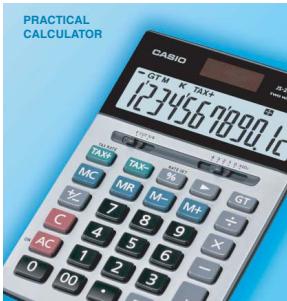
Practical Calculator / Printing Calculator
Larger display makes more data easier to read.

Big display
Big, easy-to-read display

Best view
Larger display characters are easier on the eyes, taking some of the features out of various ways.
taking some of the fatigue out of your work.
Two-way power (Solar + Battery)
Solar powered in sunlight, battery powered when lighting in law.

Super solar Solar cell powers
lighting is relatively dim.

Key rollover
Key operations are stored in a buffer, so
nothing is lost even during high-speed input.

Plastic keys


Rough cover status up to rough treatment

Tax & exchange function
Exchange Tax calculation and currency conversion functions.
TAY Tax cal
TAX Automatic calculation and printout of price also tax price loss tax discount or津贴
plus tax, price less tax, discount, selling price, tax amount, discount amount, and
price; tax amount margin amount
Time calculation
Time calculation allows easy input and
calculation of hour, minute, and second values.
Conversion Metric conversion function
Conversion between metric units and another
measurement unit.
Profit margin percent
%key gives quick access to prices and
96 profits, and also delivers add-ons, discounts
ratios and increase/decrease
MARK-UP MARK-UP PERCENT 86
%Key provides instant access to prices and profits, mark-up, add-ons, discounts
and profits, mark-ups, add-ons, discounts ratios and increase/decrease values.
Regular percent
Regular percentage calculations
Regular percentage data
× 1 Function command signs
A symbol (+, -, ×, +) on the display indicates
the type of operation you are currently
performing

Super command signs
Big, easy-to-read command signs show your current position at a glance.

Mark-up / Mark-down
All the mark-up/mark-down capabilities of

profit calculation

steps check
Displays up to 120 previous calculation steps.

Printing
Line printing for higher speed, superior print
quality, and quieter operation.
2-colour printing
Positive values are shown in black, and
values are shown in red for easy checking.

values are displayed in red for easier
negative value understanding.

Per-second printing indicates the number of ink

a.
Double-injection keys
Keys are produced by injecting plastic of two different
colours: Key markings are plastic, which means they do not wear or fade with use.
Digital Diary

Multi-lingual messages

In addition to English, you get a choice of

other languages for message displays.

Backlight display

Easy reading, even in the dark.


Telephone directory
Enter the first letter of a name to recall
the name in an instant (Initial
Data is sorted auto
alphabetical order.
Schedule keeper
Keep track of appointments by entering the
day, month, and year.
Memo function
Store text data such as price lists, airplane
schedules, movie schedules, concert
schedules, anniversaries, and more.

Keep track of daily tasks, checking off
items as you complete them.
Calendar function
A collection of calendars up to the year 2099.
World time
Find out the current time in virtually any
location on the globe.
Data communication
personal computer
Allows data communication with a personal
computer.

Secret memory area
The secret memory area keeps personal data
private. Once a password is registered, data
is locked away until the password is used to access the secret area.
access the secret area.

Alarm
A message appears and a buzzer sounds when a scheduled appointment time arrives. Metric conversion function Conversion between metric units and another measurement unit.

cy conversion function

inversion between two monetary units.

on command signs.
A symbol (+, -, ×, +) on the display indicates the
type of operation you are currently performing.
CATEGORY INDEX
SCIENTIFIC CALCULATORS
Scientific Calculator
Scientific Advisor Financial Consultant
Tools for the classroom, the research laboratory, and everywhere in between.
Tools for the classroom, the research laboratory, and everywhere in between. Quick solutions to complex financial calculations at your fingertips.
Quick solutions to complex financial calculations at your fingertips.


PAGE 3
PRACTICAL CALCULATORS
A full lineup of easy-to-use models to meet a variety of different needs.

PAGE 14
PRINTING CALCULATORS
Printouts of results along with each calculation step can be attached to documents.

PAGE 27
DIGITAL DIARY
Packed with a host of powerful data management features.

OTHER PRODUCT INFORMATION
MODEL INDEX Red numbers indicate new models.
| Model | Page | Model | Page |
| A | | DX-120V | 23 |
| ALGEBRA FX 2.0 PLUS...6 | | B | |
| AX-12V | 24 | EA-2 | 10 |
| AX-20TV | 24 | EA-200 | 10 |
| AX-120V | 24 | F | |
| C | | FA-123USB | 10 |
| CFX-9850GC PLUS...6 | | FA-129 | 27 |
| ClassPad 300Plus...3 | | FA-CP300A/B Ver. 3.0 | 10 |
| CD | | FC-100V | 7 |
| DL | | FC-200V | 7 |
| D-40L | 18 | FR-2650DT | 25 |
| D-60L | 18 | FR-2850T | 25 |
| D-120TV | 18 | f-CC-SUS L | 7 |
| DF-120TV | 18 | f-85 | 9 |
| DF-320TM | 15 | f-82ES | 8 |
| DF-32T | 15 | f-82BS | 9 |
| DJ-120T | 15 | f-82MS-BU | 8 |
| DJ-220 | 15 | f-85ES | 8 |
| DJ-240 | 15 | f-85MS | 9 |
| DJ-220T | 17 | f-95MS | 9 |
| DM-120TEV | 18 | f-100MS | 9 |
| DM-1400TV | 18 | f-104MS | 9 |
| DM-1600TV | 17 | f-350ES | 8 |
| DR-120LB BY... | 25 | f-350MS | 9 |
| DR-120LB WE... | 25 | f-350ES | 8 |
| DR-40L | 26 | f-570ES | 8 |
| DR-210HT | 26 | f-570MS | 9 |
| DR-220HD | 26 | f-820MS | 9 |
| DR-240HT | 26 | f-90MS | 9 |
| DR-270HT | 26 | f-991ES | 8 |
| DR-121CLA | 26 | f-991MS | 9 |
| DR-121DZ | 26 | f-992E | 9 |
| DR-114Q | 26 | f-3650P | 7 |
| DR-722Q | 26 | f-3950P | 7 |
| DS-TV | 17 | f-4580TA | 7 |
| DS-TV | 17 | f-4800P | 7 |
| DS-3V | 17 | f-5500LA | 7 |
| DS-3V | 17 | f-7500PT | 7 |
| DS-10TV | 17 | f-7400 PLUS | 6 |
| DS-120TV | 17 | f-9750SO | 6 |
| DS-120TV | 16 | f-9880SO | 5 |
| DS-120TV | 16 | f-9880G Manager Plus...10 | 5 |
| DS-120TV | 16 | f-9880SD | 5 |
| Model | Page |
| G | |
| GX-12V | 23 |
| GX-14V | 23 |
| GX-17V | 23 |
| GX-120V | 23 |
| H | |
| HL-4 | 22 |
| HL-100LB | 22 |
| HL-80LB | 22 |
| HL-81SLBK | 22 |
| HL-81SL WE | 22 |
| HL-81SL AB | 22 |
| HL-820VL we | 22 |
| HL-820VA | 22 |
| HL-87M-8K | 25 |
| HL-87M-GY | 25 |
| HL-100TML | 25 |
| HL-100TML | 25 |
| HS-8LV we | 22 |
| HS-8LV we | 22 |
| HS-8VA | 22 |
| JF-20TV | 19 |
| JF-120TV | 19 |
| JF-200TV sk | 14 |
| JF-200TV W | 14 |
| JF-200TV RD | 14 |
| JS-10TV | 19 |
| JS-10TV | 19 |
| JS-40V | 19 |
| JS-110TV | 19 |
| JS-110TV | 19 |
| JS-140V | 19 |
| JW-120TV | 19 |
| JZ-12W | 15 |
| X | |
| HX-60 | 28 |
| KL-60SR | 28 |
| KL-170 | 28 |
| KL-780 | 28 |
| Model | Page |
| L |
| LC-160VLw | 21 |
| LC-160VLwve | 21 |
| LC-160VLwve | 21 |
| LC-401LVw | 21 |
| LC-403VT | 21 |
| LC-100VT | 21 |
| M |
| MC-100 | 15 |
| MJ-100T | 15 |
| MJ-120T | 15 |
| MC-VS | 14 |
| MS-VSCON | 14 |
| MS-VSCPL | 14 |
| MS-VCT | 14 |
| MS-8VT | 20 |
| MS-10VT | 20 |
| MS-120VT | 20 |
| MS-10VCN | 14 |
| MS-10VCe | 14 |
| MS-120C | 14 |
| MS-20VT | 20 |
| MS-80VT | 20 |
| MS-120VT | 20 |
| MS-120VT | 20 |
| MS-170T | 20 |
| MS-170T | 20 |
| MS-310TM | 16 |
| MS-470LB | 20 |
| MK-20VT | 20 |
| MW-SVw | 20 |
| MW-8VTw | 20 |
| MW-8VTwve | 20 |
| MX-12VT | 24 |
| MX-120VT | 24 |
| N |
| N-10T | 20 |
| NS-20T | 20 |
| NS-310TM | 16 |
| O |
| OH-300ES | 10 |
| OH-300ESw | 10 |
| OH-9860 | 10 |
| Model | Page |
| B |
| RM-ALGEBRA FX 2.0 SET 10 |
| RM-ClassPad PLUS SET 10 |
| RM-9000 SET 10 |
| RM-9000 SET 10 |
| S |
| SF-2500 | 27 |
| SF-2501 | 27 |
| SF-4990 | 27 |
| SF-6990 | 27 |
| SF-8990 | 27 |
| SL-100L | 21 |
| SL-100VCse | 14 |
| SL-100Vcc | 14 |
| SL-200TE | 27 |
| SL-210TE | 21 |
| SL-220TE | 21 |
| SL-300LB | 21 |
| SL-300LV | 21 |
| SL-300TV | 21 |
| SL-320TV | 21 |
| SL-320TV | 21 |
| SL-340VA | 21 |
| SL-340VB | 21 |
| SL-760LB ax | 22 |
| SL-760LB bcc | 22 |
| SL-760LB bcc | 22 |
| SL-767TV cc | 22 |
| SL-767TV cc | 22 |
| SL-767TV bc | 22 |
| SL-910TM | 16 |
| SL-1000TV ac | 14 |
| SL-1000TV ab | 14 |
| SL-1000TV ro | 14 |
| SX-100 | 24 |
| SX-300 | 24 |
| SX-300P | 24 |
| SX-320P | 24 |
| SX-320P | 24 |
| MX-220T | 16 |
| WM-200T | 16 |
| WM-220T | 16 |
SCIENTIFIC CALCULATORS
Scientific Calculator Tools for the classroom, the research laboratory, and everywhere in between.
Financial Consultant Quick solutions to complex financial calculations at your fingertips.
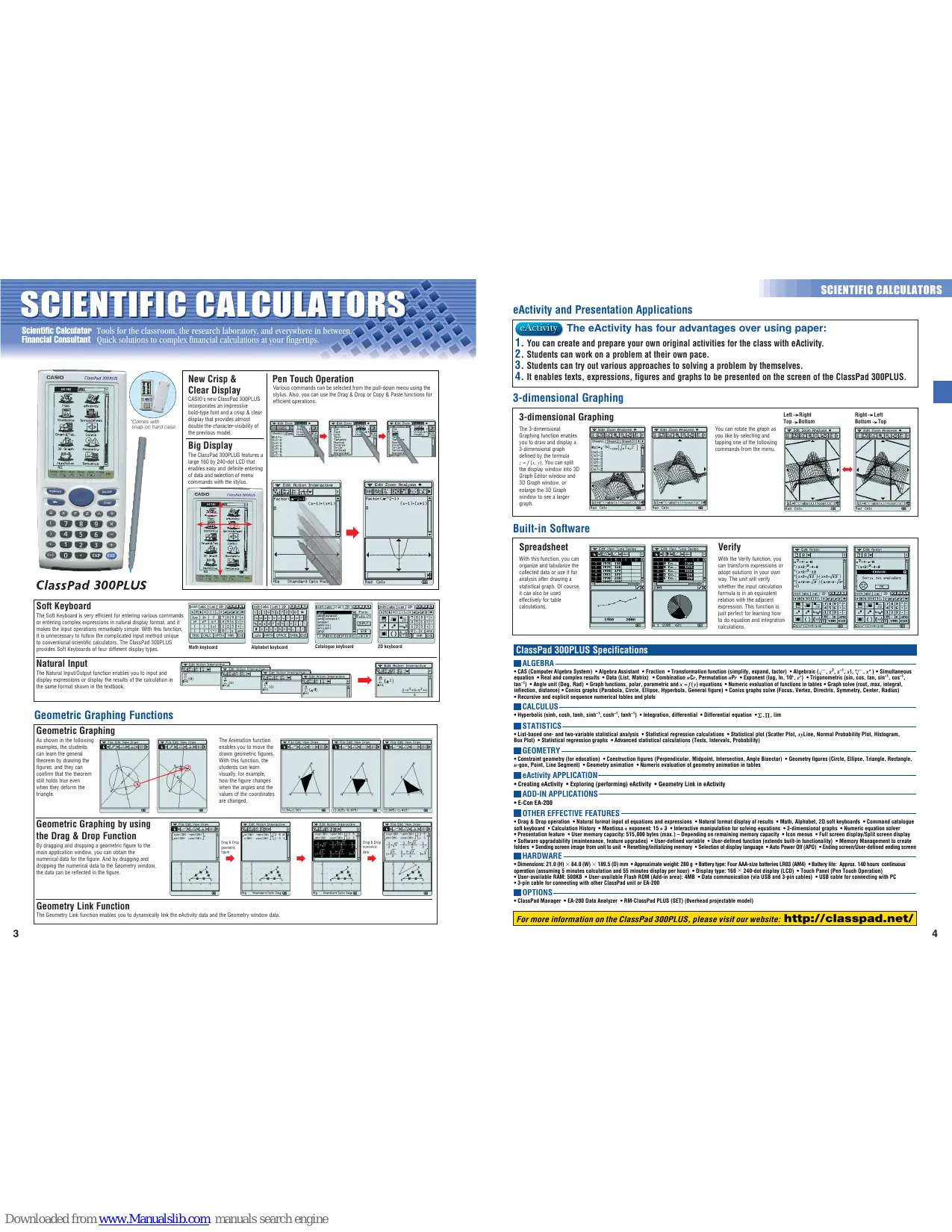
ClassPad 300PLUS New Crisp & Clear Display CASIO's new ClassPad 300PLUS incorporates an impressive bold-type font and a crisp & clear display that provides almost comparable the visibility of the previous model.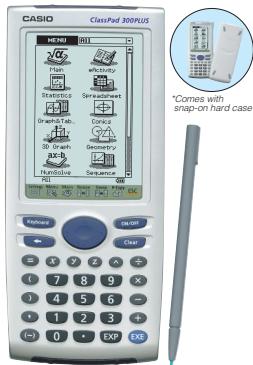
Big Display The ClassPad 300PLUS features a large 160 by 240-dot LCD that enables easy and definite entering and exit of the menu commands with the stylus.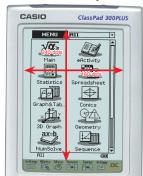
Pen Touch Operation Various commands can be selected from the pull-down menu using the Command panel to use the Drag & Drop or Copy & Paste functions for efficient operations.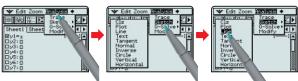
Catalogue keyboard
2D keyboard
Soft Keyboard
The Soft Keyboard is very efficient for entering various commands or complex expressions in natural display format, and it makes input operations remarkably simple. With this function, it is unnecessary to follow the complicated input method unique to conventional scientific calculators. The ClassPad 300PLUS provides Soft Keyboards of four different display types.
The Natural Input/Output function enables you to input and output data in a single step. The calculation is used in the same format as shown in the textbook.
Math keyboard
Alphabet keyboard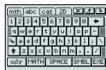
Catalogue keyboard
2D keyboard
Geometric Graphing Functions
Geometric Graphing
As shown in the following examples, students can learn the general theorem by drawing it. They can confirm that the theorem still holds true even when they deform the triangle.
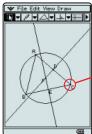
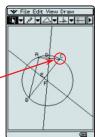
The Animation function enables you to move the drawn geometric figures. Students can learn
visually, for example, how the figure changes when the angles and the coordinates are changed.


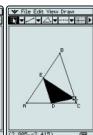
Geometric Graphing by using the Drag & Drop Function
By dragging and dropping a geometric figure to the main application window, you can obtain the numerical data for the figure. And by dragging and dropping a geometric figure to the main geometry window, the data can be reflected in the figure.
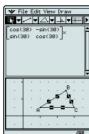


Geometry Link Function
The Geometry Link function enables you to dynamically link the eActivity data and the Geometry window data.
eActivity and Presentation Applications
eActivity
The eActivity has four advantages over using paper:
- You can create and prepare your own original activities for the class with eActivity.
- Students can work on a problem at their own pace.
- Students can try out various approaches to solving a problem by themselves.
- It enables texts, expressions, figures and graphs to be presented on the screen of the ClassPad 300PLUS.
3-dimensional Graphing
3-dimensional Graphing
The 3-dimensional Graphing function enables you to draw and display a 3-dimensional graph defined by the formula z = f(x,y) . You can split the display window into 3D Graph Editor window and 3D Graph window, or the 3D Graph Editor window to see a larger graph.

You can rotate the graph as you like by selecting and tapping one of the following commands from the menu.

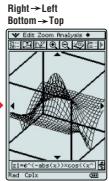
Built-in Software
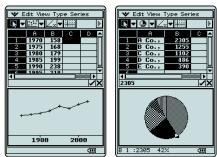
Spreadsheet
With this function, you can organize and tabulate the collected data or use it for analysis after drawing a statistical graph. Of course it can also be used effectively for table calculations.
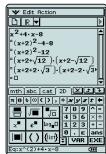
Verify
With the Verify function, you can transform expressions or adopt solutions in your own way. The unit will verify whether the input calculation formula is in an equivalent relation with the adjacent equation. This function is just perfect for learning how to do equation and integration calculations.

ClassPad 300PLUS Specifications
ALGEBRA
Computer Algebra System (CAS) • Algebra Assistant • Fraction • Transformation function (simplify, expand, factor) • (Algebra^-1, x^2, x^3, x^4, x^5, x^6, x^7, x^8, x^9) • Simultaneous equation • Real and complex results • Data (List, Matrix) • Combination nCr, Permutation nPr, • Exponent (log, ln, 10, e^x), Trigonometric (sin, cos, tan, sin^-1, cos^-1, tan^-1) • Angle unit (Deg, Rad) • Graph functions, polar, parametric and x = f(x) equations • Numerical evaluation of functions in tables + Graph root (slope, max, integral, inflection, distance) • Conics graphs (Parabola, Circle, Ellipse, Hyperbola, General figure) • Conics graphs solve (Focus, Vertex, Directrix, Symmetry, Center, Radius)
CALCULUS
Hyperbolic (sinh, cosh, tanh, sinh^-1, cosh^-1, tanh^-1) Integration, differential Differential equation Σ, Π, lim
STATISTICS:
- List-based one- and two-variable statistical analysis • Statistical regression calculations • Statistical plot (Scatter Plot, xyLine, Normal Probability Plot, Histogram, Box Plot) • Statistical regression graphs • Advanced statistical calculations (Tests, Intervals, Probability)
GEOMETRY
- Constraint geometry (for education) • Construction figures (Perpendicular, Midpoint, Intersection, Angle Bisector) • Geometry figures (Circle, Ellipse, Triangle, Rectangle, n-gon, Point, Line Segment) • Geometry animation • Numeric evaluation of geometry animation in tables
eActivity APPLICATION
- Creating eActivity - Exploring (performing) eActivity - Geometry Link in eActivity
ADD-IN APPLICATIONS
E-Con EA-200
OTHER EFFECTIVE FEATURES
- Drag & Drop Operation → Natural format input of equations and expressions → Natural format display of results of * Math, Alphabet, 2D soft keyboards → Command catalogue soft keyboard → Calculation History → Mantissa + exponent: 15 + 3 → Interactive manipulation for solving equations → 3-dimensional graphs → Numeric equation solver → Presentation feature → User memory capacity: 515,000 bytes (max.) - Depending on remaining memory capacity · Icon menus → Full screen display/Spilt screen display → Displaying the user's name → Displaying the user's address → Displaying the user's phone number → Displaying screen image → Setting screen image from unit to unit → Resetting/initializing memory → Selection of display language → Auto Power Off (APD) → Ending screen/User-defined ending scre
HARDWARE
Dimensions: 21.0 (H) × 84.0 (W) × 199.5 (D) mm × Approximate weight 280g Battery Type: Four AAA-size batteries LR30 (AM4) Battery life: Approx. 140 hours continuous operation (assuming 5 minutes calculation and 55 minutes display per hour) × Display type: 160 × 240-dot display (LCD) × Touch Panel (Pen Touch Operation) × User-available RAM: 500KB × User-available Flash ROM (Add-in area): 4MB × Data communication (via USB and 3-pin cables) × USB cable for connecting with PC × 3-pin cable for connecting with other ClassPad unit or EA-200
OPTIONS
ClassPad Manager EA-200 Data Analyzer ♣ RM-ClassPad PLUS (SET) (Overhead projectable model)
For more information on the ClassPad 300PLUS, please visit our website: http://classpad.net/
Graphic Models with Flash Memory
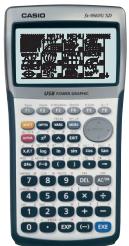
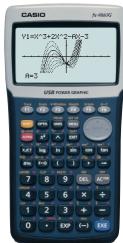
An innovative approach for the math & science class environment

*Comes with new slide-on hard case Free Add-in software for fx-9860G series E-CON2 Physium Geometry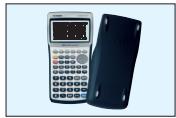
fx-9860G SD fx-9860G
Hardware Features: High-resolution LCD
The fx-9860 series features a sharp, crisp display of the high-resolution LCD with enlarged display area and a wide range of display settings. The display is also suitable for large displays. The clear, eye-friendly, large-sized 64 × 128 dot display improves the efficiency of study.
128 dots (67.44mm)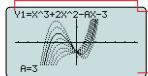
fx-9750G PLUS fx-9860G series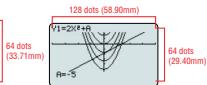
Software Features
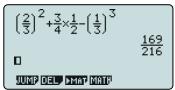
Just like writing in a notebook, fractions, roots, powers, and integrals can be input and displayed to the student. The first part of this text is organized as follows: "I want to show you how to use the student. Also, it displays the result of the fraction calculation as it is shown in the textbook."
eActivity
This unit is equipped with the popular eActivity function of the ClassPad 300. The innovative eActivity functions of the fx-9860G series allow students, not to mention teachers, to create their own problems or study materials. With this function, students can learn at their own pace and complete a variety of tasks. The main purpose of this unit is to develop the concept of the eActivity function, motivation for learning and understanding can be greatly improved.
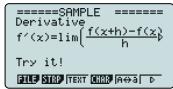
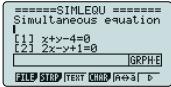

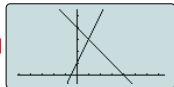
Built-in Software
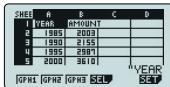
Table calculations come easy with the built-in Spreadsheet function. Since the multi-function Spreadsheet ever includes a built-in Graphing Function, it can be used to create a variety of graphical functions.

High-speed CPU: By employing a high-performance, high-speed CPU, the fx-9860G series remarkably accelerates the processing speed. The speed increased dramatically compared to conventional models. A large capacity 1.5MB Flash Memory: With an ample 1.5MB Flash Memory, various data and applications can be downloaded and stored without worrying about memory capacity. - Ready-to-use USB functions: Since USB cable, unit-to-unit cable, and Program-Link Software are included in the package, the USB cable is not included in the package. The USB cable can be used for communication and program exchange can be performed immediately from the day of purchase. - SD Card Slot (SD model only): The fx-9860G SD is equipped with an SD card slot which allows easy data exchange.

Peripheral environment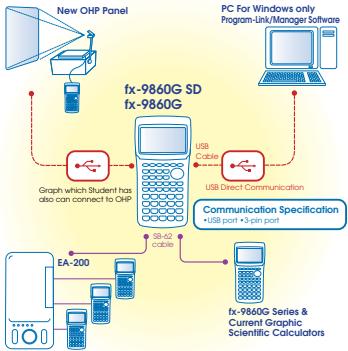

Large display (128x64 dots) Algebra Applications (Computer Algebra System, Algebra, Tutor) Graphic functions & Graph solve functions Dynamic graph Dual graph (Graph & Table, Graph & Graph) Convex functions Linear equations List function & list-based statistics Statistic calculations & graphs Graph solve Integrations Differential and quadratic differential calculations BASIC-like program functions Linear equations from 2 to 30 unknowns → 2 to 30 order equations Matrix operations with complex numbers Base-n calculations/conversions Add-in application with Flash Memory Includes a connecting cable for data transfer between two units Data communications (requires separately available FA-123/FA-123/USB)
*Comes with slide-on hard case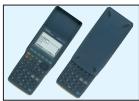
Main Functions
Algebra Applications
Compute
compdor
Using the Computer Algebra System (CAS), students can factor expressions, find limits of functions and calculate derivatives. The CAS is a computer program that uses a set of rules. CASO's CAS is based on the CASO's original algebra system and enhanced by our R & D team. Professor John Kenely and other researchers have contributed to the development of this system.
Algebra
Application helps students manipulate equations. ALOEBNOLM is a tool that helps students to solve themselves in an attempt to arrive at the correct solutions. ALOEBNOLM can be used in Turtor application, they can
Tutor —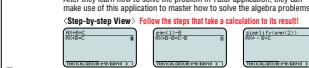
Auto Mode Material Mode -Verity Mode
Graphic Models
COLOUR POWER GRAPHIC
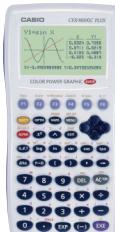
*User memory capacity 61,000 bytes
CFX-9850GC PLUS
*Comes with snap-on hard case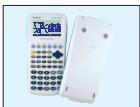
POWERGRAPHIC
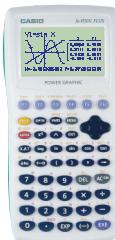


Main Ei


aph
List-based statistics
Store a list of values in memory for us when performing function and statistics, when drawing graphs, or when generating tables of numeric values.
Advanced statistics
t-test, confidence interval, probability analysis, and other calculations and graphing
2-sample F-test graphing Displays shown are CFX-9850GC PLUS
POWERGRAPHIC
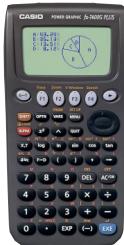

Large display (80 x 48 dots) ♣ Graphic functions (Rectangular coordinate graph, Parameter graph, Inequality graph, Integration graph, Statistical analysis, Graphical analysis, Graphics, Sketch function) Table and graph List data function & list-based statistics -Differentials -Fraction function ♣ BASIC-like program functions -Basic-like program
*Corresponds with snap-on hard case fx-7400G PLUS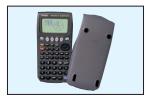
Large 3-color display (128 x 64 dots) (CFX-9850GC PLUS) × Large display (128 x 64 dots) (bx-9750G PLUS) × Graphic functions (Rectangular coordinate graph, Polar coordinate graph, Parameter graph, Inequality graph, Integration graph, Statistical graph) × Dynamic graph × Dual graph × Conic graph × Regression graph (Logistic regression graph, Sinusoidal regression graph, Linear regression graph, and more) × Graph solve × Integrations × Differential and quadratic differential calculations × Complex analysis × Convex analysis × Advanced statistics × Advanced statistics × BASIC-like program functions × Linear equations from two to six unknowns × Quadratic equations, Cubic equations × Matrix operations × Base-n calculations/conversions × Financial function × Data communications
Main Functions
■GRAPH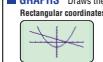
using types of graphs.
TRIGONOMETRY Perform calculations for trigonometric & inverse trigonometric functions.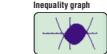
■ STATISTICS
Standard Deviation
Performs calculations of single-variable statistical data and graphs the result.
1 Histogram


Regression
Performs calculations of paired-variable statistical data and graphs the result
SCIENTIFIC CALCULATORS
SCIENTIFIC CALCULATORS
Programmable Models
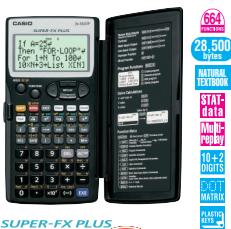

SUPER-FX PLUS
fx-5800P
Natural Textbook Display & MORE POWERFUL Program Functions
- Program function → Matrix calculations → Differential and integration → Recursions → Solve function → Analysis → Simulation
- Data transmission between two ×5000 computers
26 - 2398 variable memories ★ Fraction calculations
10.4 Scientific correlations ★ 22 decade in formulation Standard deviation, Regression analysis) ★ An inte
hard case swings back a full 360 degrees.
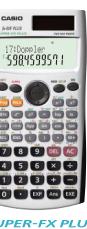

SUPER-FX PLUS fxF-50F PLUS NEI
BASIC-like Program, Perfect Algebraic Method, 2-line Display, Multi-replay Function
- Program function - Multi-replay function
- 2-line display - Fraction calculations
- Combination and permutation - 23 built-in formulas - 40 scientific constants - Statistics
(S)TAI-RAID editor, Shiftdown command. (S)TAI-RAID editor, Shiftdown and Open/Close memories. Plastic keys. Comes with slide-on hard case
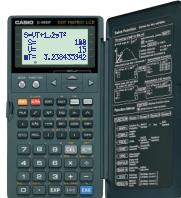

SUPER-FX
fx-3650P

SUPER-FX fx-3950P
Multi-replay Function, 2-line Display, Perfect Algebraic Method
- Program function → Multi-replay function → 2-line display
- Fraction calculations → Combination and permutation → Differential equations → Linear equations → Matrix calculation → Regression analysis → Base-n calculations/conversions → Logical operations → Complex number calculations → 7 variable memories → Linear algebra → Linear algebra
fx-4500PA
2-line display and program file system
- 2-line display shows formulas and results simultaneously.
- High utility variation of program steps (1,103 - 7) and data memories (26 - 163) + Program file system for storing multiple programs - Replay function - Engineering symbol calculations - Formula memory - Integrations - Statistics - Programming language - Code - Calculations/conversions - Logical operations
School Cal
Plastic keys and protective hardcase provide the best of operation and durability

fx-4800P
Easy-to-read 4-line display and solve function
- Solve function → Formula storage and Table function → Programming function with filename → Analysis → Analysis with calculations → Differential and integration → Sigma calculation → Recursions → An integrated hard case → Simulation → Analysis
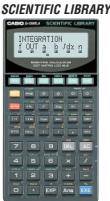

fx-5500LA
6-function scientific library built into 2-line display shows formulas and results.
simultaneously. ♣ Reply function ♣ Engineering ♣ Analysis ♣ Modeling ♣ Analysis (10 steps) ♣ Matrix operations ♣ Equations ♣ Integrations ♣ Complex number calculations ♣ Base-n calculations ♣ Matrix calculation ♣ Statistics (Standard deviation, Regression analysis).
Financial Consultant

The new Financial Consultant solves the riddles of financial calculations with its powerful & exclusive built-in functions.
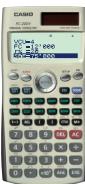
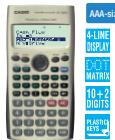

FINANCIAL CO EC-201
ULTANT FINANCIAL CONSULTANT V EC-100V
SL-450L
Display: LCD ± Digit 8: Simple algebraic logic ± Independent memory % ^+ Profit margin % . √ - + 3-digit comma markers. Power supply: solar. Dimensions: 7.8(H) × 67(W) × 120(D) mm. Approximate weight: 47 g
- Plastic keys - Comes with new slide on hard case - Power supply: Solar cell and a single G3 type button battery (LR44) (FC-200V)/ One AAA-size battery (FC-100V) - Approximate battery life: 3 years (1 hour of operation per day) (FC-200V) 17,000 hours continuous display of flashing camera. Battery power: FC-12/12 h (80W×60W×1610 mm). Approximate weight: FC-200V 105 g, FC-100V 110 g
Direct mode key and new operation. By pressing these built-in Direct Mode Keys, you can swiftly enter into exclusive modes when executing each command. The first two keys are the same as in the above, incorporate a full-dot-4 line display allowing easy input, confirmation, change and correction of each parameter. The third key is also convenient 3-digit comma-markers display function.


Standard Models
Natural Textbook Display Models
CASIO's unique "Natural Expression Input Display" and "Natural Expression Result Display" functions allow the display of expressions of fractions, exponents, logarithms, powers and square roots just as they are written in the textbook. As a result, it enhances the comprehension of the students and improves the efficiency of the math class.
Natural input allows the natural input of expressions to be used, but they are
Natural output allows the natural display of the natural system.
Full dot display
fx-82ES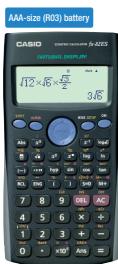
fx-85ES
fx-350ES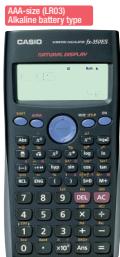
Functions of 500ES:
Equation calculations


1: a_n x + b_n y + c_n z = d_n 2: a_n x + b_n y + c_n z = d_n
A=

A1
A2
-1+1414213562j
-1=1.414213562i

1
A1
A. 2k = 1
A3

14 10 12 15 17 19 20
13/14
Added functions of the Fe - 99ESI/570EIS
Equation calculations · Integration/differential calculations - Matrix calculations - Vector calculations - Complex number calculations CALC function · SOLVE function · Base- n calculation

21%dx
1 + u/1 - u/1 = ( 1 + u) u1 < u/1 = u
Complex number calculations
BIMOL
3+2 2+i

Matrix operations
MACCIMX2 1:3x3 2:3x2
3:3x1 4:2x3 5:2x2 6:2x1

1
-1
1
1 4 9 5j
SCIENTIFIC CALCULATORS
SCIENTIFIC CALCULATORS
Standard Models
AA-size battery fx-82MS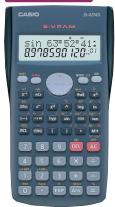
fx-82MS-BU
Button-type battery fx-350MS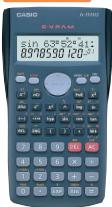
Two-way power fx-85MS
Multi-replay function
2-line display
Fraction calculations
Combination and permutation
- Statistics (STAT) data editor, standard deviation, regression analysis
9 variable memories
Plastic keys
Comes with slide-on hard case
Added functions of the fx-95MS:
Two-way power fx-991MS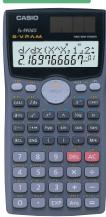
AA-size battery fx-100MS
Two-way power fx-115MS
600.SVLAJSTAT1-1M
Added functions of the fx-100MS/115MS.
Equation calculations
- Integration/differential calculations
- Base-n calculations/conversions
- Complex number calculations
two-way power fx-992s
1/2 x - 1 > 0
mes with slide-on
t-in complex
t-III complex
128 scientific calculations
126 Solving 3stants
Stints
Statistical calculations, engineering symbols
lations · Base- n lations/conversions
Two-way power fx-65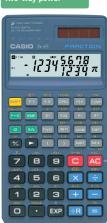

The scientific
calculator with true
fraction display
Fraction reduction
Permutation and combination Intense division
- Integer division
- Cube roots
- Back space key -Cube
- Comes with slide-on hard
Two-way power fx-901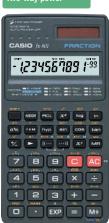
150 10+2 FIGURES DIGITS
hard case
Calculators in the Classroom
Supporting options for graphic scientific calculators
SUPPORT
CLASSROOM
Data Analysis System
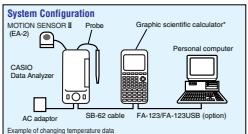
Quick and accurate data accumulation assists analysis in intensive studies.
Collect data at rates of up to 50,000
per second for up to 120,000 points. All flash DPM for recording function running - All flash-Row for upgrading function version. - Compatible with the CASIO by 7400 series. Compatible with the CASIO 1x-7400 series, CFX-9850 series, ALGEBRA FX 2.0 series. x-8060 series, ALGELNA 1X 20 series, xh-9860 series, and ClassPad 300 series.
Includes:
CASIO Data Analyzer - Temperature probe, Optical probe, Voltage probe - Data communication cable - AC adaptor: AD-A6002 - AB adaptor - Soft case, Four AA-size alkaline batteries
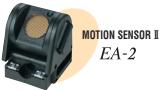
The EA-2 emits ultrasonic pulses and detects the presence of a 3D waveguide. The waveguide can be connected to the CASIO EA-200 Data Analyzer (CASIO) software [1].
Graphic Scientific Calculator Projection Set
All the functions of the CharDB 30qnpUS
All the definitions of the CEPRA E2.0 plus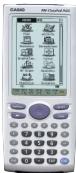
Includes:
- Graphic scientific unit: 211-01-P-211-01 HM-ClassPad PLUS (same functions as ClassPad 300Plus (US)) Projection unit OH-30
- Data transfer cable: SB-62 PC-Link cable: USB
- Carrying bag
- Graphic scientific unit: 211-01-P-211-01 HM-ClassPad PLUS (same functions as ClassPad 300Plus (US)) Projection unit OH-30 PC-Link cable
- Carrying bag

This optional set allows the displayed contents of the calculation to be projected onto a wall screen, an effective function in classrooms. The set unit mounts on the OHP and can be remotely controlled by a hand-held calculator.
OHP Projection Model
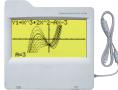
All the functions of the CCK-RESOPLC PLUS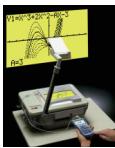
H-9860 OH-9860 activates class activity. By connecting the fx-9860G SD or fx-9860G to the optional OHP unit with a USB cable, you can project the displayed contents of the fx-unit on the screen. With this function, each student can make a presentation in the class, or teachers can use it as a powerful tool for teaching. Thus, the application of the unit broadens, class activities will be activated, and the efficiency of learning and the student's understanding will be improved.
Includes: - Graphic scientific unit: RM-9000 (same functions as CFX-9850G PLUS). CFX-9850G PLUS functions can be replaced with fx-7400G PLUS functions using data on the included CD-ROM. Projection unit: OH-15. Data transfer cable: SB-63. PC-Link cable: SB-87. AC adaptor: AD-A60024. CD-ROM for Windows: Program Link software, fx-7400G PLUS and CFX-9850G PLUS functions. Carrying bag.
RM-9000 SET RM-7000 SET
Project display contents onto a big screen using
an OHP! A powerful classroom presentation tool
OH-300ES provides the same powerful functions of fx-82ES/85ES/350ES. The Educator OH-300MS provides the same powerful functions of fx-82MS/85MS/250MS.

S-V.P.A.M. The transparent properties of this product let you place it onto an OH-300MS OHP to explain both screen contents and key operations.
Software

Differential Equation Application - Spreadsheet Application. Data communication with ClassPad series calculators. System Requirements: Computer: Recommended Intel Pentium with USB. Operating Systems: Windows 98SE/Me/2000/XP. Disk Space: 100 MB available for installation. Memory: Recommended for operating systems.

fx-9860G Manager PLUS Simulates the functions of the fx-9860G series on your PC! Classroom Activity Support Functions of the fx-9860G series: Key-Log File Creation and Screen Capture Functions. Reproduction of the fx-9860G on your PC screen. Requires Intel® Pentium® III 500 MHz, Windows® 98SE/Me or Windows® 2000/XP. Available for installation. Used for operating system.
FA-123USB Data Communication Package
Program-Link software for Windows® PC (CD-ROM), SB-88 PC-Link cable. System Requirements: Computer: IBM PC/AT or compatible. Operating Systems: Windows® 98/Me/2000 SP3/XP SP1. Monitor: Colour (256 colours or more). Minimum free space on hard drive: 1MB.
1 free - CD-ROM drive - USB port: 1 port free
The Program-Link software can be downloaded from the WEB: /world.casio.com/edu/ The Program-Link software needs the SB-88 PC-Link cable. Those users who had downloaded the software from the WEB are asked to purchase the cable. This is a registered trademark of Microsoft Corporation.

Scientific Calculators Specification Table
| Graphs Models | | | | |
| Tr-9886G SD | Tr-9886G | ALGERA F.X.S PLUS | 27.4856G PLUS | Tr-7750G PLUS | Tr-7400G PLUS | Tr-5880P | Tr-50F PLUS | Tr-3650P | Tr-3950P | | | | | |
| Over 1,000 | Over 1,000 | Over 1,500 | 905 | 900 | 406 | 664 | 406 | 279 | 279 | | | | | |
| AAA x 4 | AAA x 4 | AAA x 4 | AAA x 4 | AAA x 4 | AAA x 2 | AAA x 1 (LR3) | AAA x 1 (LR3) | Two-way power (Solar + LR4) x 1 | Two-way power (Solar + LR4) x 1 | LR4 x 1 | | | | |
| CR2032 x 1 | CR2032 x 1 | CR2032 x 1 | CR2032 x 1 | CR2032 x 1 | CR2032 x 1 | — | — | — | — | | | | | |
| 300 (LR303)x1 | 300 (LR303)x1 | 140 (R03)x1/2 | 180 (R03)x1/2 | 240 (R03)x1/2 | 900 (R03)x1/2 | 1 year | 3 years (LR4)x1 | 3 years (LR4)x1 | 9.000** | 3 years** | | | | |
| 230 (LR303)x1 | 320 (LR303)x1 | 420 (LR303)x1 | 1,500 (LR303)x1 | 1 | 3 years (LR4)x1 | 3 years (LR4)x1 | 3 years** | 3 years** | | | | |
| 5 | 5 | 2 | 2 | 2 | 2 | — | — | — | — | | | | | |
| 24 x 92.5 x 184.5 | 24 x 92.5 x 184.5 | 19.5 x 82 x 178 | 24.5 x 80 x 182.5 | 24.5 x 80 x 182.5 | 23 x 85.5 x 169 | 15.1 x 81.5 x 163 | 12.2 x 80 x 161 | 11.8 x 80 x 159 | 11.8 x 80 x 159 | | | | | |
| 265 | 260 | 213 | 215 | 215 | 185 | 150 | 105 | 100 | 100 | | | | | |
| Slide-on hard | Slide-on hard | Slide-on hard | Snap-on hard | Snap-on hard | Snap-on hard | Integrated hard | Slide-on hard | Snap-on hard | Snap-on hard | | | | | |
| 64 x 128 dots | 64 x 128 dots | 64 x 128 dots | 64 x 128 dots | 64 x 128 dots | 48 x 80 dots | 31 x 96 dots | 5 x 7 dots | 5 x 6 dots | 5 x 6 dots | | | | | |
| 21 x 8 | 21 x 8 | 21 x 8 | 21 x 8 | 21 x 8 | 13 x 6 | 16 | 16 | 12 | 12 | | | | | |
| 10 x 2 | 10 x 2 | 10 x 2 | 10 x 2 | 10 x 2 | 10 (9 x 2) | 10 x 2 | 10 x 2 | 10 x 2 | 10 x 2 | | | | | |
| ● | ● | ● | ● | ● | ● | — | — | — | — | | | | | |
| 15 | 15 | 15 | 15 | 15 | 15 | 15 | 15 | 12 | 12 | | | | | |
| 26 | 26 | 26 | 26 | 26 | 26 | 26 | 24 | 24 | 24 | | | | | |
| ● (BASIC-like) | ● (BASIC-like) | (BASIC-like) | (BASIC-like) | (BASIC-like) | (BASIC-like) | (BASIC-like) | (BASIC-like) | (BASIC-like) | (BASIC-like) | | | | | |
| 64,000 | 64,000 | 146,000 | 61,000 | 28,000 | 20,000 | 28,500 | 28,500 | 680 | 360 | 360 | | | | |
| Limited to memory capacity | Limited to memory capacity | Limited to memory capacity | Limited to memory capacity | Limited to memory capacity | Limited to memory capacity | Limited to memory capacity | Limited to memory capacity | 4 | 4 | 4 | | | | |
| 1.5MB | 1.5MB | 768KB | — | — | — | ● | ● | ● | ● | | | | | |
| — | — | — | — | — | — | 128 | 23 | — | — | | | | | |
| ● | ● | ● | ● | ● | ● | ● | ● | ● | ● | | | | | |
| ● | ● | ● | ● | ● | ● | ● | ● | ● | ● | | | | | |
| ● | ● | ● | ● | ● | ● | ● | ● | ● | ● | | | | | |
| ● | ● | ● | ● | ● | ● | ● | ● | ● | ● | | | | | |
| ● | ● | — | — | — | — | ● | ● | ● | ● | | | | | |
| ● | ● | ● | ● | ● | ● | ● | ● | ● | ● | | | | | |
| ● | ● | ● | ● | ● | ● | ● | ● | ● | ● | | | | | |
| ● | ● | ● | ● | ● | ● | ● | ● | ● | ● | | | | | |
| ● | ● | ● | ● | ● | ● | ● | ● | ● | ● | | | | | |
| ● | ●
● | ●
● | ●
● | ●
● | ●
● | ●
● | ●
● | ●
● | ●
● | | | | | |
| 3x-1 only | 3x-1 only | 3x-1 only | 3x-1 only | 3x-1 only | 3x-1 only | 3x-1 only | 3x-1 only | ●
●
●
●
●
●
●
●
●
●
●
●
●
●
●
●
●
●
●
●
●
●
●
●
●
●
●
●
●
●
●
●
●
●
●
●
●
●
●
●
●
●
●
●
●
●
●
●
●
●
● | ●
●
●
●
●
●
●
●
●
●
●
●
●
●
●
●
●
●
●
●
●
●
●
●
●
●
●
●
●
●
●
●
●
●
●
●
●
●
●
●
●
●
●
●
●
●
●
●
●
★
●
●
●
●
●
●
●
●
●
●
●
●
●
●
●
●
●
●
●
●
●
●
●
●
●
●
●
●
●
●
●
●
●
●
●
●
●
●
●
●
●
●
●
●
●
●
●
●
●
★ | ●
●
●
●
●
●
●
●
●
●
●
●
●
●
●
●
●
●
●
●
●
●
●
●
●
●
●
●
●
●
●
●
●
●
●
●
●
●
●
●
●
●
●
●
●
●
●
●
●
— | ●
●
●
●
●
●
●
●
●
●
●
●
●
●
●
●
●
●
●
●
●
●
●
●
●
●
●
●
●
●
●
●
●
●
●
●
●
●
●
●
●
●
●
●
●
●
●
●
●
▲
●
●
●
●
●
●
●
●
●
●
●
●
●
●
●
●
●
●
●
●
●
●
●
●
●
●
●
●
●
●
●
●
●
●
●
●
●
●
●
●
●
●
●
●
●
●
●
●
●
—
—
—
—
—
—
—
—
—
—
—
—
—
—
—
—
—
—
—
—
—
—
—
—
—
—
—
—
—
—
—
—
—
—
—
—
—
—
—
—
—
—
—
—
—
—
—
—
—
—
★
★
★
★
★
★
★
★
★
★
★
★
★
★
★
★
★
★
★
★
★
★
★
★
★
★
★
★
★
★
★
★
★
★
★
★
★
★
★
★
★
★
★
★
★
★
★
★
★
★
★★★
★
★
★
★
★
★
★
★
★
★
★
★
★
★
★
★
★
★
★
★
★
★
★
★
★
★
★
★
★
★
★
★
★
★
★
★
★
★
★
★
★
★
★
★
★
★
★
★
★ | ●
●
●
●
●
●
●
●
●
●
●
●
●
●
●
●
●
●
●
●
●
●
●
●
●
●
●
●
●
●
●
●
●
●
●
●
●
●
●
●
●
●
●
●
●
●
●
●
★
★
★
★
★
★
★
★
★
★
★
★
★
★
★
★
★
★
★
★
★
★
★
★
★
★
★
★
★
★
★
★
★
★
★
★
★
★
★
★
★
★
★
★
★
★
★
★
★
±
±
±
±
±
±
±
±
±
±
±
±
±
±
±
±
±
±
±
±
±
±
±
±
±
±
±
±
±
±
±
±
±
±
±
±
±
±
±
±
±
±
±
±
±
±
±
±
±
±
★
★
★
★
★
★
★
★
★
★
★
★
★
★
★
★
★
★
★
★
★
★
★
★
★
★
★
★
★
★
★
★
★
★
★
★
★
★
★
★
★
★
★
★
★
★
★
★
★
× 30 unknowns | ●
●
●
●
●
●
●
●
●
●
●
●
●
●
●
●
●
●
●
●
●
●
●
●
●
●
●
●
●
●
●
●
●
●
●
●
●
●
●
●
●
●
●
●
●
●
●
●
●
±
±
±
±
±
±
±
±
±
±
±
±
±
±
±
±
±
±
±
±
±
±
±
±
±
±
±
±
±
±
±
±
±
±
±
±
±
±
±
±
±
±
±
±
±
±
±
±
±
× 30 unknowns | ●
●
●
●
●
●
●
●
●
●
●
●
●
●
●
●
●
●
●
●
●
●
●
●
●
●
●
●
●
●
●
●
★
★
★
★
★
★
★
★
★
★
★
★
★
★
★
★
★
★ |
| Model | Programmable Models | Standard Models |
| tx-4500PA | tx-480P | tx-5500LA | tx-82ES | tx-85ES | tx-350ES | tx-500ES | tx-991ES | tx-578ES |
| Specifications | Number of functions | 242 | 297 | 250 | 249 | 249 | 249 | 253 | 403 | 403 |
| Power supply (Main) | CR2032 x 1 | CR2032 x 1 | CR2032 x 2 | AAA x (R03) | Two-way power (Solar + LHM4 x 1) | AAA x (L03) | AAA x (R03) | Two-way power (Solar + LHM4 x 1) | AAA x (R03) |
| Power supply (Backup) | CR2032 x 1 | CR2032 x 1 | CR2032 x 1 | — | — | — | — | — | — |
| Approximate battery life. Main (hours) | 5,000+4 | 900+4 | 350+2 | 17,000+4 | 3 years (LH44)+4 | 8,700+4 | 17,000+4 | 3 years (LH44)+4 | 17,000+4 |
| Approximate battery life Backup (years) | 2 | 2 | 2 | — | — | — | — | — | — |
| Dimensions H × W × D (mm) | 9.9 × 73 × 141.5 | 15 × 81.5 × 157 | 9.9 × 73 × 141.5 | 13.7 × 80 × 161 | 12.2 × 80 × 161 | 13.7 × 80 × 161 | 13.7 × 80 × 161 | 13.7 × 80 × 161 | 13.7 × 80 × 161 |
| Approximate weight (g) | 85 | 133 | 85 | 110 | 105 | 110 | 110 | 105 | 110 |
| Case style | Wallet | Integrated hard | Wallet | Slide-on hard | Slide-on hard | Slide-on hard | Slide-on hard | Slide-on hard | Slide-on hard |
| Dot matrix display | 5 × 7 dots × 12 digits | 5 × 7 dots × 16 digits × 4 lines | 5 × 7 dots × 16 digits × 2 lines | 31 × 96 dots | 31 × 96 dots | 31 × 96 dots | 31 × 96 dots | 31 × 96 dots | 31 × 96 dots |
| Display capacity (characters) | 12 | 16 | 16 | 15 | 15 | 15 | 15 | 15 | 15 |
| Mantissia + exponent digits | 10 × 2 | 10 × 2 | 10 × 2 | 10 × 2 | 10 × 2 | 10 × 2 | 10 × 2 | 10 × 2 | 10 × 2 |
| Icon menus | — | — | — | — | — | — | — | — | — |
| Internal operation digits | 12 | 15 | 12 | 15 | 15 | 15 | 15 | 15 | 15 |
| Parentheses level | 24 | 26 | 26 | 24 | 24 | 24 | 24 | 24 | 24 |
| Programming Functions | Program topic | # | # | # | — | — | — | — | — | — |
| Memory (bytes) | 1,103 | 4,500 | 1,095 | — | — | — | — | — | — |
| Program areas | Limited to memory capacity | Limited to memory capacity | — | — | — | — | — | — | — |
| Storage memory area (Flash memory) | — | — | — | — | — | — | — | — | — |
| Built-in formulas | — | — | — | — | — | — | — | — | — |
| Utilities | Natural textbook display | — | — | — | # | # | # | # | # | # |
| Key rollover function | # | # | # | # | # | # | # | # | # |
| Replay function | # | # | # | # | # | # | # | # | # |
| Multi-repl functions | — | — | — | # | # | # | # | # | # |
| Replay copy | — | — | — | — | — | — | — | — | — |
| Backups | # | — | # | # | # | # | # | # | # |
| CALC function | # | # | # | — | — | — | — | # | # |
| SOLVE function | — | # | — | — | — | — | — | # | # |
| Answer function | # | # | # | # | # | # | # | # | # |
| Variable memory | 26 - 163 | 26 - 476 | 26 | 7 | 7 | 7 | 7 | 7 | 7 |
| Auto power off | # | # | # | # | # | # | # | # | # |
| Special Features | Base-α calculations (Binary/Octal/Hexadecimal) | # | # | # | — | — | — | — | # | # |
| Logical operations | # | # | # | — | — | — | — | # | # |
| Complex number calculation | — | # | # | — | — | — | — | # | # |
| Engineering symbol calculations | # | # | # | # | # | # | # | # | # |
| Engineering notations (NRC/CSE) | # | # | # | # | # | # | # | # | # |
| Scientific constants | — | 20 | — | — | — | — | — | 40 | 40 |
| Metric conversions | — | — | — | — | — | — | — | 40 | 40 |
| Basic Functions | Trigonometric, inverse trigonometric (sin/ctan/tan -sec -tan-) | # | # | # | # | # | # | # | # | # |
| Hyperbolic, inverse hyperbolic (sinh/ath/tanh -rash /dash ) | # | # | # | # | # | # | # | # | # |
| Exponential, logarithmic (log, ln, 10, e") | # | # | # | # | # | # | # | # | # |
| Base specified logarithmic | — | — | — | # | # | # | # | # | # |
| Square and square root (x/√ , ) | # | # | # | # | # | # | # | # | # |
| Cubic and cubic root (x/√ , ) | 3√ only | 3√ only | 3√ only | # | # | # | # | # | # |
| Power and radical root (x/√ , ) | # | # | # | # | # | # | # | # | # |
| Independent key for x/√2+1 | — | — | — | # | # | # | # | # | # |
| Fraction | # | # | # | # | # | # | # | # | # |
| Percentage calculation (%) | # | # | # | # | # | # | # | # | # |
| Rounding | # | # | # | # | # | # | # | # | # |
| Simplification | — | — | — | — | — | — | — | — | — |
| Integer division | — | — | — | — | — | — | — | — | — |
| Sexagesimal - decimal | # | # | # | # | # | # | # | # | # |
| Display format (FEX, SCI) | # | # | # | # | # | # | # | # | # |
| Angle unit (Deg, Rad, Grad) | — | — | — | # | # | # | # | # | # |
| Angle unit conversion (Deg, Rad, Grad) | — | — | — | # | # | # | # | # | # |
| Differentiation calculation | # | # | # | — | — | — | — | # | # |
| Integration calculation | # | # | # | — | — | — | — | # | # |
| Algebra | Simultaneous equation | — | — | # (unknowns) | — | — | — | # (Unknowns) | # (Unknowns) | # (Unknowns) |
| Polynomial equation | — | — | # (Degree 2) | — | — | — | # (Degree 2, 3) | # (Degree 2, 3) | # (Degree 2, 3) |
| Table function | — | # | — | # | # | # | # | # | # |
| Matrix calculations | — | — | — | — | — | — | — | # | # |
| Geometry | Coordinate conversion (Pol, Rec) | # | # | # | # | # | # | # | # |
| Vector calculations | — | — | — | — | — | — | — | # | # |
| Probability | Combination, permutation (nCr, nPr) | # | # | # | # | # | # | # | # | # |
| Statistics | Random numbers | # | # | # | # | # | # | # | # | # |
| List-based STAT data editor | — | — | — | # | # | # | # | # | # |
| Standard deviation | # | # | # | # | # | # | # | # | # |
| Regression analysis | # | # | # | # | # | # | # | # | # |
| Linear regression | # | # | # | # | # | # | # | # | # |
| a,b Exponential regression | — | — | — | # | # | # | # | # | # |
| Other regressions | — | — | — | Log, Exp, Pwr, Imv, Guard | Log, Exp, Pwr, Imv, Guard | Log, Exp, Pwr, Imv, Guard | Log, Exp, Pwr, Imv, Guard | Log, Exp, Pwr, Imv, Guard | Log, Exp, Pwr, Imv, Guard |
| Others | eActivity | — | — | — | — | — | — | — | — | — |
| Data communication | — | — | — | — | — | — | — | — | — |
| Label printer link | — | — | — | — | — | — | — | — | — |
| Others | — | — | — | — | — | — | — | — | — |
5 When left with power turned off 6 Continuous display of "0." *7 Continuous use F Folded Unfolded
SCIENTIFIC CALCULATORS
Scientific Calculators Specification Table
Standard Model
| Model | t-82MS | t-350MS | t-85MS | t-96MS | t-108MS | t-115MS | t-570MS | t-991MS | t-820MS | t-992MS | t-65 | t-991 |
| Specifications | Number of functions | 240 | 240 | 240 | 244 | 300 | 300 | 401 | 401 | 353 | 158 | 150 |
| Power supply (Main) | AA x 1 | LN44 x 1 | Two-way power Siter x 1(844 x 1) | AA x 1 | AA x 1 | Two-way power Siter x 1(844 x 1) | LN44 x 1 | Two-way power Siter x 1(844 x 1) | Two-way power Siter x 1(844 x 1) | Two-way power Siter x 1(844 x 1) | Two-way power Siter x 1(844 x 1) |
| Power supply (Backup) | — | — | — | — | — | — | — | — | — | — | — |
| Approximate battery life Main (hours) | 17,000x42years | 9,000x42years | 3 years (844x42years) | 17,000x42years | 17,000x42years | 9,000x42years | 3 years (844x42years) | 3 years (844x42years) | 3 years (844x42years) | 3 years (844x42years) | 3 years (844x42years) |
| Approximate battery life Backups (years) | 18.8 x 85 x 150x22 x 85 x 150x22 x 85 x 150x22 x 85 x 150x22 x 85 x 150x22 x 85 x 150x22 x 85 x 150x22 x 85 x 150x22 x 85 x 150x22 x 84 x 150x22 x 85 x 150x22 x 85 x 150x22 x 85 x 150x22 x 85 x 150x22 x 85 x 150x22 x 85 x 150x22 x 85 x 150x22 x 85 x 145x22 x 85 x 145x22 x 85 x 145x22 x 85 x 145x22 x 85 x 145x22 x 85 x 145x22 x 85 x 145x22 x 85 x 145x22 x 85 x 145x22x 85 x 145x22 x 85 x 145x22 x 85 x 145x22 x 85 x 145x22 x 85 x 145x22 x 85 x 145x22 x 85 x 145x22 x 85 x 145x22 x 85x 145x22 x 85 x 145x22 x 85 x 145x22 x 85 x 145x22 x 85 x 145x22 x 85 x 145x22 x 85 x 145x22 x 85 x 145x22 x 85 x 144x150x22 x 85 x 150x22 x 85 x 150x22 x 85 x 150x22 x 85 x 150x22 x 85 x 150x22 x 85 x 150x22 x 85 x 150x22 x 85 x 150 | 125 | 100 | 130 | 133 | 105 | 105 | 105 | 120 | 74.3 | 67 |
| Case style | Slide-on hard | Slide-on hard | Slide-on hard | Slide-on hard | Slide-on hard | Slide-on hard | Slide-on hard | Slide-on hard | Hard case | Slide-on hard | Slide-on hard |
| Dot matrix display | 5 x 6 dots x 12 digits | 5 x 6 dots x 12 digits | 5 x 6 dots x 12 digits | 5 x 6 dots x 12 digits | 5 x 6 dots x 12 digits | 5 x 6 dots x 12 digits | 5 x 6 dots x 12 digits | 5 x 6 dots x 12 digits | 5 x 6 dots x 12 digits | 5 x 6 dots x 12 digits | |
| Display capacity (characters) | 12 | 12 | 12 | 12 | 12 | 12 | 12 | 12 | 12 | 12 | 12 |
| Mantela - exponent digits | 10 x 2 | 10 x 2 | 10 x 2 | 10 x 2 | 10 x 2 | 10 x 2 | 10 x 2 | 10 x 2 | 10 x 2 | 10 x 2 | 10 x 2 |
| Icon menus | — | — | — | — | — | — | — | — | — | — | — |
| Internal operation digits | 12 | 12 | 12 | 12 | 12 | 12 | 12 | 12 | 12 | 14 | 12 |
| Parentheses level | 24 | 24 | 24 | 24 | 24 | 24 | 24 | 24 | 18 | 18 | 18 |
| Programming Functions | Program logic | — | — | — | — | — | — | — | — | — | — | — |
| Memory (bytes) | — | — | — | — | — | — | — | — | — | — | — |
| Storage memory area (Flash memory) | — | — | — | — | — | — | — | — | — | — | — |
| Built-in formulas | — | — | — | — | — | — | — | — | — | — | — |
| Utilities | Natural texture and display | — | — | — | — | — | — | — | — | — | — | — |
| Key rollover function | ● | ● | ● | ● | ● | ● | ● | ● | ● | ● | ● |
| Replay function | ● | ● | ● | ● | ● | ● | ● | ● | ● | — | — |
| Multi-repaly functions | ● | ● | ● | ● | ● | ● | ● | ● | ● | — | — |
| Multi-repaly copy | — | — | — | — | ● | ● | ● | ● | ● | — | — |
| Backpass | ● | ● | ● | ● | ● | ● | ● | ● | ● | ● | ● |
| CALC function | — | — | — | — | ● | ● | ● | ● | — | — | — |
| SOLVE function | — | — | — | — | ● | ● | ● | ● | — | — | — |
| Answer function | ● | ● | ● | ● | ● | ● | ● | ● | ● | ● | — |
| Variable memory | 9 | 9 | 9 | 9 | 9 | 9 | 9 | 9 | 7 | 1 | 3 |
| Auto power off | ● | ● | ● | ● | ● | ● | ● | ● | ● | ● | ● |
| Special Features | Basic calculations (Binary/Octal/Hexadecimal) | — | — | — | — | ● | ● | ● | ● | ● | ● | ● |
| Logical operations | — | — | — | — | ● | ● | ● | ● | ● | — | — |
| Complex number calculation | — | — | — | — | ● | ● | ● | ● | ● | — | — |
| Engineering symbol calculations | — | — | — | — | ● | ● | ● | ● | ● | ● | ● |
| Engineering notations (ENO/ERG) | ● | ● | ● | ● | ● | ● | ● | ● | ● | ● | ● |
| Scientific constants | — | — | — | — | — | — | 40 | 40 | — | 128 | — |
| Metric conversions | — | — | — | — | — | — | 40 | 40 | — | — | — |
| Basic Functions | Trigonometric, inverse/trigonometric (pi/obit/area) "loss" factor" hyperbolic, hyperbolic (independent) "tanh" "tanh" "tanh" Exponential, logarithmic (log, ln, 18, e") | ● | ● | ● | ● | ● | ● | ● | ● | ● | ● | ● |
| Base specified logarithmic expansion | — | — | — | — | — | — | — | — | — | — | — |
| Square and square root (e^x / e^-x) | ● | ● | ● | ● | ● | ● | ● | ● | ● | ● | ● |
| Power and radical root (e^x / e^-x) | ● | ● | ● | ● | ● | ● | ● | ● | ● | 3√-only | ● |
| Independent key for x^2/√-x^2/√-x^2/√-x^2/√-x^2/√-x^2/√-x^2/√-x^2/√-x^2/√-x^2/√-x^2/√-x^2/√-x^2/√-x^2/√-x^2/√-x^2/√-x^2/√-x^2/ √-x^2/√-x^2/√-x^2/√-x^2/√-x^2/√-x^2/√-x^2/√-x^2/√-x^2/√-x^2/√-x^2/√-x^2/√-x^2/√-x^2/√-x^2/√-x^2/√-x^3/√-x^3/√-x^3/√-x^3/√-x^3/√-x^3/√-x^3/√-x^3/√-x^3/√-x^3/√-x^3/√-x^3/√-x^3/√-x^3/√-x^3/√-x^3/√-x^3/√-×^3/√-×^3/√-×^3/√-×^3/√-×^3/√-×^3/√-×^3/√-×^3/√-×^3/√-×^3/√-×^3/√-×^3/√-×^3/√-×^3/√-×^3/√-×^3/√-×^3/ √-x^3/√-x^3/√-x^3/√-x^3/√-x^3/√-x^3/√-x^3/√-x^3/√-x^3/√-x^3/√-x^3/√-x^3/√-x^3/√-x^3/√-x^3/√-x^3/√-x^4/√-x^4/√-x^4/√-x^4/√-x^4/√-x^4/√-x^4/√-x^4/√-x^4/√-x^4/√-x^4/√-x^4/√-x^4/√-x^4/√-x^4/√-x^4/√-x^4/√-×^4/√-×^4/√-×^4/√-×^4/√-×^4/√-×^4/√-×^4/√-×^4/√-×^4/√-×^4/√-×^4/√-×^4/√-×^4/√-×^4/√-×^4/√-×^4/√-×^4/ √-x^4/√-x^4/√-x^4/√-x^4/√-x^4/√-x^4/√-x^4/√-x^4/√-x^4/√-x^4/√-x^4/√-x^4/√-x^4/√-x^4/√-x^4/√-x^4/√-x^3/√-x^3/√-x^3/√-x^3/√-x^3/√-x^3/√-x^3/√-x^3/√-x^3/√-x^3/√-x^3/√-x^3/√-x^3/√-x^3/√-x^3/√-x^3/√-X^3/√-X^3/√-X^3/√-X^3/√-X^3/√-X^3/√-X^3/√-X^3/√-X^3/√-X^3/√-X^3/√-X^3/√-X^3/√-X^3/√-X^3/√-X^3/√-X^3/ √-X^3/√-X^3/√-X^3/√-X^3/√-X^3/√-X^3/√-X^3/√-X^3/√-X^3/√-X^3/√-X^3/√-X^3/√-X^3/√-X^3/√-X^3/√-X^3/√-X^4/√-X^4/√-X^4/√-X^4/√-X^4/√-X^4/√-X^4/√-X^4/√-X^4/√-X^4/√-X^4/√-X^4/√-X^4/√-X^4/√-X^4/√-X^4/√-X^4/√-×^4/√-×^4/√-×^4/√-×^4/√-×^4/√-×^4/√-×^4/√-×^4/√-×^4/√-×^4/√-×^4/√-×^4/√-×^4/√-×^4/√-×^4/√-×^4/×^4/√-×^4/√-×^4/√-×^4/√-×^4/√-×^4/√-×^4/√-×^4/√-×^4/√-×^4/√-×^4/√-×^4/√-×^4/√-×^4/√-×^4/√-×^4/√-×^4/x^4/√-×^4/x^4/√-×^4/x^4/√-×^4/x^4/√-×^4/x^4/√-×^4/x^4/√-×^4/x^4/√-×^4/x^4/√-×^4/x^4/√-×^4/x^4/√-×^4/x^4/√-×^4/x*4/√-×^4/x*4/√-×^4/x*4/√-×^4/x*4/√-×^4/x*4/√-×^4/x*4/√-×^4/x*4/√-×^4/x*4/√-×^4/x*4/√-×^4/x*4/√-×^4/x*4/√-×^4/x*⁴/√-×^4/x*⁴/√-×^4/x*⁴/√-×^4/x*⁴/√-×^4/x*⁴/√-×^4/x*⁴/√-×^4/x*⁴/√-×^4/x*⁴/√-×^4/x*⁴/√-×^4/x*⁴/√-×^4/x*⁵/√-×^4/x*⁵/√-×^4/x*⁵/√-×^4/x*⁵/√-×^4/x*⁵/√-×^4/x*⁵/√-×^4/x*⁵/√-×^4/x*⁵/√-×^4/x*⁵/√-×^4/x*⁵/√-×^4/x*⁴/√-×^4/x*⁴/√-×^4/x*⁴/√-×^4/x*⁴/√-×^4/x*⁴/√-×^4/x*⁴/√-×^4/x*⁴/√-×^4/x*⁴/√-×^4/x*⁴/√-×^4/x*⁸/√-×^4/x*⁸/√-×^4/x*⁸/√-×^4/x*⁸/√-×^4/x*⁸/√-×^4/x*⁸/√-×^4/x*⁸/√-×^4/x*⁸/√-×^4/x*⁸/√-×^4/x*⁸/√-×^4/x*⁹/√-×^4/x*⁹/√-×^4/x*⁹/√-×^4/x*⁹/√-×^4/x*⁹/√-×^4/x*⁹/√-×^4/x*⁹/√-×^4/x*⁹/√-×^4/x*⁹/√-×^4/x*⁹/√-×^4/x*⁸/√-×^4/x*⁸/√-×^4/x*⁸/√-×^4/x*⁸/√-×^4/x*⁸/√-×^4/x*⁸/√-×^4/x*⁸/√-×^4/x*⁸/√-×^4/x*⁸/√-×^4/x*⁶/√-×^4/x*⁶/√-×^4/x*⁶/√-×^4/x*⁶/√-×^4/x*⁶/√-×^4/x*⁶/√-×^4/x*⁶/√-×^4/x*⁶/√-×^4/x*⁶/√-×^4/x*⁶/√-×^4/x*⁸/√-×^4/x*⁸/√-×^4/x*⁸/√-×^4/x*⁸/√-×^4/x*⁸/√-×^4/x*⁸/√-×^4/x*⁸/√-×^4/x*⁸/√-×^4/x*⁸/√-×^4/x*⁷/√-×^4/x*⁸/√-×^4/x*⁸/√-×^4/x*⁸/√-×^4/x*⁸/√-×^4/x*⁸/√-×^4/x*⁸/√-×^4/x*⁸/√-×^4/x*⁸/√-×^4/x*⁸/√-×^4/x*⁵/√-×^4/x*⁵/√-×^4/x*⁵/√-×^4/x*⁵/√-×^4/x*⁵/√-×^4/x*⁵/√-×^4/x*⁵/√-×^4/x*⁵/√-×^4/x*⁵/√-×^4/x*⁶/√-×^4/x*⁶/√-×^4/x*⁶/√-×^4/x*⁶/√-×^4/x*⁶/√-×^4/x*⁶/√-×^4/x*⁶/√-×^4/x*⁶/√-×^4/x*⁶/√-×^4/x*/√-×^4/x*/√-×^4/x*/√-×^4/x*/√-×^4/x*/√-×^4/x*/√-×^4/x*/√-×^4/x*/√-×^4/x*/√-×^4/x*/√-×^4/x*⁴/√-×^4/x*⁴/√-×^4/x*⁴/√-×^4/x*⁴/√-×^4/x*⁴/√-×^4/x*⁴/√-×^4/x*⁴/√-×^4/x*⁴/√-×^4/x*⁴/√-×^4/x*/√-×^4/x*/√-×^4/x*/√-×^4/x*/√-×^4/x*/√-×^4/x*/√-×^4/x*/√-×^4/x*/√-×^4/x*/√-×^4/x*⁶/√-×^4/x*⁶/√-×^4/x*⁶/√-×^4/x*⁶/√-×^4/x*⁶/√-×^4/x*⁶/√-×^4/x*⁶/√-×^4/x*⁶/√-×^4/x*⁶/√-×^4/x*⁅/√-×^4/x*⁅/√-×^4/x*⁅/√-×^4/x*⁅/√-×^4/x*⁅/√-×^4/x*⁅/√-×^4/x*⁅/√-×^4/x*⁅/√-×^4/x*⁅/√-×^4/x*⁅/√-×^4/x*⁸/√-×^4/x*⁸/√-×^4/x*⁸/√-×^4/x*⁸/√-×^4/x*⁸/√-×^4/x*⁸/√-×^4/x*⁸/√-×^4/x*⁸/√-×^4/x*⁸/√-×^4/x*/√-×^4/x*⁵/√-×^4/x*⁵/√-×^4/x*⁵/√-×^4/x*⁵/√-×^4/x*⁵/√-×^4/x*⁵/√-×^4/x*⁵/√-×^4/x*⁵/√-×^4/x*⁵/√-×^4/x*⁸/√-×^4/x*⁸/√-×^4/x*⁸/√-×^4/x*⁸/√-×^4/x*⁸/√-×^4/x*⁸/√-×^4/x*⁸/√-×^4/x*⁸/√-×^4/x*⁸/√-×^4/x*⁴/√-×^4/x*⁴/√-×^4/x*⁴/√-×^4/x*⁴/√-×^4/x*⁴/√-×^4/x*⁴/√-×^4/x*⁴/√-×^4/x*⁴/√-×^4/x*⁴/√-×^4/x*⁶/√-×^4/x*⁶/√-×^4/x*⁶/√-×^4/x*⁶/√-×^4/x*⁶/√-×^4/x*⁶/√-×^4/x*⁶/√-×^4/x*⁶/√-×^4/x*⁶/√-×^4/x*⁵/√-×^4/x*⁵/√-×^4/x*⁵/√-×^4/x*⁵/√-×^4/x*⁵/√-×^4/x*⁵/√-×^4/x*⁵/√-×^4/x*⁵/√-×^4/x*⁵/√-×^4/x*/√-×^4/x*/√-×^4/x*/√-×^4/x*/√-×^4/x*/√-×^4/x*/√-×^4/x*/√-×^4/x*/√-×^4/x*/√-×^4/x*⁹/√-×^4/x*⁹/√-×^4/x*⁹/√-×^4/x*⁹/√-×^4/x*⁹/√-×^4/x*⁹/√-×^4/x*⁹/√-×^4/x*⁹/√-×^4/x*⁹/√-×^4/x*⁴/√-×^4/x*⁴/√-×^4/x*⁴/√-×^4/x*⁴/√-×^4/x*⁴/√-×^4/x*⁴/√-×^4/x*⁴/√-×^4/x*⁴/√-×^4/x*⁴/√-×^4/x*⁹/√-×^4/x*⁹/√-×^4/x*⁹/√-×^4/x*⁹/√-×^4/x*⁹/√-×^4/x*⁹/√-×^4/x*⁹/√-×^4/x*⁹/√-×^4/x*⁹/√-×^4/x*/√-×^4/x*/√-×^4/x*/√-×^4/x*/√-×^4/x*/√-×^4/x*/√-×^4/x*/√-×^4/x*/√-×^4/x*/√-×^4/x*⁸/√-×^4/x*⁸/√-×^4/x*⁸/√-×^4/x*⁸/√-×^4/x*⁸/√-×^4/x*⁸/√-×^4/x*⁸/√-×^4/x*⁸/√-×^4/x*⁸/√-×^4/x*⁰/√-×^4/x*⁰/√-×^4/x*⁰/√-×^4/x*⁰/√-×^4/x*⁰/√-×^4/x*⁰/√-×^4/x*⁰/√-×^4/x*⁰/√-×^4/x*⁰/√-×^4/x*⁰/√-×^4/x*⁴/√-×^4/x*⁴/√-×^4/x*⁴/√-×^4/x*⁴/√-×^4/x*⁴/√-×^4/x*⁴/√-×^4/x*⁴/√-×^4/x*⁴/√-×^4/x*⁴/√-×^4/x*⁁/√-×^4/x*⁁/√-×^4/x*⁁/√-×^4/x*⁁/√-×^4/x*⁁/√-×^4/x*⁁/√-×^4/x*⁁/√-×^4/x*⁁/√-×^4/x*⁁/√-×^4/x*⁁/√-×^4/x*⁴/√-×^4/x*⁴/√-×^4/x*⁴/√-×^4/x*⁴/√-×^4/x*⁴/√-×^4/x*⁴/√-×^4/x*⁴/√-×^4/x*⁴/√-×^4/x*⁴/√-×^4/x*/√-×^4/x*⁴/√-×^4/x*⁴/√-×^4/x*⁴/√-×^4/x*⁴/√-×^4/x*⁴/√-×^4/x*⁴/√-×^4/x*⁴/√-×^4/x*⁴/√-×^4/x*⁴/√-×^4/x*ⁱ/√-×^4/x*ⁱ/√-×^4/x*ⁱ/√-×^4/x*ⁱ/√-×^4/x*ⁱ/√-×^4/x*ⁱ/√-×^4/x*ⁱ/√-×^4/x*ⁱ/√-×^4/x*ⁱ/√-×^4/x*ⁱ/√-×^4/x*⁴/√-×^4/x*⁴/√-×^4/x*⁴/√-×^4/x*⁴/√-×^4/x*⁴/√-×^4/x*⁴/√-×^4/x*⁴/√-×^4/x*⁴/√-×^4/x*⁴/√-×^4/x*⁉/√-×^4/x*⁹/√-×^4/x*⁹/√-×^4/x*⁹/√-×^4/x*⁹/√-×^4/x*⁹/√-×^4/x*⁹/√-×^4/x*⁹/√-×^4/x*⁹/√-×^4/x*⁹/√-×^4/x*ⁿ/√-×^4/x*⁸/√-×^4/x*⁸/√-×^4/x*⁸/√-×^4/x*⁸/√-×^4/x*⁸/√-×^4/x*⁸/√-×^4/x*⁸/√-×^4/x*⁸/√-×^4/x*⁸/√-×^4/x*⁽/√-×^4/x*⁹/√-×^4/x*⁹/√-×^4/x*⁹/√-×^4/x*⁹/√-×^4/x*⁹/√-×^4/x*⁹/√-×^4/x*⁹/√-×^4/x*⁹/√-×^4/x*⁹/√-×^4/x*/√-×^4/x*⁹/√-×^4/x*⁹/√-×^4/x*⁹/√-×^4/x*⁹/√-×^4/x*⁹/√-×^4/x*⁹/√-×^4/x*⁹/√-×^4/x*⁹/√-×^4/x*⁹/√-×^4/x*⁼/√-×^4/x*⁹/√-×^4/x*⁹/√-×^4/x*⁹/√-×^4/x*⁹/√-×^4/x*⁹/√-×^4/x*⁹/√-×^4/x*⁹/√-×^4/x*⁹/√-×^4/x*⁹/√-×^4/x*⁶/√-×^4/x*⁶/√-×^4/x*⁶/√-×^4/x*⁶/√-×^4/x*⁶/√-×^4/x*⁶/√-×^4/x*⁶/√-×^4/x*⁶/√-×^4/x*⁶/√-×^4/x*⁹/√-×^4/x*⁹/√-×^4/x*⁹/√-×^4/x*⁹/√-×^4/x*⁹/√-×^4/x*⁹/√-×^4/x*⁹/√-×^4/x*⁹/√-×^4/x*⁹/√-×^4/x*ⁱ/√-×^4/x*ⁱ/√-×^4/x*ⁱ/√-×^4/x*ⁱ/√-×^4/x*ⁱ/√-×^4/x*ⁱ/√-×^4/x*ⁱ/√-×^4/x*ⁱ/√-×^4/x*ⁱ/√-×^4/x*⁵/√-×^4/x*⁵/√-×^4/x*⁵/√-×^4/x*⁵/√-×^4/x*⁵/√-×^4/x*⁵/√-×^4/x*⁵/√-×^4/x*⁵/√-×^4/x*⁵/√-×^4/x*⁹/√-×^4/x*⁹/√-×^4/x*⁹/√-×^4/x*⁹/√-×^4/x*⁹/√-×^4/x*⁹/√-×^4/x*⁹/√-×^4/x*⁹/√-×^4/x*⁹/√-×^4/x*⁺/√-×^4/x*⁸/√-×^4/x*⁸/√-×^4/x*⁸/√-×^4/x*⁸/√-×^4/x*⁸/√-×^4/x*⁸/√-×^4/x*⁸/√-×^4/x*⁸/√-×^4/x*⁸/√-×^4/x*ⁱ/√-×^4/x*ⁱ/√-×^4/x*ⁱ/√-×^4/x*ⁱ/√-×^4/x*ⁱ/√-×^4/x*ⁱ/√-×^4/x*ⁱ/√-×^4/x*ⁱ/√-×^4/x*ⁱ/√-×^4/x*⁸/√-×^4/x*⁸/√-×^4/x*⁸/√-×^4/x*⁸/√-×^4/x*⁸/√-×^4/x*⁸/√-×^4/x*⁸/√-×^4/x*⁸/√-×^4/x*⁸/√-×^4/x*⁻/√-×^4/x*⁸/√-×^4/x*⁸/√-×^4/x*⁸/√-×^4/x*⁸/√-×^4/x*⁸/√-×^4/x*⁸/√-×^4/x*⁸/√-×^4/x*⁸/√-×^4/x*⁸/√-×^4/x*/√-×^4/x*⁵/√-×^4/x*⁵/√-×^4/x*⁵/√-×^4/x*⁵/√-×^4/x*⁵/√-×^4/x*⁵/√-×^4/x*⁵/√-×^4/x*⁵/√-×^4/x*⁵/√-×^4/x*⁷/√-×^4/x*⁸/√-×^4/x*⁸/√-×^4/x*⁸/√-×^4/x*⁸/√-×^4/x*⁸/√-×^4/x*⁸/√-×^4/x*⁸/√-×^4/x*⁸/√-×^4/x*⁹/√-×^4/x*⁸/√-×^4/x*⁹/√-×^4/x*⁹/√-×^4/x*⁹/√-×^4/x*⁹/√-×^4/x*⁹/√-×^4/x*⁹/√-×^4/x*⁹/√-×^4/x*⁹/√-×^4/x*⁸/√-×^4/x*⁹/√-×^4/x*⁹/√-×^4/x*⁹/√-×^4/x*⁹/√-×^4/x*⁹/√-×^4/x*⁹/√-×^4/x*⁹/√-×^4/x*⁸/√-×^4/x*⁸/√-×^4/x*⁹/√-×^4/x*⁹/√-×^4/x*⁹/√-×^4/x*⁹/√-×^4/x*⁹/√-×^4/x*⁹/√-×^4/x*⁹/√-×^4/x*⁸/√-×^4/x*⁹/√-×^4/x*⁸/√-×^4/x*⁹/√-×^4/x*⁹/√-×^4/x*⁹/√-×^4/x*⁹/√-×^4/x*⁹/√-×^4/x*⁹/√-×^4/x*⁸/√-×^4/x*⁸/√-×^4/x*⁸/√-×^4/x*⁹/√-×^4/x*⁹/√-×^4/x*⁹/√-×^4/x*⁹/√-×^4/x*⁹/√-×^4/x*⁹/√-×^4/x*⁸/√-×^4/x*⁸/√-×^4/x*⁹/√-×^4/x*⁸/√-×^4/x*⁸/√-×^4/x*⁸/√-×^4/x*⁸/√-×^4/x*⁸/√-×^4/x*⁸/√-×^4/x*⁸/√-×^4/x*⁸/√-×^4/x*⁹/√-×^4/x*⁶/√-×^4/x*⁶/√-×^4/x*⁶/√-×^4/x*⁶/√-×^4/x*⁶/√-×^4/x*⁶/√-×^4/x*⁶/√-×^4/x*⁶/√-×^4/x*⁸/√-×^4/x*⁹/√-×^4/x*⁹/√-×^4/x*⁹/√-×^4/x*⁹/√-×^4/x*⁹/√-×^4/x*⁹/√-×^4/x*⁹/√-×^4/x*⁹/√-×^4/x*⁴/√-×^4/x*⁵/√-×^4/x*⁵/√-×^4/x*⁵/√-×^4/x*⁵/√-×^4/x*⁵/√-×^4/x*⁵/√-×^4/x*⁵/√-×^4/x*⁵/√-×^4/x*⁶/√-×^4/x*⁸/√-×^4/x*⁸/√-×^4/x*⁸/√-×^4/x*⁸/√-×^4/x*⁸/√-×^4/x*⁸/√-×^4/x*⁸/√-×^4/x*⁸/√-×^4/x*⁹/√-×^4/x*⁴/√-×^4/x*⁵/√-×^4/x*⁵/√-×^4/x*⁵/√-×^4/x*⁵/√-×^4/x*⁵/√-×^4/x*⁵/√-×^4/x*⁵/√-×^4/x*⁶/√-×^4/x*⁶/√-×^4/x*⁷/√-×^4/x*⁸/√-×^4/x*⁸/√-×^4/x*⁸/√-×^4/x*⁸/√-×^4/x*⁸/√-×^4/x*⁸/√-×^4/x*⁸/√-×^4/x*⁸/√-×^4/x*⁶/√-×^4/x*⁸/√-×^4/x*⁸/√-×^4/x*⁸/√-×^4/x*⁸/√-×^4/x*⁸/√-×^4/x*⁸/√-×^4/x*⁸/√-×^4/x*⁸/√-×^4/x*⁶/√-×^4/x*⁹/√-×^4/x*⁹/√-×^4/x*⁹/√-×^4/x*⁹/√-×^4/x*⁹/√-×^4/x*⁹/√-×^4/x*⁹/√-×^4/x*⁹/√-×^4/x*⁸/√-×^4/x*⁶/√-×^4/x*⁶/√-×^4/x*⁶/√-×^4/x*⁶/√-×^4/x*⁶/√-×^4/x*⁶/√-×^4/x*⁶/√-×^4/x*⁶/√-×^4/x*⁸/√-×^4/x*⁶/√-×^4/x*⁶/√-×^4/x*⁶/√-×^4/x*⁶/√-×^4/x*⁶/√-×^4/x*⁶/√-×^4/x*⁶/√-×^4/x*⁶/√-×^4/x*⁹/√-×^4/x*⁸/√-×^4/x*⁸/√-×^4/x*⁸/√-×^4/x*⁸/√-×^4/x*⁸/√-×^4/x*⁸/√-×^4/x*⁸/√-×^4/x*⁸/√-×^4/x*⁶/√-×^4/x*⁵/√-×^4/x*⁵/√-×^4/x*⁵/√-×^4/x*⁵/√-×^4/x*⁵/√-×^4/x*⁵/√-×^4/x*⁵/√-×^4/x*⁵/√-×^4/x*⁶/√-×^4/x*⁵/√-×^4/x*⁵/√-×^4/x*⁵/√-×^4/x*⁵/√-×^4/x*⁵/√-×^4/x*⁵/√-×^4/x*⁵/√-×^4/x*⁵/√-×^4/x*⁴/√-×^4/x*⁵/√-×^4/x*⁵/√-×^4/x*⁵/√-×^4/x*⁵/√-×^4/x*⁵/√-×^4/x*⁵/√-×^4/x*⁵/√-×^4/x*⁵/√-×^4/x*⁴/√-×^4/x*⁶/√-×^4/x*⁶/√-×^4/x*⁶/√-×^4/x*⁶/√-×^4/x*⁶/√-×^4/x*⁶/√-×^4/x*⁶/√-×^4/x*⁶/√-×^4/x*⁸/√-×^4/x*⁷/√-×^4/x*⁸/√-×^4/x*⁸/√-×^4/x*⁸/√-×^4/x*⁸/√-×^4/x*⁸/√-×^4/x*⁸/√-×^4/x*⁸/√-×^4/x*⁹/√-×^4/x*⁹/√-×^4/x*⁸/√-×^4/x*⁸/√-×^4/x*⁸/√-×^4/x*⁸/√-×^4/x*⁸/√-×^4/x*⁸/√-×^4/x*⁸/√-×^4/x*⁹/√-×^4/x*⁹/√-×^4/x*⁴/√-×^4/x*⁵/√-×^4/x*⁵/√-×^4/x*⁵/√-×^4/x*⁵/√-×^4/x*⁵/√-×^4/x*⁵/√-×^4/x*⁶/√-×^4/x*⁶/√-×^4/x*⁶/√-×^4/x*⁸/√-×^4/x*⁸/√-×^4/x*⁸/√-×^4/x*⁸/√-×^4/x*⁸/√-×^4/x*⁸/√-×^4/x*⁹/√-×^4/x*⁹/√-×^4/x*⁹/√-×^4/x*⁸/√-×^4/x*⁸/√-×^4/x*⁸/√-×^4/x*⁸/√-×^4/x*⁸/√-×^4/x*⁸/√-×^4/x*⁹/√-×^4/x*⁹/√-×^4/x*⁹/√-×^4/x*⁴/√-×^4/x*⁵/√-×^4/x*⁵/√-×^4/x*⁵/√-×^4/x*⁵/√-×^4/x*⁵/√-×^4/x*⁴/√-×^4/x*⁵/√-×^4/x*⁵/√-×^4/x*⁵/√-×^4/x*⁴/√-×^4/x*⁵/√-×^4/x*⁵/√-×^4/x*⁵/√-×^4/x*⁵/√-×^4/x*⁵/√-×^4/x*⁴/√-×^4/x*⁵/√-×^4/x*⁵/√-×^4/x*⁴/√-×^4/x*⁵/√-×^4/x*⁵/√-×^4/x*⁵/√-×^4/x*⁵/√-×^4/x*⁵/√-×^4/x*⁵/√-×^4/x*⁴/√-×^4/x*⁵/√-×^4/x*⁵/√-×^4/x*⁴/√-×^4/x*⁴/√-×^4/x*⁵/√-×^4/x*⁵/√-×^4/x*⁵/√-×^4/x*⁵/√-×^4/x*⁵/√-×^4/x*⁵/√-×^4/x*⁵/√-×^4/x*⁴/√-×^4/x*⁵/√-×^4/x*⁴/√-×^4/x*⁵/√-×^4/x*⁵/√-×^4/x*⁵/√-×^4/x*⁵/√-×^4/x*⁵/√-×^4/x*⁵/√-×^4/x*⁵/√-×^4/x*⁴/√-×^4/x*⁴/√-×^4/x*⁵/√-×^4/x*⁵/√-×^4/x*⁵/√-×^4/x*⁵/√-×^4/x*⁵/√-×^4/x*⁴/√-×^4/x*⁵/√-×^4/x*⁵/√-×^4/x*⁶/√-×^4/x*⁶/√-×^4/x*⁶/√-×^4/x*⁶/√-×^4/x*⁶/√-×^4/x*⁶/√-×^4/x*⁶/√-×^4/x*⁸/√-×^4/x*⁸/√-×^4/x*⁹/√-×^4/x*⁹/√-×^4/x*⁹/√-×^4/x*⁹/√-×^4/x*⁹/√-×^4/x*⁹/√-×^4/x*⁹/√-×^4/x*⁴/√-×^4/x*⁴/√-×^4/x*⁵/√-×^4/x*⁵/√-×^4/x*⁵/√-×^4/x*⁵/√-×^4/x*⁵/√-×^4/x*⁵/√-×^4/x*⁵/√-×^4/x*⁶/√-×^4/x*⁵/√-×^4/x*⁶/√-×^4/x*⁶/√-×^4/x*⁶/√-×^4/x*⁶/√-×^4/x*⁶/√-×^4/x*⁶/√-×^4/x*⁶/√-×^4/x*⁶/√-×^4/x*⁸/√-×^4/x*⁵/√-×^4/x*⁵/√-×^4/x*⁵/√-×^4/x*⁵/√-×^4/x*⁵/√-×^4/x*⁵/√-×^4/x*⁵/√-×^4/x*⁵/√-×^4/x*⁶/√-×^4/x*⁷/√-×^4/x*⁸/√-×^4/x*⁸/√-×^4/x*⁸/√-×^4/x*⁸/√-×^4/x*⁸/√-×^4/x*⁸/√-×^4/x*⁸/√-×^4/x*⁹/√-×^4/x*⁸/√-×^4/x*⁸/√-×^4/x*⁸/√-×^4/x*⁸/√-×^4/x*⁸/√-×^4/x*⁸/√-×^4/x*⁹/√-×^4/x*⁹/√-×^4/x*⁸/√-×^4/x*⁹/√-×^4/x*⁹/√-×^4/x*⁹/√-×^4/x*⁹/√-×^4/x*⁹/√-×^4/x*⁹/√-×^4/x*⁸/√-×^4/x*⁹/√-×^4/x*⁹/√-×^4/x*⁸/√-×^4/x*⁸/√-×^4/x*⁸/√-×^4/x*⁸/√-×^4/x*⁸/√-×^4/x*⁸/√-×^4/x*⁹/√-×^4/x*⁸/√-×^4/x*⁸/√-×^4/x*⁹/√-×^4/x*⁹/√-×^4/x*⁹/√-×^4/x*⁹/√-×^4/x*⁹/√-×^4/x*⁹/√-×^4/x*⁸/√-×^4/x*⁹/√-×^4/x*⁸/√-×^4/x*⁸/√-×^4/x*⁸/√-×^4/x*⁸/√-×^4/x*⁸/√-×^4/x*⁸/√-×^4/x*⁸/√-×^4/x*⁹/√-×^4/x*⁸/√-×^4/x*⁷/√-ײ⁄₄=0.0000000000000000000000000000000000000000000000000000000000000000000000000000000000000000000000000000 | | | | | | | | | | | |
PRACTICAL CALCULATORS
A full lineup of easy-to-use models to meet a variety of different needs.
CASIO's unique value added calculators
Colourful & Friendly Design
Choose from a selection of fresh colours.


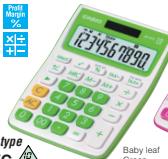
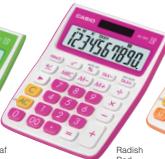


Mini desk type MS-10VC 2


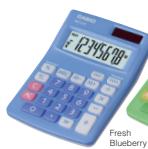
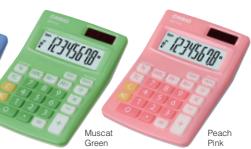
Portable type
SL-100VC 8



Mini desk type
MS-5VC 8
MS-3VC DIGIT


Stylish & Cool Design
The stylish calculator with the look and feel of a finely tuned sports car!
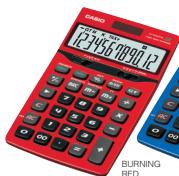
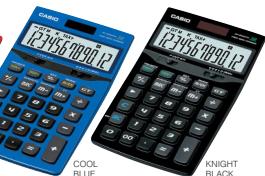
Portable type SL-1000TV
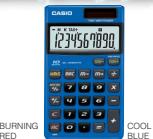
Compact desk type
JE-200TV

| Model | Digits | Independent memory | GT | % | Profit margin % | √+/- | 3-digit comma markers | H/M/S | Tax calculation | Exchange calculation | S/4 | Cut | Decimal selector | ADD mode | Power supply | Dimensions H-W-D (mm) | Approximate weight (g) | Case | |
| MS-10VC | 10 | ● | — | ● | ● | ● | ● | ● | ● | ● | — | — | — | — | Two-way power | 26.2×105.5×144 | 100 | — | |
| SL-100VC | 8 | ● | — | ● | ● | — | ● | ● | ● | — | ● | — | — | — | Two-way power | 29.3×107.5×115.5 | 55 | — | |
| MS-SVC | 8 | ● | — | ● | ● | — | ● | — | ● | — | ● | — | — | — | Two-way power | 25.8×86×118 | 60 | — | |
| JF-Z00TV | 12 | ● | ● | ● | ● | — | ● | ● | ● | — | ● | ● | ● | 0.1,2.3,4 | ● | Two-way power | 29.3×107.7×155 | 165 | — |
| SL-1000TV | 10 | ● | — | ● | ● | — | ● | — | ● | ● | ● | — | — | — | — | Two-way power | 7.5×70×118 | 50 | Wallet |
Folded Unfolded
Check Calculator D. 24h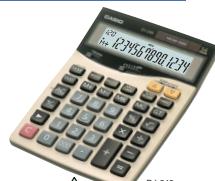
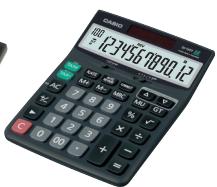
DJ-240 ZRR SANS DJ-220 STEP01 EX0X DISPLAY RALIVER KEY Metal Cover TAX 100% 200% 300%
DJ-120T TAX % 费用MU
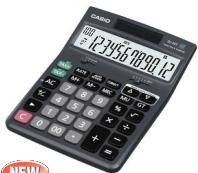
MJ-120T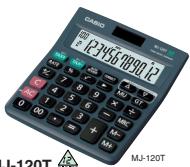
MJ-100T TAX % 费 MU
120 Steps CHECK 100 STEPSDJ-20T/DJ-120TMJ-100TMJ-120T Review and Auto Review Review and Auto Review A
(1) Because (2x - 1)^2 = x^2 + 4x + 3


Correct (all models) CORRECT

Double Check (DJ-220 / DJ-240 only). CHECK

A


You can add steps to or delete steps from Calculation Memory. Also, remember that if the number of steps in Calculation Memory sequence exceeds 120, you will not be able to review them later.
exceeds 120, you will not be able to review them at all. Current ca




Metric Converter
MC-100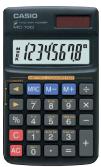
Wireless Calculator

* This calculator is not sold in some countries in accordance with the restrictions of radio laws.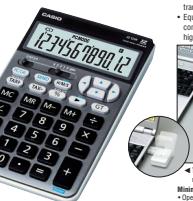
A wireless & trouble-free PC compatible calculator.
- Just plug in the accessory receiver in the USB port on the PC. It allows
wireless data communication between the calculator unit and PC, and easy transmitting of input numbers, calculation results and operation symbols.
- Equipped with Tab, Backspace and Cursor keys for smooth and easy data
communications using Microsoft™ Excel and Microsoft™ Words, providing higher affinity with the PC.

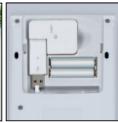
The angle of the receiver can be adjusted. The receiver can be stored inside the unit when not in use, and the inductance-free mode current suppression solution port is in turn.
HannanovatalandeweRice Minimum System Requirements
Operating System: Pre-Installed Windows XP/2000 Professional/Me/98.
Computer: IBM PC/AT or compatible PC (DUSV) which meets the following requirements: Run on Windows XP/2000 Professional/Me/98, with a bus
- Microsoft and Windows are registered trademarks of Microsoft Corporation in the
United States and other countries. 1004 DC/NT is an unreported treatment.
IBM PC/AT is a registered trademark of International Business Machines Corporation.
| Model | Digital | Independent memory | GT | % | Profit margin % | z/- | 3-digit comma numbers | H/M/S | Tax calculation | 5/4 | Cut | Up | Decimal separator | AID mode | Power supply | Dimensions H-W-D (mm) | Approximate weight (g) | Case | Others | | |
| DJ-260 | 14 | ● | ● | ● | ● | ● | ● | ● | ● | ● | ● | ● | ● | 0.1,2.3,4 | ● | Two-way power | 35.7e-147-203.5 | 250 | — | 105 STEPS-CHO | |
| DJ-220 | 14 | ● | ● | ● | ● | ● | ● | ● | ● | ● | ● | ● | ● | 0.1,2.3,4 | ● | Two-way power | 35.7e-147-203.5 | 250 | — | 105 STEPS-CHO | |
| DJ-120T | 12 | ● | ● | ● | ● | ● | ● | ● | ● | ● | ● | ● | ● | 0.1,2.3,4 | ● | Two-way power | 35e-140+191 | 205 | — | 105 STEPS-CHO | |
| DJ-20T | 12 | ● | ● | ● | ● | ● | ● | ● | ● | ● | ● | ● | ● | 0.1,2.3,4 | ● | Two-way power | 35e-123.5e-165.5 | 150 | — | 105 STEPS-CHO | |
| MJ-120T | 12 | ● | ● | ● | ● | ● | ● | ● | ● | ● | ● | ● | ● | — | — | — | Two-way power | 30.1e-123+140 | 130 | — | 105 STEPS-CHO |
| MJ-190T | 10 | ● | ● | ● | ● | ● | ● | ● | ● | ● | ● | ● | ● | — | — | — | Two-way power | 30.1e-123+140 | 130 | — | 105 STEPS-CHO |
| MC-100 | 8 | ● | — | ● | ● | — | — | ● | ● | — | — | — | — | — | — | — | Two-way power | 6.1e-70+117 | 42 | Wallie | Metric conversion |
| JZ-12W | 12 | ● | ● | ● | ● | ● | ● | ● | ● | ● | ● | ● | ● | 0.1,2.3,4 | ● | Two-way power | 35e-110+176.5 | 225 | — | USB receiver | |
Water-protected and Dust-proof Calculator Durability and endurance for professional and general users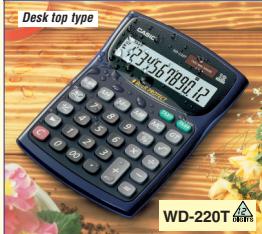
Complies with IEC 60529 IP 54
(water protect and dust proof)
Mini desk type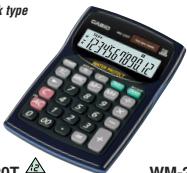


3-Line Display Calculator Desk top type BIC Tax & X= BIG 1000+ Date ∴ m = 3/11 D Key De La Roche NO1081 % PLASTICKEYS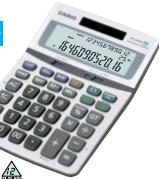
Mini desk type BIG TAX DISPLAY TAX 000 100 48 Margin R 70% Key X+ Poler 1 002017 单位:元 PLASTIC Portable type BIG TAX BIC DISPLAY TAX D1A3T 702 84318388 Margin p80% 70 Key X 101004 ZUSTING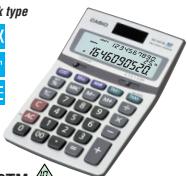
NS-310TM
Range Calculations (OF-320TM only)
Mrs. Restaurant & Bar
The result is obtained in accordance with the

Tax Calculations Jing & Bookkeeper, Retailer ation and display of price plus tax, price In price, tax amount, discount amount, and DF-320TM
For Shopkeepers


For Personnel Department & Internet Cafe
Currency Conversion For Money Exchanger, Bank & Travel Agent You can have up to seven currency conversion rates regu memory for instant recall whenever you need them. Add a currency name and register a rate, you can use it for your own purposes. Feml:Currency A1.234 8 P. 291399922 Change Calculations (UF-320TM only) For Retailers, Restaurant & Bar The calculation result is obtained in accordance with the following formula: Tax Calculations Ling & Bookkeeper, Retailer
lation and display of price plus tax, prior
Cost, Selling Price and Margin Calculator Portable type The only business calculator you'll ever 。
Calculation Examples Cost What is the cost of an item that costs for? What is the cost of an item that sells for $2,550 after a 30% margin is added? 2550
3568 255u.
1 255 2550 30 2550 39 3u 2556 HAR 30% 185
Selling Price What would the collar price be for an item? What would the selling price be for an item? 0700
1325 1785. GSE 1785 1785
00f785 39 3a + π /3 = π /5 + 2kπ , 0007 m85 MATH+ 30% 255u
What is the margin on an item that costs 1,785 and sells for2,550? 1785
(1) 185 001 085 1785 2050 085 3550 C33u. 005 S Example displays are from NS-310TM.
| Model | Digits | Independent memory | GT | % | Profit margin % | √ | +/- | 3-digit comma markers | H/M/S | Tax calculation | Exchange calculation | S/4 | Cut | Up | Decimal selector | ADD mode | Power supply | Dimensions H-M/D (mm) | Approximate weight (g) | |
| WD-220T | 12 | ● | ● | ● | ● | ● | ● | ● | ● | ● | ● | — | — | — | — | — | Two-way power | 34.1×139×187.5 | 255 | |
| WM-220T | 12 | ● | — | ● | ● | ● | ● | ● | ● | ● | ● | — | — | — | — | — | Two-way power | 34.6×104×153.5 | 135 | |
| WM-200T | 10 | ● | — | ● | ● | ● | ● | ● | ● | ● | ● | — | — | — | — | — | Two-way power | 34.6×104×153.5 | 135 | |
| DF-320TM | 12 | ● | ● | ● | ● | — | ● | ● | ● | ● | ● | ● | ● | ● | ● | 0.1,2,3,4 | ● | Two-way power | 32.3×124×179.5 | 200 |
| MS-310TM | 10 | ● | — | ● | ● | — | ● | — | ● | — | ● | ● | ● | ● | ● | 0.1,2,3,4 | ● | Two-way power | 30×103×156 | 120 |
| NS-310TM | 10 | ● | — | ● | ● | — | ● | — | ● | — | ● | ● | ● | ● | — | 0.1,2,3,4 | ● | Two-way power | 11×87×149.5 | 95 |
| SL-910TM | 10 | ● | — | ● | ● | — | ● | ● | ● | — | ● | — | — | — | — | — | — | Two-way power | 9.9×73×125 | 55 |
PRACTICAL CALCULATORS
Desk Top Type
EXPA Metal X+ BIG DSPLAY COVER +1
pR 102 Key Profit Margin Reliever PEAK F
Professional Calculator
DS-3V EXTRA BIGTAY DISCUIT
Time 10:40 Date Key Margin Rolfver % PLASTIC RENTS Metal
M SPLY Cover TAY 0000 Key Profit Margins control % PLASTIC KEYS ver +1 X图
DS-2TV
D3-21N
DS-1TV
一
B
D
Print Mags
% Key X Pellewes
PLASTIC
PS
Professional Calculator
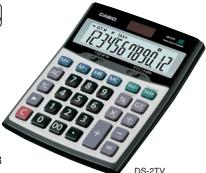
Adding Machine
一
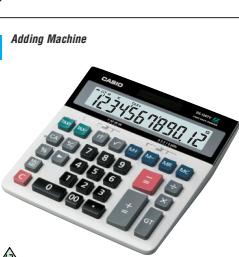
一
1 。 告
Deci sele 112 1.1.2 1.1.2 Decir sele 112 1.1.2 Decir sele 112 1.1.2 Deci sele 112 Deci
The degree of display can be adjusted freely. can be adjusted freely
| Model | Digits | Infernal memory | GT % | Profilin % | Mark-up % | 3-digit markers | H/M/S | Taxiation | Exchange | p/4 | Cut | Up | Decimal | Add model | Power supply | Dimensions (mm) | Approximate weight (g) |
| DM-1400V | 14 | ● | ● | ● | ● | ● | ● | ● | ● | ● | ● | ● | ● | 0.1,2,4 | Two-way power | 35.5×150×210 | 273 |
| DM-1200EV | 12 | ● | ● | ● | ● | ● | ● | ● | ● | ● | ● | ● | ● | 0.1,2,3,4 | Two-way power | 35.5×155×210 | 265 |
| D-60L | 16 | ● | ● | ● | ● | ● | ● | ● | ● | ● | ● | ● | ● | 0.1,2,4 | Two-way power | 32×151×158 | 195 |
| D-40L | 14 | ● | ● | ● | ● | ● | ● | ● | ● | ● | ● | ● | ● | 0.1,2,4 | Two-way power | 32×151×158 | 195 |
| D-20L | 12 | ● | ● | ● | ● | ● | ● | ● | ● | ● | ● | ● | ● | 0.1,2,4 | Two-way power | 32×151×158 | 195 |
| DL-170V | 12 | ● | ● | ● | ● | ● | ● | ● | ● | ● | ● | ● | ● | 0.1,2,3 | Two-way power | 35.5×150×210 | 172 |
| DF-120V | 12 | ● | ● | ● | ● | ● | ● | ● | ● | ● | ● | ● | ● | 0.1,2,3,4 | Two-way power | 35×126×175 | 195 |
| DW-120V | 12 | ● | ● | ● | ● | ● | ● | ● | ● | ● | ● | ● | ● | 0.1,2,3,4 | Two-way power | 32.7×122.5×177.5 | 195 |
PRACTICAL CALCULATORS
Compact Desk Type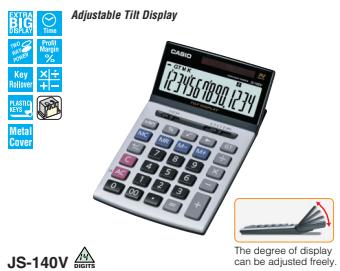
Adjustable Tilt Display
JS-120TV
JS-110TV

Professional Calculator


Adjustable Tilt Display
| Model | Digits | Independent memory | GT | % | Profit margin | +/- | 3-digit
markers | H/M/S | TaxExhaustion
markers | Exchange
5/4 | Cat | Decimal
selector | ADD
mode | Power supply | Dimensions
H-W-D (mm) | Approximate
weight (g) |
| JS-140V | 14 | ● | ● | ● | ● | ● | ● | ● | ● | — | ● | ● | 0.1,2,3,4 | ● | Two-way power | 24.6x107×176.5 |
| JS-120V | 12 | ● | ● | ● | ● | — | ● | ● | ● | — | ● | ● | 0.1,2,3,4 | ● | Two-way power | 24.6x107×176.5 |
| JS-110V | 10 | ● | ● | ● | ● | — | ● | ● | ● | — | ● | ● | 0.1,2,3,4 | ● | Two-way power | 24.6x107×176.5 |
| JS-40V | 14 | ● | ● | ● | ● | ● | ● | ● | ● | — | ● | ● | 0.1,2,3,4 | ● | Two-way power | 24.2x107×174.5 |
| JS-20V | 12 | ● | ● | ● | ● | — | ● | ● | ● | — | ● | ● | 0.1,2,3,4 | ● | Two-way power | 24.2x107×174.5 |
| JS-10V | 10 | ● | ● | ● | ● | — | ● | ● | ● | — | ● | ● | 0.1,2,3,4 | ● | Two-way power | 24.2x107×174.5 |
| J-120V | 12 | ● | ● | ● | ● | — | ● | ● | ● | ● | — | ● | 0.1,2,3,4 | ● | Two-way power | 25x107x176 |
| JF-120V | 12 | ● | ● | ● | ● | — | ● | ● | ● | — | ● | ● | 0.1,2,3,4 | ● | Two-way power | 29.3x107×175.5 |
| JW-120V | 12 | ● | ● | ● | ● | ● | ● | ● | ● | — | ● | ● | 0.1,2,3,4 | ● | Two-way power | 26.1x107×178.5 |
PRACTICAL CALCULATORS
Mini Desk Type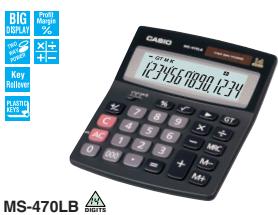


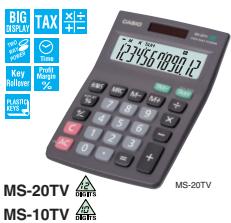


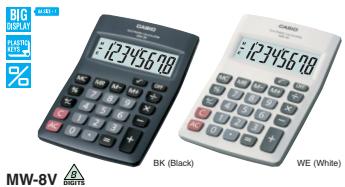

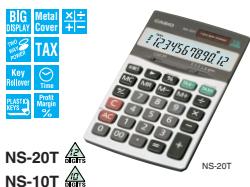
| Model | Digits | Independent memory | GT | % | Profit margin (%) | √ | f+/- | 3-digits zucchini mosaics | H/M/S | Tax calculation | Exchange calculation | S/4 | Cut | Decimal | Add mode | Power supply | Approximate battery life (years) | Dimensions H-W-O (mm) | Approximate weight (g) | |
| MS-470B | 14 | ● | ● | ● | ● | ● | ● | ● | ● | ● | ● | ● | ● | ● | ● | — | — | 32-111±133.5 | 110 | |
| MS-120V | 12 | ● | ● | ● | ● | ● | ● | ● | ● | ● | ● | ● | ● | ● | ● | — | — | 30.7±103±145 | 120 | |
| MS-100T | 10 | ● | ● | ● | ● | ● | ● | ● | ● | ● | ● | ● | ● | ● | ● | — | — | 30.7±103±145 | 120 | |
| MS-80T | 8 | ● | ● | ● | ● | ● | ● | ● | ● | ● | ● | ● | ● | ● | ● | — | — | 30.7±103±145 | 120 | |
| MS-20T | 12 | ● | ● | ● | ● | ● | ● | ● | ● | ● | ● | ● | ● | ● | ● | — | — | 31.7±103±145 | 100 | |
| MS-107T | 6 | ● | ● | ● | ● | ● | ● | ● | ● | ● | ● | ● | ● | ● | ● | — | — | 31.7±103±145 | 100 | |
| MS-81T | 8 | ● | ● | ● | ● | ● | ● | ● | ● | ● | ● | ● | ● | ● | ● | — | — | 31.7±103±145 | 100 | |
| MS-270T | 12 | ● | ● | ● | ● | ● | ● | ● | ● | ● | ● | ● | ● | ● | ● | — | — | 32-111±133.5 | 110 | |
| MS-170T | 10 | ● | ● | ● | ● | ● | ● | ● | ● | ● | ● | ● | ● | ● | ● | — | — | 32-111±133.5 | 110 | |
| MS-7T | 8 | ● | ● | ● | ● | ● | ● | ● | ● | ● | ● | ● | ● | ● | ● | — | — | 32-111±133.5 | 110 | |
| MM-8V | 8 | ● | ● | ● | ● | ● | ● | ● | ● | ● | ● | ● | ● | ● | ● | AA:1.1×10⁻¹¹ | 2 | 28.8±103±145 | 120 | |
| MM-10V | 9 | ● | ● | ● | ● | ● | ● | ● | ● | ● | ● | ● | ● | ● | ● | AA:1.1×100×11 | 2 | 25.1±104±115 | 125 | |
| NS-20T | 12 | ● | ● | ● | ● | ● | ● | ● | ● | ● | ● | ● | ● | ● | 0.1,2.3,4 | ● | Two-way power | — | 10.7-87±145 | 90 |
| NS-10T | 10 | ● | ● | ● | ● | ● | ● | ● | ● | ● | ● | ● | ● | ● | 0.1,2.3,4 | ● | Two-way power | — | 10.7-87±145 | 90 |
R6P=UM-3
PRACTICAL CALCULATORS
Portable Type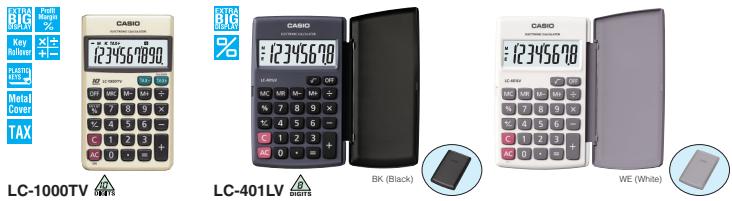

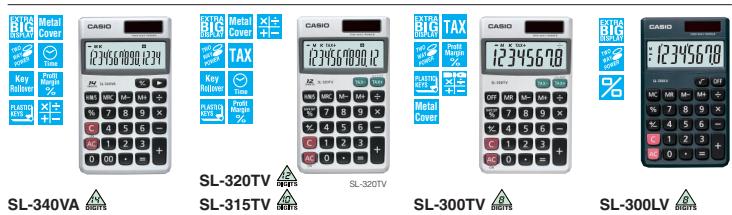

| Model | Digits | Independent memory | GT | % | Profit margin % | □ | -/- | [3] | 3-digit comma punctuation | H/M/S | Tax calculation | Exchange calculation | S/K | Cat | Decimal power | Supply power | Approximate battery life (hours) | Dimensions H-W-O (mm) | Approximate weight (g) | Case | |
| LC-1000VT | 10 | ● | ● | ● | ● | ● | ● | ● | ● | ● | ● | ● | ● | ● | — | — | LRS4×1 | 5,500 | 7.5×70=118.5 | 50 | Wallet |
| LC-401LV | 8 | ● | ● | ● | ● | ● | ● | ● | ● | ● | ● | ● | ● | ● | — | — | LRS4×1 | 4,500 | 0.12,7×70=120; 0.16,1×100 | 70 | Hard |
| LC-403VT | 8 | ● | ● | ● | ● | ● | ● | ● | ● | ● | ● | ● | ● | ● | — | — | LRS4×1 | 7,500 | 7.5×70=118.5 | 50 | Wallet |
| LC-160LV | 8 | ● | ● | ● | ● | ● | ● | ● | ● | ● | ● | ● | ● | ● | — | — | LRS4×1 | 6,500 | 0.10,2×70=96; 0.16,1×17.6 | 35 | Hard |
| SL-340VA | 14 | ● | ● | ● | ● | ● | ● | ● | ● | ● | ● | ● | ● | ● | — | — | Two-way power | — | 7.5×70=118.5 | 50 | Wallet |
| SL-320VT | 12 | ● | ● | ● | ● | ● | ● | ● | ● | ● | ● | ● | ● | ● | — | — | Two-way power | — | 7.5×70=118.5 | 50 | Wallet |
| SL-315VT | 10 | ● | ● | ● | ● | ● | ● | ● | ● | ● | ● | ● | ● | ● | — | — | Two-way power | — | 7.5×70=118.5 | 50 | Wallet |
| SL-300VT | 8 | ● | ● | ● | ● | ● | ● | ● | ● | ● | ● | ● | ● | ● | — | — | Two-way power | — | 7.5×70=118.5 | 50 | Wallet |
| SL-300LV | 8 | ● | ● | ● | ● | ● | ● | ● | ● | ● | ● | ● | ● | ● | — | — | Two-way power | — | 7.5×70=118.5 | 50 | Wallet |
| SL-240LB | 14 | ● | ● | ● | ● | ● | ● | ● | ● | ● | ● | ● | ● | ● | 2 | Two-way power | — | 0.12,5×120×73; 0.16,1×100; 0.16,1×141 | 76 | — | |
| SL-220TE | 12 | ● | ● | ● | ● | ● | ● | ● | ● | ● | ● | ● | ● | ● | 2 | Two-way power | — | 0.12,5×120×73; 0.16,1×100; 0.16,1×141 | 76 | — | |
| SL-210TE | 10 | ● | ● | ● | ● | ● | ● | ● | ● | ● | ● | ● | ● | ● | 2 | Two-way power | — | 0.12,5×120×73; 0.16,1×100; 0.16,1×141 | 75.5 | — | |
| SL-200TE | 8 | ● | ● | ● | ● | ● | ● | ● | ● | ● | ● | ● | ● | ● | — | — | Two-way power | — | 0.12,5×120×73; 0.16,1×100; 0.16,1×141 | 76 | — |
| SL-100L | 8 | ● | ● | ● | ● | ● | ● | ● | ● | ● | ● | ● | ● | ● | — | — | Two-way power | — | 0.13,5×91×56; 0.16,1×100; 0.16,1×141 | 55 | — |
LR54=LR1130 Folded
PRACTICAL CALCULATORS
Portable Type
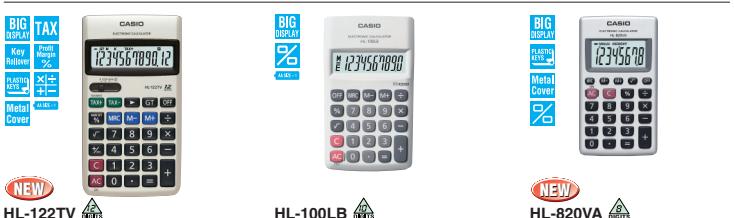

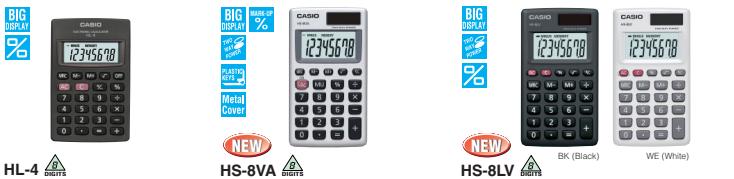
| Model | Digits | Independent memory | GT | % | Profit margin % | Mark-up % | √ | +/- | (3) digit comma punctuation | Tax calculation | Exchange calculation | 5/4 | Cut | Decimal selected | Power supply | Approximate battery life (hours) | Dimensions H-W-0 (mm) | Approximate weight (g) | Case |
| SL-797TV | 8 | ● | — | ● | ● | — | — | — | ● | ● | ● | — | — | — | Two-way power | 6.9×57=102 | 35 | Wallet | |
| SL-787TV | 8 | ● | — | ● | ● | — | — | — | ● | ● | ● | — | — | — | Two-way power | 6.3±9.15=58 | 30 | Wallet | |
| SL-760LB | 8 | ● | — | ● | ● | — | ● | — | ● | — | — | — | — | — | Solar | 2.9~85.5=54 | 15 | Soft | |
| HL-122TV | 12 | ● | ● | ● | ● | — | ● | ● | ● | ● | ● | ● | ● | 2 | LR6×1(RSP×1) | 17,500 | 19.5×77=141 | 115 | Soft |
| HL-100LB | 10 | ● | — | ● | — | — | ● | — | ● | — | — | — | — | — | LR6×1(RSP×1) | 2 yrs. | 18~69.5×118 | 65 | — |
| HL-820VA | 8 | ● | — | ● | — | — | ● | — | ● | — | — | — | — | — | LR54×1 | 2 yrs. | 6.9×57=102 | 35 | Wallet |
| HL-820VL | 8 | ● | — | ● | — | — | ● | — | ● | — | — | — | — | — | LR54×1 | 6,500 | Q1~82.5×1104 | 45 | Hard |
| HL-815L | 8 | ● | — | ● | — | — | ● | — | ● | — | — | — | — | — | LR6×1(RSP×1) | 2 yrs. | 18~69.5×118 | 65 | — |
| HL-4 | 8 | ● | — | ● | — | — | ● | ● | — | — | — | — | — | — | LR54×1 | 6,500 | 8.8×56=87 | 25 | — |
| HS-SVA | 8 | ● | — | ● | — | ● | ● | ● | — | — | — | — | — | — | Two-way power | 6.9×57=102 | 35 | Wallet | |
| HS-8LV | 8 | ● | — | ● | — | — | ● | ● | ● | ● | — | — | — | — | Two-way power | 6.7~57×102 | 35 | Wallet | |
| Model | Digits | Independent memory | GT | % | Mark-up % | \( \square \) | +/- | \( \boxed{\mathbf{E}} \) | 3-digit chat markers | Item counter | 5/4 | Cut | Up | Decimal identifier | ADD mode | Power supply | Dimensions H-W-D (mm) | Approximate weight (g) |
| GX-16V | 16 | ● | — | ● | ● | ● | ● | ● | ● | — | ● | ● | ● | 0,1,2,4 | ● | Two-way power | 34.5×155×210 | 230 |
| GX-14V | 14 | ● | — | ● | ● | ● | ● | ● | ● | ● | ● | ● | ● | 0,1,2,4 | ● | Two-way power | 34.5×155×210 | 230 |
| GX-120V | 12 | ● | — | ● | ● | ● | ● | ● | ● | ● | ● | ● | ● | 0,1,2,4 | ● | Two-way power | 35.5×155×210 | 260 |
| GX-12V | 12 | ● | — | ● | ● | ● | ● | ● | ● | ● | ● | ● | ● | 0,1,2,4 | ● | Two-way power | 34.5×155×210 | 230 |
| DX-120TV | 12 | ● | ● | ● | ● | ● | ● | ● | ● | — | ● | ● | ● | 0,1,2,4 | ● | Two-way power | 32.7×122.5×177.5 | 195 |
| DX-120V | 12 | ● | ● | ● | ● | ● | ● | ● | ● | — | ● | ● | ● | 0,1,2,4 | ● | Two-way power | 36×126×175 | 190 |
| DX-12V | 12 | ● | ● | ● | ● | ● | ● | ● | ● | — | ● | ● | ● | 0,1,2,4 | ● | Two-way power | 35×126×175 | 170 |
PRACTICAL CALCULATORS
Compact Desk Type


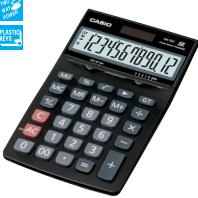
Mini Desk Type


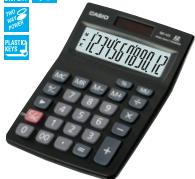
Portable Type

MX-120V SX-320P



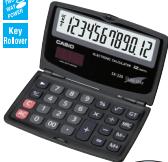


SX-300P
DUAL LEAF SX-220
DUAL LEAF SX-100 8 DIGITS
| Model | Digits | Independent memory | GT | % | Mark-up % | ☑ | -/- | ☐ | 3-digit comma markers | S/4 | Cut | Up | Decimal selector | ADD mode | Power supply | Dimensions H-W-D (mm) | Approximate weight (g) | Case | | | | | | | | | | | | | | | | | | |
| AX-120TV | 12 | ● | ● | ● | ● | ● | ● | ● | ● | ● | ● | ● | ● | 0,1,2,4 | ● | Two-way power | 26.1×107×178.5 | 170 | — | | | | | | | | | | | | | | | | | |
| AX-120V | 12 | ● | ● | ● | ● | ● | ● | ● | ● | ● | ● | ● | ● | 0,1,2,4 | ● | Two-way power | 29.3×107×175.5 | 165 | — | | | | | | | | | | | | | | | | | |
| AX-12V | 12 | ● | ● | ● | ● | ● | ● | ● | ● | ● | ● | ● | ● | 0,1,2,4 | ● | Two-way power | 25×107×176 | 145 | — | | | | | | | | | | | | | | | | | |
| MX-120V | 12 | ● | — | ● | ● | — | ● | ● | ● | — | — | — | — | — | — | Two-way power | 30.7×103×145 | 120 | — | | | | | | | | | | | | | | | | | |
| MX-12V | 12 | ● | — | ● | ● | — | ● | ● | ● | — | — | — | — | — | — | Two-way power | 31.7×103×145 | 100 | — | | | | | | | | | | | | | | | | | |
| SX-320P | 12 | ● | — | ● | — | ● | ● | ● | ● | — | — | — | — | — | — | Two-way power | 7.5×70×118.5 | 50 | Wallet | | | | | | | | | | | | | | | | | |
| SX-300P | 8 | ● | — | ● | — | ● | ● | — | ● | — | — | — | — | — | — | Two-way power | 7.5×70×118.5 | 50 | Wallet | | | | | | | | | | | | | | | | | |
| SX-300 | 8 | ● | — | ● | — | ● | ● | — | ● | — | — | — | — | — | — | Two-way power | 7.5×70×118.5 | 50 | Wallet | | | | | | | | | | | | | | | | | |
| SX-220 | 12 | ● | ● | ● | — | ● | ● | ● | ● | — | — | — | — | — | — | Two-way power | 0.12×12×27×27×27×27×27×27×27×27×27×27×27×27×27×27×27×27×27×27×27×27×27×27×27×27×27×27×27×27×27×27×27×27×27×27 | 80 | — | | | | | | | | | | | | | | | | | |
| SX-100 | 8 | ● | — | ● | — | ● | ● | — | ● | — | — | — | — | — | — | Two-way power | 0.13×5×9×15×15×15×15×15×15×15×15×15×15×15×15×15×15×15×15×15×15×15×15×15×15×15×15×15×15×15×15×15×15×15×15×15×15 × 15×15×15×15×15×15×15×15×15×15×15×15×15×15×15×15×15×15×15×15×15×15×15×15×15×15×15×15×15×15×15×15×15×27×27×27×27×27×27×27×27×27×27×27×27×27×27×27×27×27×27×27×27×27×27×27×27×27×27×27×27×27×27×27×27×27 × 15×15×15×15×15×15×15×15×15×15×15×15×15×15×15×15×15×15×15×15×15×15×15×15×15×15×15×15×15×15×15×15×16×16×16×16×16×16×16×16×16×16×16×16×16×16×16×16×16×16×16×16×16×16×16×16×16×16×16×16×16×16×16×16×16×16 × 16×16×16×16×16×16×16×16×16×16×16×16×16×16×16×16×16×16×16×16×16×16×16×16×16×16×16×16×16×16×16×16×16×27×27×27×27×27×27×27×27×27×27×27×27×27×27×27×27×27×27×27×27×27×27×27×27×27×27×27×27×27×27×27×27×27X27X27X27X27X27X27X27X27X27X27X27X27X27X27X27X27X27X27X27X27X27X27X27X27X27X27X27X27X27X27X27X27X27X |
Folded Unfolded
PRINTING CALCULATORS
Printouts of results along with each calculation step can be attached to documents.
Mini-printer

BK (Cool black)

HR-8TM
Main Functions & Printing Sample
Cost, Selling Price and Margin Calculations
For Shopkeepers & Traders
Perform the operations shown to the right to calculate cost, selling price, and margin.
Exchange Functions
Present rates for converting between U.S. dollars and up to three national currencies at the touch of a key. A simple operation also converts between national currencies, with intermediate conversion to U.S. dollars.
Tax Calculations
Set the rate you want for easy calculation of amount plus tax, amount less tax, and tax amount.
Desk-top Type

MU
MDI
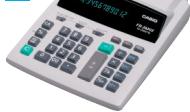
FR-2650T

FR-2650DT


GY (Gray)
DR-120LB
Price
The selling p
ts $120 aft
Three
OST
A
A
EL
0.0 < 0
180·Cost
00
x
Selling price
Therefore, m - 1 ≠ 0;
40-M Margin (%)
Margin amount
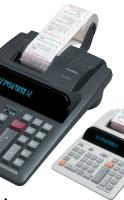
Figure 3
What is the margin on an item that costs 1,000 and sells for2,000?
| Model | Display | Eighty | Singleprocessor Lg | Adding machine | Subtotal | GT | Independent memory | Cell/ Speed | Memory | % | Port load | MΩ | MHz | +/- | 3-digit marks | p-reading | 2-color coloration | Exhaust coloration | Item number | S/R | Cell | Up | Derived serial | AD mode | Power supply | I/O buffer | Inlet-to- port | Pw (mm) | Dimensions H-W (mm) | Approximate weight | Others |
| HR-8TM | LCD | 12 | ● | — | — | ● | ● | ● | ● | ● | ● | ● | ● | ● | ● | ● | ● | ● | ● | ● | ● | ● | 0,2 | ▲ AA = 4A:402000 (R-40) | Rb-bit/s | Raw cell size (mm) | 56 | 41.1×99×196 | 340g | Function of the analog circuit | |
| HR-100TM | LCD | 12 | — | ● | ● | ● | ● | ● | ● | ● | ● | ● | ● | ● | ● | ● | ● | ● | ● | ● | ● | ● | 0,23 | ▲ AA = 4A:402000 (R-40) | Rb-50 | 58 | 67×185×585 | 520g | Average utilization | | |
| HR-150TM | LCD | 12 | — | ● | ● | ● | ● | ● | ● | ● | ● | ● | ● | ● | ● | ● | ● | ● | ● | ● | ● | ● | 0,23 | ▲ AA = 4A:402000 (R-40) | Rb-50 | 58 | 67×195×517 | 700g | Average utilization | | |
| FR-2605DT | Digiton | 12 | — | ● | ● | ● | ● | ● | ● | ● | ● | ● | ● | ● | ● | ● | ● | ● | ● | ● | ● | ● | 4,3,2,0 | ▲ AC only | Rb-40 | 58 | 76/266/635 | 1.1kg | — | | |
| FR-2605DT | Digiton | 12 | — | ● | ● | ● | ● | ● | ● | ● | ● | ● | ● | ● | ● | ● | ● | ● | ● | ● | ● | ● | 4,3,2,0 | ▲ AC only | Rb-40 | 58 | 78/233/343 | 1.3kg | — | | |
| DR-128L/B | Digiton | 12 | — | ● | ● | ● | ● | ● | ● | ● | ● | ● | ● | ● | ● | ● | ● | ● | ● | ● | ● | ● | 0–6 | ▲ AC only | Rb-02 | 58 | 75/212/358 | 1.5kg | — | | |
PRINTING CALCULATORS
Desk-top Type

LINE PRINT

DR-140I


DF

21

H


13/14
Therefore m = 3/11
DB-2


Therefore m = 3/11
(1 + u)/7 = 70%
Therefore m = 3/11 ;
13/14
Therefore m = 3/11
D.
Answer:
/
%
/
Therefore m = 3/11
13/14
13/14
13/14
.
B
A
19
1
Therefore m = 3/11 ;
High-speed printing (approximately 8 lines/sec.) & quiet printing


DIGITAL DIARY
Packed with a host of powerful data management features.
Digital Diary with PC-link

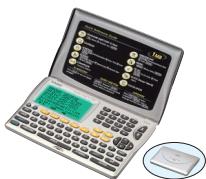

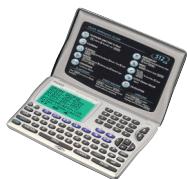





Main Functions (SF-7990/6990/4990)


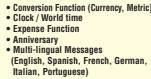
Digital Diary


950 Telephone Directory records! SF-2500


Digital Diary Specifications
| Model | SF-7950 | SF-6950 | SF-4950 | SF-3950 | SF-7500 |
| Memory | 1M8 | 512Kb | 256Kb | 128Kb | 229Kb |
| Speech | 1.6 × 6 | 1.7 × 6 | 1.7 × 6 | 1.3 × 12 × 3 | 1.2 × 12 × 2 |
| Backlight | ● | ● | ● | | |
| Data communications with a PC | ● | ● | Option | | — |
| Telephone directory (uR, v-mail address) | ● | ● | ● | ● | ● |
| Calendar | ● | ● | ● | | — |
| Schedule | ● | ● | ● | ● | ● |
| Leisure | ● | ● | ● | | — |
| Anniversary | ● | ● | ● | ● | ● |
| Conversion (currency:metric) | ● | ● | ● | ● | ● |
| Home | ● | ● | ● | ● | ● |
| To Do | ● | ● | ● | ● | |
| Clock | ● | ● | ● | ● | ● |
| World time | ● | ● | ● | ● | ● |
| Access | ● | ● | ● | ● | — |
| Calculator | 10-digit | 10-digit | 10-digit | 10-digit | 12-digit |
| Secret | ● | ● | ● | ● | ● |
| Multi-lingual messages (B languages for message displays) | ● | ● | ● | ● | — |
| Data exchange between two digital display systems (A&D or SBI) | ● | ● | ● | | — |
| Power supply | OR2002 × 2 | OR2002 × 2 | OR2002 × 3 | OR2002 × 2 | OR2002 × 2 |
| Approximate battery life | 1 year−1 | 1 year+1 | 1 year+1 | 2 years+1 | 1 year+1 |
| Dimensions H × W × D (mm) | 14.7 × 14.5 × 91 | 14.7 × 14.5 × 91 | 14.7 × 14.5 × 91 | 13.9 × 14.5 × 91 | 14.7 × 18.5 × 8.5 |
| Dimensions H × D × S (mm) | 11.1 × 11.1 × 178 | 11.1 × 11.1 × 178 | 11.1 × 11.1 × 178 | 10.9 × 10.9 × 178 | 11.0 × 11.0 × 18.5 |
| Approximate weight (g) | 130 | 130 | 130 | 120 | 110 |
*1 Unit turned on one hour each day (5 minutes operation, 55 minutes no operation), with two backlight operations, one Daily Alarm operation per day and Hourly Time Signal turned on. Unit turned on.
Personal Computer Link for Windows
The easiest way to exchange data with your CASIO Digital Diary
- Loading of data to a computer from a Digital Diary for hard disk or hard disk drive
- Input and editing of data on a computer for the following downloading to a Digital Diary

Model Supported
Minimum System Requirements
| Operating System | RAM | Processor |
| Windows*XP Home Edition/Professional | 64MB | Pentium 230MHz |
| Windows*8 | 32MB | Pentium 150MHz |
| Windows*2000 Professional | 64MB | Pentium 150MHz |
| Windows*98/98 Second Edition | 24MB | Pentium 150MHz |
| Windows*95 | 16MB | Pentium 75MHz |
| Windows* NT Workstation 4.0 (Service Pack 3 or later) | 32MB | Pentium 150MHz |
LABEL PRINTERS
The CASIO EZ-LABEL PRINTER has something for just about every type of office or household labeling needs.
EZ-Label Printer

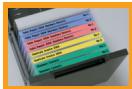
Introducing a new compact & handy label printer...
A useful tool for the home or office
- Supports label tape sizes: 18mm/12mm
- Simple and easy to use - 12mm printer head
- Big easy-to-read 10-digit x 2-line display
- Prints up to 3 lines on a single label
- 85 characters memory
- 400 pages of paper - Barcode printing
KL-780
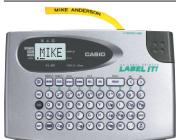


KL-60
KL-60SR
Create your own original labels anytime, anywhere! - Supports label tape sizes: 12mm/9mm/6mm - Prints up to 2 lines on a single label - Characters for 14 languages - 6 character sizes - 3 text effects
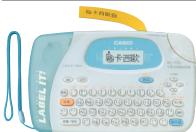

KL-170
The portable, easy-to-use Chinese label printer Supports label tape sizes: 18mm/12mm/9mm/6mm - Prints up to 2 lines on a single label - Character styles: Normal, Outline - Character effects: Box
Supports label tape four sizes (18mm/12mm/9mm/6mm) 24 character sizes 3 text effects 14 character styles Standard, Outline, Subway, Mixed 4 1 - Barcode printing - Print barcodes using LAN-0 or LAN-15 format 12mm printer head The 12mm printer head ensures that large font sizes are crisp and clear Prints up to 3 lines on a single label Up to 5 lines of text makes available more useful and informative Characters for 14 languages Support for a wide range of alphabet-based text input and printing
Five Chinese input methods
Beijing Pin-yin, Canton Pin-yin, Zhu-yin, Chang-ji, Simplified Chang-ji
Ming Chao and five English fonts built in
Ming, MingChao, Logo style, Roman, Sans-serif, Stencil
6 character sizes
Cute illustrations of the 12 signs of the zodiac built in

| Printing Mirrster Direction | Languaging source** | Power supply | Approximate battery life*** | Aioo power (W - W 0) | Approximate weight (g), (mm) |
| ● Horizontal | 14 | AA + 6 | 3 tape cartridges [L.Rb(AM)] | 51.5 × 168 × 217 | 470 |
| ● Horizontal | 14 | AA + 6 | 3 tape cartridges [L.Rb(AM)] | 51.5 × 168 × 114 | 300 |
| ● Horizontal, Vertical | 2 | AA + 2 | 3 tape cartridges | 53 × 178 × 111 | 370 |
Label Printer Options
Basic Colour Tape (8m)
| BLACK ON WHITE | XR-24W1 (24mm) XR-9WE (3mm) XR-12W1 (12mm) XR-12WE (12mm) XR-12W1 (12mm) |
| BLACK ON YELLOW | XR-24W1 (24mm) XR-9W1 (3mm) XR-18W1 (18mm) XR-6W1 (6mm) XR-12W1 (12mm) |
| BLACK ON GOLD | XR-18D21 (18mm) XR-9GD1 (9mm) XR-12GD1 (12mm) |

XR-241(240) XR-98(310) XR-106(310) XR-121(120)

XR-24D1 (24mm) XR-9d1 (9mm) XR-6d1 (6mm) XR-12d1 (12mm)
Basic Colour Tape (Colour letter·8m)
| RED on WHITE | XR-18WER1 (18mm) XR-9WER1 (9mm) |
| XR-12WER1 (12mm) |

XR-18WEB1 (18mm) XR-9WEB1 (9mm) XR-12WEB1 (12mm)
on-on Transfer Tape (5m)
| BLACK INK | X8-118 BX1 (18mm) |
Printing samples are smaller than actual size
PACKING AND MANUAL Lists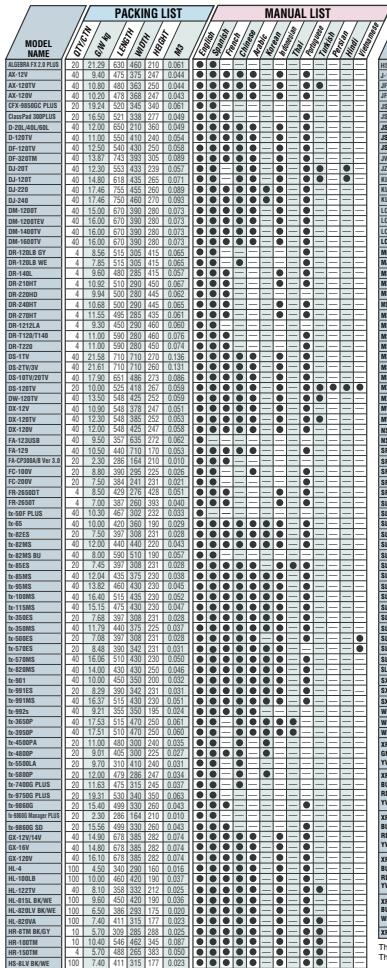
The above model names are listed in alphabetic order. The contents of the above packing list and manual list are subject to change without notice.
SALES PROMOTION MATERIALS Display Tool Kit for Practical Calculators - Display stand (200H + 580W × 400Dmm) × 1
- Function stickers × 1
- Poster × 5
- Catalogue × 1
- Panel × 1
- Banner × 1
Note:
Display Tool Kit for Scientific Calculators ES Series NEW - Poster x 2
- Panel x 1
- Stuffer (with box) x 100 pcs/box
- Banner x 1
- POP product advertisement x 5
- Card for sales staff explanations x 1
Note: The calculator units themselves are not included in this kit.
Unit Stand (PPSD7) Size: 160x160, 66W, 95Dmm Weight: 25g
CASIO Logo Sticker Size: 210 × 297mm
FC-200V/100V Artwork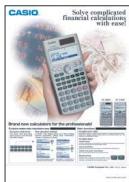
NEWSPAPER/MAGAZINE ADVERTISMENT Scientific Calculator Artwork
ES Series NEW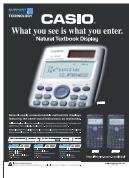
3-line Display Calculator Artwork
Printing Calculator Artwork
ACTIVITIES Scientific Calculator Activities for ES Series (Activities for MS Series are also available.)
"Your Partner to Explore Math" Activities for fx-3850P
Graphic Calculator Activities for fx-9860 Series
Financial Calculator Calculation Examples for FC-200/100V