 ManualGo.com
DM07RP.NSJ - DM09RP.NSJ - DM12RP.NSJ - DM18RP.NSK - DM24RP.NSK - Air-conditioner LG - Free user manual and instructions
Find the device manual for free DM07RP.NSJ - DM09RP.NSJ - DM12RP.NSJ - DM18RP.NSK - DM24RP.NSK LG in PDF.



Download the instructions for your Air-conditioner in PDF format for free! Find your manual DM07RP.NSJ - DM09RP.NSJ - DM12RP.NSJ - DM18RP.NSK - DM24RP.NSK - LG and take your electronic device back in hand. On this page are published all the documents necessary for the use of your device. DM07RP.NSJ - DM09RP.NSJ - DM12RP.NSJ - DM18RP.NSK - DM24RP.NSK by LG.
USER MANUAL DM07RP.NSJ - DM09RP.NSJ - DM12RP.NSJ - DM18RP.NSK - DM24RP.NSK LG
the original manual from www.lg.com. POLSKI
TYPE : WALL MOUNTED
Original instruction [Representative] LG Electronics Inc. EU Representative : LG Electronics European Shared Service Center B.V. Krijgsman 1, 1186 DM Amstelveen, The Netherlands NEDERLANDS Read this owner's manual thoroughly before operating the appliance and keep it handy for reference at all times. [Manufacturer] MAGYAR MFL67870343 Rev.00_021319 www.lg.com Copyright © 2019 LG Electronics Inc. All Rights Reserved.
TABLE OF CONTENTS
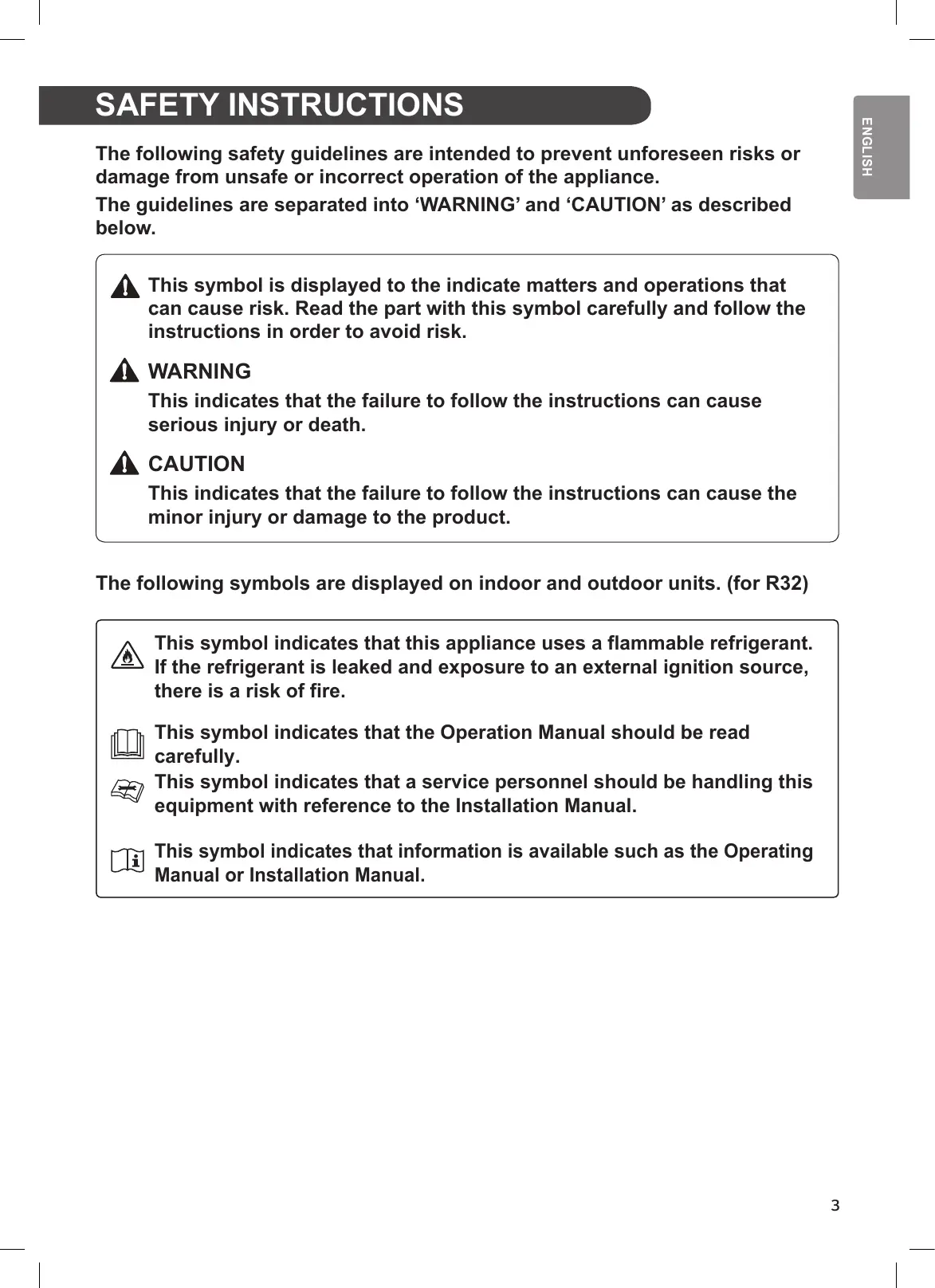
This manual is produced for a group of products and may contain images or content different from the model you purchased. This manual is subject to revision by the manufacturer. SAFETY INSTRUCTIONS The following safety guidelines are intended to prevent unforeseen risks or damage from unsafe or incorrect operation of the appliance. The guidelines are separated into ‘WARNING’ and ‘CAUTION’ as described below. This symbol is displayed to the indicate matters and operations that can cause risk. Read the part with this symbol carefully and follow the instructions in order to avoid risk. WARNING This indicates that the failure to follow the instructions can cause serious injury or death. CAUTION This indicates that the failure to follow the instructions can cause the minor injury or damage to the product. The following symbols are displayed on indoor and outdoor units. (for R32) This symbol indicates that this appliance uses a flammable refrigerant. If the refrigerant is leaked and exposure to an external ignition source, there is a risk of fire. This symbol indicates that the Operation Manual should be read carefully. This symbol indicates that a service personnel should be handling this equipment with reference to the Installation Manual. This symbol indicates that information is available such as the Operating Manual or Installation Manual.
IMPORTANT SAFETY INSTRUCTIONS
WARNING to persons when using this product, follow basic precautions, including the following: Children in the Household This appliance is not intended for use by persons (including children) with reduced physical, sensory or mental capabilities, or lack of experience and knowledge, unless they have been given supervision or instruction concerning use of the appliance by a person responsible for their safety. Children should be supervised to ensure that they do not play with the appliance. For use in Europe: This appliance can be used by children aged from 8 years and above and persons with reduced physical, sensory or mental capabilities or lack of experience and knowledge if they have been given supervision or instruction concerning use of the appliance in a safe way and understand the hazards involved. Children shall not play with the appliance. Cleaning and user maintenance shall not be made by children without supervision. Installation
- Do not install the air conditioner on an unstable surface or in a place where there is danger of it falling.
- Contact an authorized service center when installing or relocating the air conditioner.
- Install the panel and the cover of the control box safely. quids or gases such as gasoline, propane, paint thinner, etc., are stored.
- Make sure that the pipe and the power cable connecting the indoor and outdoor units are not pulled too tight when installing the air conditioner.
- Use standard circuit breaker and fuse that conform to the rating of the air conditioner. refrigerant. air; using
- The indoor/outdoor wiring connections must be secured tightly, and the cable should be routed properly so that there is no force pulling the cable from the connection terminals. Improper or loose connections can cause heat generation
- Install dedicated electric outlet and circuit breaker before using the air conditioner.
- Do not connect the ground wire to a gas pipe, a lightning rod, or a telephone ground wire.
- Keep any required ventilation openings clear of obstruction. Operation
- Be sure to use only those parts listed in the service parts list. Never attempt to modify the equipment.
- Make sure that children do not climb on or hit the outdoor unit.
- Dispose of the batteries in a place where there is no danger of
- Cut off the power supply if there is any noise, smell, or smoke coming from the air conditioner. thinner near the air conditioner.
- Contact an authorized service center when the air conditioner is submerged by
- Do not use the air conditioner for an extended period time in a small place without proper ventilation.
- In the event of a gas leak (such as Freon, propane gas, LP gas, etc.) ventilate
- To clean the interior, contact an authorized service center or dealer. Using harsh detergents may cause corrosion or damage to the unit. heating appliance such as a heater are used simultaneously.
- Do not insert hands or other objects through the air inlet or outlet while the air conditioner is operating.
- Make sure that the power cable is neither dirty, loose, nor broken.
- Never touch, operate, or repair the air conditioner with wet hands.
- Do not place any objects on the power cable.
- Do not place a heater or other heating appliances near the power cable.
- Do not modify or extend the power cable. Scratches or peeling insulation on the replaced.
- Cut off the power supply immediately in the event of a blackout or a thunderstorm.
- Take care to ensure that power cable could not be pulled out or damaged during operation.
- Do not touch refrigerant pipe, water pipe and any internal parts while the unit is operating or immediately after operation. Maintenance
- Do not clean the appliance by spraying water directly onto the product.
- Before cleaning or performing maintenance, disconnect the power supply and wait until the fan stops. Technical Safety
- Installation or repairs made by unauthorized persons can pose hazards to you and others.
- Any person who is involved with working on or breaking into a refrigerant circuit should hold a current valid certificate from an industry-accredited assessment authority, which authorizes their competence to handle refrigerants safely in accordance with an industry recognized assessment specification. (for R32)
- Servicing shall only be performed as recommended by the equipment manufacturer. Maintenance and repair requiring the assistance of other skilled personnel shall be carried out under the supervision of the person competent in the use of flammable refrigerants. (for R32).
- The information contained in the manual is intended for use by service technician who is familiar with the safety procedures and equipped with the proper tools and test instruments.
- Failure to read and follow all instructions in this manual can result in equipment malfunction, property damage, personal injury and/or death.
- The appliance shall be installed in accordance with national wiring regulations.
- When the power cord is to be replaced, the replacement work shall be performed by authorized personnel using only genuine replacement parts.
- This appliance must be properly grounded to minimize risk of electric shock.
- Do not cut or remove the grounding prong from the power plug.
- Attaching the adapter ground terminal to the wall receptacle cover screw does not ground the appliance unless the cover screw is metal, uninsulated, and the wall receptacle is grounded through house wiring.
- If you have any doubt whether the air conditioner is properly grounded, have the
- The refrigerant and insulation blowing gas used in the appliance require special disposal procedures. Consult a service agent or a similarly qua before disposing of them.
- If the supply cord is damaged, it must be replaced by the manufacturer or its hazard.
- The appliance shall be stored in a well-ventilated area where the room size corresponds to the room area as specified for operation. (for R32)
- The appliance shall be stored in a room without continuously operating open flames (for example an operating gas appliance) and ignition sources (for example an operating electric heater).
- The appliance shall be stored so as to prevent mechanical damage from occurring. CAUTION To reduce the risk of minor injury to persons, malfunction, or damage to the product or property when using this product, follow basic precautions, including the following: Installation
- Do not install the air conditioner in an area where it is directly exposed to sea wind(salt spray).
- Install the drain hose properly for the smooth drainage of water condensation.
- Exercise caution when unpacking or installing the air conditioner.
- Do not touch the leaking refrigerant during installation or repair.
- Transport the air conditioner with two or more people or use a forklift.
- Install the outdoor unit such that it is protected from direct sunlight. Do not place the indoor unit in a place where it is directly exposed to sunlight via the windows.
- Safely dispose of packing materials such as screws, nails or batteries using proper packaging after installation or repair.
- Install the air conditioner in a place where the noise from the outdoor unit or the exhaust fumes will not inconvenience the neighbors. Failure to do so may result
- Remove the batteries if the remote control is not to be used for an extended period of time. conditioner.
- Be sure to check if there is a refrigerant leak after installing or repairing the air conditioner.
- Do not place any object on the air conditioner.
- Never mix different types of batteries, or old and new batteries for the remote control.
- Do not let the air conditioner run for a long time when humidity is very high or when a door or a window has been left open.
ttery. If your clothes
- Do not expose people, animals, or plants to the cold or hot wind from the air conditioner for extended periods of time. thoroughly and consult a doctor.
- Do not drink the water drained from the air conditioner.
- Do not use the product for special purposes, such as preserving foods, works of art, and etc. It is an air conditioner for consumer purposes, not a precision refrigeration system. There is risk of damage or loss of property.
- Do not recharge or disassemble the batteries. Maintenance
- Never touch the metal parts of the air conditioner when removin
- Use a sturdy stool or ladder when cleaning, maintaining, or repairing the air conditioner at a height.
- Never use strong cleaning agents or solvents when cleaning the air conditioner or spray water. Use a smooth cloth.
ENGLISH OPERATION Notes for Operation Suggestion for Energy Saving
- Do not cool excessively indoors. This may be harmful for your health and may consume more electricity.
- Block sunlight with blinds or curtains while you are operating the air conditioner.
- Keep doors or windows closed tightly while you are operating the air conditioner.
- Speed up the fan to cool or warm indoor air quickly, within a short period of time.
- Open windows regularly for ventilation. The indoor air quality may deteriorate if the air conditioner is used for long durations.
- Clean the air filter once every 2 weeks. Dust and impurities collected in the air filter may block the air flow or reduce the unit performance. Parts and Functions Indoor Unit Outdoor Unit
- The number and location of operation lamps may vary according to the model of the air conditioner.
- The feature may be changed according to the type of model.
Wireless Remote Control Inserting Batteries Operating method Point the remote control towards the signal receiver at the right side of the air conditioner to operate it. If the display screen of the remote control begins to fade, replace the batteries. Insert AAA (1.5 V) batteries before using the remote control.
Remove the battery cover. NOTE
Insert the new batteries and make sure that the + and - terminals of the batteries are installed correctly.
- • The remote control may operate other electronic devices if it is directed towards them. Make sure to point the remote control towards the air conditioner signal receiver.
- • For proper operation, use a soft cloth to clean the signal transmitter and receiver. Installing the Remote Control Holder To protect the remote control, install the holder where there is no direct sunlight.
Choose a safe and easily accessible location.
Fix the holder by fastening 2 screws firmly with a screwdriver.
- • In case of a function not provided in the product, no buzzer sound occurs from the product when a button for such function on the remote control is pressed except for Air Flow Direction( ), Energy Display( ), Air Purification function( ). kW [3 s] Setting the Current Time Insert batteries.
- • The icon below blinks at the bottom of the display screen. You can use the ON/OFF button of the indoor unit to operate the air conditioner when the remote control is unavailable.
Press SET/CANCEL button to finish.
button to select the minutes.
Open the front cover (Type1) or horizontal vane(Type2).
- • The On/Off Timer is available after setting the current time. Using the °C/°F Conversion Function(Optional) ON/OFF Type2 This function changes unit between °C and °F.
- • Press and hold SWING ℃↔℉ [5 s] button about 5 seconds. ON/OFF NOTE
- • The stepping motor may be broken, if the horizontal vane opens rapidly.
- • The fan speed is set to high.
- • The feature may be changed according to the type of model.
- • The temperature cannot be altered when using this emergency On/Off button.
- • For cooling & heating models, the temperature is set from 22 °C to 24 °C.
Operating the Air Conditioner Without the Remote Control Using Wireless Remote Control You can operate the air conditioner more conveniently with the remote control. Available Function Button
MODE JET MODE RESET FAN SPEED Description Single Split Multi To turn on/off the air conditioner.
To adjust the desired room temperature in cooling, heating or auto changeover mode.
To select the cooling mode.
To select the heating mode.
To select the auto changeover/auto operation mode.
To change room temperature quickly.
To adjust the fan speed.
To adjust the air flow direction vertically or horizontally.
- • * buttons may be changed according to the type of model.
- • When connected to the Multi Outdoor unit, the Energy Display, Energy Control, Silent and Smart Diagnosis function may not be supported.
Display Screen Single Split Multi To turn on/off air conditioner automatically at desired time.
To set/cancel the special functions and timer.
To cancel the timer settings.
To set the brightness of the display on the indoor unit.
To display the room temperature.
To change unit between °C and °F.
To adjust the air flow to deflect wind.
To set whether or not to display information regarding energy.
To bring the effect of the power saving.
To conveniently check maintenance information of a product.
*ENERGY CTRL DIAGNOSIS [5 s]
ENGLISH Button Description
Available Function Button
Display Screen To purify the air by removing particles that enters the indoor unit.
(Optional) (Optional) To reduce noise from outdoor units.
To Initialize the remote control settings.
- Some functions may not be supported, depending on the model.
- * buttons may be changed according to the type of model.
- Press the SET/CANCEL button to operate the selected FUNC. RESET
Multi ITALIANO MANUALE D'USO CLIMATIZZATORE Copyright © 2018 LG Electronics Inc. All Rights Reserved. INDICE *ENERGY CTRL DIAGNOSIS [5 s]
ITALIANO Split singolo Display
RESET JET MODE FAN SPEED split individual Multi MANUEL DU PROPRIÉTAIRE CLIMATISATION *ENERGY CTRL DIAGNOSIS [5 s]
FRANÇAIS une partie ROOM kW[3 s] Description fichage {ptly CANCEL Disponible Fonction Écran d'af-
Bouton Disponible Fonction Écran d'af- Description
(en option) (en option) Copyright © 2018 LG Electronics Inc. All Rights Reserved. ΠΙΝΑΚΑΣ ΠΕΡΙΕΧΟΜΕΝΩΝ *ENERGY CTRL DIAGNOSIS [5 s]
RESET JET MODE FAN SPEED *ENERGY CTRL DIAGNOSIS [5 s]
Descrição PORTUGUÊS split individual Botão {ptly
Botão RESET *COMFORT AIR kW[3 s]
*ENERGY CTRL DIAGNOSIS [5 s] Utasítások
RESET JET MODE FAN SPEED
*ENERGY CTRL DIAGNOSIS [5 s]
Pritisnite gumb ON/OFF. HRVATSKI
Umetnite baterije. *ENERGY CTRL DIAGNOSIS [5 s]
Opis HRVATSKI mono sustavom Prikaz zaslona
Gumb Prikaz zaslona Opis *ENERGY CTRL DIAGNOSIS [5 s]
ČEŠTINA Jednoduchý dělený Popis
saadaval Function Multi *ENERGY CTRL DIAGNOSIS [5 s]
Kirjeldus EESTI KEEL Ühe lahknemisega nupp
MANWAL TAS-SID MALTI RESET JET MODE FAN SPEED Deskrizzjoni maqsum singolari Multi Copyright © 2018 LG Electronics Inc. Toate drepturile rezervate. RESET JET MODE FAN SPEED Singură ramificație Multi *ENERGY CTRL DIAGNOSIS [5 s]
Descriere ROMÂNÂ Singură ramificație Afișaj
Singură rami- *ENERGY CTRL DIAGNOSIS [5 s]
SLOVENČINA Jednoduchým rozdelením Opis
Pritisnite gumb ON/OFF. Tip 1 *ENERGY CTRL DIAGNOSIS [5 s] Opis
RESET JET MODE FAN SPEED Norādījumi Dalītā tipa Vairāku zonu Pieejams Function Poga Dalītā tipa Vairāku zonu *ENERGY CTRL DIAGNOSIS [5 s] Norādījumi
Pieejams Function Poga Ekrāns
RESET JET MODE FAN SPEED *ENERGY CTRL DIAGNOSIS [5 s]
Mygtukas Ekrano rodinys Aprašas
LÁMHLEABHAR AN
ÚINÉARA AERCHÓIRITHEOIR Cóipcheart © 2018 LG Electronics Inc Gach ceart ar cosaint.
CLÁR ÁBHAIR
*ENERGY CTRL DIAGNOSIS [5 s]
GAEILGE Button Cur síos
Chun torann a ísliú ón aonad amuigh.
Pritisnite dugme ON/OFF. SRPSKI
*ENERGY CTRL DIAGNOSIS [5 s]
SRPSKI Multi {ptly SET/