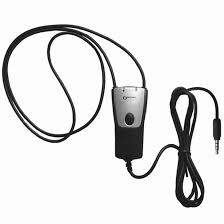
CLA-30 - Amplified Phone GEEMARC - Free user manual and instructions
Find the device manual for free CLA-30 GEEMARC in PDF.


| Product Type | Amplified Telephone |
| Model | CLA-30 |
| Brand | GEEMARC |
| Power Supply | 9V PP3 Battery (not included) |
| Volume Control | Adjustable slider from 0 to 30 dB |
| Tone Control | 5-position switch (5 dB steps) |
| Additional Amplification | No (reserved for CLA-40 model) |
| Battery Indicator | LED (lights up when in use) |
| Connections | Input (TNT-3 jack) and Output (TNT-3 jack) |
| Telephone Compatibility | Standard telephones without amplification or tone adjustment; not suitable for phones with keypad on handset |
| Wall Mounting | Possible (drilling template included) |
| Warranty | 1 year parts and labor |
| Main Functions | Sound amplification up to 30 dB, tone adjustment, battery indicator |
| Maintenance and Cleaning | Clean with a soft cloth; disconnect before changing the battery |
| Safety | Complies with European RTTE and WEEE directives; TRT-3 voltages |
| Spare Parts and Repairability | GEEMARC after-sales service (03 28 58 75 99) |
| General Information | Product for hearing-impaired persons; powered by 9V battery |
Frequently Asked Questions - CLA-30 GEEMARC
User questions about CLA-30 GEEMARC
0 question about this device. Answer the ones you know or ask your own.
Ask a new question about this device
Download the instructions for your Amplified Phone in PDF format for free! Find your manual CLA-30 - GEEMARC and take your electronic device back in hand. On this page are published all the documents necessary for the use of your device. CLA-30 by GEEMARC.
USER MANUAL CLA-30 GEEMARC
Boost switch (CLA-40 only) 9
Battery LED 9
TROUBLESHOOTING 10
GUARANTEE 11
WALL MOUNT TEMPLATE 16

Geemarc
For product support and help visit our website at www.geemarc.com
telephone 01707 384438
or fax 01707 372529
SOMMAIRE
DESCRIPTION CLA-30/40 4
INSTALLATION 12
REGLAGES 13
(*) Classified TNV-3 according to EN60950 standard.
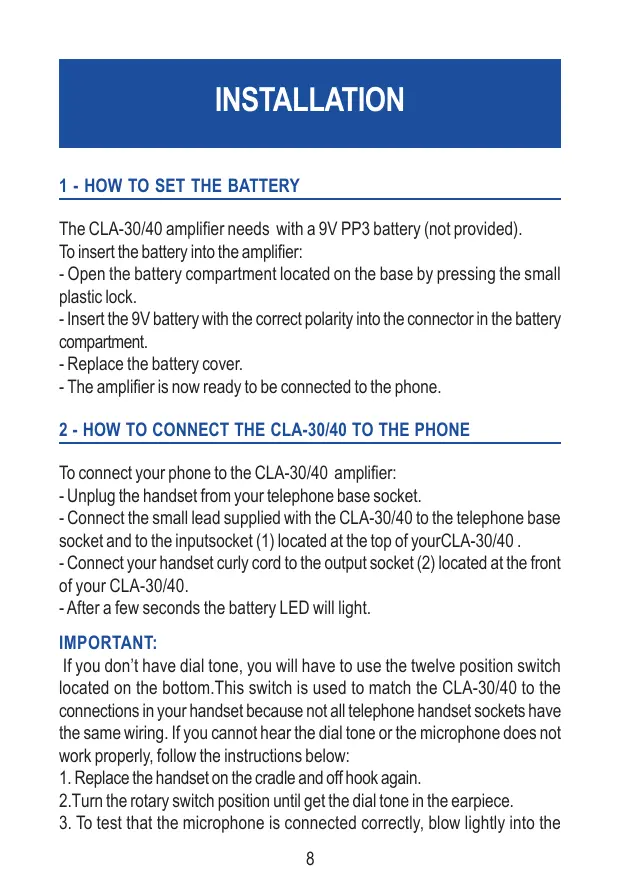
1 - HOW TO SET THE BATTERY
The CLA-30/40 amplifier needs with a 9V PP3 battery (not provided). To insert the battery into the amplifier:
- Open the battery compartment located on the base by pressing the small plastic lock.
- Insert the 9V battery with the correct polarity into the connector in the battery compartment.
- Replace the battery cover.
- The amplifier is now ready to be connected to the phone.
2 - HOW TO CONNECT THE CLA-30/40 TO THE PHONE
To connect your phone to the CLA-30/40 amplifier:
- Unplug the handset from your telephone base socket.
- Connect the small lead supplied with the CLA-30/40 to the telephone base socket and to the inputsocket (1) located at the top of yourCLA-30/40.
- Connect your handset curly cord to the output socket (2) located at the front of your CLA-30/40.
- After a few seconds the battery LED will light.
IMPORTANT:
If you don't have dial tone, you will have to use the twelve position switch located on the bottom. This switch is used to match the CLA-30/40 to the connections in your handset because not all telephone handset sockets have the same wiring. If you cannot hear the dial tone or the microphone does not work properly, follow the instructions below:
- Replace the handset on the cradle and off hook again.
- Turn the rotary switch position until get the dial tone in the earpiece.
- To test that the microphone is connected correctly, blow lightly into the
SETTINGS
mouthpiece. If you hear the 'blowing sound' in the earpiece, your CLA-30/40 is now set. If you cannot hear the 'blowing sound', repeat 2. and 3. until both the earpiece and microphone are working correctly.
Note 1: The rotary switch is factory set in the most of common wiring position so always try this first before turning the switch.
Note 2: The rotary switch has deliberately been made rather stiff to avoid misoperation or accidental chage of setting. We apologise if you find this inconvenient but after first set-up, the switch will not be to turned again unless you change your phone.
Note 3: The CLA-30/40 cannot be used with one-piece telephones which have a keypad on the handset.
CLA-30/40 is now ready to use.
3 - VOLUME CONTROL
You can adjust the volume control level by using the "VOLUME" control slide switch located on the top. Volume can be adjusted from the standard level of your phone up to 30 dB or more.
4-TONE CONTROL
You can adjust the tone by using the 5 position "TONE" switch located on the top. The tone can be adjusted in 5 dB step from the 0dB mid point to the Hi or LO positions shown according to your individual requirements.
5-BOOST SWITCH (CLA-40 ONLY)
If you wish you can increase the receiving up to 10 dB more by pressing and holding the Boost switch button. During this operation the microphone is muted to avoid feedback problems. To speak release the button so that other party can hear you.
TROUBLESHOOTING
6-BATTERY INDICATOR
The battery LED indicator should illuminate every time you use your CLA-30/40. If the LED start to fade or does not light when your CLA-30/40 is in use, you should change the battery to ensure optimum sound quality and performance.
IMPORTANT: Always disconnect CLA-30/40 from the phone before replacing the battery.
IF THE AMPLIFIER DOES NOT WORK
- Make sure all connections are plugged into the correct sockets (phone line cord, amplifier connections) and try other position on the rotary switch.
- Make sure battery is correctly inserted and is fully charged.
If you still have a problem when using your amplifier follow the instructions below:
- Disconnect the amplifier from the telephone.
- Connect the handset to the telephone.
- If the problem ceases, the amplifier may be faulty or your telephone socket wiring may not be compatible with the CLA-30/40. Call our HELPLINE for advice.
- If you have a problem after disconnecting the amplifier, the problem may come from your telephone or your telephone line socket.
In this case you will have to inform your telephone company about the problem or take your telephone to a repair centre.
IMPORTANT: The CLA-30/40 can not be used with telephones which include a keypad on the handset. The CLA-30/40 can only be used with standard phones without any amplification or tone adjustment.
GUARANTEE
GUARANTEE
From the moment your Geemarc product is purchased, Geemarc will guarantee it for the period of one year. During this time, all repairs or replacements are free of charge. Should you experience a problem then contact our helpline or visit our website at www.geemarc.com. The guarantee does not cover accidents, negligence or breakages of any parts. The product must not be tampered with or taken apart by anyone who is not an authorised Geemarc representative. The Geemarc guarantee in no way limits your legal rights.
IMPORTANT: YOUR RECEIPT IS PART OF YOUR GUARANTEE AND MUST BE RETAINED AND PRODUCED IN THE EVENT OF A WARRANTY CLAIM
Please note: The guarantee applies to the United Kingdom only.
Declaration : Geemarc Telecom SA hereby declares that this product is in compliance with the essential requirements and other relevant provisions of the Radio and Telecommunications Terminal Equipment Directive 1999/5/EEC and in particular article 3 section 1a, 1b and section 3.
Telephone connection : Voltages present on the telecommunication network are classified TNV-3 (Telecommunication Network Voltage) according to the EN60950 standard.
Recycling directives : The WEEE (Waste Electrical and Electronic Equipment) has been put in place for the products in end of life are recycled in the best way.
When this product is out of order, please do not put it in your domestic waste bin.
Please use one of the following disposal options :
- Remove the batteries and deposit them in an appropriate WEEE skip.
Deposit the product in in a appropriate WEEE skip.
- Or hand the old product to the retailer. If you purchase a new one, they should accept it.
Thus if you respect these instructions you ensure human health and environmental protection.
INSTALLATION
1 - MISE EN PLACE DE LA PILE
If you wish to wall mount the amplifier, use this template to mark the screw holes.

GABARIT DE MONTAGE MURAL
- Geemarc
- SOMMAIRE
- - HOW TO SET THE BATTERY
- - HOW TO CONNECT THE CLA-30/40 TO THE PHONE
- IMPORTANT:
- SETTINGS
- - VOLUME CONTROL
- 4-TONE CONTROL
- 5-BOOST SWITCH (CLA-40 ONLY)
- TROUBLESHOOTING
- 6-BATTERY INDICATOR
- IF THE AMPLIFIER DOES NOT WORK
- GUARANTEE
- INSTALLATION
- - MISE EN PLACE DE LA PILE
- GABARIT DE MONTAGE MURAL
Brand : GEEMARC
Model : CLA-30
Category : Amplified Phone