USER MANUAL KIR81AF30 BOSCH
Safety and warning information 18 Information concerning disposal ...... 19 Scope of delivery 20 Room temperature, ventilation and cavity depth 20 Installation location 21 Connecting the appliance 21 Getting to know your appliance 22 Switching on the appliance 23 Setting the temperature 23 Alarm function 23 Usable capacity 23 Refrigerator compartment 24 Super cooling 25 Interior fittings 25 Sticker "OK" 26 Switching off and disconnecting the appliance 26 Cleaning the appliance 26 Odours 27 Light (LED) 27 Tips for saving energy 28 Operating noises 28 Eliminating minor faults yourself 29 Appliance self-test 31 Customer service 31
Table of contents
Before you switch ON the appliance
Please read the operating and installation instructions carefully! They contain important information on how to install, use and maintain the appliance.
The manufacturer is not liable if you fail to comply with the instructions and warnings. Retain all documents for subsequent use or for the next owner.
Technical safety
This appliance contains a small quantity of environmentally-friendly but flammable R600a refrigerant. Ensure that the tubing of the refrigerant circuit is not damaged during transportation and installation. Leaking refrigerant may cause eye injuries or ignite.
If damage has occurred
- Keep naked flames and/or ignition sources away from the appliance, thoroughly ventilate the room for several minutes,
- switch off the appliance and pull out the mains plug, inform customer service.
The more refrigerant an appliance contains, the larger the room must be in which the appliance is situated. Leaking refrigerant can form a flammable gas-air mixture in rooms which are too small. The room must be at least 1 m^3 per 8 g of refrigerant. The amount of refrigerant in your appliance is indicated on the rating plate inside the appliance.
If the power cord of this appliance is damaged, it must be replaced by the manufacturer, customer service or a similarly qualified person. Improper installations and repairs may put the user at considerable risk.
Repairs may be performed by the manufacturer, customer service or a similarly qualified person only.
Only original parts supplied by the manufacturer may be used. The manufacturer guarantees that only these parts satisfy the safety requirements.
An extension cable may be purchased from customer service only.
- Never use electrical appliances inside the appliance (e.g., heater, electric ice maker, etc.). Risk of explosion!
- Never use a steam cleaner to defrost or clean the appliance! The steam may penetrate electrical parts and cause a short-circuit. Risk of electric shock!
- Do not use pointed or sharp-edged implements to remove frost or layers of ice. You could damage the refrigerant tubing. Leaking refrigerant may ignite or cause eye injuries.
- Do not store products which contain flammable propellants (e.g., spray cans) or explosive substances in the appliance. Risk of explosion!
- Do not stand or support yourself on the base, drawers, or doors, etc. Before defrosting and cleaning the appliance, pull out the mains plug or switch off the fuse. Do not pull out the mains plug by tugging the cable. Bottles which contain a high percentage of alcohol must be sealed and stored in an upright position.
- Keep plastic parts and the door seal free of oil and grease. Otherwise, parts and door seal will become porous.
- Never cover or block the ventilation openings for the appliance. People (including children) who have limited physical, sensory, or mental abilities or inadequate knowledge must not use this appliance unless they are supervised or given meticulous instructions.
Children in the household
- Keep children away from packaging and its parts. Danger of suffocation from folding cartons and plastic film!
- Do not allow children to play with the appliance! If the appliance features a lock: keep the key out of the reach of children!
General regulations
The appliance is suitable for refrigerating food.
This appliance is intended for use in the home and the home environment.
The appliance complies with EU Directive 2004/108/EC.
The refrigeration circuit has been checked for leaks.
This product complies with the relevant safety regulations for electrical appliances (EN 60335-2-24).
Disposal of packaging
The packaging protects your appliance from damage during transit. All materials used are environmentally safe and recyclable. Please help us by disposing of the packaging in an environmentally friendly manner.
Please ask your dealer or inquire at your local authority about current means of disposal.
Disposal of your old appliance
Old appliances are not worthless rubbish! Valuable raw materials can be reclaimed by recycling old appliances.

This appliance is identified according to the European guideline 2002/96/EC on waste electrical and electronic equipment - WEEE. The directive specifies the framework for an EU-wide valid return and re-use of old appliances.
Warning
Redundant appliances
- Pull out the mains plug.
- Cut off the power cord and discard with the mains plug.
- Do not take out the trays and receptacles: children are therefore prevented from climbing in!
- Do not allow children to play with the appliance once it has spent its useful life. Danger of suffocation!
Refrigerators contain refrigerant and gases in the insulation. Refrigerant and gases must be disposed of professionally. Ensure that tubing of the refrigerant circuit is not damaged prior to proper disposal.
Scope of delivery
After unpacking all parts, check for any damage in transit.
If you have any complaints, please contact the dealer from whom you purchased the appliance or our customer service.
The delivery consists of the following parts:
Built-in appliance Interior fittings (depending on model) Bag containing installation materials Operating instructions Installation manual Customer service booklet Warranty enclosure Information on the energy consumption and noises
Room temperature, ventilation and cavity depth
Ambient temperature
The appliance is designed for a specific climate class. Depending on the climate class, the appliance can be operated at the following temperatures.
The climate class can be found on the rating plate. Fig. 12
| Climate class | Permitted ambient temperature |
| SN | +10 °C to 32 °C |
| N | +16 °C to 32 °C |
| ST | +16 °C to 38 °C |
| T | +16 °C to 43 °C |
Note
The appliance is fully functional within the room temperature limits of the indicated climatic class. If an appliance of climatic class SN is operated at colder room temperatures, the appliance will not be damaged up to a temperature of +5°C .
Ventilation
The air on the rear panel of the appliance heats up. Conduction of the heated air must not be obstructed. Otherwise, the refrigeration unit must work harder. This increases power consumption. Therefore: Never cover or block the ventilation openings!
Cavity depth
A cavity depth of 560 mm is recommended for the appliance. If the cavity depth is smaller - at least 550 mm - the energy consumption increases slightly.
Installation location
Install the appliance in a dry, well-ventilated room. The installation location should neither be exposed to direct sunlight nor near a heat source, e.g., a cooker, radiator, etc. If installation next to a heat source is unavoidable, use a suitable insulating plate or observe the following minimum distances to a heat source:
3 cm to electric or gas cookers. 30 cm to an oil or coal-fired cooker.
Connecting the appliance
After installing the appliance, wait at least 1 hour until the appliance is switched on. During transportation, the oil in the compressor may have flowed into the refrigeration system.
Before switching on the appliance for the first time, clean the interior of the appliance (see chapter "Cleaning the appliance").
Electrical connection
The socket must be near the appliance and also freely accessible following installation of the appliance.
The appliance complies with protection class I. Connect the appliance to 220-240 V/50 Hz alternating current via a correctly installed socket with protective conductor. The socket must be fused with a 10 to 16 A fuse.
For appliances operated in non-European countries, check whether the stated voltage and current type match the values of your mains supply. This information can be found on the rating plate. Fig. 12
Warning
Never connect the appliance to electronic energy saver plugs.
Our appliances can be used with mains and sine-controlled inverters. Mains-controlled inverters are used for photovoltaic systems which are connected directly to the national grid. Sine-controlled inverters must be used for isolated applications (e.g., on ships or in mountain lodges) which are not connected directly to the national grid.
Getting to know your appliance
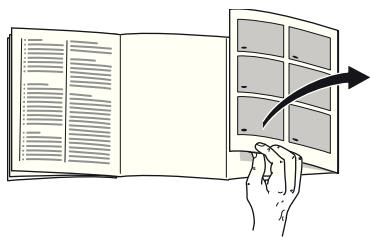
Please fold out the illustrated last page. These operating instructions refer to several models.
The features of the models may vary. The diagrams may differ.
Fig. 1
1-5 Controls 6 Fan 7 Light 8 Glass shelf 9 Extendable glass shelf 10 Vegetable container with humidity control 11 Vegetable container 12 Butter and cheese compartment 13 Door shelf 14 Shelf for large bottles
Controls
Fig. 2
1 On/Off button
Serves to switch the appliance on and off.
2 "super" button
Is used to switch on the super cooling (see chapter entitled "Super cooling").
3 Temperature selection button
Press this button to set the temperature.
4 Temperature display
The numbers correspond to the set refrigerator compartment temperatures in °C
5 Alarm button
Used to switch off the warning signal, see chapter "Alarm function".
Switching on the appliance
Fig. 2
Switch on the appliance with the On/Off button 1.
The appliance begins to cool. Light is switched on when the door is open.
We recommend a factory setting of +4°C in the refrigerator compartment.
Do not store perishable food warmer than +4°C.
Operating tips
After the appliance has been switched on, it may take several hours until the set temperature has been reached. Do not put any food in the appliance beforehand. While the refrigeration unit is running, water droplets or hoarfrost may form at the rear panel of the refrigerator. This is due to functional reasons. It is not necessary to scrape off the frost or wipe off the water droplets. The rear panel defrosts automatically. The condensation collects in the drainage channel and is carried to the refrigeration unit where it evaporates. Fig. 8 The front sides of the housing are partly heated slightly. This prevents condensation in the area of the door seal.
Setting the temperature
Fig. 2
Refrigerator compartment
The temperature can be set from +2°C to +8°C
Keep pressing temperature setting button 3 until the required refrigerator compartment temperature is set.
The value last selected is saved. The set temperature is indicated on temperature display 4.
Alarm function
Door alarm
The door alarm (continuous sound) switches on if the appliance door is open for longer than two minutes. Close the door to switch off the warning signal.
Switching off the alarm
Fig. 2
Press the alarm button 5 to switch off the warning signal.
Usable capacity
Information on the usable capacity can be found inside your appliance on the rating plate. Fig. 12
Refrigerator compartment
The refrigerator compartment is the ideal storage location for meat, sausage, fish, dairy products, eggs, ready meals and pastries.
Storing food
Store fresh, undamaged food. The quality and freshness will then be retained for longer. In the case of ready-made products and bottled goods, observe the best-before date or use-by date specified by the manufacturer. To retain aroma, colour and freshness, pack or cover food well before placing in the appliance. This will prevent the transfer of flavours and the discolouration of plastic parts in the refrigerator compartment. - Allow warm food and drinks to cool down before placing in the appliance.
Note
Avoid contact between food and rear panel. Otherwise the air circulation will be impaired.
Food or packaging could freeze to the rear panel.
Note the chill zones in the refrigerator compartment.
The air circulation in the refrigerator compartment creates different chill zones:
- The coldest zone is between the arrow stamped on the side and the glass shelf situated below. (Fig. 4)
Note:
Store perishable food (e.g., fish, sausage, meat) in the coldest zone. The warmest zone is at the very top of the door and in the lower vegetable container.
Note:
Store at the very top of the door, e.g., hard cheese and butter. Cheese can then continue to release its flavor, and the butter will still be easy to spread.
Vegetable container with humidity controller
Fig. 5
The vegetable container is the optimum storage location for fresh fruit and vegetables. A humidity controller and a special seal can be used to adjust the air humidity in the vegetable container. This allows fresh fruit and vegetables to be stored twice as long as with conventional storage.
The air humidity in the vegetable container can be set according to the type and amount of products to be stored:
Mainly fruit as well as for a large load - lower air humidity. Mainly vegetables as well as for a mixed load or small load - higher air humidity.
Notes:
Fruit sensitive to cold (e.g., pineapple, banana, papaya, and citrus fruit) and vegetables sensitive to cold (e.g., aubergines, cucumbers, zucchini, peppers, tomatoes, and potatoes) should be stored outside the refrigerator at temperatures of approximately +8°C to +12°C for optimum preservation of quality and flavor. Condensation may form in the vegetable container depending on the type and quantity of products stored. Remove condensation with a dry cloth and adjust air humidity in the vegetable container with the humidity controller.
Super cooling
Super cooling sets the refrigerator temperature to the coldest temperature setting for approx. 15 hours. Then the appliance automatically switches to the temperature set prior to super cooling mode.
Switch on super cooling mode, e.g.
before placing large quantities of food in the refrigerator compartment. for the fast cooling of drinks.
Switching on and off
Fig. 2
Press "super" button 2.
The button is lit when super cooling is switched on.
Note
When super cooling is switched on, increased operating noises may occur.
Interior fittings
(not all models)
Glass shelves
Fig. 6
If required, you can vary the shelves inside the appliance: To do this, pull out shelf, lift at the front and take out.
Extendable glass shelf
Fig. 7
The extendable glass shelf can be pulled out for a better overview of the food.
Vario shelf
Fig. 8
To facilitate the storage of tall items (e.g. cans or bottles), the front part of the Vario shelf can be taken out and pushed under the rear part.
Bottle holder
Fig. 9
The bottle holder prevents bottles from falling over when the door is opened and closed.
Sticker “OK”
(not all models)
The "OK" temperature monitor can be used to determine temperatures below +4°C . Gradually reduce the temperature if the sticker does not indicate "OK".
Note
When the appliance is switched on, it may take 12 hours until the temperature is reached.

Correct setting
Switching off and disconnecting the appliance
Switching off the appliance
Fig. 2
Press the On/Off button 1. The temperature display goes out, and the refrigerating unit switches off.
Disconnecting the appliance
If you do not use the appliance for a prolonged period:
- Switch off the appliance.
- Pull out the mains plug or switch off the fuse.
- Clean the appliance.
- Leave the appliance door open.
Cleaning the appliance
Caution
- Do not use abrasive, chloride, or acidic cleaning agents or solvents.
- Do not use scouring or abrasive sponges. The metallic surfaces could corrode.
- Never clean the shelves or containers in the dishwasher. The parts may become deformed!
Proceed as follows:
- Before cleaning: Switch off the appliance.
- Pull out the mains plug or switch off the fuse!
- Take out the food and store in a cool location. Place ice pack (if available) on the food.
- Wait until the layer of frost has thawed.
- Clean the appliance with a soft cloth, lukewarm water and a little pH neutral washing-up liquid. The rinsing water must not run into the light or through the drainage hole into the evaporation area.
- Wipe the door seal with clear water only and then wipe dry thoroughly.
- After cleaning reconnect and switch the appliance back on.
- Put the food back into the appliance.
Interior fittings
All variable parts of the appliance can be taken out for cleaning.
Take out glass shelves
Fig. 6
To do this, pull out shelf, lift at the front and take out.
Taking out extendable glass shelf
Fig. 7
Press the levers on the underside on both sides, pull the glass shelf forwards, lower it, and swivel it out to the side.
Condensation channel
Fig. 3
Regularly clean the condensation channel and drainage hole with a cotton bud or similar implement to ensure that the condensation can drain.
Take out shelves in the door
Fig. 10
Lift the shelves upwards and take them out.
Taking out the glass shelf above the vegetable container
Fig. 13
The glass shelf can be taken out and disassembled for cleaning.
Note
Before taking out the glass shelf, pull out the vegetable container.
Removing the container
Fig. 11
Pull out the container all the way and lift to detach it.
To insert the container, place it on the telescopic rails and push into the appliance. Attach the container by pressing it down.
Odours
If you experience unpleasant odours:
- Switch off the appliance with the On/Off button. Fig. 2/1
- Take all food out of the appliance.
- Clean interior (see chapter "Cleaning the appliance").
- Clean all packages.
- Seal strong smelling food in order to avoid odours from forming.
- Switch the appliance on again.
- Store food in the appliance.
- Check whether the formation of odours is still occurring after 24 hours.
Light (LED)
Your appliance features a maintenance-free LED light.
These lights may be repaired by customer service or authorised technicians only.
Tips for saving energy
Install the appliance in a dry, well-ventilated room! The appliance should not be installed in direct sunlight or near a heat source (e.g., radiator, cooker). If required, use an insulating plate. Select a cavity depth of 560 mm. A smaller cavity depth will result in higher energy consumption. Allow warm food and drinks to cool down before placing them in the appliance. Thaw frozen food in the refrigerator compartment and use the low temperature of the frozen food to cool refrigerated food. Open the appliance as briefly as possible. Occasionally clean the rear of the appliance to prevent increased power consumption. The arrangement of the fittings does not affect the energy rating of the appliance.
Operating noises
Quite normal noises
Droning
Motors are running (e.g., refrigerating units, fan).
Bubbling, humming, or gurgling noises
Refrigerant is flowing through the tubing.
Clicking
Motor, switches, or solenoid valves are switching on/off.
Preventing noises
The appliance is not level
Please align the appliance with a spirit level. If required, place something underneath.
Containers or storage areas wobble or stick
Please check the removable parts and re-insert them correctly if required.
Bottles or receptacles are touching each other
Move the bottles or receptacles slightly away from each other.
Eliminating minor faults yourself
Before you call customer service:
Please check whether you can eliminate the fault yourself based on the following information.
Customer service will charge you for advice - even if the appliance is still under guarantee!
| Fault | Possible cause | Remedial action |
| Temperature differs greatly from the set value. | | In some cases it is adequate to switch off the appliance for 5 minutes.
If the temperature is too high wait a few hours and check whether the temperature has approached the set value.
If the temperature is too low check the temperature again the next day. |
| Displays do not illuminate. | Power failure; the fuse has been switched off; the mains plug has not been inserted properly. | Connect mains plug. Check whether the power is on, check the fuses. |
| The light does not function. | The LED light is defective. | See chapter “Light (LED)” section. |
| Appliance was open too long.
Light is switched off after approx. 10 min. | When the appliance is closed and opened, the light is on again. |
en
| Fault | Possible cause | Remedial action |
| Bottom of the refrigerator compartment is wet. | The condensation channel or drainage hole are blocked. | Clean the condensation channel and the drainage hole. See chapter Cleaning the appliance. Fig. 3 |
| The temperature in the refrigerator compartment is too cold. | Temperature has been set too low. | Increase the temperature. |
| The refrigerating unit is switching on more frequently and for longer. | Appliance opened frequently. | Do not open the appliance unnecessarily. |
| The ventilation openings have been covered. | Remove obstacles. |
| Appliance is not cooling, temperature display and light are lit. | Showroom mode is switched on. | Hold down temperature selection button fig. 2/3 for 10 seconds until an acknowledgement signal sounds. After a short time check whether your appliance is cooling. |
Appliance self-test
Your appliance features an automatic self-test program which shows you sources of faults which may be repaired by customer service only.
Starting the appliance self-test
- Switch off the appliance and wait 5 minutes.
- Switch on appliance and hold down the super button, Fig. 2/2, for 3-5 seconds within the first 10 seconds until an acoustic signal sounds.
The self-test programme starts.
While the self-test is running, a long acoustic signal sounds.
When the self-test ends and an acoustic signal sounds twice, your appliance is in working order.
If the Super button flashes for 10 seconds and 5 acoustic signals sound, there is a fault. Inform customer service.
Ending the appliance self-test
When the programme has ended, the appliance switches over to normal operation.
Customer service
Your local customer service can be found in the telephone directory or in the customer-service index. Please provide customer service with the appliance product number (E-Nr.) and production number (FD).
These specifications can be found on the rating plate. Fig. 12 To prevent unnecessary call-outs, please assist customer service by quoting the product and production numbers. This will save you additional costs.
Repair order and advice on faults
Contact information for all countries can be found on the enclosed customer service list.
GB 0844 892 8979
Calls from a BT landline will be charged at up to 3 pence per minute. A call set-up fee of up to 6 pence may apply.
IE 014502655
US 800 944 2904 toll-free
Dear customer,