
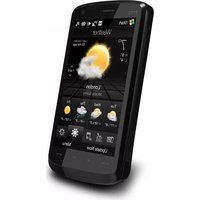
2020I - Mobile Phone HTC - Free user manual and instructions
Find the device manual for free 2020I HTC in PDF.


Pick your language and provide your email: we'll send you a specifically translated version.
| Product Type | Smartphone |
| Brand | HTC |
| Model | 2020I |
| Dimensions (approximate) | 156 x 73 x 8 mm |
| Weight (approximate) | 160 g |
| Power | Rechargeable lithium-ion battery |
| Operating System | Android |
| Screen | Capacitive touchscreen |
| Connectivity | Wi-Fi, Bluetooth, 4G LTE |
| Camera | Rear and front cameras |
| Sensors | Accelerometer, proximity, light |
| Storage | Internal memory expandable via microSD card |
| Maintenance and cleaning | Clean with a soft, dry cloth. Avoid any liquids. |
| Safety | Do not disassemble the device. Use an approved charger. |
| Spare parts and repairability | Screen, battery, charging port repairable by a professional. |
| General information | User manual in French available for free PDF download. |
Frequently Asked Questions - 2020I HTC
How to turn on the HTC 2020I?
Press and hold the power button on the right side until the HTC logo appears.
How to insert the SIM card?
Use the provided ejection tool to open the SIM tray. Insert a nano-SIM card, then close the tray.
How to charge the battery?
Connect the provided USB-C cable to the charging port and a power adapter. The battery will charge automatically.
How to transfer files to a computer?
Connect the phone to the computer via a USB cable. Select File Transfer mode on the phone to access folders.
How to take a screenshot?
Press and hold the power button and the volume down button simultaneously for one second.
How to reset the phone to factory settings?
Go to Settings > System > Reset options > Erase all data (factory reset). Confirm the action.
What to do if the touchscreen is unresponsive?
Try a forced restart by holding the power button for 10 seconds. If the problem persists, contact support.
How to update the software?
Go to Settings > System > System updates. Download and install the available version.
How to save battery?
Enable Battery Saver mode in Settings > Battery. Reduce brightness and disable unused connections.
Where to find the IMEI number?
Dial *#06# on the phone keypad or check under Settings > About phone > Status.
User questions about 2020I HTC
0 question about this device. Answer the ones you know or ask your own.
Ask a new question about this device
No questions yet. Be the first to ask one.
Download the instructions for your Mobile Phone in PDF format for free! Find your manual 2020I - HTC and take your electronic device back in hand. On this page are published all the documents necessary for the use of your device. 2020I by HTC.
USER MANUAL 2020I HTC
Manual assistant
Powered by Anthropic
Waiting for your message
Product information
Brand : HTC
Model : 2020I
Category : Mobile Phone