918 - Calculator Victor Technology - Free user manual and instructions
Find the device manual for free 918 Victor Technology in PDF.


Pick your language and provide your email: we'll send you a specifically translated version.
| Type of product | Calculator |
| Brand | Victor Technology |
| Model | 918 |
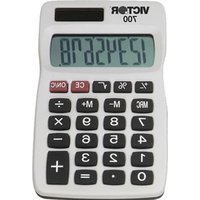
| Display | 10-digit LCD screen |
| Dimensions (W x D x H) | 4.5 x 3.0 x 1.0 inches (approximate) |
| Weight | 4.5 oz (approximate) |
| Power source | Solar powered with battery backup |
| Backup battery | Coin cell battery (LR44 or equivalent) |
| Basic arithmetic functions | Addition, subtraction, multiplication, division |
| Additional functions | Percentage, square root, sign change |
| Memory functions | M+, M-, MR, MC |
| Auto power off | Yes, after several minutes of inactivity |
| Construction | Durable plastic housing |
| Display readability | Large, clear digits with 10-digit capacity |
| Care and cleaning | Wipe with a soft, dry cloth |
| Safety precautions | Keep away from water, moisture, and extreme heat |
| Spare parts | Backup battery is replaceable |
| Repairability | No user-serviceable internal components |
| Recommended use | Office, school, and household |
| Package contents | Calculator only |
| Warranty | Standard limited manufacturer warranty |
Frequently Asked Questions - 918 Victor Technology
How do I replace the backup battery in my Victor 918 calculator?
To replace the backup battery, locate the battery compartment on the back or bottom of the calculator. Open the cover, remove the old coin cell battery (typically LR44 or equivalent), and insert a new one with the correct polarity. Close the compartment securely.
Why is the display faint or not showing digits?
If the display is faint, ensure the solar panel receives adequate light. In low-light conditions, the backup battery may be depleted. Replace the backup battery if the problem persists.
How do I calculate percentages with the Victor 918?
To find a percentage, enter the base number, press the multiplication key, enter the rate, and press the % key. For example, to find 20% of 150, type 150, ×, 20, then % to display 30.
How do I use the memory functions?
Use M+ to add the displayed number to memory, M- to subtract it, MR to recall the stored value, and MC to clear the memory entirely.
Can the calculator work without the backup battery?
Yes, the primary power source is the solar panel. In sufficient light, the calculator operates without a battery. However, the backup battery is needed to preserve memory and ensure operation in dim lighting.
How do I reset the calculator?
If the calculator starts behaving abnormally, remove the backup battery for about 30 seconds, then reinsert it. This will reset the internal circuits and clear all stored memory.
Is the Victor 918 suitable for elementary school students?
Absolutely. With its basic arithmetic functions, memory, and percentage capabilities, it is ideal for learning math at the elementary and middle school levels.
How should I clean my calculator?
Wipe the exterior with a soft, dry cloth. Do not use solvents, abrasive cleaners, or spray liquids directly on the device as they may damage the plastic or the internal components.
What is the power source of the Victor 918?
The calculator is solar powered with a coin cell battery backup. It automatically switches to the battery in low-light conditions, ensuring continuous use.
What does the MR key do?
The MR (Memory Recall) key displays the number currently stored in memory. After pressing MR, you can use the displayed value in further calculations or clear it with MC.
User questions about 918 Victor Technology
0 question about this device. Answer the ones you know or ask your own.
Ask a new question about this device
No questions yet. Be the first to ask one.
Download the instructions for your Calculator in PDF format for free! Find your manual 918 - Victor Technology and take your electronic device back in hand. On this page are published all the documents necessary for the use of your device. 918 by Victor Technology.
USER MANUAL 918 Victor Technology


Manual assistant
Powered by Anthropic
Waiting for your message
Product information
Brand : Victor Technology
Model : 918
Category : Calculator