
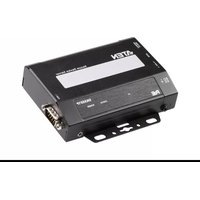
SN0148COD - Server ATEN - Free user manual and instructions
Find the device manual for free SN0148COD ATEN in PDF.


Pick your language and provide your email: we'll send you a specifically translated version.
| Product Type | Serial Console Server |
| Brand | ATEN |
| Model | SN0148COD |
| Category | Server |
| Number of Serial Ports | 48 x RS-232 |
| Form Factor | Rack-mountable, 1U |
| Dimensions (W x D x H) | 43.2 x 33.0 x 4.4 cm |
| Weight | 4.5 kg |
| Power Supply | 100-240V AC, 50/60Hz |
| Network Interface | 2 x Gigabit Ethernet |
| Console Access | SSH, Telnet, HTTP/HTTPS |
| Security Protocols | RADIUS, LDAP, SSL, SSH |
| Operating Temperature | 0°C to 50°C |
| Storage Temperature | -20°C to 60°C |
| Humidity | 0-80% RH, non-condensing |
| Maintenance and Cleaning | Wipe with a dry cloth; avoid liquids |
| Safety Certifications | CE, FCC |
| Spare Parts | Contact ATEN support for replacements |
| Repairability | Repairs only by qualified technicians |
| General Information | Includes rack-mount kit and power cord |
Frequently Asked Questions - SN0148COD ATEN
How do I connect to the SN0148COD console server?
Use an RJ-45 to DB9 serial cable to connect your computer to the console port. For remote access, connect via SSH or Telnet using the device's IP address. The default network settings are printed on the device label.
What are the factory default login credentials?
Default username and password are both admin in lowercase. We strongly recommend changing the default credentials after the initial login to ensure network security.
How can I reset the device to factory defaults?
Press and hold the reset button on the rear panel for 10 seconds until the system LED flashes. The device will reboot with default settings. All configurations will be lost.
What network protocols are supported for remote management?
The SN0148COD supports SSH, Telnet, HTTP/HTTPS for web-based management, and SNMP for monitoring. It also supports RADIUS and LDAP for centralized authentication.
Does the SN0148COD support rack mounting?
Yes, it is designed for 1U rack installation. The package includes rack-mount brackets and screws. Slide the brackets to match the rack rail width and secure firmly.
Can I update the firmware?
Yes, firmware updates are available on the ATEN website. Download the latest firmware file, then upload it via the web management interface under "Maintenance > Firmware Upgrade". Backup your configuration before updating.
How many serial devices can I connect?
The SN0148COD provides 48 independent serial ports, each capable of connecting to routers, switches, servers, or other devices with RS-232 interfaces.
What operating systems are supported by the management software?
The web-based interface works with any modern browser on Windows, Linux, or macOS. The device also supports standard tools like PuTTY and Telnet clients for serial console access.
How can I change the IP address of the console server?
Connect to the local console port with a serial cable, run a terminal program like PuTTY, and use the CLI command netconfig to set a static IP. Alternatively, use the initial web wizard via HTTP.
What should I do if I lose the password?
You need to reset the device to factory defaults by holding the reset button for 10 seconds. This restores the default admin/admin login. The configuration will be erased.
User questions about SN0148COD ATEN
0 question about this device. Answer the ones you know or ask your own.
Ask a new question about this device
No questions yet. Be the first to ask one.
Download the instructions for your Server in PDF format for free! Find your manual SN0148COD - ATEN and take your electronic device back in hand. On this page are published all the documents necessary for the use of your device. SN0148COD by ATEN.
USER MANUAL SN0148COD ATEN



Manual assistant
Powered by Anthropic
Waiting for your message
Product information
Brand : ATEN
Model : SN0148COD
Category : Server