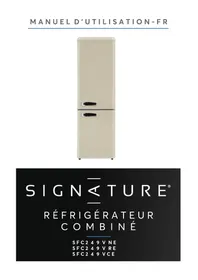
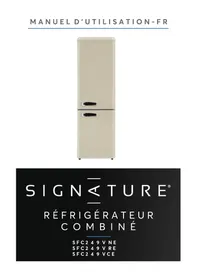
SFC249VNE - Refrigerator SIGNATURE - Free user manual and instructions
Find the device manual for free SFC249VNE SIGNATURE in PDF.


Pick your language and provide your email: we'll send you a specifically translated version.
| Product type | Fridge-freezer |
| Brand | SIGNATURE |
| Model | SFC249VNE |
| Total capacity | 249 L |
| Refrigerator volume | 180 L |
| Freezer volume | 69 L |
| Energy class | E |
| Dimensions (H x W x D) | 150 cm x 55 cm x 60 cm |
| Net weight | 55 kg |
| Power supply | 220-240 V, 50 Hz |
| Nominal power | 90 W |
| Noise level | 40 dB |
| Cooling type | Static cooling |
| Temperature control | Mechanical thermostat |
| Lighting | LED |
| Shelves | 4 glass shelves |
| Door shelves | 3 door shelves |
| Vegetable drawer | 1 vegetable drawer |
| Defrost type | Manual for the freezer |
| Maintenance and cleaning | Interior cleaning with soapy water, do not use abrasive products |
| Safety | Reversible door, stops cooling production in case of failure |
| Spare parts | Availability 10 years, repairability index 6.5/10 |
| General information | User manual in French available online |
Frequently Asked Questions - SFC249VNE SIGNATURE
How do I install my SIGNATURE SFC249VNE refrigerator?
Place the appliance in a dry and well-ventilated area, away from heat sources. Leave at least 5 cm of space at the back for air circulation. Adjust the feet to stabilize the appliance, then plug it into a grounded outlet.
How do I adjust the temperature?
Use the thermostat located inside the refrigerator. Turn it to a higher number for colder cooling, and to a lower number for moderate cooling. The recommended position is usually at 3 or 4.
How do I defrost the freezer?
Unplug the appliance, remove the food, and leave the freezer door open. Place a basin under the compartment to collect the defrost water. Once the ice has melted, clean and dry before plugging it back in.
How do I clean the appliance?
Use a soft cloth dampened with soapy water to clean the inside and outside. Rinse with clean water and dry thoroughly. Avoid abrasive products, solvents, and metallic sponges.
Why do water droplets form on the back wall?
This is a normal phenomenon due to condensation. Warm, humid air comes into contact with the cold wall and condenses. The water then flows to the drain tray at the bottom of the appliance.
How do I reverse the door opening?
Unplug the appliance. Unscrew the upper and lower hinges, remove the door, then attach the hinges on the other side. Reassemble the door in reverse order and check the seal.
What should I do if the appliance does not work?
Check that the outlet is powered and that the cable is not damaged. Make sure the thermostat is not set to position 0. Wait 10 minutes after each unplugging before plugging it back in.
How can I save energy?
Install the appliance away from heat sources and direct sunlight. Let food cool down before placing it inside. Do not open the door too often and check that the seals are in good condition.
How should I store food?
Store food in airtight containers to avoid odors. Place dairy products in the coldest zone, vegetables in the designated drawer, and raw meats at the bottom to prevent contamination.
Where can I find spare parts?
Spare parts are available from SIGNATURE's after-sales service. Check the product page on notice-facile.com for contact details, or contact the manufacturer directly with your model SFC249VNE.
User questions about SFC249VNE SIGNATURE
0 question about this device. Answer the ones you know or ask your own.
Ask a new question about this device
No questions yet. Be the first to ask one.
Download the instructions for your Refrigerator in PDF format for free! Find your manual SFC249VNE - SIGNATURE and take your electronic device back in hand. On this page are published all the documents necessary for the use of your device. SFC249VNE by SIGNATURE.
USER MANUAL SFC249VNE SIGNATURE
Manual assistant
Powered by Anthropic
Waiting for your message
Product information
Brand : SIGNATURE
Model : SFC249VNE
Category : Refrigerator