
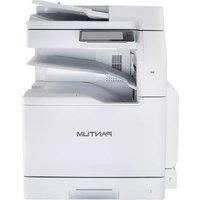
P2600 - Printer PANTUM - Free user manual and instructions
Find the device manual for free P2600 PANTUM in PDF.


Pick your language and provide your email: we'll send you a specifically translated version.
| Product Type | Monochrome Laser Printer |
| Brand | PANTUM |
| Model | P2600 |
| Print Technology | Laser |
| Print Resolution | Up to 1200 x 1200 dpi |
| Print Speed | Up to 22 ppm (A4) |
| First Page Out Time | Less than 7.8 seconds |
| Processor | 600 MHz |
| Memory | 128 MB |
| Connectivity | USB 2.0 |
| Paper Input Capacity | 150 sheets |
| Paper Output Capacity | 100 sheets |
| Supported Media Sizes | A4, A5, A6, Letter, Legal, Executive |
| Monthly Duty Cycle | Up to 15,000 pages |
| Dimensions (W × D × H) | 380 × 244 × 262 mm |
| Weight | 6.1 kg |
| Power Input | AC 220-240V, 50/60 Hz |
| Power Consumption | Average 370 W, standby < 3 W |
| Maintenance | Clean printer and replace consumables regularly |
| Safety | Use grounded outlet and avoid moisture |
| Spare Parts & Repairability | User-replaceable toner cartridge and drum unit |
| General Information | Supports Windows, macOS, Linux |
Frequently Asked Questions - P2600 PANTUM
How do I load paper into the Pantum P2600?
Open the paper tray and slide the width guides outward. Load a stack of A4 paper (up to 150 sheets) with the printable side facing up. Adjust the guides so they touch the paper edges without bending. Avoid overfilling the tray to prevent jams.
How do I install the printer driver on Windows?
Download the latest driver from the Pantum official website or use the included CD. Run the installer and choose the USB connection type. Plug in the USB cable when prompted, and follow the on-screen instructions to complete the installation. Restart your computer if needed.
What types of paper can I use?
The printer supports plain paper, recycled paper, and envelopes in sizes A4, A5, A6, Letter, and Legal. The recommended paper weight is 60 to 105 g/m². For special media like labels or cardstock, always refer to the user manual for compatible specifications.
How do I clean the printer?
Turn off the printer and unplug it. Open the front cover and remove loose toner dust with a dry, lint-free cloth. Clean the paper feed rollers with a slightly dampened cloth if needed, then let all parts dry completely before closing the cover. Never use alcohol or water directly on internal parts.
How do I replace the toner cartridge?
Open the front cover and pull out the old drum and toner assembly. Unpack the new toner cartridge, shake it gently to distribute toner, and remove the protective tape. Insert the drum unit first, then the toner cartridge, and close the cover. Print a test page to verify the installation.
How do I resolve a paper jam?
Turn off the printer and open the front cover. Squeeze the release levers to free the drum unit and inspect the rollers. Gently pull the jammed paper in the direction of the paper path. If paper tears, remove all fragments. Reinstall the drum unit, close the cover, and turn the printer back on.
How do I connect the printer via USB?
Connect the printer to your computer using a USB 2.0 cable. Install the printer driver from the website or CD, and select the USB port during installation. After the driver is installed, the printer will appear in your system's device list and be ready for printing.
How do I print a self-test page?
Press and hold the Cancel button on the control panel for about 3 seconds until the LED flashes. Release it, and the printer will print a configuration page. You can also print a self-test page from the printer's preferences or settings menu in the driver.
How do I enable econominal printing mode?
In the printer preferences, go to the Print Settings tab and check the 'Economical Print' option. This mode reduces toner consumption by lightening the print density. You can adjust the toner density manually in the 'Color/Quality' section if you need a darker output.
How should I dispose of used toner cartridges?
Do not dispose of cartridges in regular household waste. Recycle them through Pantum's recycling program or follow your local e-waste regulations. Store used cartridges away from children and avoid exposing them to high temperatures or open flames.
User questions about P2600 PANTUM
0 question about this device. Answer the ones you know or ask your own.
Ask a new question about this device
No questions yet. Be the first to ask one.
Download the instructions for your Printer in PDF format for free! Find your manual P2600 - PANTUM and take your electronic device back in hand. On this page are published all the documents necessary for the use of your device. P2600 by PANTUM.
USER MANUAL P2600 PANTUM

Manual assistant
Powered by Anthropic
Waiting for your message
Product information
Brand : PANTUM
Model : P2600
Category : Printer