
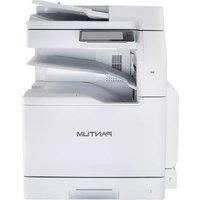
BP5115DN - Printer PANTUM - Free user manual and instructions
Find the device manual for free BP5115DN PANTUM in PDF.


Pick your language and provide your email: we'll send you a specifically translated version.
| Product Type | Monochrome Laser Printer |
| Model | BP5115DN |
| Brand | Pantum |
| Dimensions (W x D x H) | 400 x 400 x 300 mm |
| Weight | 10.5 kg |
| Power Supply | 220-240 V AC, 50/60 Hz |
| Power Consumption (Active) | 500 W (approx.) |
| Power Consumption (Standby) | Less than 10 W |
| Functions | Print, Automatic Duplex, Wired Network (Ethernet) |
| Print Speed | Up to 40 ppm (A4) |
| Print Resolution | Up to 1200 x 1200 dpi |
| Paper Input Capacity | 250-sheet tray + 50-sheet multipurpose tray |
| Paper Output Capacity | 150 sheets face-down |
| Monthly Duty Cycle | Up to 80,000 pages |
| Maintenance & Cleaning | Clean exterior with dry cloth; use approved toner only |
| Safety | Overheat protection, auto shut-off after idle |
| Spare Parts & Reparability | Replaceable toner cartridge and drum unit; user-replaceable |
| General Information | Network-ready with USB 2.0 and Ethernet |
Frequently Asked Questions - BP5115DN PANTUM
What type of toner cartridge does the Pantum BP5115DN use?
The Pantum BP5115DN uses a high-yield toner cartridge, model TL-400H, capable of printing up to 6,000 pages.
How do I connect the printer to my network?
Connect the printer via Ethernet cable to your router. Then install the driver and select the printer from your computer's network settings.
What is the maximum paper size the BP5115DN supports?
It supports up to A4 (210 x 297 mm) and legal size (8.5 x 14 in) paper.
Can I print on both sides automatically?
Yes, the BP5115DN has automatic duplex printing for double-sided prints.
How do I clear a paper jam?
Open the front cover and gently pull out any jammed paper. Check the paper path and rollers. Refer to the manual for detailed steps.
Is the Pantum BP5115DN compatible with Windows 10?
Yes, it supports Windows 10, Windows 8, Windows 7, and macOS. Download the latest driver from Pantum's website.
How do I replace the toner cartridge?
Open the top cover, remove the old cartridge, unpack the new one, shake it gently, then insert it until it clicks. Close the cover.
What is the warranty period for this printer?
Pantum typically offers a 1-year limited warranty. Register your product for extended support.
Does the printer support mobile printing?
Yes, via AirPrint and Pantum's mobile app, you can print from smartphones and tablets on the same network.
How do I clean the printer?
Use a soft lint-free cloth slightly dampened with water to wipe the exterior. Do not use solvents. Inside, use a toner vacuum or brush.
User questions about BP5115DN PANTUM
0 question about this device. Answer the ones you know or ask your own.
Ask a new question about this device
No questions yet. Be the first to ask one.
Download the instructions for your Printer in PDF format for free! Find your manual BP5115DN - PANTUM and take your electronic device back in hand. On this page are published all the documents necessary for the use of your device. BP5115DN by PANTUM.
USER MANUAL BP5115DN PANTUM

Manual assistant
Powered by Anthropic
Waiting for your message
Product information
Brand : PANTUM
Model : BP5115DN
Category : Printer