
Bamboo Create - Graphic tablet WACOM - Free user manual and instructions
Find the device manual for free Bamboo Create WACOM in PDF.


Pick your language and provide your email: we'll send you a specifically translated version.
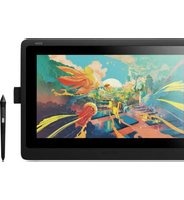
| Product type | Graphic tablet (pen tablet) |
| Model | Wacom Bamboo Create (CTL-670) |
| Interface | USB 2.0 |
| Active area | 216.5 × 137.0 mm (8.5 × 5.4 in) |
| Pressure levels | 2048 levels of pressure sensitivity |
| Resolution | 2540 lpi |
| Reading speed | 133 points per second |
| Express keys | 4 customizable express keys |
| Pen type | Battery-free stylus with eraser and two side switches |
| Dimensions | 306.0 × 209.0 × 11.9 mm |
| Weight | Approximately 520 g (tablet only) |
| Power supply | Powered directly by USB connection |
| Included software | ArtRage Studio, Autodesk Sketchbook Express, and driver installation |
| Package contents | Tablet, pen, USB cable, quick start guide, and installation CD |
| Cleaning | Wipe with a soft, slightly damp cloth; do not use solvents |
| Safety | Avoid exposure to liquids; do not disassemble the device |
| Spare parts | Replacement pens and pen nibs are available from Wacom |
| Repairability | Not user-serviceable; contact Wacom support for repairs |
| Compatibility | Windows and macOS (see manual for version specifics) |
| Warranty | Standard Wacom limited warranty |
Frequently Asked Questions - Bamboo Create WACOM
Does the Wacom Bamboo Create support multi-touch?
No, the Bamboo Create is designed for pen input only. It does not include multi-touch gestures like its sibling model Bamboo Fun. The active area responds exclusively to the included pressure-sensitive pen.
Is the pen battery-free?
Yes, the Bamboo Create's stylus is wireless and battery-free. It uses electromagnetic resonance technology (EMR), so the pen is lightweight, never needs charging, and provides precise pressure feedback.
How do I install the driver for Bamboo Create?
To install the driver, download the latest Wacom driver from the official Wacom website, close all other applications, and run the installer. Follow the on-screen instructions, then restart your computer. Once the driver is installed, the tablet will be recognized when plugged in via USB.
Can I use the Bamboo Create with a Mac?
Yes, the Bamboo Create is compatible with macOS. Wacom provides dedicated drivers for Mac. Ensure you download the correct version for your operating system and check the software requirements in the manual.
How do I clean the drawing surface?
Use a soft, lint-free cloth slightly dampened with water. Gently wipe the active area and the tablet surface. Do not use alcohol, acetone, or abrasive cleaners, as they can damage the surface coating.
How do I replace the pen nib?
The Bamboo Create pen comes with spare pen nibs (pen tips) and a nib removal tool. To replace a nib, pull out the worn nib with the tool, insert a new nib into the pen, and press gently until it clicks. This simple process helps keep the pen working as new.
What software is included with the Bamboo Create?
The tablet comes with downloadable ArtRage Studio and Autodesk Sketchbook Express. These applications offer a natural drawing experience with layers, brushes, and other creative tools, optimized for pressure-sensitive tablets.
How can I customize the express keys?
Use the Wacom Tablet Properties software (driver) to assign functions to each express key. Open the control panel, select the tablet, and click each key to assign keyboard shortcuts, mouse functions, or application-specific commands.
Is the Bamboo Create compatible with Linux?
Wacom primarily supports Windows and macOS. While Linux distributions may have basic input support, advanced features such as express keys and pressure settings depend on community drivers. Consult online resources for your specific Linux distribution.
What are the system requirements for the Bamboo Create?
The system requirements are: Windows 7 or later, or macOS 10.6.8 or later, an available USB port, and internet access to download the driver. A compatible computer and operating system are essential for full functionality.
User questions about Bamboo Create WACOM
0 question about this device. Answer the ones you know or ask your own.
Ask a new question about this device
No questions yet. Be the first to ask one.
Download the instructions for your Graphic tablet in PDF format for free! Find your manual Bamboo Create - WACOM and take your electronic device back in hand. On this page are published all the documents necessary for the use of your device. Bamboo Create by WACOM.
USER MANUAL Bamboo Create WACOM



Manual assistant
Powered by Anthropic
Waiting for your message
Product information
Brand : WACOM
Model : Bamboo Create
Category : Graphic tablet