
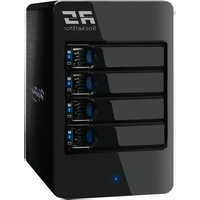
RocketStor 6414TS - External hard drive Highpoint - Free user manual and instructions
Find the device manual for free RocketStor 6414TS Highpoint in PDF.


Pick your language and provide your email: we'll send you a specifically translated version.
| Product Type | External 4-bay Thunderbolt 2 RAID Storage |
| Brand | HighPoint |
| Model | RocketStor 6414TS |
| Drive Bays | 4 x 2.5-inch SATA (supports SSD and HDD) |
| Host Interface | 2 x Thunderbolt 2 ports (20 Gbps) |
| RAID Levels | RAID 0, 1, 5, 10, JBOD |
| Hot Swap | Yes, tool-less drive trays |
| Data Transfer Rate | Up to 20 Gbps |
| Daisy Chain | Yes, supports up to 5 additional Thunderbolt devices |
| LCD Display | Built-in status and configuration LCD |
| Chassis Material | Aluminum with heat-dissipating design |
| Cooling | Temperature-controlled low-noise fan |
| Power Supply Type | External AC-DC adapter |
| Input Voltage | 100-240V AC, 50/60Hz |
| Weight (without drives) | Approx. 2.5 kg |
| Dimensions (W x H x D) | Approx. 132 x 280 x 165 mm |
| Compatible OS | macOS 10.9 or later, Windows 8.1 or later (with Thunderbolt) |
| Maintenance | Clean exterior with a soft, dry cloth; ensure vents are unobstructed |
| Safety | Operate only in a dry, ventilated area; avoid contact with liquids |
| Repairability | User-replaceable drives and fan; internal electronics serviceable by qualified personnel |
Frequently Asked Questions - RocketStor 6414TS Highpoint
How do I install drives in the RocketStor 6414TS?
Open the tool-less drive tray, insert a 2.5-inch SATA drive, close the tray, and slide it into an empty bay. The unit detects the drive automatically and you can build an array using the LCD panel or software.
What RAID modes are available and which one should I choose?
The RocketStor 6414TS supports RAID 0 for maximum speed, RAID 1 for simple mirroring, RAID 5 for a balance of speed and data safety, RAID 10 for high performance with redundancy, and JBOD for independent disks. Choose RAID 5 for general reliability and capacity.
Can I daisy-chain multiple RocketStor 6414TS units?
Yes, each unit has two Thunderbolt 2 ports. Connect one port to your computer and the other to the next Thunderbolt device. You can chain up to five additional devices per port.
How do I replace a failed hard drive in a redundant array?
Simply remove the failed drive from its hot-swap tray and insert a new drive of identical or larger size. The controller will automatically initiate a rebuild process, which you can monitor on the LCD.
Is the RocketStor 6414TS compatible with SSDs?
Yes, it fully supports 2.5-inch SATA SSDs, including AHCI and TRIM when used in non-RAID or RAID 0 modes. To enable TRIM, ensure your operating system is updated.
How do I connect the RocketStor 6414TS to a Windows PC?
Your PC must have a Thunderbolt 3 controller with an adapter to Thunderbolt 2, or use a card. Install the latest HighPoint driver from the official website, then connect the device and configure through the WebGUI or LCD.
What should I do if the LCD shows a high-temperature warning?
The warning appears when the internal temperature exceeds safe levels. Check that the cooling fan is spinning and air vents are not blocked. Reduce the ambient room temperature or move the unit away from other heat sources.
Can I update the firmware of the RocketStor 6414TS?
Yes, firmware updates add support for new drives and fix bugs. Visit the HighPoint website, locate the RocketStor 6414TS firmware, and follow the included instructions. Usually done through the WebGUI without disrupting data.
How do I create a RAID volume using the LCD panel?
Press the Menu button on the LCD, navigate to Logical Device and select Create. Follow the on-screen prompts to choose drives and a RAID level. The system will format and prepare the array automatically.
What is the maximum capacity of each drive bay?
The RocketStor 6414TS supports SATA drives up to 12 TB per bay, giving a maximum raw capacity of 48 TB with four drives. Always use drives from the compatibility list for best reliability.
User questions about RocketStor 6414TS Highpoint
0 question about this device. Answer the ones you know or ask your own.
Ask a new question about this device
No questions yet. Be the first to ask one.
Download the instructions for your External hard drive in PDF format for free! Find your manual RocketStor 6414TS - Highpoint and take your electronic device back in hand. On this page are published all the documents necessary for the use of your device. RocketStor 6414TS by Highpoint.
USER MANUAL RocketStor 6414TS Highpoint


Manual assistant
Powered by Anthropic
Waiting for your message
Product information
Brand : Highpoint
Model : RocketStor 6414TS
Category : External hard drive