
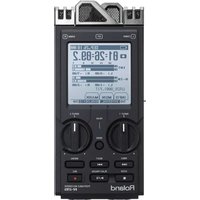
VS-2480CD - Audio recorder ROLAND - Free user manual and instructions
Find the device manual for free VS-2480CD ROLAND in PDF.


Pick your language and provide your email: we'll send you a specifically translated version.
| Type of product | Digital multitrack audio recorder |
| Brand | Roland |
| Model | VS-2480CD |
| Category | Audio recorder |
| Number of tracks | 24-track playback, 8-track simultaneous recording |
| Audio quality | 24-bit / 96 kHz |
| Built-in CD drive | CD-R/RW for playback and backup |
| Input channels | 8 XLR/TRS analog inputs + 2 RCA line inputs |
| Output channels | Stereo main output, monitor output, headphone jack |
| Digital connections | S/PDIF in/out, MIDI in/out |
| Built-in effects | DSP-based effects (reverb, delay, chorus, etc.) |
| Editing capabilities | Non-destructive editing with 999 undo levels |
| Storage | Internal hard drive + external SCSI/IDE (optional) |
| Display | Large LCD screen with dimmer control |
| Power supply | 110-240 V AC, 50/60 Hz |
| Power consumption | Approx. 50 W |
| Dimensions (W x H x D) | 553 x 195 x 520 mm |
| Weight | 10.5 kg |
| Cleaning | Use a soft, dry cloth; do not use chemical cleaners |
| Safety | Avoid water, humidity, and extreme temperatures |
| Repairability | User-serviceable internal fan and drive; other repairs by qualified technicians |
Frequently Asked Questions - VS-2480CD ROLAND
How many tracks can I record simultaneously on the VS-2480CD?
The VS-2480CD can record up to 8 tracks simultaneously and play back 24 tracks. This allows for complex overdubbing and mixdowns.
Can I use the VS-2480CD as an audio interface for my computer?
Yes, the VS-2480CD supports USB or S/PDIF connectivity (depending on version) to transfer audio to and from a computer. You may need to install appropriate drivers.
How do I back up my recordings to CD?
Use the built-in CD-R/RW drive. Go to the Utility menu and select the backup option. You can write WAV or native VS format files to CD.
Can I replace the internal hard drive?
Yes, the unit accepts standard 3.5-inch EIDE hard drives. Consult the manual for maximum capacity and installation instructions.
How do I clean the VS-2480CD safely?
Unplug the unit, then use a soft, lint-free cloth slightly dampened with water. Avoid abrasive or solvent cleaners.
What should I do if the display is dim or not working?
Check the display dimmer control and power connections. If it still fails, the backlight might need service. Contact a qualified technician.
Can I connect external effects processors?
Yes, you can route signals through external effects via send/return loops or by using the insert jacks. Assign them in the mixer routing screen.
What audio file formats are supported?
The VS-2480CD records in Roland's native VS format and can export to WAV for broader compatibility. It also can import WAV files for editing.
Is there a built-in metronome or tuner?
Yes, the unit includes a metronome with variable time signatures and tempo, as well as a guitar/bass tuner in the utility mode.
How do I perform a factory reset?
Hold down the PLAY and STOP buttons while turning on the power. This resets all settings to factory defaults, but it will not erase your audio data.
User questions about VS-2480CD ROLAND
0 question about this device. Answer the ones you know or ask your own.
Ask a new question about this device
No questions yet. Be the first to ask one.
Download the instructions for your Audio recorder in PDF format for free! Find your manual VS-2480CD - ROLAND and take your electronic device back in hand. On this page are published all the documents necessary for the use of your device. VS-2480CD by ROLAND.
USER MANUAL VS-2480CD ROLAND


Manual assistant
Powered by Anthropic
Waiting for your message
Product information
Brand : ROLAND
Model : VS-2480CD
Category : Audio recorder