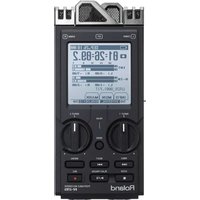
MP-500 - Audio recorder ROLAND - Free user manual and instructions
Find the device manual for free MP-500 ROLAND in PDF.


Pick your language and provide your email: we'll send you a specifically translated version.
| Product Type | Portable Digital Audio Recorder |
| Brand | Roland |
| Model | MP-500 |
| Dimensions | Approx. 58 x 102 x 18 mm (WxDxH) |
| Weight | Approx. 110 g (without batteries) |
| Power Source | 2 x AAA batteries or USB bus power |
| Battery Life | Up to 6 hours continuous recording |
| Recording Media | microSD/SDHC card (up to 32 GB) |
| Recording Formats | MP3, WAV |
| Built-in Microphone | Stereo condenser microphones |
| Audio Input | 3.5mm stereo mini jack (mic/line) |
| Audio Output | 3.5mm stereo headphone jack |
| Display | 1.5-inch backlit LCD |
| Connectivity | USB 2.0 (micro-B) |
| Key Functions | Recording, playback, overdubbing, timer recording, voice activation |
| Maintenance | Keep port openings clear of dust and debris |
| Cleaning | Wipe with a dry soft cloth; avoid any liquids |
| Safety | Do not expose to water or excessive heat |
| Spare Parts | Batteries and microSD cards are user-replaceable |
| Repair Information | Contact an authorized Roland service center for repairs |
Frequently Asked Questions - MP-500 ROLAND
How do I reset the Roland MP-500?
Press and hold the reset button with a toothpick for 3 seconds. The device will restart with default settings.
What is the maximum recording time?
Recording time depends on the microSD card size and format. For a 32 GB card in MP3 at 128 kbps, you can record over 100 hours.
How do I transfer recordings to a computer?
Connect the MP-500 to your computer using the USB cable. The device appears as an external drive; simply drag and drop the audio files to your computer.
Can I use an external microphone?
Yes, plug a 3.5mm stereo microphone into the audio input jack. The device automatically detects the external mic and uses it for recording.
How do I set the recording level automatically?
Use the Auto Level function to adjust the recording volume automatically. Press the Menu button and select Auto Level.
What should I do if the device has no sound?
Check the volume level and headphone connection. Ensure the file is not corrupted. If the issue continues, restart the device.
How do I clean the MP-500?
Use a soft, dry cloth to wipe the exterior. Do not use solvents or sprays.
Is the device compatible with USB audio interfaces?
No, the USB port is only for data transfer, not audio streaming. Use the headphone or line out for audio.
How long do the batteries last?
With recording, approximately 6 hours on two AAA alkaline batteries. Use rechargeable Ni-MH batteries for better longevity.
Can I record from a phone line?
No, the device is not designed for direct phone line connection. Use the external mic or line input with appropriate adapters.
User questions about MP-500 ROLAND
0 question about this device. Answer the ones you know or ask your own.
Ask a new question about this device
No questions yet. Be the first to ask one.
Download the instructions for your Audio recorder in PDF format for free! Find your manual MP-500 - ROLAND and take your electronic device back in hand. On this page are published all the documents necessary for the use of your device. MP-500 by ROLAND.
USER MANUAL MP-500 ROLAND

Manual assistant
Powered by Anthropic
Waiting for your message
Product information
Brand : ROLAND
Model : MP-500
Category : Audio recorder