
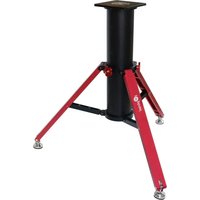
CEM70EC - Tripod iOptron - Free user manual and instructions
Find the device manual for free CEM70EC iOptron in PDF.


Pick your language and provide your email: we'll send you a specifically translated version.
| Product Type | Equatorial Mount and Tripod System |
| Brand | iOptron |
| Model | CEM70EC |
| Payload Capacity | 70 lb (32 kg) |
| Mount Weight | 22.5 lb (10.2 kg) |
| Tripod Weight | Approx. 15 lb (6.8 kg) |
| Power Supply | 11-15 V DC, 2 A (typical) |
| Motor Drive | Stepper motors with high-resolution encoders |
| Tracking Modes | Sidereal, lunar, solar, King |
| Computer Control | Go2Nova® 8407+ controller, RS-232, USB |
| Polar Alignment | Optional iPolar® electronic polar finder |
| Maintenance | Keep clean and dry; use microfiber cloth |
| Cleaning | Use optical cleaning kit for lenses and encoders |
| Safety | Do not exceed payload; ensure stable tripod setup |
| Spare Parts | Available from iOptron service center |
| Reparability | User-serviceable cables and controller; complex repairs by technician |
| Included Items | Mount head, tripod, counterweight shaft, controller, cables |
| General Information | Center-balanced design for easy setup and portability |
Frequently Asked Questions - CEM70EC iOptron
How do I set up the iOptron CEM70EC tripod?
To set up the iOptron CEM70EC, first extend the tripod legs to a stable height and tighten the leg locks. Attach the mount head to the tripod base, then install the counterweight shaft and counterweights. Ensure the entire setup is level using the bubble level on the mount.
What is the maximum payload of the CEM70EC mount?
The CEM70EC has a maximum payload capacity of 70 lb (32 kg). This includes the telescope, camera, dovetail, and any accessories attached to the mount.
How do I power the CEM70EC mount?
The mount accepts 11-15 V DC input via the 2.1mm barrel connector. Use the included or a regulated adapter providing at least 2 A current. For field use, a battery pack or power tank is recommended.
What are the encoders on the EC model?
The EC (Encoder) version of the CEM70 features high-resolution optical encoders on both axes. These provide closed-loop feedback to correct tracking and go-to accuracy, reducing the need for frequent calibration.
How do I perform polar alignment?
Polar alignment can be done using the optional iPolar® electronic polar finder, which integrates with the Go2Nova controller to display a bullseye on a smartphone. Alternatively, use the manual polar scope built into the mount.
How do I maintain the tripod and mount?
Regularly inspect screws and locks for tightness. Wipe metal surfaces with a dry cloth after outdoor use to prevent corrosion. Clean optical lenses with a soft brush and a lens cleaning solution if needed. Avoid over-tightening knobs.
Can I use this mount for astrophotography?
Yes, the CEM70EC is well-suited for astrophotography due to its high payload capacity, encoder-assisted tracking, and stable construction. It supports autoguiding via the ST-4 port and computer control via USB.
What is the total weight of the mount and tripod?
The mount head weighs about 22.5 lb (10.2 kg) and the typical tripod adds approximately 15 lb (6.8 kg), for a combined total of around 37.5 lb (17 kg).
How do I update the firmware?
Download the latest firmware from the iOptron website and transfer it to the controller via a USB cable using the iOptron Commander software. Always follow the provided instructions and do not interrupt power during update.
How do I balance the mount?
Balance the mount by loosening the clutches to allow free movement. Adjust counterweight position along the shaft and the telescope position in the dovetail saddle until the scope stays in place when released. Tighten clutches afterward.
User questions about CEM70EC iOptron
0 question about this device. Answer the ones you know or ask your own.
Ask a new question about this device
No questions yet. Be the first to ask one.
Download the instructions for your Tripod in PDF format for free! Find your manual CEM70EC - iOptron and take your electronic device back in hand. On this page are published all the documents necessary for the use of your device. CEM70EC by iOptron.
USER MANUAL CEM70EC iOptron


Manual assistant
Powered by Anthropic
Waiting for your message
Product information
Brand : iOptron
Model : CEM70EC
Category : Tripod