
Tri-Pier 360 - Tripod iOptron - Free user manual and instructions
Find the device manual for free Tri-Pier 360 iOptron in PDF.
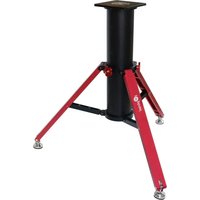


| Brand | iOptron |
| Model | Tri-Pier 360 |
| Product Type | Portable Pier and Tripod for Telescope Mounts |
| Material | Steel legs with aluminum mounting plate |
| Height Range | 750 mm to 1210 mm (29.5 in to 47.5 in) |
| Leg Diameter | 50.8 mm (2 in) |
| Load Capacity | 45 kg (100 lb) |
| Net Weight | 5.4 kg (12 lb) |
| Mounting Options | M10 and 1/4-20 threaded holes on top plate |
| Leg Locking System | Quick-release lever clamps for rapid height adjustment |
| Center Spreader | Included, adjustable for extra stability |
| Feet | Rubber tips resistant to slipping |
| Assembly | Tool-free setup, no additional hardware required |
| Portability | Folds compactly for transport and storage |
| Cleaning | Wipe with a soft, dry cloth; avoid solvents and abrasives |
| Maintenance | Periodically check and tighten all locking knobs and fasteners |
| Safety | Always center loads and secure mount to pier before extending legs |
| Repair / Spare Parts | Contact iOptron support for replacement rubber feet and clamps |
| Warranty | One-year limited warranty against defects in materials and workmanship |
Frequently Asked Questions - Tri-Pier 360 iOptron
User questions about Tri-Pier 360 iOptron
0 question about this device. Answer the ones you know or ask your own.
Ask a new question about this device
Download the instructions for your Tripod in PDF format for free! Find your manual Tri-Pier 360 - iOptron and take your electronic device back in hand. On this page are published all the documents necessary for the use of your device. Tri-Pier 360 by iOptron.
USER MANUAL Tri-Pier 360 iOptron
iOptron® Tri-Pier 360
Instruction Manual
Tri-Pier 360 #8037
The iOptron ® heavy duty Tri-Pier 360 combines the strength and stableness of a pier with the flexibility of a tripod. It is designed for iOptron CEM120 GOTO mounts. Other iOptron mounts can be mounted onto the Tri-Pier 360, with possible low latitude limitation. It also can be used for other brand mount with a proper customized mounting adapter.
- CEM70
- CEM60
- iEQ45 Pro/iEQ45
- AZ Mount Pro/MiniTower/MiniTower Pro (need Star Knobs with Center Post 8340-PIER)
- CEM40/GEM45 (need MiniPier 8032 or MiniPier top plate 8032PT)
• Paramount MyT (no adapter needed) - Takahashi (EM-200), SkyWatcher (HEQ5/EQ6/NEQ6/AZEQ6), Celestron (CGEM/CGEM-DX), Orion Atlas (EQ-G/AZEQ-G) (need Tri-Pier adapter 8036-TK)
- Astro-Physics 400/600E/Mach1GOTO (need Tri-Pier adapter 8036-AP)
- ZEQ25/CEM25 (need Tri-Pier adapter 8036-25)
• Celestron CGX/CGX-L (need top plate 8039-CGX)
Specifications:
| Max Payload | 360 lbs (165 kg) |
| Self weight | ~42 lbs (19 kg) |
| Material and Finish | Aluminum Alloy (CNC), anodized |
| Pier diameter | 7 1/8" (181 mm) |
| Pier Wall Thickness | 1/4" (6.35 mm) |
| Adjustable height | 32"-40" (813-1015 mm) |
| Uneven ground range | 2" (51 mm) |
| Leg maximum spread | ∅42" (∅1065 mm) |
| Pier dimension folded | ∅11"x 31" (∅280 x 785 mm) |
| Warranty | One year limited |
Assembly:
- Take the Tri-pier out from the package. Remove the protection foams.

- Unlock the locking knobs on the mounting collar.

- Move the Center Column up or down to desired height where there is a hole on the Center Column. Lock the Locking Knob to secure the pier.

- Adjust the individual feet to level the pier. Then tighten the feet locker by turn it upward to jam the leg.


- To collapse the Tri-Pier 360, loose the Locking Knobs. Pull the collar up while stepping on the Tri-Pier 360 feet.

- To switch a top plate, remove four socket screws to remove the CEM120 mounting plate and put a customized one on to it. One can also install an adapter on top of the CEm120 mounting plate.

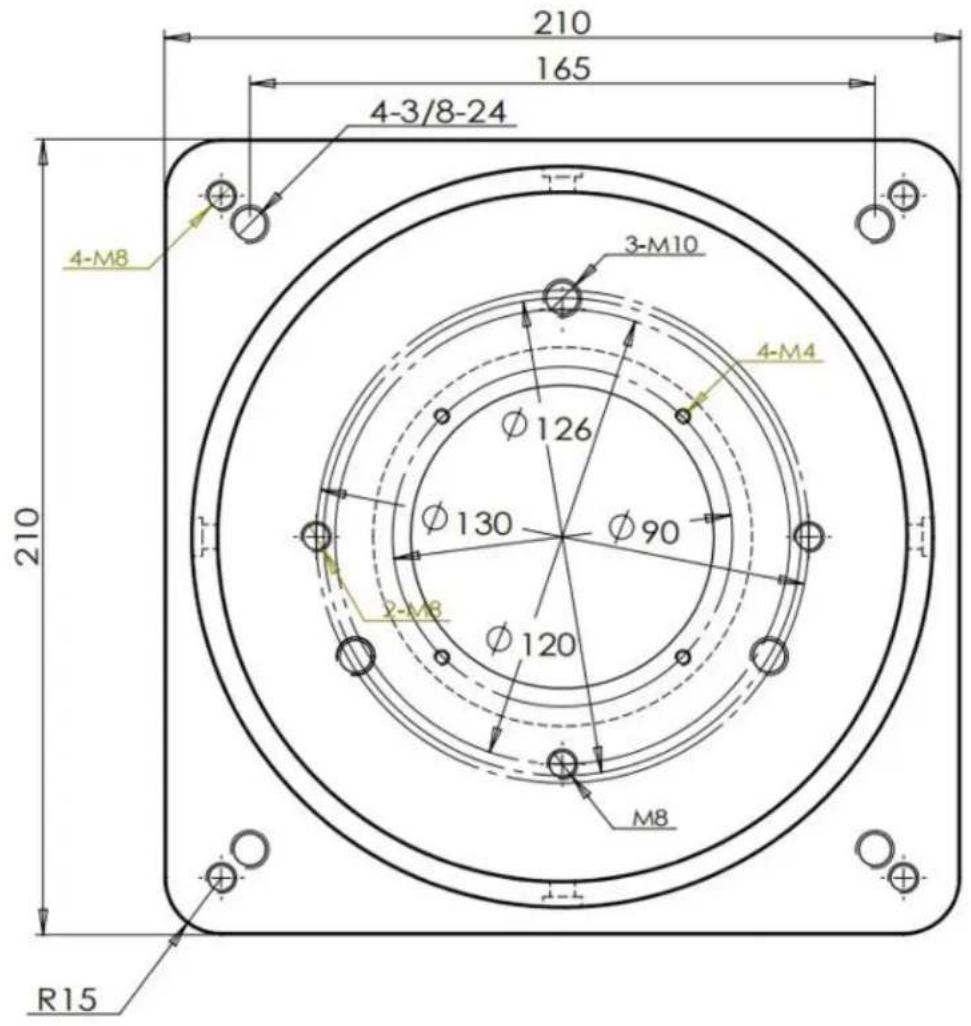
Tri-Pier 360 Top Plate Dimension:


Brand : iOptron
Model : Tri-Pier 360
Category : Tripod