
JTP70DPBB - Oven GE - Free user manual and instructions
Find the device manual for free JTP70DPBB GE in PDF.


Pick your language and provide your email: we'll send you a specifically translated version.
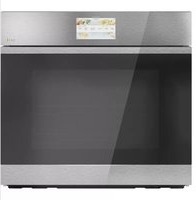
| Product Type | Built-in Electric Oven |
| Brand | GE |
| Model | JTP70DPBB |
| Color | Black |
| Installation Type | Built-in / Wall Oven |
| Oven Configuration | Single Oven |
| Capacity | Approximately 5.0 cubic feet |
| Fuel / Energy Source | Electric |
| Power Requirements | 240V / 60Hz, 40A dedicated circuit |
| Cooking Modes | Bake, Broil, Convection Bake, Convection Roast, Self-Clean |
| Heating Elements | Upper broil element, lower bake element, convection fan |
| Cleaning Type | Self-cleaning oven cycle |
| Control System | Electronic touch pad controls |
| Display | Digital led display |
| Temperature Range | 170°F to 550°F (76°C to 288°C) |
| Timer | Yes, with automatic shut-off |
| Oven Light | Yes, replaceable interior light |
| Safety Features | Child safety lock, control lockout |
| Door Design | Removable glass door for easy cleaning |
| Accessories Included | Oven racks and broiler pan |
| Spare Parts Availability | Genuine GE replacement parts available online |
| Warranty | Limited 2-year warranty (parts and labor) |
Frequently Asked Questions - JTP70DPBB GE
How do I set the clock on my GE JTP70DPBB oven?
To set the clock, press the Set Clock pad, then use the + / - keys to adjust the time. Press Enter to confirm.
How do I use the self-cleaning cycle?
Make sure the oven is empty and the door is closed. Select Self-Clean, choose a cleaning time (2-4 hours), and press Start. The oven will lock during the cycle.
How do I replace the oven light bulb?
Turn off the power at the circuit breaker. Remove the oven shelves, then unscrew the bulb cover. Replace with a 40W appliance bulb and reassemble.
How do I disable the child lock?
Press and hold the Child Lock pad for 3 seconds until the indicator disappears. Refer to the manual for exact controls.
How do I bake using convection?
Select Convection Bake, set the temperature, and reduce the recipe temperature by 25°F. Place food in a shallow pan for better airflow.
The oven is not heating properly, what should I check?
Verify the power supply, ensure the oven is set to Bake, and check the heating element for visible damage. If no heat, replace the bake element or call service.
How do I remove the oven door for cleaning?
Open the door fully, flip the hinge locks, and slowly close the door while lifting it off. Reinstall by reversing these steps.
What are the available cooking modes?
The oven features Bake, Broil, Convection Bake, Convection Roast, and a Self-Clean cycle.
How do I calibrate the oven temperature?
Press the Bake pad, then hold the + / - keys for 5 seconds until the adjustment appears. Set between -35°F and +35°F.
What should I do if the control panel beeps and displays an error code?
Note the error code, reset the oven by turning off the circuit breaker for 1 minute, then power back on. If it persists, contact GE service.
User questions about JTP70DPBB GE
0 question about this device. Answer the ones you know or ask your own.
Ask a new question about this device
No questions yet. Be the first to ask one.
Download the instructions for your Oven in PDF format for free! Find your manual JTP70DPBB - GE and take your electronic device back in hand. On this page are published all the documents necessary for the use of your device. JTP70DPBB by GE.
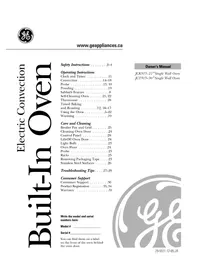
USER MANUAL JTP70DPBB GE



Manual assistant
Powered by Anthropic
Waiting for your message
Product information
Brand : GE
Model : JTP70DPBB
Category : Oven