
BIG DISK NETWORK - Network Storage LACIE - Free user manual and instructions
Find the device manual for free BIG DISK NETWORK LACIE in PDF.


| Product type | Network storage (NAS) |
| Brand | LACIE |
| Model | BIG DISK NETWORK |
| Capacity | 2 TB, 3 TB, or 4 TB depending on model |
| Network interface | Gigabit Ethernet 10/100/1000 Base-TX |
| Network protocols | SMB, AFP, FTP, HTTP, HTTPS, Bonjour, BitTorrent |
| Expansion ports | 1 x USB 2.0 |
| Media server functions | Compatible with UPnP A/V and DLNA, iTunes server |
| Backup functions | Automatic backup with 1-click button, compatible with Time Machine (Mac) |
| Included software | LaCie Network Assistant, Genie Backup Manager Pro (Windows), Intego Backup Manager Pro (Mac) |
| Cooling system | Fanless aluminum heatsink (silent design) |
| Compatibility | Windows 2000/XP/Vista, Mac OS 10.2 or higher, Linux 2.4 or higher |
| Power supply | External power adapter |
| Dimensions (L x H x D) | 44 x 173 x 272 mm |
| Weight | 2500 g |
| Security | Multiple security levels (share, groups, users, public, guest), Kensington lock |
| Warranty | 3-year limited warranty, Advance Care option available |
| Design | Design by Neil Poulton, aluminum enclosure |
| Maintenance | Clean with a soft dry cloth, avoid liquids |
| Spare parts and repairability | Repair by authorized center |
Frequently Asked Questions - BIG DISK NETWORK LACIE
User questions about BIG DISK NETWORK LACIE
0 question about this device. Answer the ones you know or ask your own.
Ask a new question about this device
Download the instructions for your Network Storage in PDF format for free! Find your manual BIG DISK NETWORK - LACIE and take your electronic device back in hand. On this page are published all the documents necessary for the use of your device. BIG DISK NETWORK by LACIE.
USER MANUAL BIG DISK NETWORK LACIE
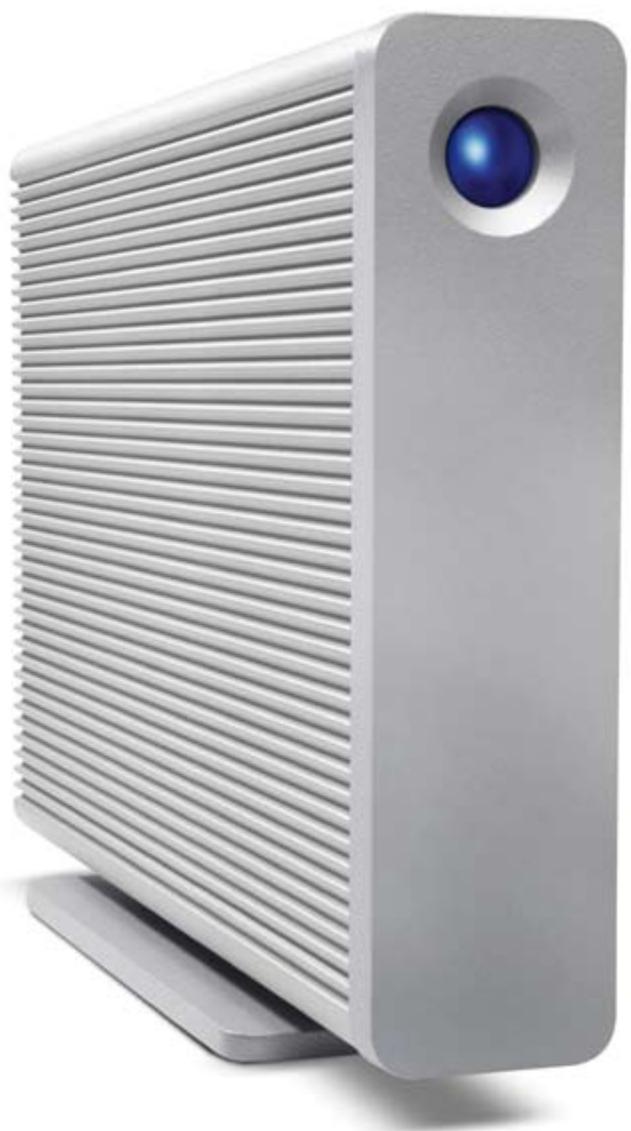
LaCie Big Disk Network
DESIGN BY NEIL POULTON
natural_image
Exterior view of a silver server with a blue circular head and ventilation grille (no text or symbols visible)Networking Via Ethernet
flowchart
graph TD
    A["Big Disk Network"] --> B["PC"]
    A --> C["Router"]
    B --> D["Mac"]
    C --> D
    D --> E["Laptop"]
    C --> F["Internet"]
    G["External HDD"] --> C
    style A fill:#f9f,stroke:#333
    style B fill:#ccf,stroke:#333
    style C fill:#cfc,stroke:#333
    style D fill:#fcc,stroke:#333
    style E fill:#ffc,stroke:#333
    style F fill:#fcc,stroke:#333
    style G fill:#cff,stroke:#333
Back Up Your NAS Content
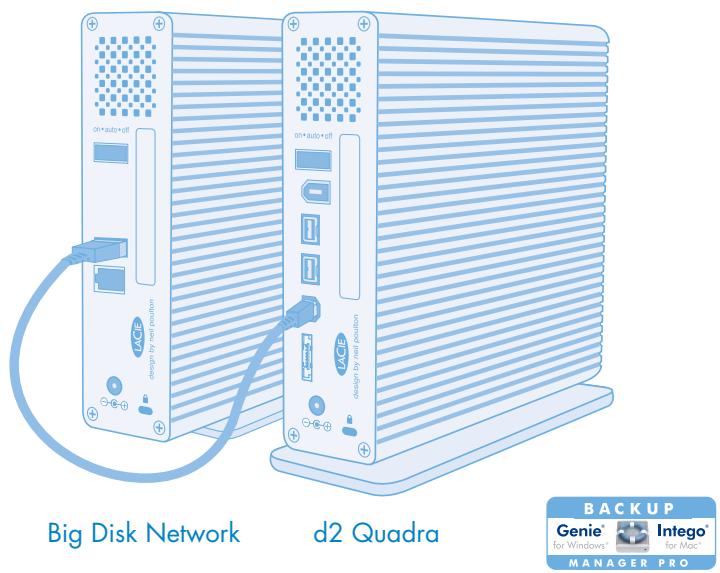
Get extra security and increase data portability by backing up your LaCie Big Disk Network— on your own schedule— to an external hard drive through its USB port using the built-in backup system. Automatically transfer files to or from another external hard disk with one easy push of the button on the front of the drive. The LaCie Big Disk Network comes also with Genie® Backup Manager Pro™ for Windows and Intego® Backup Manager Pro™ for Mac to install on each PC/Mac for client backups to the NAS. This software lets you reliably and efficiently back up your documents, emails, settings, or other digital assets; it supports compressed, encrypted, or image backups and initiates a computer recovery program in case of general crash.
Essential Networking Solution
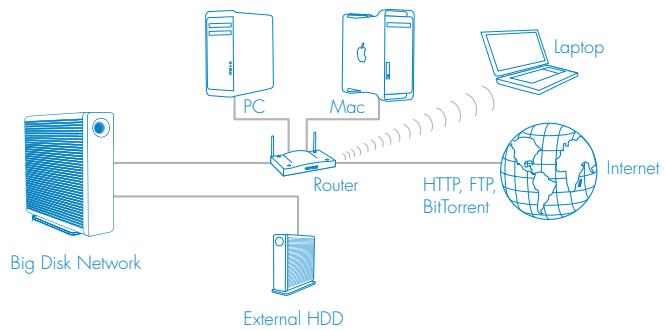
The LaCie Big Disk Network offers professional, reliable, central storage for instantly storing, sharing, and backing up from any PC or Mac® on your network. With the LaCie Big Disk Network, you can share files among Windows®, Mac, and Linux users thanks to its SMB and AFP protocols support, or connect remotely through FTP, HTTP, and HTTPS file systems. Manage your home or small office network easily with this full-featured file server, recommended for networks with up to 50 users (15 at once).
flowchart
graph TD
    TV["TV"] --> UPNPTM["UPnP™ A/V Digital Media Adaptor"]
    Stereo["Stereo"] --> UPNPTM
    Game_Console["Game Console"] --> UPNPTM
    AccessBigDisk["Access Big Disk etwork from iTunes"] --> UPNPTM
- Share files easily among PC, Mac, and Linux users
- Heat sink design for quieter operation
- Back up to external hard disks with USB
• Active Directory, Wake-on-LAN
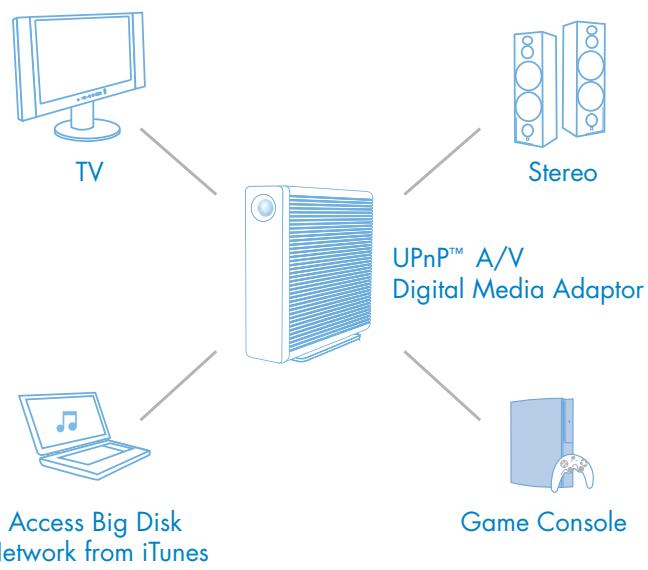
• Stream your multimedia files to UPnP players
Multimedia Server Capabilities
With the LaCie Big Disk Network, it's easy to stream multimedia content to your television. You can play your media on any UPnP AV-compatible Digital Media Adapter (DMA), such as a PS3 or Xbox, without needing a computer—you can store the information directly on the LaCie Big Disk Network. In fact, the Big Disk Network has been developed to be compatible with any DLNA multimedia device, and also works with iTunes®. You can also download torrent files automatically with the LaCie Big Disk Network without even having to turn on your PC.
1TB* =
125,000 songs
or 500 movies
or 100,000 office presentations**
A Multiprotocol Solution
| SMB or SAMBA | Network file transfer for Windows, Linux, and Mac*** |
| AFP | Network file transfer for Mac clients |
| HTTP | For accessing Big Disk Network admin and files using a Web browser |
| HTTPS | For those who prefer a secured connection using a Web browser |
| FTP | For accessing files remotely using FTP clients |
| Bonjour | For making files searchable through the network |
| BitTorrentTM | For downloading large files from the Internet without a PC or Mac on |
Quick Access
Controlling access is simple; you can assign various security levels to shares, groups, user profiles, and public access. With Windows ADS domain support, there's no need to recreate existing user and group accounts of your Windows domain, making it easy to manage for IT Administrators. Thanks to the Wake-on-LAN feature, the LaCie Big Disk Network can be switched back to operating mode from the client side.
EXCLUSIVE BIG DISK HEAT SINK DESIGN
Easy to Use
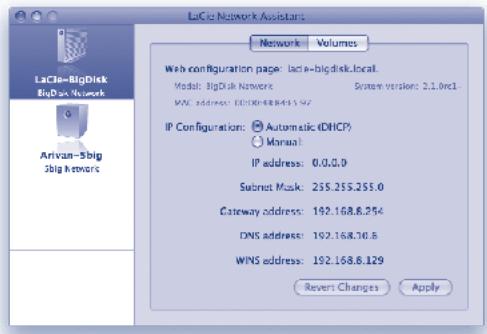
With its intuitive Web interface, administration is easy, convenient, and secure. Thanks to the LaCie Big Disk Network's DHCP and Automatic IP support, network configuration is fast and automatic. The LaCie Big Disk Network also comes with the LaCie Network Assistant, an easy-to-use program available for Windows, Mac, and Linux users. The LaCie Big Disk Network keeps its administrator informed with email notifications for backup and downloads, as well as high temperatures and disk damage.
Avant-Garde By Design
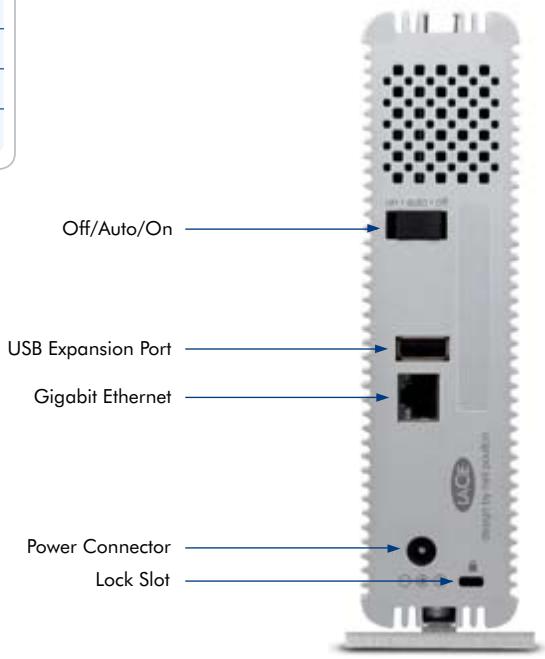
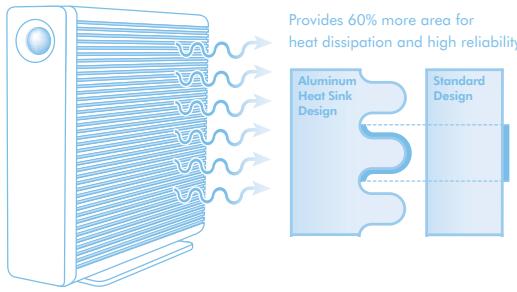
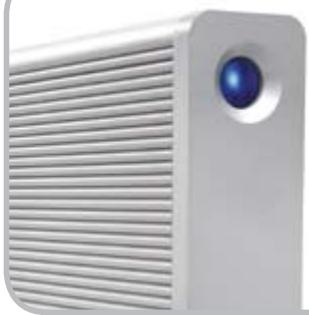
Designed exclusively for LaCie by the world-renowned designer Neil Poulton, the LaCie Big Disk Network was engineered to maximize reliability and longevity. Its sturdy aluminum body with a unique fanless heat sink design offers natural heat dissipation by providing 60% more surface area. Designed to stay cool without a fan, the LaCie Big Disk Network works both efficiently and quietly, helping it stand out from the competition, but silently blend into your work environment. With space-saving versatility, it can stand upright on your desk or lie vertically or be rackmounted with other drives to save space. For added security, there's a Kensington lock-compatible slot on the back.
natural_image
Exterior view of a modern white projector with a blue lens (no text or symbols visible)Apple® Time Machine Compatible
The LaCie Big Disk Network is compatible with Mac OS X v10.5 Leopard, including Time Machine, making it an ideal partner for your Mac. Time Machine automatically backs up your Mac's system files, applications, accounts, preferences, music, photos, movies, and documents to an external hard drive and you can easily go back in time to recover anything.
Features
• Cross-platform (Windows/Mac/Linux)
• Auto IP configuration access
- New Web-based administration page
- Assign shares, groups, user profiles, public, and guest access
• Active Directory support
- Scheduled incremental backup using local port
• 1-click data import/backup
- Multimedia server
- iTunes-compatible
- Download Machine: BitTorrent download
- Email alert in case of failures
- Wake-on-LAN: turn on/off from the network
- USB 2.0 expansion port
• Aluminum d2 heat sink design
- Smart Fan
- Genie and Intego Backup Manager Pro software for Windows and Mac
Box Content
• LaCie Big Disk Network
- Ethernet cable
• External power supply
- Drive stand for upright use
• Utilities CD-ROM with software and User Manual
- Quick Install Guide
System Requirements
• PC or Mac equipped with a network adapter
- Windows 2000, Windows XP (SP1 and SP2), Windows Vista™ / Mac OS 10.2 or higher / Linux 2.4 or higher
- Ethernet switch or router
• Minimum free local disk space: 600MB recommended
- 500MHz processor or greater
• Minimum 512MB of RAM
- Web browsers: Internet Explorer, 6.0 or higher, Safari 2.0 or higher, or Firefox 1.5 or higher
LaCie Big Disk Network
| Item Number | 301346 | 301417 | 301502 | |
| Capacity* | 2TB | 3TB | 4TB | |
| Interface | Gigabit Ethernet 10/100/1000 Base-TX | |||
| Network Protocols | File Server: SMB (Windows/Mac/Linux); AFP (Mac); FTP; HTTP; HTTPS; Apple Bonjour; BitTorrent | |||
| Administration | Easy-to-use network setup via Web browser; Automatic IP configuration (DHCP-client compatible) | |||
| Expansion Ports | 1 x USB 2.0 | |||
| Multimedia | UPnP A/V and DLNA media adapter compatible; iTunes server compatible | |||
| Software | LaCie Network Assistant for Windows, Mac, and Linux (for direct access to shares and drive configuration); Genie Backup Manager Pro software with computer recovery for Windows 2000, XP, Vista or higher; Intego Backup Manager Pro software with computer recovery for Mac OS X 10.4 or higher | |||
| Cooling System | Advanced heat-dissipating, heat sink aluminum body; smart fan | |||
| Security | Various security levels: share, groups, users profiles, public, or guest access; Kensington lock compatible | |||
| Dimensions (WxHxD) | 44 x 173 x 272 mm / 1.7 x 6.7 x 10.6 in. | |||
| Weight | 2500 g / 5.51 lbs. | |||
| Warranty | 3-year limited | |||
ADVANCE CARE OPTION
Premium 3-Year Warranty
The LaCie Big Disk Network comes with a 3 Year Limited Warranty. For superior service, it also comes with an optional Advance Care Option, which can be purchased separately online within 30 days of the purchase date. Under the Advance Care Option, LaCie will immediately swap out the product without it needing to be returned first for minimal interruption of your workflow. LaCie covers all freight costs. Availability depends on the sales area. See www.lacie.com for details.
*EN 1TB (Terabyte) = 1000GB. 1GB = 1,000,000,000 bytes. Total accessible capacity varies depending upon operating environment (typically 10–15% less).
**Calculations are based on 2.5MB/3-minute song, 1GB/200 office presentations, and 1GB/movie (encoded in MPEG-4 or equivalent codec).
*** AFP required for full compatibility with Mac OS.
© 2009, LaCie. The LaCie logo is a trademark of LaCie. Other products and brand names mentioned herein may be trademarks or registered trademarks of their respective owners. Specifications and appearance are given as guidelines and may change without notice. www.lacie.com
natural_image
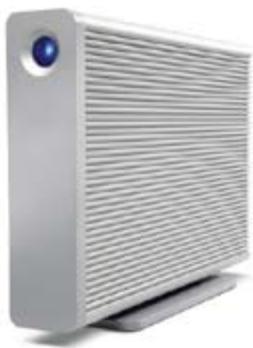
Exterior view of a silver computer drive with a blue lens (no text or symbols visible)Brand : LACIE
Model : BIG DISK NETWORK
Category : Network Storage