SKODA NAVIGATION SYSTEM AMUNDSEN - Navigation system

NAVIGATION SYSTEM AMUNDSEN - Navigation system SKODA - Free user manual and instructions

Find the device manual for free NAVIGATION SYSTEM AMUNDSEN SKODA in PDF.

📄 44 pages English EN Download 💬 AI Question 11 questions ⚙️ Specs
Notice SKODA NAVIGATION SYSTEM AMUNDSEN - page 40
View the manual : Français FR English EN
Pick your language and provide your email: we'll send you a specifically translated version.
Product type Radio navigation system with CD player and radio
Brand SKODA
Model NAVIGATION SYSTEM AMUNDSEN
Power supply 12 V (vehicle battery)
Display Color touchscreen (Touchscreen)
Main functions GPS navigation, FM/AM radio with RDS, CD/MP3/WMA player, SD card reader (up to 32 GB), AUX and MDI input, Bluetooth audio, TMC traffic information, dynamic guidance
Supported audio formats Audio CD, MP3, WMA (without DRM), OGG Vorbis, AAC (via MDI)
Destination memory Up to 99 destinations, list of last destinations, home destination
Anti-theft protection 4-digit code, lock after 3 incorrect attempts
Display maintenance Clean with a soft cloth and pure alcohol – do not use solvents
Safety Do not use while driving without stopping; obey traffic laws
Repairability Entrust any repair to an authorized Škoda dealer
Warranty Same as new vehicle warranty
Compatible accessories Adapter for USB key, iPod, etc. (original Škoda accessories recommended)

Frequently Asked Questions - NAVIGATION SYSTEM AMUNDSEN SKODA

How to enter a destination address?
Press the NAV button, then Address. Enter the country, city, street, and number successively. Confirm with OK or Done.
How to use TMC traffic information?
Make sure the TP (Traffic Program) function is activated in the radio settings. TMC messages are received in the background. To view them, press the TRAFFIC button. Enable dynamic guidance in route options so the navigation automatically bypasses traffic jams.
How to save a radio station?
In RADIO mode, press Options then Memory. Select a location (1 to 24) and hold it until a beep. You can also use the control knob 10 to save the current station.
How to adjust the volume of navigation instructions?
In NAV mode, press SETUP, then choose Message volume. Turn the control knob 10 to adjust the level.
What to do if the screen asks for an anti-theft code?
The code is usually stored in the instrument cluster (comfort coding). If a keypad appears, enter the 4-digit code provided by your Škoda dealer. After three errors, the device locks for one hour.
How to play MP3 files from an SD card?
Insert the SD card into the reader next to the screen (cut side up). Press MEDIA, then select SD card. Playback starts automatically.
How to connect an iPod or USB stick?
Use the MDI input located under the armrest or in the glove box. A specific adapter (Škoda accessory) may be required. Then select MDI in the MEDIA menu.
How to change the map scale?
During guidance, turn the control knob 10 (the menu one) to zoom in or out on the map scale.
How to update navigation data?
Insert an up-to-date navigation CD. Copy the data to the SD card via SETUP > Navigation database > Copy data. The copy may take up to one hour.
How to delete all saved destinations?
Press SETUP in NAV mode, choose Delete destination memory, then select All dest. or Last dest. depending on what you want to delete.

User questions about NAVIGATION SYSTEM AMUNDSEN SKODA

1 question about this device. Answer the ones you know or ask your own.

Ask a new question about this device

The email remains private: it is only used to notify you if someone responds to your question.

What is the purpose of the anti-theft radio code for the SKODA Amundsen navigation system?
Frequently Asked Questions - 11 d
Response Notice-Facile

The anti-theft radio code is a security system that protects your SKODA Amundsen navigation system after a power cut. It prevents the device from being activated without the correct code, for example in the event of battery disconnection, repair, or theft.

How the anti-theft code works

  • 4-digit code: You must enter a four-digit code (0-9) on the touchscreen of the system
  • Maximum of three attempts: You have 3 attempts to enter the correct code
  • Lockout after error: If you enter an incorrect code a third time, the device will lock for about an hour

Automatic memorization

Normally, the code is automatically memorized in your vehicle's instrument cluster. It is automatically decoded at startup (behavior coding), so you generally will not need to enter it manually.

If you forget the code

The code number can only be obtained "online" via the SKODA system for security reasons. You must contact an authorized SKODA dealer who can retrieve your code and restore it in the system.
Respond (be the first)

Download the instructions for your Navigation system in PDF format for free! Find your manual NAVIGATION SYSTEM AMUNDSEN - SKODA and take your electronic device back in hand. On this page are published all the documents necessary for the use of your device. NAVIGATION SYSTEM AMUNDSEN by SKODA.

USER MANUAL NAVIGATION SYSTEM AMUNDSEN SKODA

SKODA NAVIGATION SYSTEM AMUNDSEN - 1
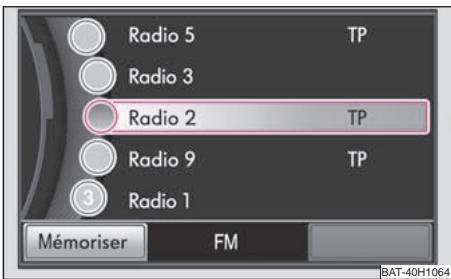
Fig. 6 Listed stations FM

SKODA NAVIGATION SYSTEM AMUNDSEN - Menu principal Navigation - 1
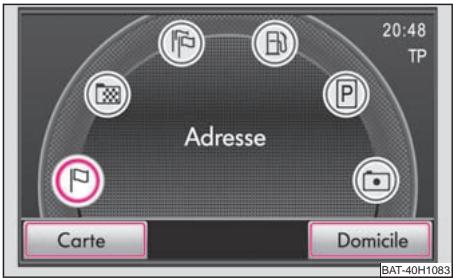
Fig. 14 Menu principal Navigation

SKODA NAVIGATION SYSTEM AMUNDSEN - Menu principal Navigation - 2
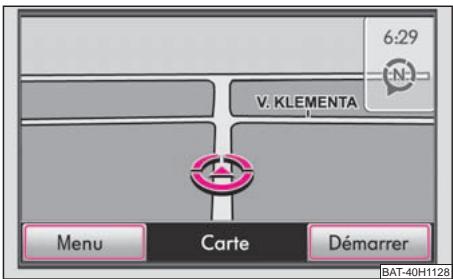
Fig.15 Mode Cartes

TP (Traffic Program)

Afficheage 16

MessageROUTier 16

U

Utilisation 5

en general 7

en roulant 7

SKODA NAVIGATION SYSTEM AMUNDSEN - U - 1

Table of contents Click a title to access it
Manual assistant
Powered by Anthropic
Waiting for your message
Product information

Brand : SKODA

Model : NAVIGATION SYSTEM AMUNDSEN

Category : Navigation system