POCM70 - Coffee maker Point - Free user manual and instructions
Find the device manual for free POCM70 Point in PDF.


Pick your language and provide your email: we'll send you a specifically translated version.
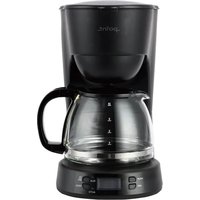
| Product Type | Drip Coffee Maker |
| Brand | Point |
| Model | POCM70 |
| Capacity | 10 Cups (1.25 Liters) |
| Power Consumption | 900 W |
| Voltage | 220-240 V, 50/60 Hz |
| Width | 220 mm |
| Height | 300 mm |
| Depth | 180 mm |
| Weight | 1.4 kg |
| Water Tank Capacity | 1.25 Liters, Removable |
| Carafe Material | Glass |
| Filter Type | Reusable Permanent Mesh Filter |
| Keep Warm Function | Yes, Automatic Heating Plate |
| Anti-Drip Valve | Yes, Non-Drip Carafe |
| Programmable Timer | Yes, 24-Hour Programmable |
| Auto Shut-Off | Yes, After 2 Hours |
| Cord Length | 0.8 m |
| Control Type | Push-Button with LED Indicator |
| Body Material | Food-Grade Plastic |
| Accessories Included | Measuring Spoon, User Manual |
| Safety Features | CE Certified, Non-Slip Base |
| Warranty | 2 Years |
Frequently Asked Questions - POCM70 Point
How do I descale the Point POCM70 coffee maker?
To descale your coffee maker, fill the water tank with a solution of equal parts water and white vinegar. Run a brewing cycle without coffee, then repeat with fresh water at least twice to remove the vinegar smell. For optimal performance, descale every 2-3 months.
Can I use ground coffee or coffee pods in the POCM70?
The POCM70 is designed for ground coffee. It comes with a reusable basket filter, so you do not need paper filters. Using pods is not recommended as they may not fit properly and could damage the filter basket.
How do I clean the glass carafe and filter basket?
The glass carafe and filter basket are dishwasher safe. You can also wash them with warm soapy water and a soft sponge. Avoid abrasive cleaners that may scratch the glass. Rinse thoroughly after cleaning.
What is the maximum capacity of the POCM70?
The POCM70 has a 1.25-liter water tank and can brew up to 10 cups of coffee. The glass carafe has cup markings for easy measuring.
Does the POCM70 have a programmable timer?
Yes, the POCM70 features a programmable timer that allows you to set the brewing time in advance. To set it, press the 'PROG' button, select the desired hours and minutes, then confirm. The coffee maker will start automatically.
Why is my coffee not hot enough?
If your coffee is not hot enough, check that the keep-warm plate is switched on and clean. Also, make sure you are using the correct water-to-coffee ratio. Preheating the carafe with hot water can help maintain temperature.
How can I prevent my coffee from tasting bitter?
Bitterness often occurs when coffee is over-extracted. Use a coarser grind and reduce the brew time. Also, ensure the water temperature is between 92-96°C (195-205°F). Clean the machine regularly to avoid old coffee residue.
Does the coffee maker shut off automatically?
Yes, the POCM70 has an automatic shut-off feature that turns off the machine after 2 hours of operation, ensuring safety and energy saving. You can also turn it off manually.
What type of filter does the POCM70 use?
The POCM70 uses a permanent mesh filter that is reusable and eco-friendly. You can optionally use a No. 4 paper filter if you prefer a cleaner brew. Replace the permanent filter if damaged.
How do I clean the heating plate?
Unplug the coffee maker and wait for it to cool. Wipe the heating plate with a damp cloth. For stubborn stains, use a soft sponge with a little vinegar or baking soda. Never use metallic scrubbers.
User questions about POCM70 Point
0 question about this device. Answer the ones you know or ask your own.
Ask a new question about this device
No questions yet. Be the first to ask one.
Download the instructions for your Coffee maker in PDF format for free! Find your manual POCM70 - Point and take your electronic device back in hand. On this page are published all the documents necessary for the use of your device. POCM70 by Point.
USER MANUAL POCM70 Point
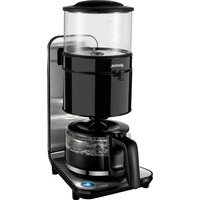
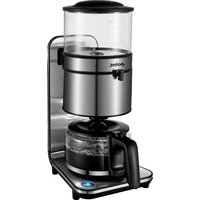
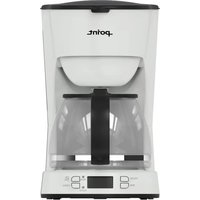
Manual assistant
Powered by Anthropic
Waiting for your message
Product information
Brand : Point
Model : POCM70
Category : Coffee maker