POCM501SS - Coffee maker Point - Free user manual and instructions
Find the device manual for free POCM501SS Point in PDF.


Pick your language and provide your email: we'll send you a specifically translated version.
| Brand | Point |
| Model | POCM501SS |
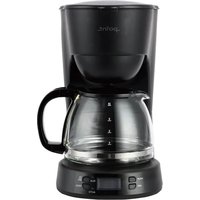
| Product Type | Drip coffee maker |
| Capacity | 1.5 L (12 cups) |
| Rated Power | 1000 W |
| Power Supply | 220-240 V, 50/60 Hz |
| Dimensions (approx.) | 22 x 18 x 32 cm |
| Weight (approx.) | 1.8 kg |
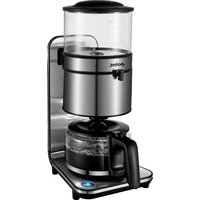
| Finish | Stainless steel effect with black details |
| Control Type | On/off switch with indicator light |
| Brewing System | Anti-drip valve with removable filter basket |
| Filter Type | #4 paper filters or reusable permanent filter |
| Carafe Type | Glass carafe with measurement markings and pouring spout |
| Keep Warm Plate | Built-in warming plate to maintain coffee temperature |
| Water Level Indicator | Transparent water reservoir with graduated markings |
| Safety Features | Overheat protection and boil-dry prevention |
| Cleaning | Removable filter basket and carafe can be hand washed |
| Maintenance | Descaling recommended every 1-2 months |
| Spare Parts Availability | Replacement carafe and filter basket from after-sales service |
| Package Contents | Coffee maker, glass carafe, removable filter basket, measuring spoon |
Frequently Asked Questions - POCM501SS Point
How do I use my Point POCM501SS for the first time?
Before your first cup, clean the coffee maker by filling the water tank with fresh water, running a full brew cycle without coffee, and discarding the water. Then wipe the glass carafe and filter basket with warm soapy water.
What ground coffee should I use with the drip coffee maker?
Use medium-ground coffee, similar to table salt texture. Place a #4 paper filter or the reusable permanent filter in the basket, add 1 to 2 tablespoons of coffee per cup, and pour cold water into the reservoir.
Why does my coffee taste weak or watery?
The usual causes are not enough coffee, a coarse grind, or a dirty filter. Use more coffee, choose a medium grind, and descale or clean the coffee maker regularly.
How do I descale the POCM501SS?
Fill the water tank with equal parts white vinegar and water. Run a brewing cycle without coffee. When it finishes, repeat with two cycles of fresh water to remove any vinegar residue. Descale every 1 to 2 months.
Can I use paper filters and a permanent filter?
Yes. The filter basket accepts #4 paper filters for easy cleanup, or you can use a reusable permanent filter compatible with cone filters. Do not use both at the same time.
How should I clean the glass carafe?
Rinse the carafe immediately after use. Hand wash it with warm soapy water and a soft sponge. For coffee stains, fill the carafe with hot water and a tablespoon of baking soda, let it soak, then rinse thoroughly.
Is the carafe dishwasher safe?
To preserve the measurement markings and clarity of the glass, hand washing is recommended. If you use a dishwasher, place the carafe on the top rack and choose a gentle cycle.
How do I prevent the coffee maker from overflowing?
Check that the filter basket is correctly inserted, do not overfill it with ground coffee, and always place the carafe on the warming plate before brewing. Descaling regularly also keeps water flowing properly.
What happens when the carafe is removed during brewing?
The anti-drip valve stops the flow of coffee temporarily when you remove the carafe. Replace the carafe quickly to avoid overflow. Do not leave the carafe off for longer than a few seconds.
Where can I find spare parts for this coffee maker?
Spare parts such as the glass carafe, filter basket, and lid can be obtained through Point's after-sales service. Quote the model number POCM501SS and check the instructions for the spare parts list.
User questions about POCM501SS Point
0 question about this device. Answer the ones you know or ask your own.
Ask a new question about this device
No questions yet. Be the first to ask one.
Download the instructions for your Coffee maker in PDF format for free! Find your manual POCM501SS - Point and take your electronic device back in hand. On this page are published all the documents necessary for the use of your device. POCM501SS by Point.
USER MANUAL POCM501SS Point
Manual assistant
Powered by Anthropic
Waiting for your message
Product information
Brand : Point
Model : POCM501SS
Category : Coffee maker