
KX-HN6011E - Home Automation PANASONIC - Free user manual and instructions
Find the device manual for free KX-HN6011E PANASONIC in PDF.


Pick your language and provide your email: we'll send you a specifically translated version.
| Product Type | Home Automation Hub |
| Brand | Panasonic |
| Model | KX-HN6011E |
| Primary Function | Centralizes home automation control |
| Connectivity | DECT and Wi-Fi |
| Power Supply | 100-240V AC, 50/60Hz |
| Power Consumption | 5 W max |
| Dimensions | 85 x 85 x 30 mm |
| Weight | 180 g |
| Display | LED indicator lights |
| Mounting | Tabletop or wall-mount |
| Wireless Range | Up to 50 m indoors |
| Compatible Devices | Panasonic smart plugs, cameras, sensors |
| Mobile App | Panasonic Home Network |
| Voice Control | Alexa, Google Assistant |
| Operating Temperature | 5°C to 40°C |
| Humidity Range | Up to 90% RH (non-condensing) |
| Maintenance | Clean with dry cloth |
| Safety | Indoor use, keep away from water |
| Spare Parts & Repairability | Available via authorized service center |
| General Information | User manual included in PDF |
Frequently Asked Questions - KX-HN6011E PANASONIC
How do I install the KX-HN6011E?
Connect the base unit to your router via Ethernet, plug in the power adapter, and download the Panasonic Home Network app. Follow the in-app steps to complete the setup.
How do I connect the hub to my Wi-Fi?
Use the mobile app and go to Network Settings. Select your Wi-Fi SSID and enter the password. The device will store the credentials and automatically reconnect after power outages.
Can I control KX-HN6011E with voice assistants?
Yes, the hub is compatible with Amazon Alexa and Google Assistant. Enable the Panasonic skill or action in the respective app and link your Panasonic account.
How to reset the device to factory defaults?
Press and hold the RESET button on the back panel for 10 seconds until the LED blinks rapidly. The device will restart and restore default settings. You can then set it up again via the app.
What devices are compatible with the hub?
The hub works with Panasonic smart plugs, security cameras, motion sensors, and door/window sensors from the KX-HN8000 series. Third-party devices are not supported directly.
How can I update the firmware?
Open the Panasonic Home Network app, go to Settings > Firmware Update. The app will check online and install the latest version automatically. Keep the hub powered during the update.
Does the mobile app work with both Android and iOS?
Yes, the Panasonic Home Network app is available for Android and iOS. Download it from Google Play or the App Store and log in with your account.
How do I set up automation schedules?
In the app, create a Scene or Schedule. Choose a trigger time or event, select the actions (e.g., turn on plug), and save. The hub will execute the schedule even when you are away.
What is the maximum wireless range?
The hub uses DECT and Wi-Fi. The typical indoor range is up to 50 meters, reducing with walls and obstructions. For outdoor devices, the range can be 100 meters in open spaces.
How to troubleshoot intermittent connectivity?
Check the router connection and ensure the Ethernet cable is secure. Restart the hub by unplugging for 30 seconds. Also verify that the firmware is up-to-date and that your phone is on the same network as the hub.
User questions about KX-HN6011E PANASONIC
0 question about this device. Answer the ones you know or ask your own.
Ask a new question about this device
No questions yet. Be the first to ask one.
Download the instructions for your Home Automation in PDF format for free! Find your manual KX-HN6011E - PANASONIC and take your electronic device back in hand. On this page are published all the documents necessary for the use of your device. KX-HN6011E by PANASONIC.
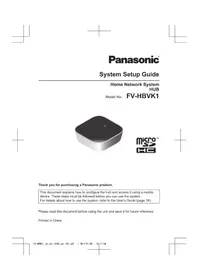
USER MANUAL KX-HN6011E PANASONIC
Manual assistant
Powered by Anthropic
Waiting for your message
Product information
Brand : PANASONIC
Model : KX-HN6011E
Category : Home Automation