
CR-28 - Radio LENCO - Free user manual and instructions
Find the device manual for free CR-28 LENCO in PDF.


Pick your language and provide your email: we'll send you a specifically translated version.
| Product type | Clock radio |
| Brand | Lenco |
| Model | CR-28 |
| Dimensions (L x H x D) | 20 x 10 x 15 cm |
| Weight | 500 g |
| Power supply | Mains 230 V / 50 Hz |
| Backup batteries | 2 AAA batteries (not included) |
| FM band | 87.5 - 108 MHz |
| AM band | 522 - 1620 kHz |
| Output power | 2 x 1 W RMS |
| Display | Red LED |
| Alarm function | Double alarm with snooze |
| Radio function | FM/AM reception with wire antenna |
| Time setting | Manual and automatic via RDS |
| Sleep timer | Yes, 90 minutes |
| Care and cleaning | Use a soft, dry cloth |
| Safety | Unplug before cleaning |
| Spare parts | Available from Lenco after-sales service |
| Repairability | Repair by qualified technician |
| Warranty | 2 years |
Frequently Asked Questions - CR-28 LENCO
How to set the time on the Lenco CR-28?
To set the time, press the Setting button until the display flashes, then use the Hour and Minute buttons to adjust. Confirm by pressing Setting again.
How to program the alarm?
Press the Alarm button, the alarm time flashes. Use the Hour and Minute buttons to set the desired time, then press Alarm to confirm. Check that the alarm icon is lit on the screen.
What to do if the radio does not turn on?
Check that the power cable is properly connected and that the outlet works. If the device uses backup batteries, make sure they are installed correctly. If the problem persists, contact Lenco customer service.
How to switch from FM to AM?
Use the Band button to switch between FM and AM bands. The active band is displayed on the screen.
How to use the snooze function?
When the alarm sounds, press the Snooze button to repeat it after 9 minutes. You can also adjust the repeat duration if available.
What are the power modes?
The device operates on mains (230 V) and has a compartment for backup batteries (2 x AAA) to keep the time in case of a power outage.
How to clean the device?
Unplug the device and use a soft, dry cloth to wipe the surface. Do not use chemical or abrasive products.
The radio emits a weak sound, what to do?
Check the antenna and move it to improve reception. Increase the volume using the Volume button. If the problem persists, try changing the band or station.
Where to find spare parts?
Spare parts are available from Lenco customer service or through authorized dealers. Contact support to order the necessary parts.
How to reset the device?
To reset, unplug the device for a few minutes, then plug it back in. The clock and settings will be reset to default values.
User questions about CR-28 LENCO
0 question about this device. Answer the ones you know or ask your own.
Ask a new question about this device
No questions yet. Be the first to ask one.
Download the instructions for your Radio in PDF format for free! Find your manual CR-28 - LENCO and take your electronic device back in hand. On this page are published all the documents necessary for the use of your device. CR-28 by LENCO.
USER MANUAL CR-28 LENCO
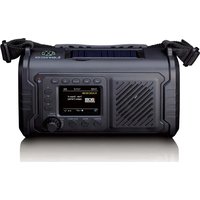
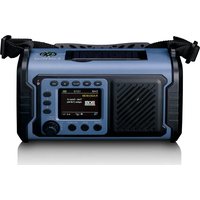


Manual assistant
Powered by Anthropic
Waiting for your message
Product information
Brand : LENCO
Model : CR-28
Category : Radio