
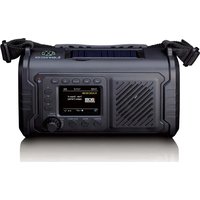
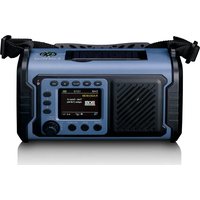
PDR-055 - Radio LENCO - Free user manual and instructions
Find the device manual for free PDR-055 LENCO in PDF.


Pick your language and provide your email: we'll send you a specifically translated version.
| Product type | Portable radio |
| Brand | Lenco |
| Model | PDR-055 |
| Category | Radio |
| Reception | DAB+ / FM |
| Output power | 2 x 2 W RMS (estimated) |
| Screen | Backlit LCD |
| Power supply | Mains 230 V, 6 LR14 (C) batteries |
| Connectivity | AUX input, 3.5 mm headphone jack |
| Functions | Wake-up, alarm, snooze, timer |
| Antenna | Telescopic antenna |
| Approximate dimensions | 260 x 160 x 90 mm |
| Approximate weight | 900 g |
| Care and cleaning | Soft, dry cloth |
| Safety | Keep away from moisture |
| Spare parts and repairability | Batteries and antenna available |
| General information | Online user manual |
Frequently Asked Questions - PDR-055 LENCO
How to activate the wake-up function on the PDR-055?
Press the Wake-up button, then set the wake-up time using the +/- buttons. Select the source (buzzer, DAB+ or FM radio) and confirm. The wake-up icon appears on the screen.
How to switch from DAB+ mode to FM mode?
Press the Source or Mode button to switch between DAB+, FM and other sources. On first use, an automatic search for stations is performed.
What type of batteries should I use?
Use 6 LR14 (C size) batteries. Insert them respecting the polarity indicated at the bottom of the compartment. Make sure the batteries are new and non-rechargeable.
Can I connect my smartphone via Bluetooth?
If your PDR-055 model has Bluetooth, enable Bluetooth mode on the device and search for 'Lenco PDR-055' on your smartphone. Check the manual to confirm availability.
How to improve radio reception?
Fully extend the telescopic antenna and adjust its direction for the best signal. In DAB+, reception is less sensitive to orientation.
How to set the sleep timer?
Press the Sleep button several times to choose the duration (15, 30, 60, 90 minutes). The device will turn off automatically after the selected delay.
What to do if the device does not turn on with batteries?
Check that the batteries are correctly installed and sufficiently charged. If using the mains adapter, make sure it is plugged in and the outlet works.
How to perform an automatic search for DAB+ stations?
Press the Scan button or hold down the Source button to start a full search. The stations found are stored automatically.
How to clean the device?
Turn off the device and unplug it. Use a soft, dry cloth to wipe the surfaces. Never use solvents or water.
Where to find spare parts?
Contact Lenco customer service or an authorized dealer to obtain parts such as the antenna or buttons. Refer to the manual for more information.
User questions about PDR-055 LENCO
0 question about this device. Answer the ones you know or ask your own.
Ask a new question about this device
No questions yet. Be the first to ask one.
Download the instructions for your Radio in PDF format for free! Find your manual PDR-055 - LENCO and take your electronic device back in hand. On this page are published all the documents necessary for the use of your device. PDR-055 by LENCO.
USER MANUAL PDR-055 LENCO



Manual assistant
Powered by Anthropic
Waiting for your message
Product information
Brand : LENCO
Model : PDR-055
Category : Radio