
Archer TX1U Nano - USB Hub TP-LINK - Free user manual and instructions
Find the device manual for free Archer TX1U Nano TP-LINK in PDF.


Pick your language and provide your email: we'll send you a specifically translated version.
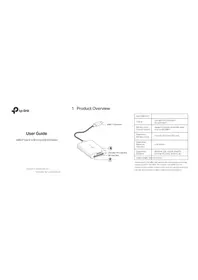
| Type of product | Wireless USB Adapter |
| Brand | TP-LINK |
| Model | Archer TX1U Nano |
| Dimensions | 18.6 x 15.0 x 7.1 mm (approx.) |
| Weight | 2 g (approx.) |
| Interface | USB 2.0 (Type-A) |
| Wireless standards | IEEE 802.11a/b/g/n/ac |
| Frequency band | Dual-band: 2.4 GHz and 5 GHz |
| Maximum speed | 200 Mbps (2.4 GHz) + 433 Mbps (5 GHz) |
| Antenna | Internal 1 dBi antenna |
| Power supply | Powered via USB port (5V, 500mA) |
| LED indicator | Yes (status LED) |
| WPS button | Yes (for secure connection) |
| Operating systems supported | Windows, macOS, Linux (limited) |
| Security features | WPA/WPA2, WPS |
| Main functions | Adds high-speed dual-band Wi-Fi to a computer via USB |
| Cleaning and maintenance | Clean with a dry cloth; avoid liquids and moisture |
| Safety precautions | Do not disassemble; avoid extreme temperatures |
| Spare parts and repairability | Non-user-repairable; contact TP-LINK support or replace |
| General information | Plug-and-play; ultra-compact nano design for portability |
Frequently Asked Questions - Archer TX1U Nano TP-LINK
How do I install the Archer TX1U Nano adapter?
Plug the USB adapter into a free USB port, install the driver from the included CD or download it from the TP-LINK website, then connect to your Wi-Fi network.
Is this adapter compatible with Windows?
Yes, it supports Windows 10, 8.1, and 7. Check TP-LINK's official website for the latest driver version suitable for your system.
Which Wi-Fi standards does the adapter support?
It supports IEEE 802.11a/b/g/n/ac and works on both 2.4 GHz and 5 GHz dual-band networks.
What is the maximum wireless speed?
The adapter provides 200 Mbps on the 2.4 GHz band and 433 Mbps on the 5 GHz band, giving a combined speed of AC600.
Does it need an external power supply?
No, the adapter is powered directly through the USB port of your computer or laptop, so no extra power cable is required.
Can I use it with a smart TV or game console?
Most smart TVs and consoles do not support USB Wi-Fi adapters. This product is designed mainly for laptops and desktop computers running compatible operating systems.
How do I connect to a secure Wi-Fi network?
You can use the WPS button on the adapter and your router to establish an encrypted connection instantly, or manually enter the network password in your system's Wi-Fi settings.
What should I do if the adapter is not recognized?
Try reinstalling the driver, plugging it into a different USB port, or restarting your computer. If the issue persists, check for driver updates on the TP-LINK website.
How do I update the driver?
Visit the TP-LINK Support page, search for Archer TX1U Nano, and download the latest driver for your operating system. Install it by following the on-screen instructions.
Does it work with macOS?
Yes, it supports macOS 10.9 or later. You may need to install the relevant driver from TP-LINK's website to ensure full compatibility.
User questions about Archer TX1U Nano TP-LINK
0 question about this device. Answer the ones you know or ask your own.
Ask a new question about this device
No questions yet. Be the first to ask one.
Download the instructions for your USB Hub in PDF format for free! Find your manual Archer TX1U Nano - TP-LINK and take your electronic device back in hand. On this page are published all the documents necessary for the use of your device. Archer TX1U Nano by TP-LINK.
USER MANUAL Archer TX1U Nano TP-LINK


Manual assistant
Powered by Anthropic
Waiting for your message
Product information
Brand : TP-LINK
Model : Archer TX1U Nano
Category : USB Hub