
Archer T1300U Nano - USB Hub TP-LINK - Free user manual and instructions
Find the device manual for free Archer T1300U Nano TP-LINK in PDF.


Pick your language and provide your email: we'll send you a specifically translated version.
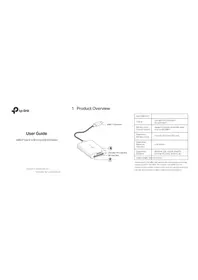
| Product Type | USB Dual-Band Wireless Adapter (Nano) |
| Brand | TP-LINK |
| Model | Archer T1300U Nano |
| Interface | USB 3.0 (backward compatible with USB 2.0) |
| Wireless Standard | IEEE 802.11ac/n/a/b/g |
| Frequency Band | 2.4 GHz and 5 GHz |
| Maximum Data Rate | Up to 1300 Mbps (867 Mbps on 5 GHz + 400 Mbps on 2.4 GHz) |
| Wireless Security | WEP, WPA/WPA2-PSK, WPS |
| Dimensions | 18.6 x 15.0 x 6.8 mm (0.73 x 0.59 x 0.27 in) |
| Weight | 2 g (0.07 oz) |
| Power Supply | USB bus-powered, 5V DC |
| System Compatibility | Windows 7/8/10/11, macOS 10.9+, Linux |
| Operating Temperature | 0°C to 40°C (32°F to 104°F) |
| Storage Temperature | -40°C to 70°C (-40°F to 158°F) |
| Operating Humidity | 10% to 90% non-condensing |
| Maintenance | Clean with a dry, soft cloth; keep away from moisture |
| Safety Precautions | Do not disassemble; avoid exposure to liquid or extreme heat |
| Repairability | No user-serviceable parts; contact support for warranty |
| Additional Features | Compact nano design, plug-and-play setup |
Frequently Asked Questions - Archer T1300U Nano TP-LINK
What is the TP-Link Archer T1300U Nano?
The Archer T1300U Nano is a dual-band USB wireless adapter that adds high-speed Wi-Fi connectivity to your computer via a USB port.
How do I install the Archer T1300U Nano?
Plug the adapter into a USB port, install the drivers from the provided CD or download from the TP-Link website, and connect to your Wi-Fi network using your computer's wireless manager.
Does this adapter support 5 GHz Wi-Fi?
Yes, it supports both 2.4 GHz and 5 GHz bands, allowing you to connect to the faster, less congested 5 GHz network when available.
What is the maximum wireless speed?
The maximum data rate is 1300 Mbps (867 Mbps on 5 GHz + 400 Mbps on 2.4 GHz) under optimal conditions.
Is it compatible with my operating system?
It supports Windows, macOS, and Linux. Check the product specifications for specific version compatibility and drivers.
Can I use this adapter with a USB 2.0 port?
Yes, it is backward compatible with USB 2.0, but to achieve the highest speeds, a USB 3.0 port is recommended.
How do I update the adapter's driver?
Download the latest driver from the TP-Link support website or use the TP-Link utility to check for updates automatically.
Why is my Wi-Fi speed slower than expected?
Check the signal strength, move closer to the router, ensure the adapter is connected to a USB 3.0 port, and avoid interference from other electronic devices.
Does it support WPA2 security?
Yes, it supports WPA2/WPA security protocols, along with WEP, for secure wireless connections.
What should I do if the adapter is not detected?
Try re-plugging the adapter, install the correct driver, verify that the USB port works, and restart your computer. If the issue persists, contact TP-Link support.
User questions about Archer T1300U Nano TP-LINK
0 question about this device. Answer the ones you know or ask your own.
Ask a new question about this device
No questions yet. Be the first to ask one.
Download the instructions for your USB Hub in PDF format for free! Find your manual Archer T1300U Nano - TP-LINK and take your electronic device back in hand. On this page are published all the documents necessary for the use of your device. Archer T1300U Nano by TP-LINK.
USER MANUAL Archer T1300U Nano TP-LINK


Manual assistant
Powered by Anthropic
Waiting for your message
Product information
Brand : TP-LINK
Model : Archer T1300U Nano
Category : USB Hub