
DT-V24G2Z - Monitor JVC - Free user manual and instructions
Find the device manual for free DT-V24G2Z JVC in PDF.


Pick your language and provide your email: we'll send you a specifically translated version.
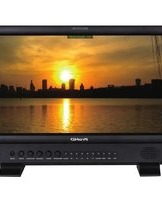
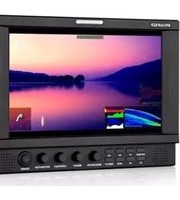
| Product type | Professional LCD Monitor |
| Brand | JVC |
| Model | DT-V24G2Z |
| Display size | 24 inches |
| Panel type | IPS with LED backlight |
| Native resolution | 1920 x 1200 pixels |
| Aspect ratio | 16:10 |
| Brightness | 300 cd/m² |
| Contrast ratio | 1000:1 |
| Viewing angles | 178° horizontal and vertical |
| Video inputs | 3G-SDI, HDMI, composite, component, Y/C |
| External sync | Analog sync, SDI sync |
| Audio support | Embedded audio monitoring via speaker or headphone |
| Power supply | AC 100-240V, 50/60Hz |
| Power consumption | Approximately 55W |
| Dimensions (W x H x D) | 552 x 400 x 85 mm (without stand) |
| Weight | Approximately 6.5 kg |
| Mounting | VESA 100 x 100 mm |
| Operating temperature | 0°C to 40°C |
| Accessories | AC adapter, AC cord, remote control (optional) |
Frequently Asked Questions - DT-V24G2Z JVC
How do I connect an SDI source to the DT-V24G2Z?
Use an appropriate SDI cable to connect your source to the 3G-SDI input port on the monitor. Ensure the cable is securely attached and the source is outputting a compatible video format. The monitor will automatically detect the signal.
Can I mount this monitor on a VESA arm?
Yes, the DT-V24G2Z is equipped with a VESA 100 x 100 mm mounting pattern. Use standard VESA mounting hardware to attach the monitor to a compatible arm or stand.
What is the correct way to clean the LCD screen?
Turn off the monitor and unplug it. Use a soft, dry microfiber cloth to gently wipe the screen. For stubborn spots, slightly dampen the cloth with pure water or a screen cleaner. Never spray liquid directly onto the screen.
How can I adjust the picture settings for color accuracy?
Access the monitor's menu using the control buttons or remote, then navigate to picture settings. You can adjust brightness, contrast, color, and gamma. For professional use, consider calibration with a colorimeter.
Does the monitor support 3D LUTs for color calibration?
Yes, the DT-V24G2Z is designed for professional production and supports 3D LUT import for precise color calibration. Refer to the manual for details on loading and applying custom LUT files.
What is the power consumption in standby mode?
In standby mode, the monitor consumes less than 0.5W. This helps reduce energy usage while keeping the monitor ready for immediate startup.
How do I switch between different input formats?
Use the input button on the monitor or remote control to cycle through available inputs. The on-screen display will show the active input and its signal format. You can also assign custom mappings in the setup menu for quick switching.
Is the monitor suitable for outdoor use?
No, this monitor is designed for indoor operation only. It should be used in a controlled environment with stable temperature and humidity. Prolonged exposure to direct sunlight or extreme temperatures may damage the panel.
How do I update the firmware?
Check the JVC support website for the latest firmware for the DT-V24G2Z. Download the file, transfer it to a USB drive, and insert the drive into the monitor's USB port. Follow the update procedure in the manual to complete the installation.
What is the recommended distance for viewing?
For a 24-inch monitor with a 1920x1200 resolution, a typical viewing distance of 60 to 80 cm is recommended. However, since this is a professional monitor, you may adjust the distance based on your specific application and seating layout.
User questions about DT-V24G2Z JVC
0 question about this device. Answer the ones you know or ask your own.
Ask a new question about this device
No questions yet. Be the first to ask one.
Download the instructions for your Monitor in PDF format for free! Find your manual DT-V24G2Z - JVC and take your electronic device back in hand. On this page are published all the documents necessary for the use of your device. DT-V24G2Z by JVC.
USER MANUAL DT-V24G2Z JVC
Manual assistant
Powered by Anthropic
Waiting for your message
Product information
Brand : JVC
Model : DT-V24G2Z
Category : Monitor