
AR12FSFKBWTN - Wall mount SAMSUNG - Free user manual and instructions
Find the device manual for free AR12FSFKBWTN SAMSUNG in PDF.


Pick your language and provide your email: we'll send you a specifically translated version.
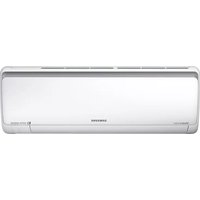
| Product Type | Wall-Mounted Split Air Conditioner |
| Brand | SAMSUNG |
| Model | AR12FSFKBWTN |
| Mounting Type | Wall-Mounted Indoor Unit |
| Cooling Capacity | 3.5 kW (12,000 BTU/h) |
| Heating Capacity | 4.0 kW (13,600 BTU/h) |
| Power Supply | 220-240 V, 50 Hz, Single Phase |
| Refrigerant | R32 |
| Airflow Rate | 12.5 m³/min |
| Noise Level (Indoor) | 23 - 41 dB(A) |
| Dimensions (W x H x D) | 837 x 308 x 224 mm |
| Net Weight | 10.2 kg |
| Operating Temperature (Cooling) | -10°C to 46°C |
| Operating Temperature (Heating) | -15°C to 24°C |
| Temperature Set Range | 16°C to 30°C |
| Remote Control | Yes, Included |
| Air Filter | Washable Antibacterial Filter |
| Main Functions | Cool, Heat, Fan, Dry, Auto |
| Extra Features | Turbo, Sleep, Timer, Auto Clean, Eco Mode |
| Maintenance | Clean Air Filter Every 2 Weeks |
| Safety Features | Auto Restart, Overheat Protection, Child Lock |
| Spare Parts & Repairability | Long-Term Availability, Service Network |
Frequently Asked Questions - AR12FSFKBWTN SAMSUNG
How often should I clean the air filter?
Clean the air filter every two weeks to maintain optimal airflow and efficiency. A dirty filter can reduce cooling performance and increase energy consumption.
What is the recommended temperature for heating mode?
The recommended temperature for heating is around 20-22°C for comfort and efficiency. For cooling, set the thermostat between 24-26°C.
How do I use the Turbo function?
Press the Turbo button on the remote control to activate rapid cooling or heating. The unit will operate at maximum fan speed and output for 30 minutes, then return to normal settings.
What should I do if the air conditioner displays an error code?
Refer to the user manual's troubleshooting section. Error codes like E1 or E5 often indicate sensor issues or communication problems. Restart the unit; if the code persists, contact a qualified technician.
Can I operate the unit without the remote control?
Yes, the indoor unit has a manual control button that allows basic operation. Open the front panel to access the manual button, which cycles through modes and sets the temperature.
How do I clean the air conditioner?
Wipe the exterior with a soft, dry cloth. Clean the air filter with water and dry it thoroughly before reinstalling. Use a vacuum to remove dust from the heat exchanger. Do not use harsh chemicals.
What is the ideal way to save energy?
Set the temperature appropriately and use the Eco mode. Keep curtains closed during hot days, and clean the filter regularly. Using the timer to avoid excessive operation also helps.
Does the unit have a sleep mode?
Yes, the Sleep mode gradually adjusts the temperature over time to provide a comfortable sleeping environment while reducing energy consumption.
What are the dimensions of this unit?
The indoor unit measures 837 x 308 x 224 mm (width x height x depth). Ensure adequate clearance around the unit for proper airflow.
How do I set the timer?
Use the timer button on the remote control to set the unit to turn on or off after a specified period. You can set delays from 0.5 to 24 hours in 0.5-hour increments.
User questions about AR12FSFKBWTN SAMSUNG
0 question about this device. Answer the ones you know or ask your own.
Ask a new question about this device
No questions yet. Be the first to ask one.
Download the instructions for your Wall mount in PDF format for free! Find your manual AR12FSFKBWTN - SAMSUNG and take your electronic device back in hand. On this page are published all the documents necessary for the use of your device. AR12FSFKBWTN by SAMSUNG.
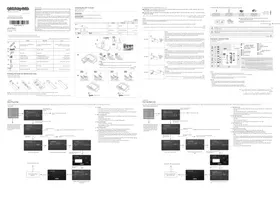
USER MANUAL AR12FSFKBWTN SAMSUNG
Manual assistant
Powered by Anthropic
Waiting for your message
Product information
Brand : SAMSUNG
Model : AR12FSFKBWTN
Category : Wall mount