
HD 332 - Bathroom Scale TANITA - Free user manual and instructions
Find the device manual for free HD 332 TANITA in PDF.



| Product Type | Digital Scale |
| Brand | TANITA |
| Model | HD 332 |
| Maximum Capacity | 150 kg |
| Graduation | 0.1 kg |
| Display | LCD Screen |
| Power Supply | 1 CR2032 3V lithium battery |
| Battery Type | CR2032 (included) |
| Estimated Battery Life | Several years |
| Number of Users | 2 (memory) |
| Memory Functions | Weight recording, weight goal, previous weight |
| Weight Goal | Yes, programmable |
| Automatic Zero Reset | Yes |
| Low Battery Indicator | Displays "L" message |
| Platform Material | Tempered glass or resistant material |
| Non-slip Surface | Yes |
| Approximate Dimensions | 30 x 30 x 5 cm |
| Approximate Weight | 1.5 kg |
| Recommended Use | Hard, flat surface, avoid thick carpet |
| Maintenance | Damp cloth and mild detergent, do not immerse |
| After-Sales Service | Contact your local TANITA office |
Frequently Asked Questions - HD 332 TANITA
User questions about HD 332 TANITA
0 question about this device. Answer the ones you know or ask your own.
Ask a new question about this device
Download the instructions for your Bathroom Scale in PDF format for free! Find your manual HD 332 - TANITA and take your electronic device back in hand. On this page are published all the documents necessary for the use of your device. HD 332 by TANITA.
USER MANUAL HD 332 TANITA
Monitoring Your Health
Digital
Lithium
natural_image
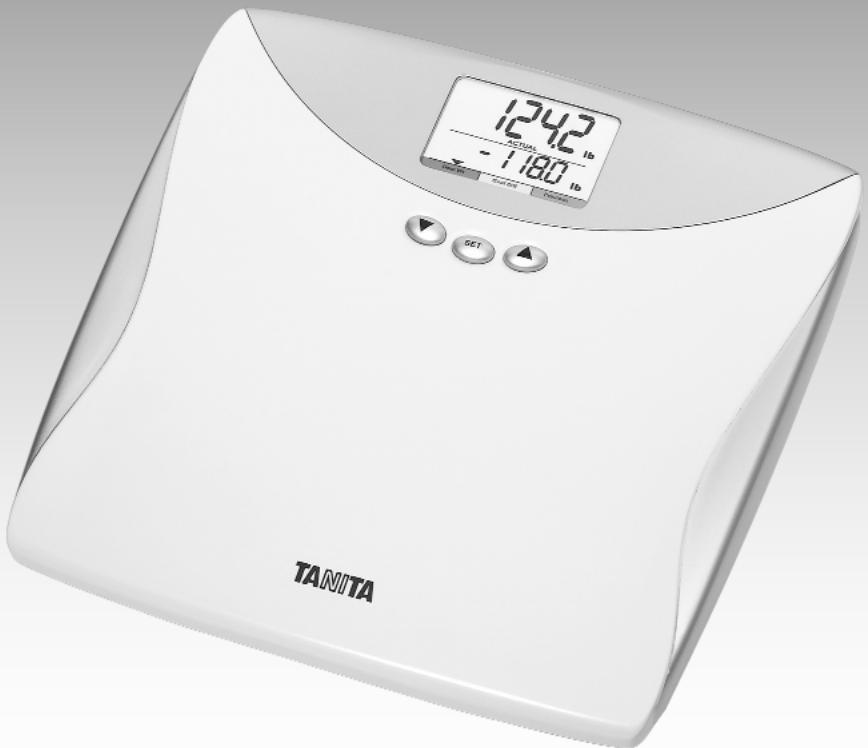
White TANITA digital balance scale with digital display showing 124.2 lb, set and reset buttons (no text or symbols on main body)OPERATING INSTRUCTIONS
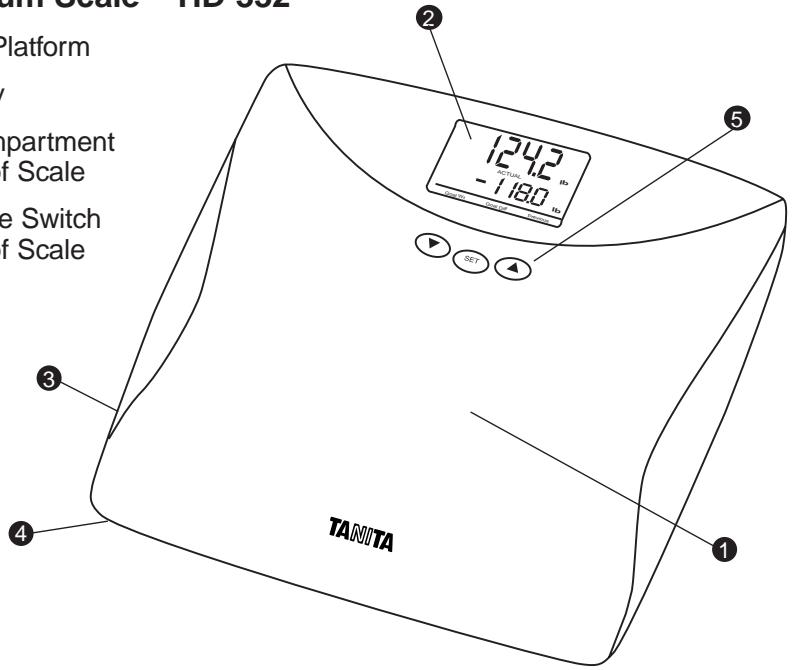
Digital Lithium Scale – HD-332
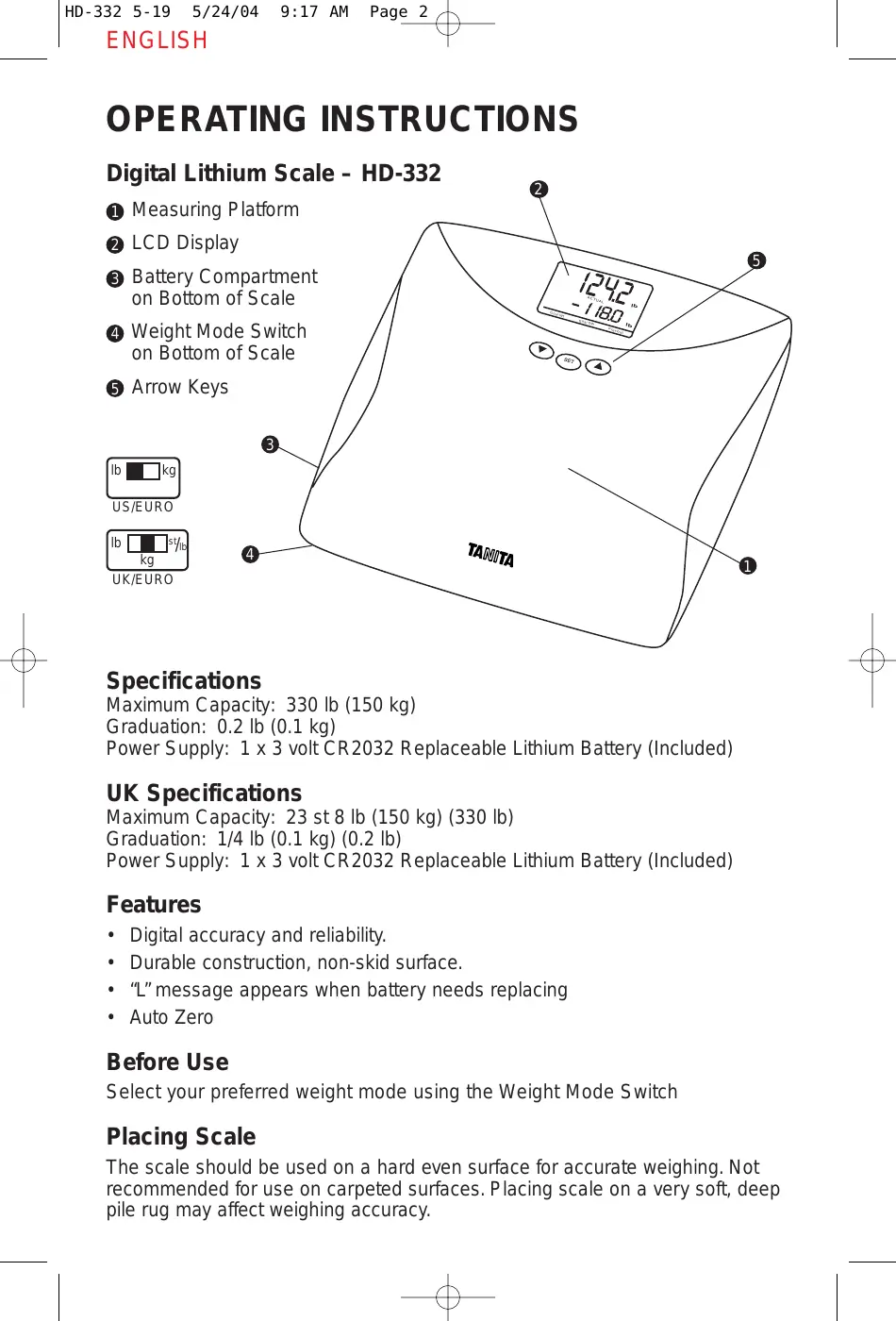
① Measuring Platform
② LCD Display
③ Battery Compartment on Bottom of Scale
④ Weight Mode Switch on Bottom of Scale
⑤ Arrow Keys
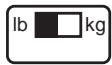
US/EURO
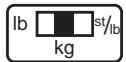
UK/EURO
Specifications
Maximum Capacity: 330 lb (150 kg)
Graduation: 0.2 lb (0.1 kg)
Power Supply: 1 x 3 volt CR2032 Replaceable Lithium Battery (Included)
UK Specifications
Maximum Capacity: 23 st 8 lb (150 kg) (330 lb)
Graduation: 1/4 lb (0.1 kg) (0.2 lb)
Power Supply: 1 x 3 volt CR2032 Replaceable Lithium Battery (Included)
Features
• Digital accuracy and reliability.
• Durable construction, non-skid surface.
- “L” message appears when battery needs replacing
- Auto Zero
Before Use
Select your preferred weight mode using the Weight Mode Switch
Placing Scale
The scale should be used on a hard even surface for accurate weighing. Not recommended for use on carpeted surfaces. Placing scale on a very soft, deep pile rug may affect weighing accuracy.
Goal Weight Input
This feature enables you to program your goal weight. Press “Set” to activate the scale for data input. The User Number “-1-” will flash on the first row of the LCD display. Press Up/Down arrow key to select desired User number (1 or 2) and press “Set” to confirm. The default Goal Weight will be displayed in the second row of the LCD display and there will be a triangle icon pointing to “Goal Wt.” Press the Up/ Down arrow keys to select your “Goal Weight” (press and hold the arrow key to advance quicker). Once your Goal Weight is reached, press “Set”. The target weight will flash to confirm that programming is complete. Scale will turn off automatically.
Goal Weight Function
After inputting your “Goal Weight”, this procedure will enable you to determine your “Goal Difference” by tracking changes between your “Goal Weight” and your “Actual Weight”. In addition, you will be able to recall your “Previous Weight”.
Start with scale off. Press any Arrow key until your User Number appears on the display. Press “Set” to confirm your number on the display. “00.0” will flash 3 times (Calibration Process). After 00.0 stops flashing, immediately step on scale and wait for weight reading to appear.
Note: “Err” will appear on the display if you stand on the scale while “00.0” is still flashing.
“Err” will appear on the display if you do not stand on the scale within 10 seconds after 00.0 stops flashing.
Readings
Top line will display “Actual Weight”. Bottom line will display “Goal Weight”, “Previous Weight” and “Goal Difference”. These 3 readings will flash every 3 seconds, a total of 2 times.
Note: “---” will flash at the bottom line if there is no target weight input from the selected User Number.
Weight Only Function
This procedure will enable you to determine your weight alone. You will not see “Goal Weight”, “Previous Weight” or “Goal Difference” in this weight only function.
Gently push down the middle of the platform
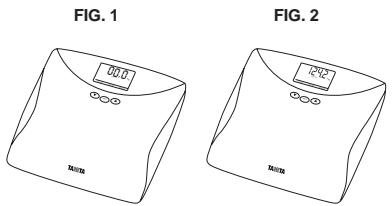
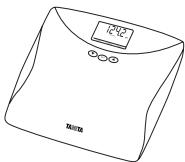
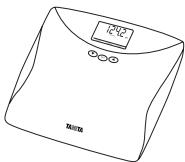
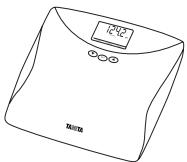
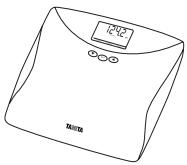
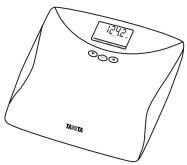
with your foot and release the pressure to activate the scale. "CAL" will appear on the display. When "00.0" shows on the display, step on the scale (Fig. 1). Stand still while the display shows running 0000 for 3 seconds. The LCD will display your weight (Fig. 2). If you step off from the scale, the LCD will display your weight for 5 seconds then the scale will automatically shut off. If you remain on the scale, the LCD will display your weight for 10 seconds then automatically shut off.
Note: If you step on the scale without activating the scale, the display will show "Err" for 2 seconds then automatically shut off.
"Err" will appear on the display if you do not stand on the scale within 10 seconds after 00.0 stops flashing.
"Err" will appear on the display when the scale's weight capacity is exceeded.
Care and Maintenance
- Place the scale in an area free from heating equipment, high humidity, or extreme temperature changes.
- Never submerge the scale in water or spill chemical liquids on it. To clean, use a dampened cloth and mild detergent.
- Avoid excessive impact or vibration to the unit.
Replacing the Batteries
Lithium batteries can be typically used for many years before replacement is necessary.
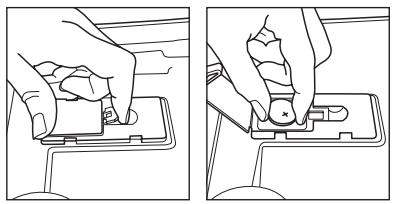
When the low battery sign, L, appears on the LCD, please replace with one new lithium battery.
natural_image
Two-step line drawing showing hands holding a small component on a device (no text or symbols)Open the battery cover on the back of the measuring platform. Insert the new battery as indicated.
Note: Be sure that the polarity of the batteries is set properly. If you do not intend to use this unit for a long period of time, it is advisable to remove the batteries before storage.
After Sales Service
Please contact the Tanita office nearest you regarding operation or trouble, request for repair, and/or placement of an order for parts for products.
INSTRUCCIONES DE USO
Báscula digital – HD-332, con pila de litio
natural_image
Line drawing of a balance scale with digital display and buttons (no text or symbols)FIG. 2
natural_image
Line drawing of a balance table with digital display and 'TAISTER' label (no additional text or symbols)natural_image
Line drawing of a hand pressing a button on a device (no text or symbols)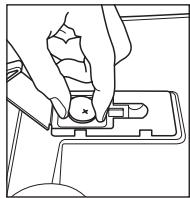
natural_image
Line drawing of a hand pressing a button on a device (no text or symbols)natural_image
Line drawing of a balance scale with digital display and buttons (no text or symbols)FIG. 2
natural_image
Line drawing of a modern kitchen appliance with digital display (no text or symbols)natural_image
Line drawing of a hand pressing a button on a device (no text or symbols)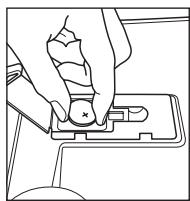
natural_image
Line drawing of a hand pressing a button on a device (no text or symbols)natural_image
Line drawing of a balance scale with digital display and buttons (no text or symbols)FIG. 2
natural_image
Line drawing of a balance scale with digital display (no text or symbols)natural_image
Line drawing of a hand pressing a component on a device (no text or symbols)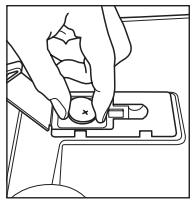
natural_image
Line drawing of a hand pressing a button on a computer key (no text or symbols)natural_image
Two-step line drawing showing hands holding a small object on a device (no text or symbols)natural_image
Line drawing of a balance scale with digital display and buttons (no text or symbols)FIG. 2
natural_image
Line drawing of a balance scale with digital display and buttons (no text or symbols)natural_image
Line drawing of a hand pressing a small object on a device (no text or symbols)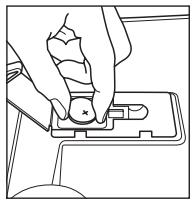
natural_image
Line drawing of a hand pressing a button on a device (no text or symbols)natural_image
Line drawing of a balance scale with digital display and buttons (no text or symbols)ABB. 2
natural_image
Line drawing of a modern stainless steel box with digital display (no text or symbols)Pflege und Wartung
natural_image
Line drawing of a hand pressing a small component on a device (no text or symbols)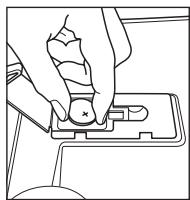
natural_image
Line drawing of a hand pressing a button on a device (no text or symbols)Monitoring Your Health
Tanita Corporation
14-2, 1-Chrome, Maeno-Cho Itabashi-Ku, Tokyo, Japan 174-8630 Tel: +81(0)-3-3968-2123 Fax: +81(0)-3-3967-3766 www.tanita.co.jp ISO 9001 Certified
Tanita Corporation of America
2625 South Clearbrook Drive Arlington Heights, IL 60005 USA Tel: +1-847-640-9241 Fax: +1-847-640-9261 www.tanita.com (800) Tanita-8 (USA & Canada Only)
Tanita France S.A.
Villa Labrouste 68 Boulevard Bourdon 92200 Neuilly-Sur-Seine France Tel: +33 (0)-1-55-24-99-99 Fax: +33 (0)-1-55-24-98-68 www.tanita.fr
Tanita Health Equipment H.K. Ltd.
Unit 301-303 3/F Wing On Plaza 62 Mody Road, Tsimshatsui East Kowloon, Hong Kong Tel: +852 2838 7111 Fax: +852 2838 8667
Tanita Europe GmbH
Dresdener Strasse 25 D-71065 Sindelfingen Germany Tel: +49 (0)-7031-6189-6 Fax: +49 (0)-7031-6189-71 www.tanita.de
Tanita UK Ltd.
The Barn, Philpots Close, Yiewsley, Middlesex, UB7 7RY UK Tel: +44 (0) 1895 438577 Fax: +44 (0) 1895 438511 www.tanita.co.uk
- Digital
- Lithium
- OPERATING INSTRUCTIONS
- Digital Lithium Scale – HD-332
- Specifications
- UK Specifications
- Features
- Before Use
- Placing Scale
- Goal Weight Input
- Goal Weight Function
- Readings
- Weight Only Function
- Care and Maintenance
- Replacing the Batteries
- After Sales Service
- INSTRUCCIONES DE USO
- Báscula digital – HD-332, con pila de litio
- Pflege und Wartung
- Monitoring Your Health
- Tanita Corporation
- Tanita Corporation of America
- Tanita France S.A.
- Tanita Health Equipment H.K. Ltd.
- Tanita Europe GmbH
- Tanita UK Ltd.
Brand : TANITA
Model : HD 332
Category : Bathroom Scale