
LAS EXTENDED ANNOTATION - Optical microscope LEICA - Free user manual and instructions
Find the device manual for free LAS EXTENDED ANNOTATION LEICA in PDF.


| Product type | Software module for image annotation for optical microscope |
| Brand | Leica |
| Model | LAS Extended Annotation |
| Category | Optical microscope (add-on module) |
| Order number | 12730073 |
| Platform | Windows PC |
| Main functions | Adding text, shapes, arrows, lines, images, scale bar; image overlay; multi-layer annotation |
| Customization | Size, color, font, rotation, moving annotations |
| Auto save | Yes, annotations saved immediately upon deselection of an image |
| Compatibility | Leica microscopes and Digital FireWire cameras |
| Integrated module | Yes, in Leica Application Suite (LAS) |
| Application areas | Materials science, quality control, forensics, biosciences, pharmacology |
| License | Optional module, requires a license |
| Update | Via LAS, regular software update |
| Interface languages | English, other languages available |
Frequently Asked Questions - LAS EXTENDED ANNOTATION LEICA
User questions about LAS EXTENDED ANNOTATION LEICA
0 question about this device. Answer the ones you know or ask your own.
Ask a new question about this device
Download the instructions for your Optical microscope in PDF format for free! Find your manual LAS EXTENDED ANNOTATION - LEICA and take your electronic device back in hand. On this page are published all the documents necessary for the use of your device. LAS EXTENDED ANNOTATION by LEICA.
USER MANUAL LAS EXTENDED ANNOTATION LEICA
Leica Application Suite
Extended Annotation
Living up to Life
Attention to Detail!
Comprehensive Image Annotation
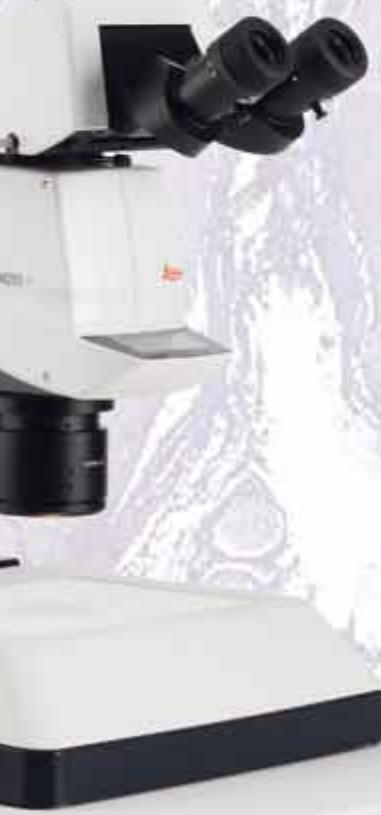
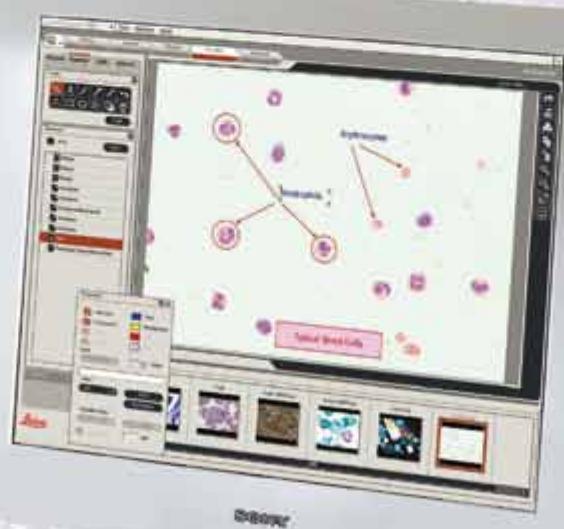
LAS Extended Annotation is an optional module that when used with a Leica microscope and digital camera, allows text and graphical elements to be added directly to an image. This enables specific features to be highlighted and important information to be illustrated on areas of interest.
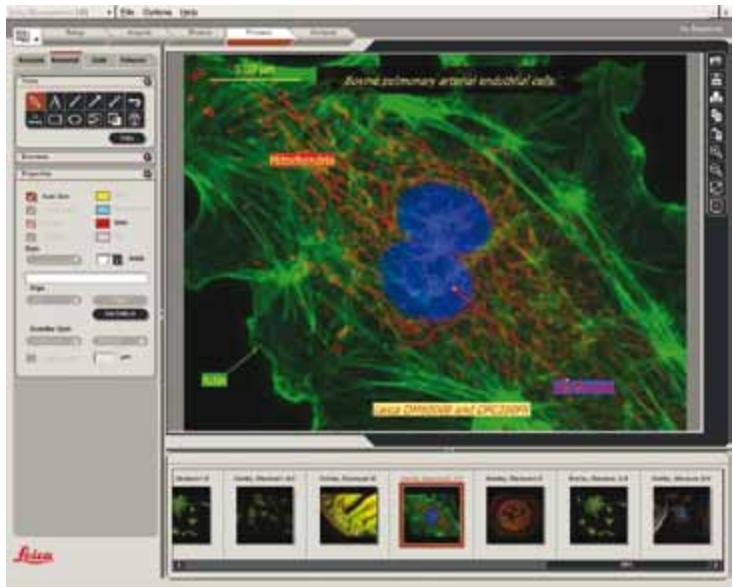
The sophisticated annotation tools include lines, arrows, shapes, images, times and text which can be drawn as a separate layer upon an image so that the original file remains intact. By adding comments to each annotation and displaying this as an adjacent label, users can be sure that significant areas are emphasised. Additionally, the scale bar tool provides a visible indication of an image size calculated directly from the known microscope optical conditions derived from the spatial calibration and can be placed horizontally or vertically. All annotations can be subsequently recalled or edited if necessary.
Other benefits include:
Fully integrated with microscope and digital camera control.
- Annotations can be copied as a group from one image to another and subsequently reused effectively as a template.
- All annotations retain a relative size and position even when the original image is altered through zooming or scrolling.
- An automatic save function is used so that overlayed annotations are immediately saved when an image is deselected and recalled instantly.
- An intuitive gallery displays acquired images, which can be immediately selected for annotation.
Customised Annotations!
Individualised Annotations
The sophisticated editing facilities allow annotations to be adjusted including size, colour and fonts, so that they can be fully customised to individual needs. Furthermore, annotations can be moved or rotated giving total flexibility in the positioning of all image data. The intuitive tools are so compelling that they provide complete control over even the smallest detail. For example, the line thickness and annotation colour can be chosen to easily contrast with the underlying image to ensure that all relevant detail is displayed clearly. All of these facilities ensure that the LAS Extended Annotation module meets the most meticulous expectations.
Total Precision
The LAS Extended Annotation module provides a wide variety of tools specifically designed for use with microscope images. For example, a region of an image can be magnified in order to provide total precision when positioning an annotation.
LAS is based on Windows PCs and provides a cost-effective and uniform environment, compatible across the Leica range of microscopes and Digital FireWire cameras.

LAS Extended Annotation Module
The LAS Extended Annotation module is a highly versatile solution that can be used with many specimen types for anyone interested in materials science, quality control, forensics, bioscience, pharmacology and many more areas. The LAS Interactive Measurement module can be used for applications such as:
- Scale & Reference Annotations - a scale bar is drawn at a length proportional to the image dimension. Reference information can be typed onto the image in any position or colour and at any size.
- Distance Line Annotations - a distance line is drawn and used to measure the dimension of multiple features in the image. Distance lines use the image calibration and units to record the actual distance between the two points indicated by the user.
- Overlaying Images - images can be super-imposed and overlayed on to an original image source for quick and easy comparisons.
Order number
12730073
Leica Application Suite - Extended Annotation Module
Brand : LEICA
Model : LAS EXTENDED ANNOTATION
Category : Optical microscope