
POWX1326 - Multifunction tool PowerPlus - Free user manual and instructions
Find the device manual for free POWX1326 PowerPlus in PDF.
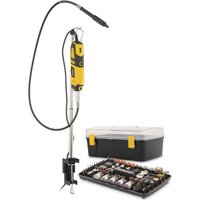


Pick your language and provide your email: we'll send you a specifically translated version.
| Product type | Oscillating multi-tool |
| Brand | PowerPlus |
| Model | POWX1326 |
| Power supply | Mains 230 V / 50 Hz |
| Power consumption | 300 W |
| Main functions | Plunge sawing, sanding, scraping, flush cutting |
| Oscillation speed | 11000 - 21000 min⁻¹ |
| Oscillation angle | 3.2° |
| Accessory change | Hex key included |
| Included accessories | Plunge blade, segment blade, sanding pad, 3 abrasive sheets |
| Dimensions (L × W × H) | 36 × 8 × 10 cm |
| Weight | 1.4 kg |
| Cable length | 2 m |
| Protection class | II |
| Sound pressure level | 85 dB(A) |
| Sound power level | 96 dB(A) |
| Vibration level (handle) | 7.9 m/s² |
| Maintenance and cleaning | Dust off the ventilation slots, clean the accessories with a dry cloth |
| Safety | Disconnect before adjustment, wear PPE, do not use without a suitable accessory |
| Spare parts and repairability | Available via after-sales service, repairable by a technician |
| General information | Manual downloadable free of charge in French, 276 pages |
| Warranty | 2 years |
Frequently Asked Questions - POWX1326 PowerPlus
How do I change the accessory on the PowerPlus POWX1326?
To change the accessory, stop the tool and remove the hex key from its housing. Loosen the locking screw, remove the old accessory and place the new one. Tighten the screw and check that the accessory is securely attached before restarting.
Is this multi-tool suitable for cutting tiles?
Yes, with a suitable blade (carbide blade), the POWX1326 can cut tiles, but only for light cuts. For hard tiles, use a diamond blade and work with cooling water if possible.
What is the power of the tool?
The PowerPlus POWX1326 has a power consumption of 300 W, which is suitable for common DIY tasks such as sawing wood, sanding and scraping.
How do I adjust the oscillation speed?
The speed control is located on the handle. It allows you to adjust the frequency between 11000 and 21000 oscillations/min. Choose a high speed for hard materials, and a lower speed for soft materials.
Can I use accessories from other brands?
Most accessories with a compatible fixing system (OIS type) can be used. Check the chuck compatibility and the fixing. It is recommended to use quality accessories to avoid any risk of breakage.
How do I clean the tool after use?
Always unplug the tool. Dust off the ventilation slots with a soft brush. Clean the accessories with a slightly damp cloth. Never use solvents or abrasive products.
What should I do if the tool no longer starts?
First check the power outlet and the power cable. Then check the carbon brush if the tool is equipped. If the problem persists, contact PowerPlus customer service for a diagnosis.
What are the essential safety precautions?
Wear safety glasses, a dust mask and gloves. Do not wear loose clothing. Use the tool with both hands, hold it firmly. Unplug the tool before changing any accessory.
Where can I find the user manual?
The manual is available free of charge on notice-facile.com in PDF format. You can also download it from the PowerPlus website. In the manual, you will find all the safety and usage information.
What maintenance is required for the chuck?
The chuck should be cleaned regularly to prevent dust accumulation. Use a blower or a brush. If the fixing becomes stiff, apply a light lubricant to the moving parts, without excess.
User questions about POWX1326 PowerPlus
0 question about this device. Answer the ones you know or ask your own.
Ask a new question about this device
No questions yet. Be the first to ask one.
Download the instructions for your Multifunction tool in PDF format for free! Find your manual POWX1326 - PowerPlus and take your electronic device back in hand. On this page are published all the documents necessary for the use of your device. POWX1326 by PowerPlus.
USER MANUAL POWX1326 PowerPlus




Manual assistant
Powered by Anthropic
Waiting for your message
Product information
Brand : PowerPlus
Model : POWX1326
Category : Multifunction tool