
POWEBCDS2 - Drill PowerPlus - Free user manual and instructions
Find the device manual for free POWEBCDS2 PowerPlus in PDF.


Pick your language and provide your email: we'll send you a specifically translated version.
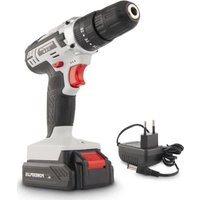
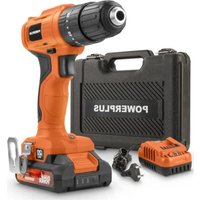
| Product type | Cordless drill driver |
| Brand | PowerPlus |
| Model | POWEBCDS2 |
| Power supply | 18 V lithium-ion battery |
| Battery type | Lithium-ion |
| Battery capacity | 1.5 Ah |
| Charging voltage | 18 V |
| Chuck | Keyless chuck 10 mm |
| No-load speed | 0-550 rpm (1st gear), 0-1600 rpm (2nd gear) |
| Maximum tightening torque | 20 Nm |
| Torque positions | 20 + drilling |
| Drilling capacity wood | 25 mm |
| Drilling capacity steel | 10 mm |
| Weight | 1.4 kg (with battery) |
| Dimensions | 210 × 70 × 190 mm |
| Main functions | Drilling, screwdriving, variable speed, forward/reverse |
| Care and cleaning | Clean with a dry cloth, do not use water or solvents |
| Safety | Wear safety goggles, do not touch the rotating chuck |
| Spare parts and repairability | Battery and charger available as options, replaceable wear parts |
| General information | User manual available in multiple languages |
Frequently Asked Questions - POWEBCDS2 PowerPlus
How do I insert or remove a drill bit on the POWEBCDS2?
Turn the chuck ring counterclockwise to open it, insert the drill bit, then tighten by hand. To remove, proceed in the same way. Make sure the tool is switched off before handling.
How long does it take to charge the battery?
With a standard 18 V charger, the 1.5 Ah battery charges in about 60 minutes. Only use the supplied charger to avoid damage.
Can the drill be used for screwdriving without drilling first?
Yes, the screwdriving function allows screwing without pre-drilling in soft materials. Use a low speed and an appropriate torque to avoid damaging the material.
How do I reverse the rotation direction to unscrew?
Use the rotation direction selector located above the trigger. Set the lever to the rear arrow position to unscrew.
What maintenance does the keyless chuck require?
The keyless chuck requires regular cleaning to prevent dust buildup. Blow compressed air to remove debris and ensure it is properly tightened before each use.
Is the drill delivered with two batteries?
Depending on the version, the drill may be delivered with one or two batteries. Refer to the user manual to check the contents of the package.
How do I adjust the speed for different materials?
Use the variable speed trigger to continuously control the speed. For wood, choose a high speed; for metal, use a slow speed with light pressure.
Which accessories are compatible with this drill?
This drill is compatible with bits and screwdriver bits up to 10 mm, as well as accessories with a hex shank. Check compatibility before use.
What does the charging indicator light mean?
The charger indicator shows the charging status. Usually it is red during charging and turns green once the battery is fully charged.
How should I store the drill when not in use?
Store the drill in a dry and clean place, away from moisture. Remove the battery if you do not use it for a long period to preserve its lifespan.
User questions about POWEBCDS2 PowerPlus
0 question about this device. Answer the ones you know or ask your own.
Ask a new question about this device
No questions yet. Be the first to ask one.
Download the instructions for your Drill in PDF format for free! Find your manual POWEBCDS2 - PowerPlus and take your electronic device back in hand. On this page are published all the documents necessary for the use of your device. POWEBCDS2 by PowerPlus.
USER MANUAL POWEBCDS2 PowerPlus

Manual assistant
Powered by Anthropic
Waiting for your message
Product information
Brand : PowerPlus
Model : POWEBCDS2
Category : Drill