Cruise POCRUISE - Vacuum Cleaner Point - Free user manual and instructions
Find the device manual for free Cruise POCRUISE Point in PDF.
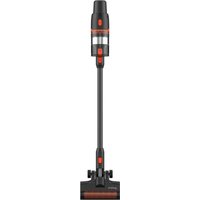


Pick your language and provide your email: we'll send you a specifically translated version.
| Brand | Point |
| Model | Cruise POCRUISE |
| Type of product | Robotic vacuum cleaner |
| Color | Black / Titanium |
| Dimensions (L × W × H) | Ø 32 × 8.5 cm |
| Weight | 2.6 kg |
| Battery type | Lithium-ion 14.4 V |
| Battery capacity | 2200 mAh |
| Autonomy | Up to 100 minutes |
| Charging time | Approximately 3 hours |
| Dustbin capacity | 400 ml |
| Filtration | HEPA 11 washable filter |
| Navigation | Gyroscopic sensor + anti-collision/anti-fall sensors |
| Cleaning modes | Auto, Spot, Edge, Turbo |
| Noise level | ≤ 65 dB |
| Connectivity | Wi-Fi, dedicated app, voice control |
| Scheduling | 7-day programmable |
| Brush system | Central brush + 2 side brushes |
| Maintenance | Removable and washable parts (filter, brush, dustbin) |
| Safety | Automatic return to base station, sensors for stairs and obstacles |
| Spare parts | Side brushes, HEPA filters, main brush (sold separately) |
| Box contents | Robot, charging dock, power adapter, remote control, side brushes, cleaning tool, documentation |
Frequently Asked Questions - Cruise POCRUISE Point
How do I charge the Point Cruise POCRUISE?
Place the robot on the charging dock, making sure the charging contacts align. Connect the dock to a power outlet. The robot will automatically start charging. A full charge takes about 3 hours.
How do I connect the robot to Wi-Fi?
Download the dedicated app, enable Bluetooth on your phone, and turn on the robot. Follow the in-app instructions to select your 2.4 GHz Wi-Fi network and enter the password. The robot will connect via the 2.4 GHz band only.
How do I schedule cleaning sessions?
Use the app or the remote control to access scheduling. Set the desired days and times, and the robot will automatically start cleaning. A 7-day schedule is available.
How do I clean the dust bin and filters?
Open the dustbin compartment, remove the dustbin, empty the contents, and rinse the HEPA filter with water. Let it dry completely before reinstalling. Clean the dustbin chamber with a soft cloth.
What should I do if the robot gets stuck?
The robot has sensors to avoid obstacles, but if it gets stuck, turn it off, remove the obstruction, and place it on a flat surface. Press "Power/Home" to return to the base. Also check that anti-fall sensors are clean.
Can the robot vacuum handle pet hair?
Yes, the main brush and side brushes are designed to pick up hair, dust, and dirt. However, the dustbin may need more frequent emptying when cleaning pet hair. Clean the brushes regularly to prevent tangling.
How do I replace the side brushes?
Turn the robot upside down, unscrew the side brush screws with a small screwdriver, and pull the brushes off. Attach new ones and tighten the screws. Spare brushes are available as spare parts.
Does the robot work on carpets?
Yes, the robot can climb low-pile carpets up to 1 cm threshold. It will automatically adapt its suction power in Turbo mode for deeper cleaning.
How do I reset the robot to factory settings?
Press and hold the "Power" and "Home" buttons simultaneously for 5 seconds until you hear a sound. This will reset Wi-Fi and all settings. Then reconfigure via the app.
What is the battery life and when should I replace it?
The battery lasts up to 100 minutes per charge and can be recharged over 500 times. When you notice a significant decrease in runtime, you should replace the lithium-ion battery (available as a spare part).
User questions about Cruise POCRUISE Point
0 question about this device. Answer the ones you know or ask your own.
Ask a new question about this device
No questions yet. Be the first to ask one.
Download the instructions for your Vacuum Cleaner in PDF format for free! Find your manual Cruise POCRUISE - Point and take your electronic device back in hand. On this page are published all the documents necessary for the use of your device. Cruise POCRUISE by Point.
USER MANUAL Cruise POCRUISE Point
Manual assistant
Powered by Anthropic
Waiting for your message
Product information
Brand : Point
Model : Cruise POCRUISE
Category : Vacuum Cleaner