Pencil - Vacuum Cleaner Point - Free user manual and instructions
Find the device manual for free Pencil Point in PDF.
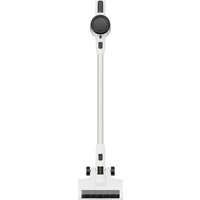


Pick your language and provide your email: we'll send you a specifically translated version.
| Product Type | Cordless Stick Vacuum Cleaner |
| Brand | Point |
| Model | Pencil |
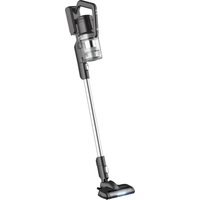
| Design | Slim, pencil-shaped body for easy maneuverability |
| Dimensions (L x W x H) | 1100 x 220 x 150 mm |
| Weight | 2.6 kg |
| Dust Capacity | 0.6 L |
| Power Source | Cordless, 22.2V lithium-ion battery |
| Battery Runtime | Up to 45 minutes on eco mode |
| Charging Time | 4 - 5 hours |
| Filtration | Multi-layer HEPA filtration system |
| Brush Type | Motorized floor brush with soft roller |
| Additional Features | Handheld conversion, wall-mount charging dock |
| Noise Level | 75 dB (A) |
| Operation | Trigger with lock button for continuous use |
| Display | LED battery indicator |
| Maintenance | Washable HEPA filter and dust separator |
| Safety | Overheating protection, child lock button |
| Spare Parts | Replaceable filter, brush roller, battery |
| Included in Box | Vacuum, crevice nozzle, upholstery tool, charger |
| Color | Available in white and silver |
| Warranty | 2 years after registration |
Frequently Asked Questions - Pencil Point
How to clean the HEPA filter?
Remove the filter from the dustbin and rinse it under lukewarm water. Let it air dry completely for at least 24 hours before reinstalling. Do not use a hairdryer or put it in a washing machine, as this can damage the filter.
How to maintain battery longevity?
For best battery life, avoid topping up the charge when the battery is almost full. Let the battery discharge completely before recharging every few months. Store the vacuum in a cool, dry place and never expose it to extreme temperatures.
Can I vacuum liquids?
No, this vacuum is designed for **dry use only**. Vacuuming liquids can damage the motor and filter, and create a safety hazard. Always ensure the dustbin is empty and dry before use.
How to empty the dustbin?
Press the dustbin release button and pull the container out. Open the bottom cover over a trash bin and tap gently. For thorough cleaning, wipe the inside with a damp cloth and let it dry before reattaching.
How to attach the handheld module?
Disconnect the main wand by pressing the release button. Then attach the desired accessory (like the crevice nozzle or upholstery tool) directly to the motor unit. You can also use the shoulder strap for extended handheld operation.
What to do if suction power drops?
Check if the dustbin is full or if the filter is clogged. Clean the filter and empty the bin. Also inspect the floor brush for tangled hair or debris, and clear any blockages in the nozzle or wand.
How to disassemble the brush roller for cleaning?
Turn off the vacuum and lay it flat. Slide the side latch to unlock the brush cover, then lift the roller out. Remove any hair or fibers wrapped around it, rinse the roller if needed, and let it dry completely before reinstalling.
Is the vacuum suitable for pet hair?
Yes, the motorized floor brush is designed to pick up pet hair from carpets and hard floors. The soft roller prevents tangles, but you should periodically remove hair buildup from the brush and filter to maintain strong performance.
How to charge the vacuum?
Connect the adapter to the charging port on the handle, or place the vacuum on the wall-mount charging dock. The LED indicator will show the charging status. Full charge takes about 4-5 hours and provides up to 45 minutes of runtime.
Are replacement filters available?
Yes, replacement filters and other spare parts are available through the official Point website or authorized retailers. Search for the Pencil model to find compatible accessories. Always use genuine parts for optimal performance.
User questions about Pencil Point
0 question about this device. Answer the ones you know or ask your own.
Ask a new question about this device
No questions yet. Be the first to ask one.
Download the instructions for your Vacuum Cleaner in PDF format for free! Find your manual Pencil - Point and take your electronic device back in hand. On this page are published all the documents necessary for the use of your device. Pencil by Point.
USER MANUAL Pencil Point
Manual assistant
Powered by Anthropic
Waiting for your message
Product information
Brand : Point
Model : Pencil
Category : Vacuum Cleaner