
AD8130U - Scanner AVISION - Free user manual and instructions
Find the device manual for free AD8130U AVISION in PDF.


Pick your language and provide your email: we'll send you a specifically translated version.
| Product Type | Document Scanner |
| Brand | AVISION |
| Model | AD8130U |
| Scanning Technology | CIS (Contact Image Sensor) |
| Optical Resolution | 600 dpi |
| Max Document Size | A4 (210 x 297 mm) |
| Scan Speed (B/W) | 30 ppm at 200 dpi |
| Scan Speed (Color) | 30 ppm at 200 dpi |
| Color Depth | 48-bit input, 24-bit output |
| Automatic Document Feeder | Yes, 50-sheet capacity |
| Interface | USB 2.0 |
| Power Supply | AC 100-240V, 50/60 Hz |
| Power Consumption (Operating) | 18 W |
| Power Consumption (Standby) | 5 W |
| Dimensions (W x D x H) | 300 x 200 x 150 mm |
| Weight | 2.5 kg |
| Daily Duty Cycle | 3,000 pages per day |
| Software Included | AVISION Capture Tool |
| Cleaning Instructions | Wipe exterior and scanner glass with a soft, dry, lint-free cloth. Do not use liquids directly. |
| Safety Features | Auto shut-off and overload protection |
| Repairability | User-replaceable ADF rollers and pickup pad |
| General Information | Energy Star certified; compatible with Windows and macOS |
Frequently Asked Questions - AD8130U AVISION
How do I install the AVISION AD8130U scanner?
Download and install the latest driver from the AVISION support website, then connect the scanner to your computer via the USB cable. Follow the on-screen instructions to complete the setup.
What should I do if the scanner is not detected by my computer?
First, ensure the USB cable is securely connected and the scanner is powered on. Try a different USB port or restart your computer. If the issue persists, reinstall the driver or check the Device Manager for conflicts.
How do I clean the scanner glass and ADF?
Use a soft, dry, lint-free cloth to gently wipe the glass and ADF rollers. For stubborn dirt, lightly dampen the cloth with water or a recommended cleaning solution. Do not spray liquids directly onto the scanner.
Can the AD8130U scan thick documents or cards?
The scanner is designed for standard paper (60-105 g/m²). For thick items like ID cards, use the manual feed slot if available, or check the user manual for the maximum paper weight specification.
What software is included with the AD8130U?
The scanner includes AVISION Capture Tool, which provides basic scanning functions and imaging options. You can also use it with TWAIN-compatible applications like Adobe Acrobat or Microsoft Office.
How often should I replace the ADF rollers?
ADF rollers typically need replacement after 50,000 scans or when you notice paper jams or misfeeds. The scanner may display a warning when maintenance is required. Use genuine AVISION replacement parts.
Does the scanner support double-sided scanning?
Yes, the AD8130U has a duplex scanning feature that automatically scans both sides of a document in one pass. This can be enabled in the scanner settings or via the scanning software.
What is the maximum daily duty cycle?
The AD8130U is rated for up to 3,000 pages per day. This ensures reliable performance for regular office use. Exceeding this may reduce the lifespan of consumables.
Is the scanner compatible with macOS?
Yes, AVISION provides macOS drivers for the AD8130U. Check the AVISION website for the appropriate driver version compatible with your macOS version.
How can I reduce paper jams in the ADF?
Ensure the paper stack is properly aligned and not exceeding the 50-sheet capacity. Use clean, undamaged paper and fan the sheets before loading. Also regularly clean the rollers and replace when worn.
User questions about AD8130U AVISION
0 question about this device. Answer the ones you know or ask your own.
Ask a new question about this device
No questions yet. Be the first to ask one.
Download the instructions for your Scanner in PDF format for free! Find your manual AD8130U - AVISION and take your electronic device back in hand. On this page are published all the documents necessary for the use of your device. AD8130U by AVISION.
USER MANUAL AD8130U AVISION
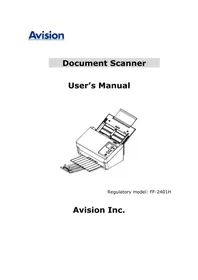
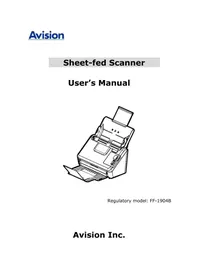
Manual assistant
Powered by Anthropic
Waiting for your message
Product information
Brand : AVISION
Model : AD8130U
Category : Scanner