
PORTABLE DVD WRITER - Portable DVD Player TRANSCEND - Free user manual and instructions
Find the device manual for free PORTABLE DVD WRITER TRANSCEND in PDF.


User questions about PORTABLE DVD WRITER TRANSCEND
0 question about this device. Answer the ones you know or ask your own.
Ask a new question about this device
Download the instructions for your Portable DVD Player in PDF format for free! Find your manual PORTABLE DVD WRITER - TRANSCEND and take your electronic device back in hand. On this page are published all the documents necessary for the use of your device. PORTABLE DVD WRITER by TRANSCEND.
USER MANUAL PORTABLE DVD WRITER TRANSCEND
Slim Portable CD/DVD Writer
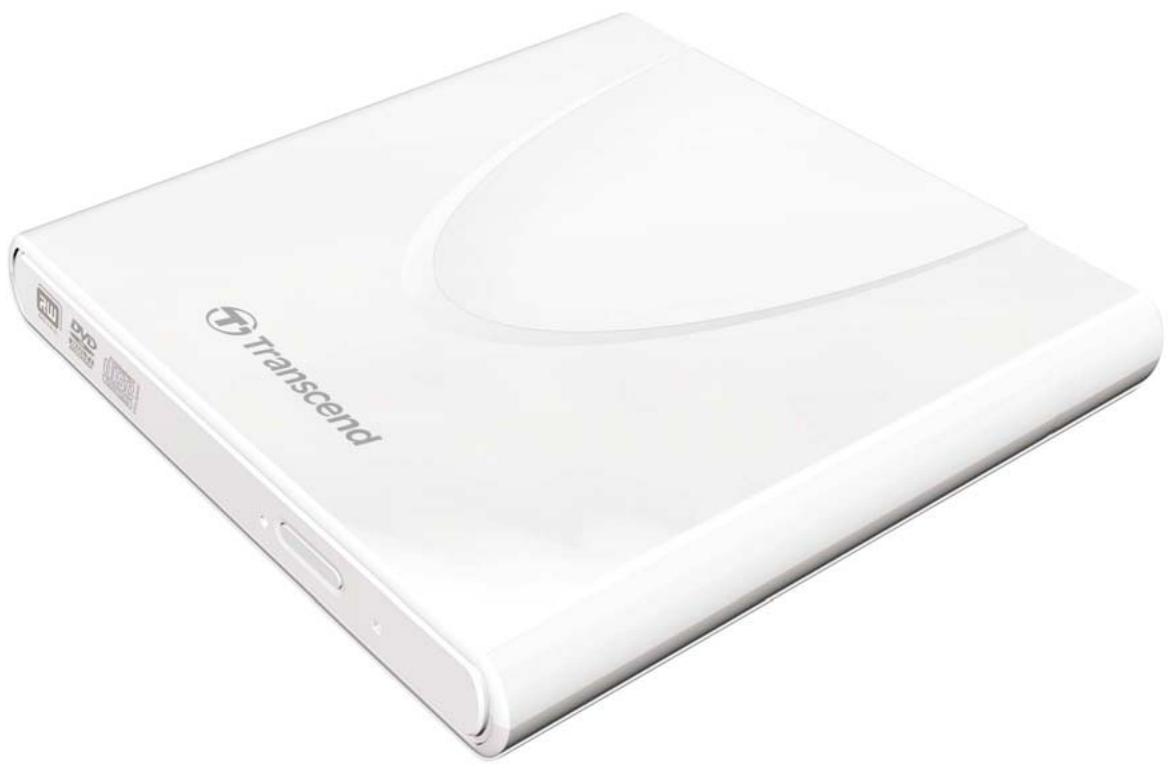
TS8XDVDRW
(Version 1.3)
Table of Contents
Introduction 1
Package Contents 1
Features 2
System Requirements 2
General Use 2
■ Writing Data. 3
Power 3
Reminders 4
Product Overview 5
Basic Operation 6
Plugging in the CD/DVD Writer 6
Inserting a Disc 6
Ejecting a Disc 9
Disconnecting from a Computer 11
Included Software 11
Troubleshooting 13
Specifications 14
System Requirements 15
Ordering Information 15
Recycling & Environmental Considerations 16
Transcend Limited Warranty 17
Introduction
Congratulations on purchasing Transcend's 8X Slim Portable CD/DVD Writer. This slim, elegant high-speed portable CD/DVD writer is perfect for playing, backing up your vital data and discs. With its slim easy-to-carry size and advanced high-speed media writing capabilities, the CD/DVD Writer is ideal for playing movies, installing software, or backing up your files, folders, documents, photos, music and videos when using a compact notebook computer or netbook. In addition, the CD/DVD Writer comes with a full-version of Cyberlink's extremely useful Power2Go* software that lets you easily create your own CDs and DVDs. This User's Manual is designed to help you get the most from your new device. Please read it in detail before using the CD/DVD Writer.
*Power2Go is a registered trademark of Cyberlink®. This software can be only used in Windows® XP, Windows Vista® and Windows® 7.
Package Contents
The CD/DVD Writer package includes the following items:
CD/DVD Writer
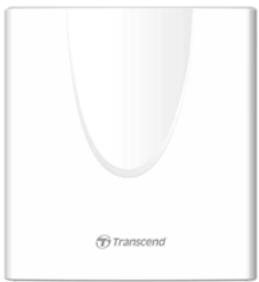
Software CD
USB Cable

Quick Start Guide
Features
USB 2.0 interface for high-speed data transfer
8x DVD±R read/write, 24x CD-R/RW read/write
Compatible with CD-R/RW, DVD±R, DVD±RW, DVD±R DL, DVD-RAM media
Reads and writes Dual Layer discs
Includes CyberLink Power2Go media writing software
USB powered -No external power adapter needed
Elegant slim modern design with rounded edges
Compact and easy-to-carry
Easy Plug and Play installation
Anti-slip rubber feet
System Requirements
Desktop or notebook computer with two working USB ports.
One of following Operating Systems:
- Windows® XP
Windows Vista® - Windows® 7
Mac OS® 10.4 or later
Safety Precautions
These usage and safety guidelines are IMPORTANT! Please follow them carefully.

Please ensure that you connect the USB cable to the CD/DVD Writer and your computer correctly (small end CD/DVD Writer, large end PC)
General Use
- During operation, avoid exposing your CD/DVD writer to extreme temperatures above 40^ or below 5^ .
- Never drop your CD/DVD Writer.
- Only use the CD/DVD Writer face-up, on a stable flat surface
-
Do not allow your CD/DVD Writer to come in contact with water or any other liquids.
-
Do not use a damp/wet cloth to wipe or clean the exterior case.
- Never look directly into the laser lens, as it can be harmful to your eyes.
- Do not attempt to open the outer case (doing so will void your product warranty).
- Do not store your CD/DVD Writer in any of the following environments:
Direct sunlight
o Next to an air conditioner, electric heater or other heat sources
In a closed car that is in direct sunlight
In an area with strong magnetic fields or excessive vibration
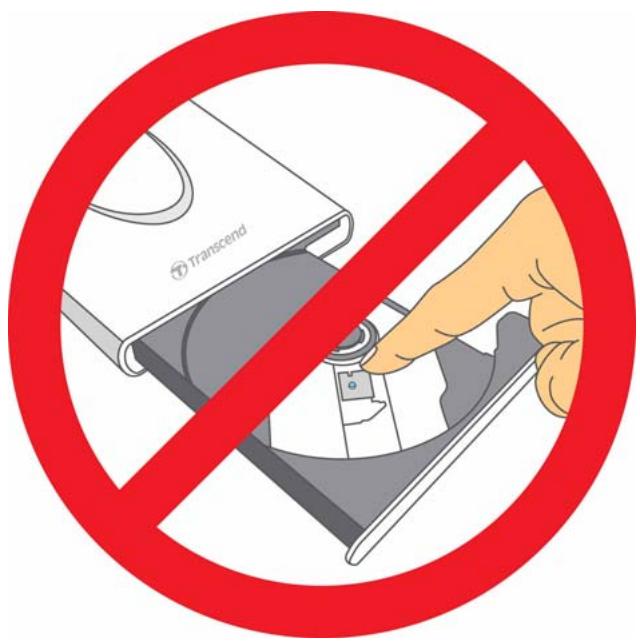
- Never touch the laser lens.
Writing Data
- Do not touch, pick up, or move the CD/DVD Writer during the write process. This can damage the device and will cause errors on the disc being written
- Transcend does not take any responsibility for data loss or damage resulting from use of this product. If using this product to backup data, we strongly advise using high-quality recordable media, and that you fully test and verify the contents of all written discs. It is also a good idea to regularly backup important data to a different computer or other storage medium.
- To ensure High-Speed USB 2.0 data transfer rates when using your CD/DVD Writer with a computer, please check that the computer has the relevant USB drivers. If you are unsure about how to check this, please consult the computer or motherboard User's Manual for USB driver information.
Power
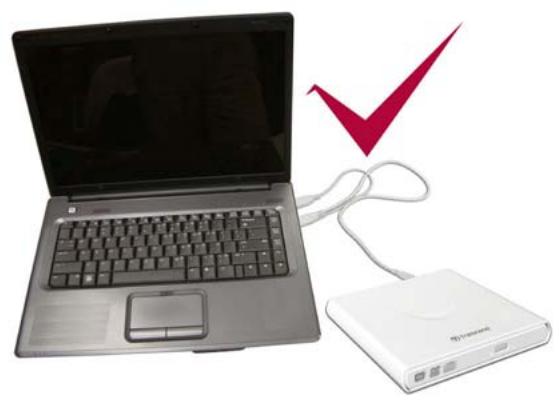
- The CD/DVD Writer is powered directly from your computer's USB port. However, the USB ports of certain computers may not supply enough power to use the CD/DVD Writer when using a single USB port. Please make sure to connect both large connector ends of the provided USB Cable to the USB ports on your computer. This will ensure the CD/DVD Writer receives adequate power for stable operation.

- Only use the USB cable that came with the CD/DVD Writer to connect it to a computer, and always ensure that the cable is in good condition. NEVER use a cable that is frayed or damaged.
- Ensure nothing is resting on the USB cable and that the cable is not located where it can be tripped over or stepped on.
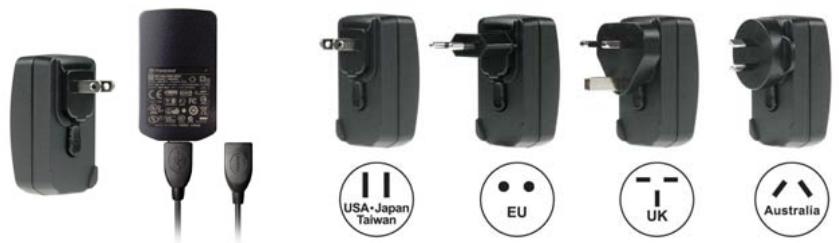
- If you have connected all ends of the USB cable and still have power-related problems while reading / writing data, we recommend that you purchase a Transcend USB Power Adapter (TS-PA2A) to provide the power necessary to operate the CD/DVD Writer.
Reminders
Always follow the procedures in the "Disconnecting from a Computer" section to remove the CD/DVD Writer from your computer.
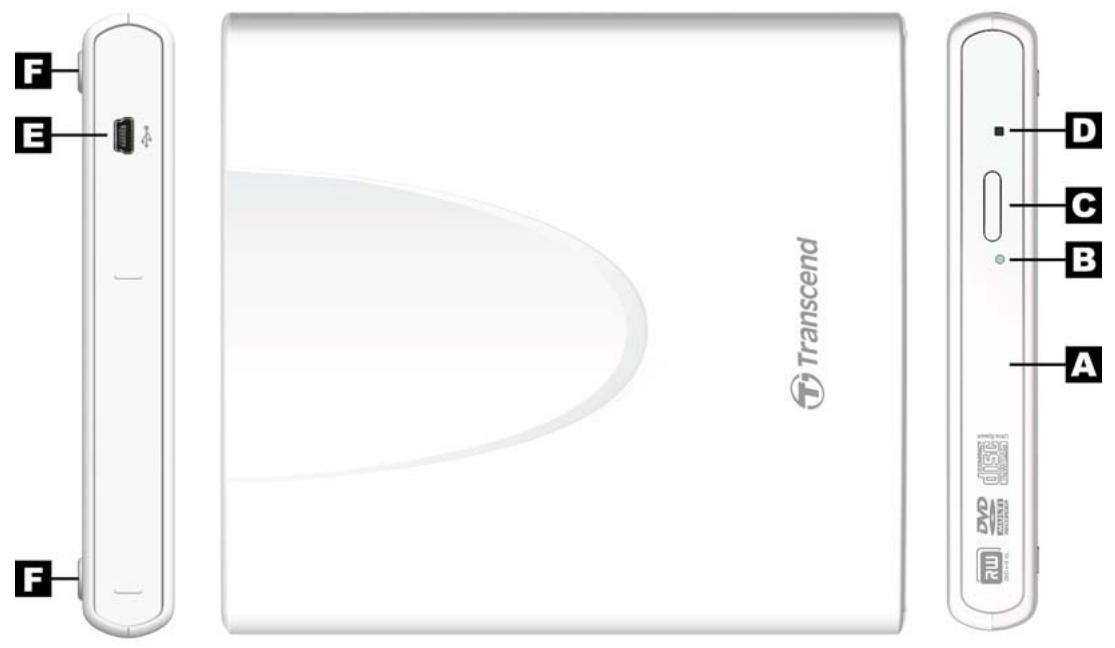
| A | Disc Tray |
| B | Read/Write Activity Indicator |
| C | Eject Button |
| D | Emergency Eject |
| E | USB Connector |
| F | Anti-slip Rubber Feet |
Basic Operation
Plugging in the CD/DVD Writer
- Plug the small end of the USB Cable into the Mini USB port on the CD/DVD Writer.
- Plug the large end(s) of the cable into available USB ports on your desktop computer, notebook or netbook.
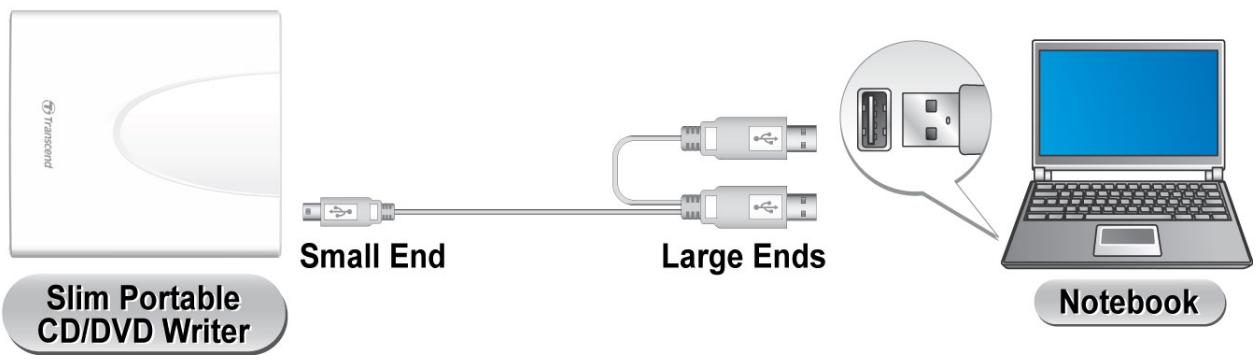
Note: Please be sure to connect the CD/DVD Writer to two USB ports on your computer using the provided USB Cable.
- When the CD/DVD Writer is successfully connected to a computer, a new drive with a newly assigned drive letter will appear in the My Computer window, and a Removable Hardware icon will appear on the Windows System Tray.
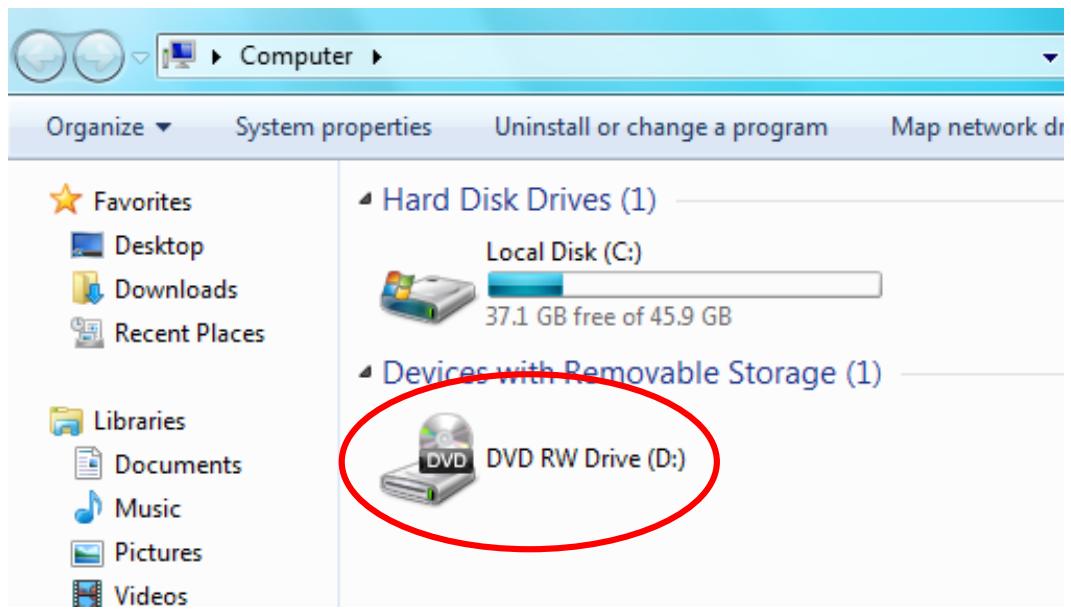
*D: is an example drive letter. The letter in your "My Computer" window may differ
- Once properly connected, you can use the CD/DVD Writer as an optical device to read CDs and DVDs, and create/write your own discs with the included Power2Go software.
Inserting a Disc
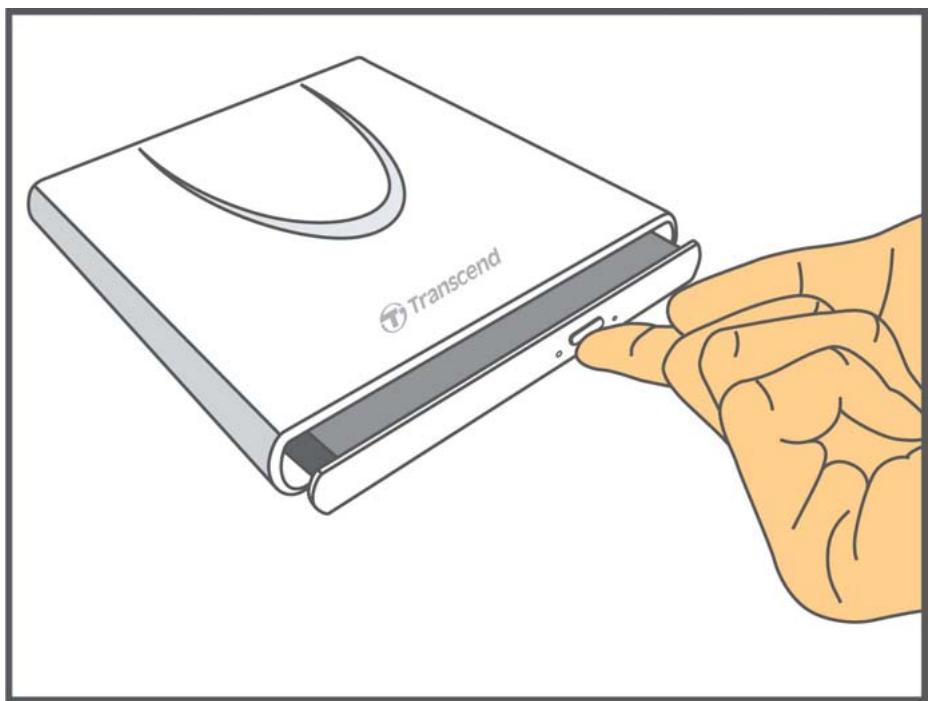
- Press the Eject Button on the front of the CD/DVD Writer to release the disc tray.
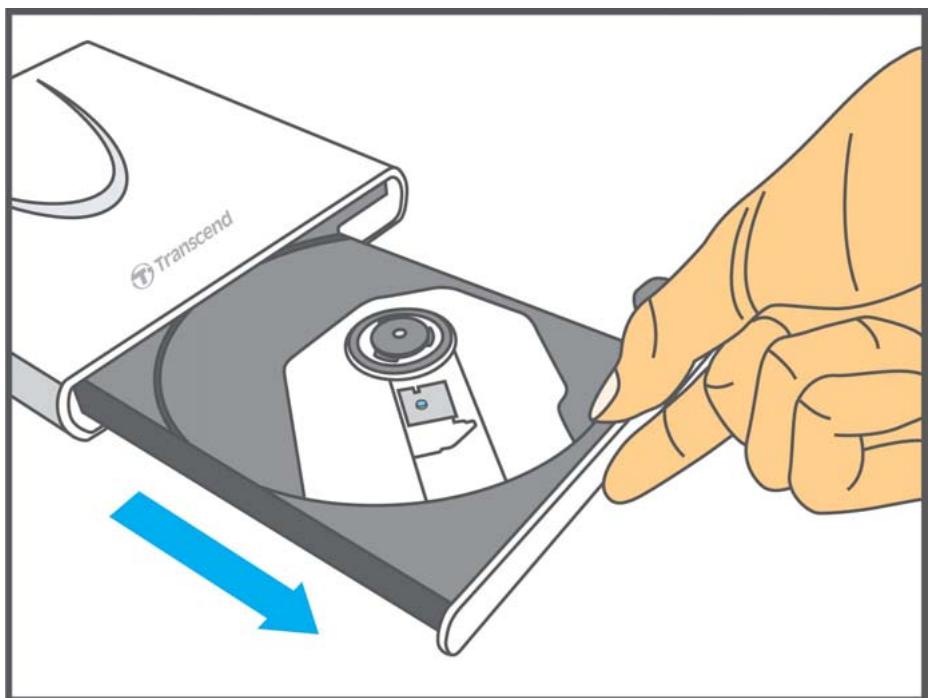
- Gently pull the disc tray out until it stops.
- Place a CD or DVD onto the tray.
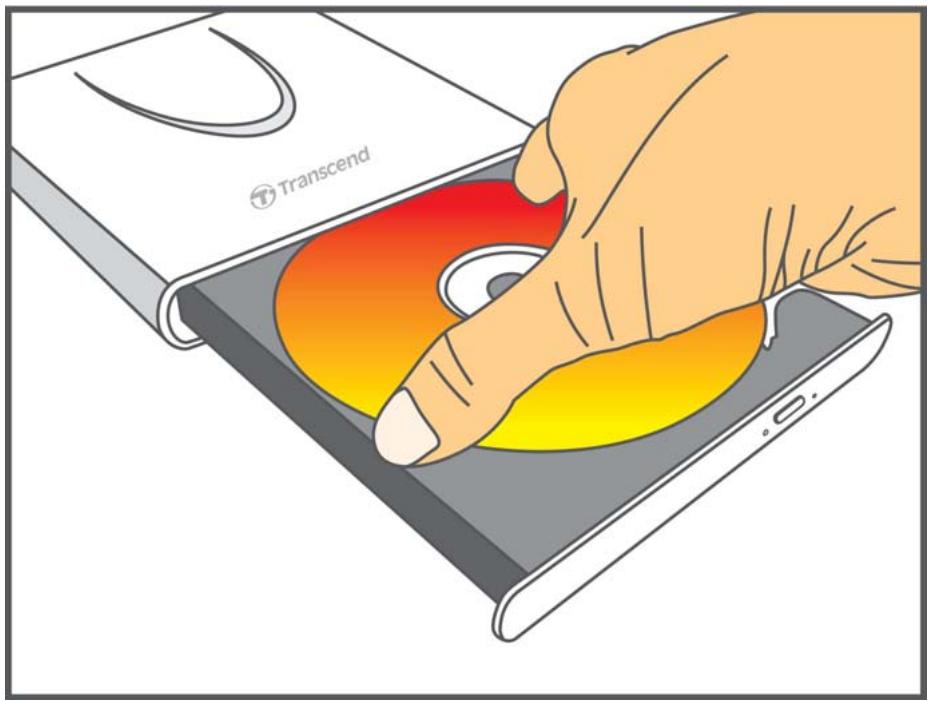
- Using two or more fingers, press down on the center of the disc until it snaps into place.
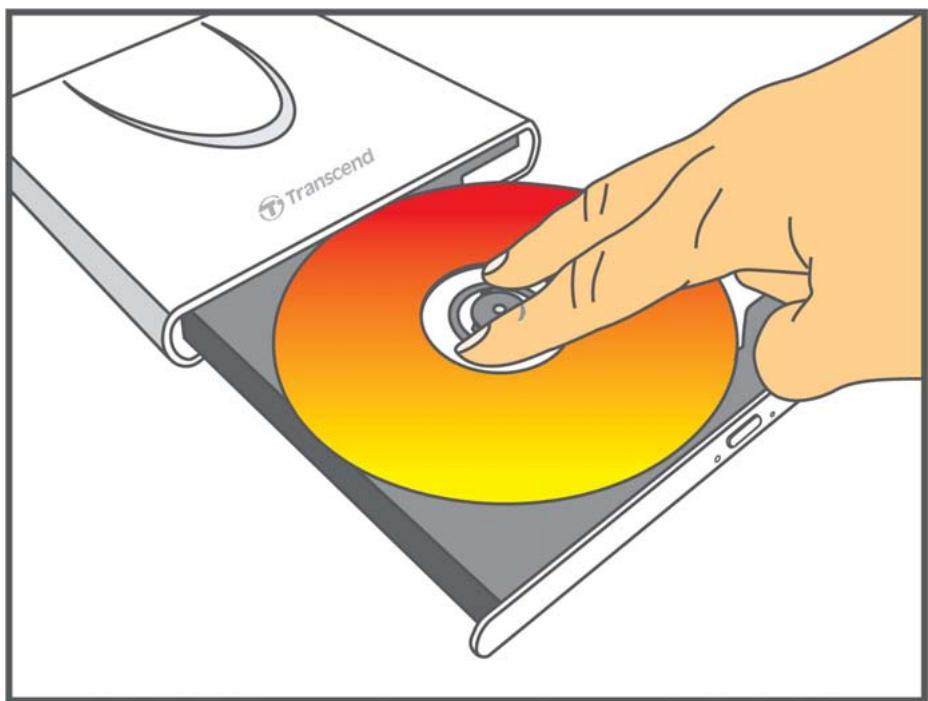
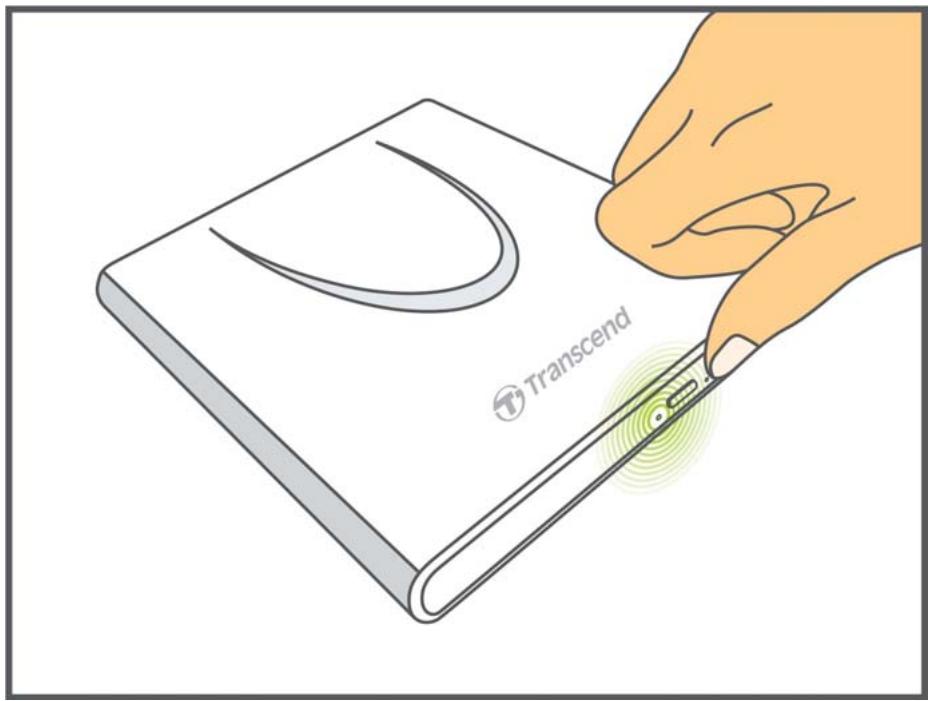
- Push the disc tray back into the CD/DVD Writer. When completely closed, the LED indicator will flash.
Ejecting a Disc
- Press the Eject Button on the front of the CD/DVD Writer to release the disc tray.
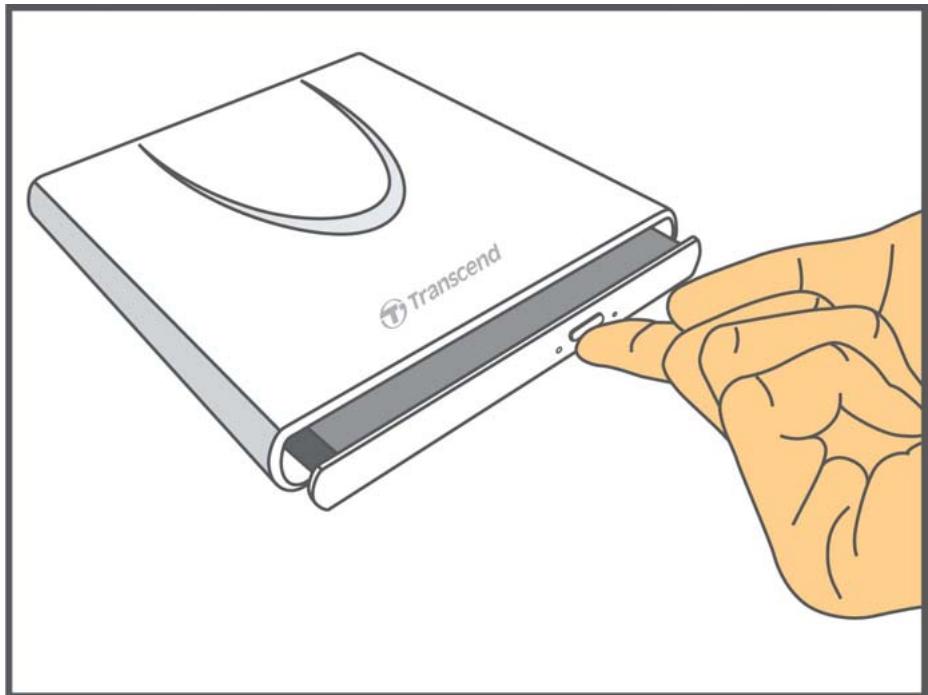
- Gently pull the disc tray out until it stops.
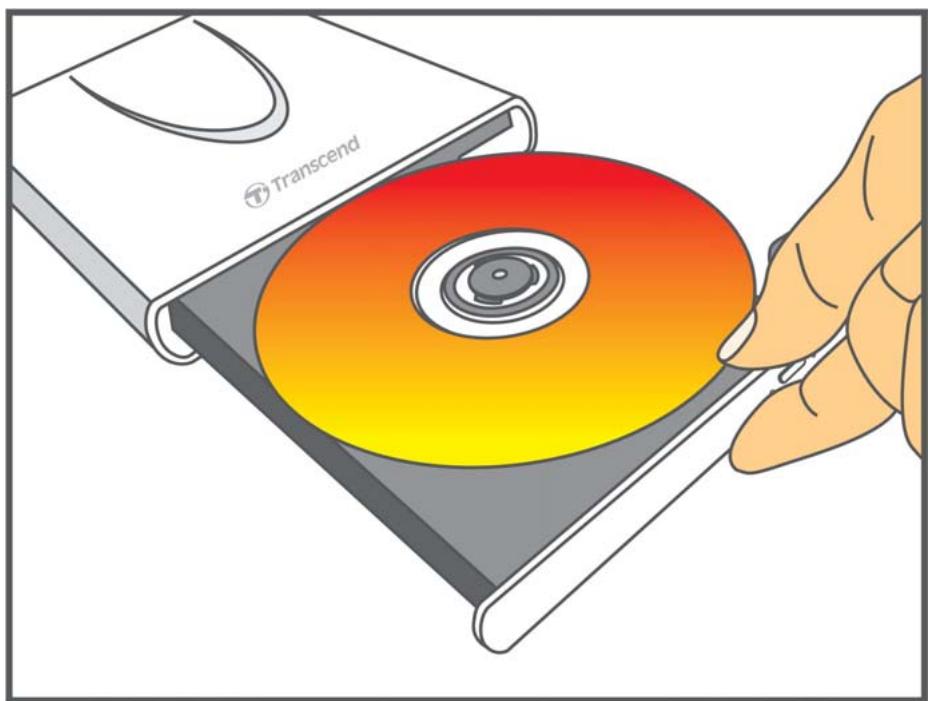
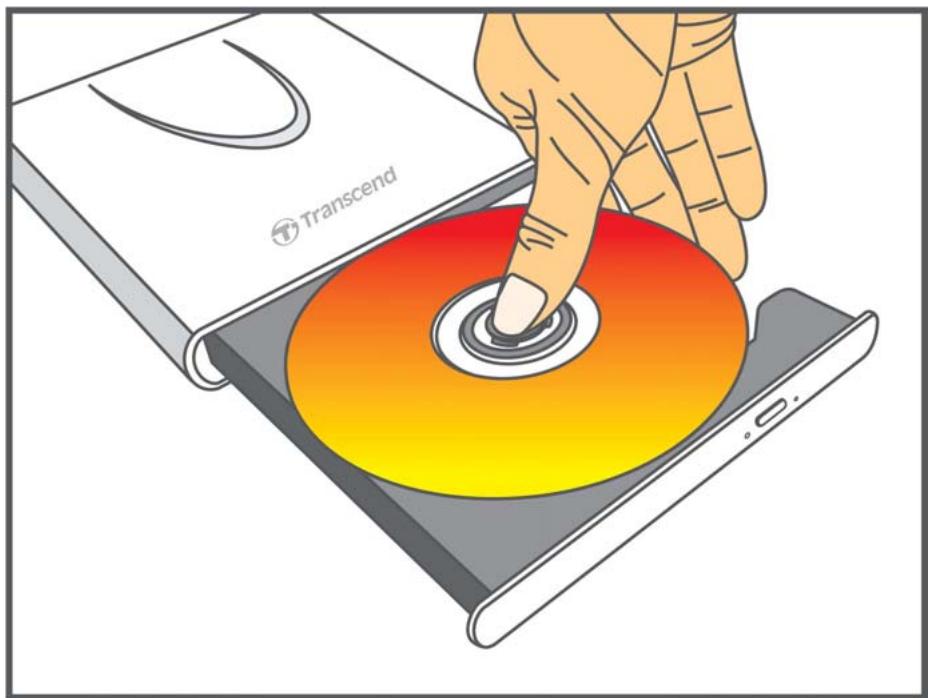
- Place your thumb on the spindle and use your other fingers to gently pry the disc upwards until it pops free.

NEVER disconnect the CD/DVD Writer from a Computer when the disc is spinning.
- Select the Hardware icon on the system tray.
- The Safely Remove Hardware pop-up window will appear. Select it to continue.

- A window will appear stating, "The 'USB Mass Storage Device' device can now be safely removed from the system."
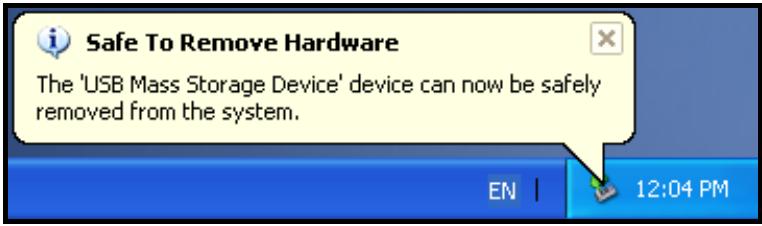

Always use this procedure to safely remove the device from a Windows computer.
Included Software
The Software CD includes: Cyberlink® Power2Go (LE Version), Cyberlink® MediaShow (trial version) and the User's Manual.
Note: CyberLink® Power2Go and MediaShow can only be installed in Windows® XP/Vista/7.
- Insert the Software CD.
- When the AutoRun window appears, click on the software you want to install:
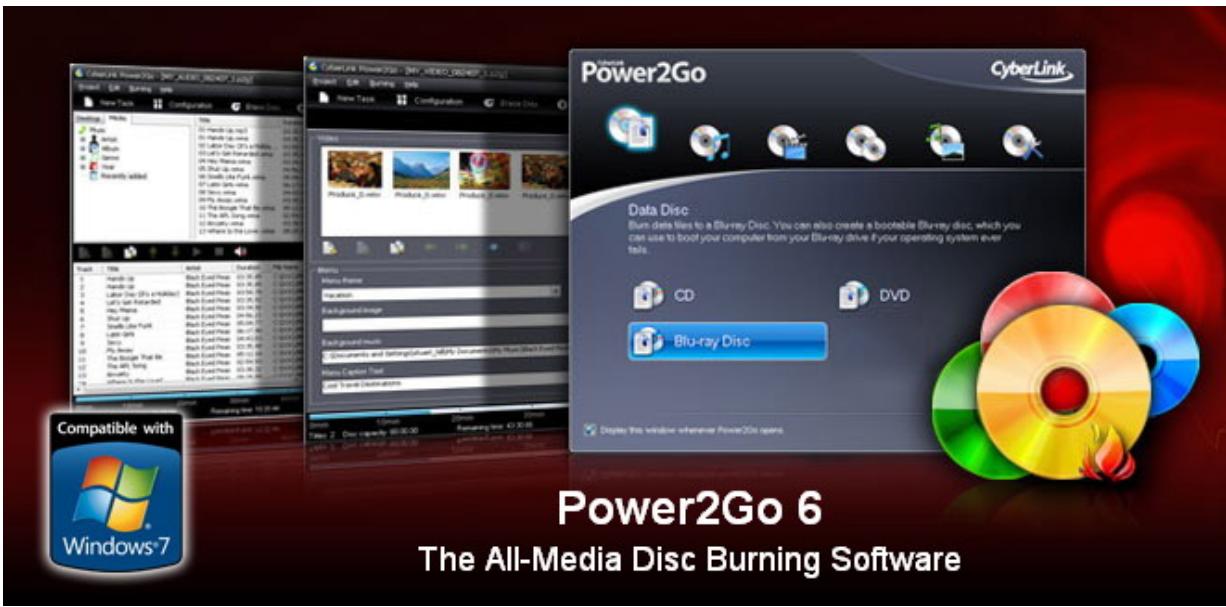
Cyberlink Power2Go: Power2Go lets you burn music, data, video and even bootable discs in a variety of CD and DVD formats. CyberLink Power2Go also includes several handy disc utilities and an expressmode that makes burning convenient and easy.
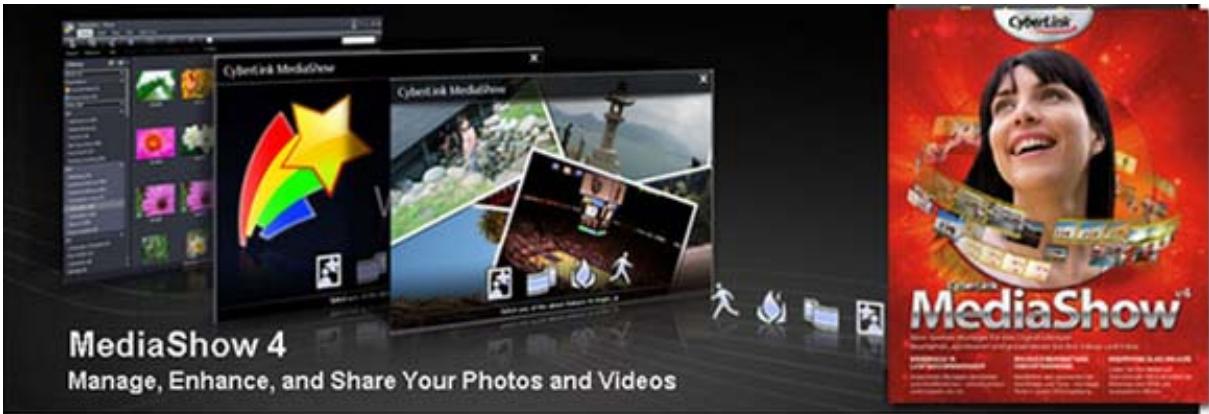
Cyberlink MediaShow: MediaShow is a useful tool for compiling, arranging, and producing media files with a simple and straightforward software interface.
Note: The included copy of Cyberlink MediaShow is a 30-day trial version. Certain features will be disabled when the trial period expires.
-
Follow the on-screen instructions to complete the installation process.
-
For detailed instructions on how to install and use the software, please refer to the software User's Manual stored on the Software CD.
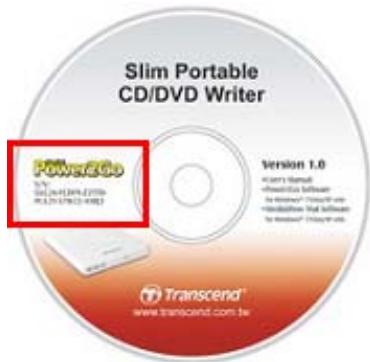
The product Serial Number for installing Cyberlink Power2Go is printed on disc.
Troubleshooting
If a problem occurs with your CD/DVD Writer, please check the information listed below before sending your CD/DVD Writer in for repair. If you are unable to remedy a problem after trying the following suggestions, please consult your dealer, service center, or local Transcend branch office. We also have FAQ and Support services on our website at www.transcendusa.com.
Operating system cannot detect the CD/DVD Writer
Check the following:
- Is your CD/DVD Writer properly connected to the USB port? If not, unplug it and plug it in again. If it is properly connected, try using another available USB port.
- Are you using the USB cable that came in the CD/DVD Writer package? If not, try using the Transcend-supplied USB cable to connect the CD/DVD Writer to your computer.
- The CD/DVD Writer is powered directly via a computer USB port; however, the power supplied by the USB port on some older computers is below the 5V DC required to power the CD/DVD Writer. Please make sure to connect the USB cable to both USB ports on your computer. This will provide the additional power necessary to run the drive.
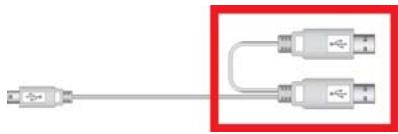
Both USB connectors are required to provide adequate power.
- Is the USB port enabled? If not, refer to the user's manual of your computer (or motherboard) to enable it.
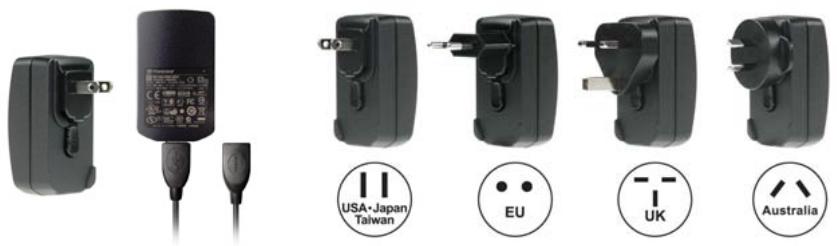
- If you have connected all ends of the USB cable and still have power-related problems while reading / writing data, we recommend that you purchase a Transcend USB Power Adapter (TS-PA2A) to provide the power necessary to operate the CD/DVD Writer. (Please see the Transcend Website or contact your local dealer for availability)
My computer does not recognize CD/DVD Writer
- A single USB port may not provide enough power for the CD/DVD Writer to function. Make sure you plug both large ends of the USB cable directly into your computer's USB ports.
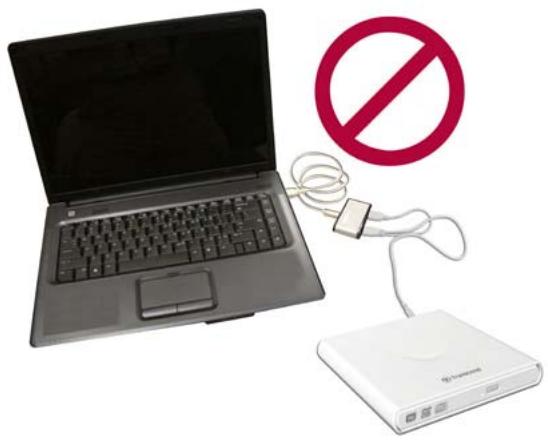
- Avoid connecting the CD/DVD Writer through a USB hub.
The CD/DVD Writer does not Power On (LED does not flash)
Check the following:
- Ensure that the CD/DVD Writer is properly connected to the USB port(s) on your computer.
- Ensure that the USB port is working properly. If not, try using an alternate USB port.
The CD/DVD Writer Cannot Read a Disc
The disc may be dirty, scratched or damaged. Try cleaning the disc with water or a CD/DVD cleaning solution.
Writing to a Blank Disc Fails
In most cases, this problem is a result of trying to write to poor quality recordable media. For best results, please use only retail-packaged name brand recordable discs.
Specifications
| Dimensions | 156.2(L) X 142.0(W) X 22.5(H) mm | |
| Weight | 375g | |
| Compatible Media (write) | DVD-R DVD+R DVD-RW DVD+RW CD-R CD-RW DVD+R DL DVD-R DL DVD-RAM | |
| Power Supply | 5V DC supplied from USB port(s) | |
| Read | Max. Speed | |
| DVD±R: | 8X | |
| DVD±RW: | 8X | |
| Read / Write Speed | DVD±R (DL): | 8X |
| DVD ROM/Video/Audio: | 8X | |
| DVD ROM/Video/Audio (DL): | 8X | |
| DVD-RAM: | 5X | |
| CD-ROM/R/RW/Video/Audio: | 24X | |
| Write | Max. Speed | |
| DVD±R: | 8X | |
| DVD+RW: | 8X | |
| DVD-RW: | 6X | |
| DVD±R (DL): | 6X | |
| DVD-RAM: | 5X | |
| CD-R/RW: | 24X | |
| Operating Temperature | 5°C (41°F) to 40°C (104°F) | |
| Certificates | CE, FCC, BSMI | |
| Warranty | 2 years | |
System Requirements
| Hardware | CPU: Intel Pentium III 800 MHz or equivalent (minimum)Intel Pentium IV 2.0 GHz or higher (recommended)Memory: 256MB or greaterHard Drive: 20GB of free space required |
| Software | Operating System: Windows®XP, Windows Vista®or Windows®7 |
Ordering Information
| Device Description | Transcend P/N |
| USB Power Adapter | TS-PA2A |
Recycling & Environmental Considerations

Recycling the Product (WEEE): Your product is designed and manufactured with high quality materials and components, which can be recycled and reused. When you see the crossed-out wheel bin symbol attached to a product, it means the product is covered by the European Directive 2002/96/EC:
Never dispose of your product with other household waste. Please inform yourself about the local rules on the separate collection of electrical and electronic products. The correct disposal of your old product helps prevent potential negative consequences on the environment and human health.

Battery Disposal: Your product contains a built-in rechargeable battery covered by the European Directive 2006/66/EC, which cannot be disposed of with normal household waste.
Please inform yourself about the local rules on separate collection of batteries. The correct disposal of batteries helps prevent potentially negative consequences on the environment and human health.
For products with non-exchangeable built in batteries: The removal of (or the attempt to remove) the battery invalidates the warranty. This procedure is only to be performed at the end of the product's life.
Transcend Limited Warranty
"Above and Beyond" is the standard we set ourselves for customer service at Transcend. We consistently position ourselves to be significantly above the industry norm, which is all part of our commitment to Customer Satisfaction.
Please do not break or remove the warranty sticker on your Transcend products, as this will void your product warranty.
All Transcend information, Inc. (Transcend) products are warranted and tested to be free from defects in material and workmanship and to conform to the published specifications. During the warranty period should your Transcend CD/DVD Writer fail under normal use in the recommended environment due to improper workmanship or materials, Transcend will repair the product or replace it with a comparable one. This warranty is subject to the conditions and limitations set forth herein.
Duration of Warranty: The Transcend CD/DVD Writer is covered by this warranty for a period of two (2) years from the date of purchase. Proof of purchase including the date of purchase is required to collect on the warranty. Transcend will inspect the product and decide whether to repair or replace it. Transcend reserves the right to provide a functional equivalent product, or a refurbished replacement product.
Limitations: This warranty does not apply to product failure caused by accidents, abuse, mishandling, improper installation, alteration, acts of nature, improper usage, or problems with electrical power. In addition, opening or tampering with the product casing, or any physical damage, abuse or alteration to the product's surface, including all warranty or quality stickers, product serial or electronic numbers will also void the product warranty. Transcend is not responsible for recovering any data lost due to the failure of a hard drive device. Transcend's CD/DVD Writer must be used with devices that conform to the recommended industry standards. Transcend will not be liable for damages resulting from a third party device that causes the Transcend CD/DVD Writer to fail. Transcend shall in no event be liable for any consequential, indirect, or incidental damages, lost profits, lost business investments, lost goodwill, or interference with business relationships as a result of lost data. Transcend is also not responsible for damage or failure of any third party equipment, even if Transcend has been advised of the possibility. This limitation does not apply to the extent that it is illegal or unenforceable under applicable law.
Disclaimer: The foregoing limited warranty is exclusive. There are no other warranties, including any implied warranty of merchantability or fitness for a particular purpose. This warranty is not affected in any part by Transcend providing technical support or advice.
Online Registration: To expedite the warranty service, please register your Transcend Product within 30 days of purchase.
Register online at http://www.transcendusa.com/productregister

Transcend Information, Inc. http://www.transcendusa.com/
*The Transcend logo is a registered trademark of Transcend Information, Inc.
*The specifications mentioned above are subject to change without notice.
*All logos and marks are trademarks of their respective companies.