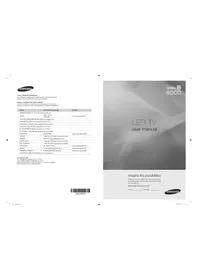
UN55B8000XM - Television SAMSUNG - Free user manual and instructions
Find the device manual for free UN55B8000XM SAMSUNG in PDF.


Pick your language and provide your email: we'll send you a specifically translated version.
| Product type | Television |
| Brand | Samsung |
| Model | UN55B8000XM |
| Display diagonal | 55 inches |
| Display resolution | 1920 x 1080 pixels |
| Display technology | LED |
| Refresh rate | 240 Hz |
| Aspect ratio | 16:9 |
| Built-in speakers | 2 x 15 W |
| Smart TV | Yes (Internet@TV) |
| HDMI ports | 4 |
| USB ports | 3 |
| Ethernet port | Yes |
| Wi-Fi | Yes |
| Power consumption (typical) | 150 W |
| Power consumption (standby) | 0.3 W |
| AC input voltage | 100 - 240 V |
| Weight without stand | 26.5 kg |
| Weight with stand | 32.5 kg |
| Dimensions without stand (W x H x D) | 1303 x 804 x 29.5 mm |
| VESA mounting | 400 x 400 mm |
| Energy efficiency class | B |
Frequently Asked Questions - UN55B8000XM SAMSUNG
How do I connect my Samsung UN55B8000XM to a cable box?
Use an HDMI cable to connect the cable box to one of the HDMI inputs on your TV. Alternatively, you can use a component or composite connection if your cable box supports it. After connecting, press the Source button on the remote and select the corresponding input.
How can I update the firmware on my TV?
Check for updates by going to Menu > Support > Software Upgrade. You can update via the network (Ethernet or Wi-Fi) or using a USB drive with the firmware file downloaded from Samsung's support website. Ensure the TV stays powered on during the update.
How do I adjust the picture settings for the best quality?
Go to Menu > Picture and choose a picture mode like Dynamic, Standard, or Movie. To fine-tune, adjust Backlight, Contrast, Brightness, and Sharpness. For optimal clarity, enable the Auto Motion Plus feature when watching fast-moving content.
Can I play media files from a USB drive?
Yes. Plug a USB drive into one of the USB ports on the TV, press Source and select the USB device. Use the Media Play function to browse and play video, music, and photo files. Supported formats include MP4, AVI, MKV, MP3, and JPEG.
How do I mount the TV on a wall?
The TV is VESA compatible with a 400 x 400 mm mounting pattern. Use a wall mount kit that supports at least 32.5 kg. Attach the bracket securely to the wall, then connect the mounting screws to the back of the TV. Ensure you use the included spacers and screws as per the manual.
What should I do if the TV will not turn on?
First, check that the power cord is firmly connected to both the TV and the wall outlet. Press the Power button on the TV (not the remote). If the TV still does not turn on, try resetting it by unplugging the TV for 30 seconds and then plugging it back in. If it remains off, contact Samsung support.
How do I enable Game Mode?
Game Mode reduces input lag for a better gaming experience. Press Menu and navigate to System > General, then select Game Mode and set it to On. You can also toggle it directly using the Tools button on the remote when a game console is detected.
How do I perform a factory reset?
Go to Menu > Support > Self Diagnosis and select Reset. Enter your PIN (default is 0000) and confirm. The TV will restore all settings to the factory defaults and may restart automatically.
How do I clean the screen safely?
Turn off the TV and unplug it. Use a soft, dry microfibre cloth to gently wipe the screen in a circular motion. Avoid using water, cleaning chemicals, or paper towels as they can damage the anti-reflective coating. For stubborn spots, slightly dampen the cloth with distilled water.
Does the TV support Bluetooth?
No, the Samsung UN55B8000XM does not have built-in Bluetooth support. For wireless audio, you can use a Bluetooth transmitter connected to the analog audio output or use a Samsung wireless audio adapter that connects via the USB or optical output. Check the manual for compatible accessories.
User questions about UN55B8000XM SAMSUNG
0 question about this device. Answer the ones you know or ask your own.
Ask a new question about this device
No questions yet. Be the first to ask one.
Download the instructions for your Television in PDF format for free! Find your manual UN55B8000XM - SAMSUNG and take your electronic device back in hand. On this page are published all the documents necessary for the use of your device. UN55B8000XM by SAMSUNG.
USER MANUAL UN55B8000XM SAMSUNG
Manual assistant
Powered by Anthropic
Waiting for your message
Product information
Brand : SAMSUNG
Model : UN55B8000XM
Category : Television