KW-Z900DBW - Car radio JVC - Free user manual and instructions
Find the device manual for free KW-Z900DBW JVC in PDF.


Pick your language and provide your email: we'll send you a specifically translated version.
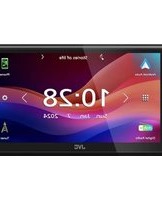
| Product type | 2 DIN multimedia car stereo with touchscreen |
| Brand | JVC |
| Model | KW-Z900DBW |
| Screen size | 17.7 cm (6.95 inch) touchscreen |
| Dimensions | Approx. 18.2 x 10.8 x 16.0 cm (L x H x D) |
| Weight | Approx. 1.8 kg |
| Power supply | 12 V DC (11-16 V, negative ground) |
| Output power | 4 x 50 W max (22 W RMS) |
| Tuner | AM/FM with RDS |
| Smartphone compatibility | Wireless Apple CarPlay and Android Auto |
| Bluetooth | Built-in for hands-free calling and audio streaming |
| Connectors | Front USB, auxiliary input, preamp outputs |
| Main functions | Smartphone navigation, voice commands, media playback |
| Care and cleaning | Wipe gently with a dry, non-abrasive cloth |
| Security | Customizable anti-theft code and security indicator light |
| Spare parts and repairability | Remote control and accessories available, repair by a professional |
| General information | 2 DIN compatible installation, steering wheel controls available |
Frequently Asked Questions - KW-Z900DBW JVC
How do I connect my phone via Bluetooth?
Enable Bluetooth on your phone then start scanning for devices. Select KW-Z900DBW from the list and confirm pairing. The default PIN is 0000 if needed.
How do I set up Apple CarPlay or Android Auto?
Connect your smartphone to the front USB port or use the wireless connection. The screen will guide you to authorize access. Make sure the CarPlay/Android Auto app is enabled on your phone.
Can I watch videos on the screen?
Yes, the car stereo plays videos from a USB drive or an AV source, but video playback is disabled while driving for road safety reasons. You can only watch it when the parking brake is engaged.
What should I do if the touchscreen stops responding?
Restart the device by pressing the RESET button with a stylus or a paperclip. Also make sure the screen surface is clean and free of dust or residue.
How do I adjust the sound and bass?
Press the SOUND button or the audio icon to access the equalizer. You can choose presets (bass, treble, balance) or customize manually via advanced settings.
Is the car stereo compatible with steering wheel controls?
Yes, it is compatible with most steering wheel controls. You may need an adapter depending on your vehicle. Ask a professional installer for advice.
How do I update the car stereo software?
Download the latest firmware file from the official JVC website onto an empty USB drive. Plug in the drive, go to Settings > System update, and follow the instructions.
Can I use an external microphone for the hands-free kit?
Yes, an external microphone can be connected. You can select the mic source in the Bluetooth settings for better call quality.
What does the reset button (RESET) do?
The RESET button restores factory settings and clears all custom settings. Use it if the system malfunctions or after an installation.
How do I protect the car stereo from theft?
The device is equipped with an anti-theft code. You can set a personal 4-digit code in the Security menu. When the panel is removed, the indicator light flashes to deter thieves.
User questions about KW-Z900DBW JVC
0 question about this device. Answer the ones you know or ask your own.
Ask a new question about this device
No questions yet. Be the first to ask one.
Download the instructions for your Car radio in PDF format for free! Find your manual KW-Z900DBW - JVC and take your electronic device back in hand. On this page are published all the documents necessary for the use of your device. KW-Z900DBW by JVC.
USER MANUAL KW-Z900DBW JVC
Manual assistant
Powered by Anthropic
Waiting for your message
Product information
Brand : JVC
Model : KW-Z900DBW
Category : Car radio