
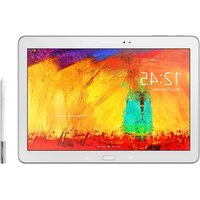
Galaxy Book 12 Wi-Fi - Graphic tablet SAMSUNG - Free user manual and instructions
Find the device manual for free Galaxy Book 12 Wi-Fi SAMSUNG in PDF.


Pick your language and provide your email: we'll send you a specifically translated version.
| Product Type | Graphic tablet / 2-in-1 tablet |
| Brand | Samsung |
| Model | Galaxy Book 12 Wi-Fi |
| Display Size | 12.0 inches |
| Display Type | Super AMOLED |
| Resolution | 2160 x 1440 pixels |
| Touchscreen | Yes, with S Pen support |
| Processor | Intel Core m3-7Y30 |
| RAM | 4 GB |
| Internal Storage | 128 GB SSD |
| Operating System | Windows 10 |
| Rear Camera | 5 MP |
| Front Camera | 5 MP |
| Battery | 36 Wh, typical |
| Dimensions | 291.3 x 199.6 x 7.4 mm |
| Weight | 754 g |
| Connectivity | Wi-Fi 802.11 a/b/g/n/ac, Bluetooth 4.1 |
| Ports | 1 x USB Type-C, 1 x USB 3.0, 3.5 mm audio jack |
| Included Accessories | S Pen, power adapter, USB cable |
| S Pen Features | 4096 levels of pressure, tilt support |
| Battery Life | Up to 10 hours of video playback |
| Charging Time | Approximately 2.5 hours |
| Care and Cleaning | Wipe with a soft, dry cloth; avoid liquids |
| Safety Information | Avoid extreme heat and moisture; use only approved accessories |
| Repairability | Battery and components replaceable at official Samsung service centers |
Frequently Asked Questions - Galaxy Book 12 Wi-Fi SAMSUNG
How do I use the S Pen on the Galaxy Book 12?
The S Pen allows you to write, draw, and navigate precisely. Press the button on the S Pen for additional actions. Use it to create digital drawings or take handwritten notes. The pen supports 4096 levels of pressure for a natural drawing experience.
How can I connect my tablet to a Wi-Fi network?
Go to Settings > Network & Internet > Wi-Fi, then toggle Wi-Fi on and select your network. Enter the password if required and tap Connect. Your tablet will remember the network for future connections.
How do I take a screenshot on the Galaxy Book 12?
Press the Windows key + Volume Down button simultaneously on your tablet. The screen will flash and the screenshot will be saved in the Screenshots folder inside your Pictures library.
How do I charge the Galaxy Book 12?
Plug the included USB Type-C power adapter into the USB Type-C port on the tablet. Connect the adapter to a wall outlet. The battery indicator will show charging status. A full charge takes about 2.5 hours.
Can I update the Windows operating system?
Yes, go to Settings > Update & Security > Windows Update, then click Check for updates. Install all pending updates to improve performance, security, and stability.
How should I clean the screen of my device?
Use a soft, lint-free cloth slightly dampened with water (or a dedicated screen cleaner). Gently wipe the screen in circular motions. Avoid using paper towels or abrasive materials. Never spray liquid directly onto the device.
How do I reset the Galaxy Book 12 to factory settings?
Back up your data first. Go to Settings > Update & Security > Recovery and select Reset this PC. Choose whether to keep your files or remove everything, then follow the on-screen instructions.
Is the battery removable?
The battery is built-in and not user-removable. If you experience battery issues, contact an authorized Samsung service center for inspection or replacement.
How do I use the device as a graphic tablet?
Install drawing apps from the Microsoft Store, such as Bamboo Paper or Inkredible. The S Pen works seamlessly with compatible applications, allowing you to draw, sketch, or edit photos with precise pressure sensitivity.
How much storage space is available and can I expand it?
The tablet comes with 128 GB of internal storage. You can expand storage using a microSD card via the memory card slot, supporting cards up to 256 GB.
User questions about Galaxy Book 12 Wi-Fi SAMSUNG
0 question about this device. Answer the ones you know or ask your own.
Ask a new question about this device
No questions yet. Be the first to ask one.
Download the instructions for your Graphic tablet in PDF format for free! Find your manual Galaxy Book 12 Wi-Fi - SAMSUNG and take your electronic device back in hand. On this page are published all the documents necessary for the use of your device. Galaxy Book 12 Wi-Fi by SAMSUNG.
USER MANUAL Galaxy Book 12 Wi-Fi SAMSUNG



Manual assistant
Powered by Anthropic
Waiting for your message
Product information
Brand : SAMSUNG
Model : Galaxy Book 12 Wi-Fi
Category : Graphic tablet