
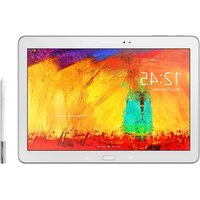
Galaxy Tab Active5 Pro - Graphic tablet SAMSUNG - Free user manual and instructions
Find the device manual for free Galaxy Tab Active5 Pro SAMSUNG in PDF.


Pick your language and provide your email: we'll send you a specifically translated version.
| Product Type | Rugged Graphic Tablet |
| Brand | Samsung |
| Model | Galaxy Tab Active5 Pro |
| Display Size | 10.1 inches |
| Display Resolution | 1920 x 1200 pixels |
| Dimensions | 213.8 x 126.8 x 10.1 mm |
| Weight | 519 g |
| Battery Capacity | 5050 mAh |
| Battery Type | Replaceable Lithium-Ion |
| Operating System | Android |
| Processor | Octa-core processor |
| Memory | 6 GB RAM |
| Storage | 128 GB (expandable) |
| Rear Camera | 13 MP |
| Front Camera | 8 MP |
| Network | 5G / LTE |
| Water Resistance | IP68 |
| Dust Resistance | IP68 compliant |
| Drop Resistance | MIL-STD-810H certified |
| Stylus Support | S Pen included |
| Maintenance | Clean with a soft dry cloth |
| Safety | Do not expose to fire or extreme heat |
| Spare Parts | User-replaceable battery |
| Repairability | Official service centers available |
Frequently Asked Questions - Galaxy Tab Active5 Pro SAMSUNG
Why is my Galaxy Tab Active5 Pro not charging?
Check the charging port for debris, use the original charging cable, and try a different power outlet. If the issue persists, the battery may need replacement. For safety, contact Samsung support.
Can I use the tablet underwater?
The tablet is IP68 water-resistant, meaning it can be submerged in up to 1.5 meters of fresh water for 30 minutes. However, avoid salt water and do not use the touchscreen while submerged.
How do I replace the battery?
The battery is user-replaceable. Turn off the device, remove the back cover using the provided tool, disconnect the battery connector, and insert a new one. Then replace the cover securely.
How to clean the tablet safely?
Use a soft, lint-free cloth slightly dampened with water or mild soap. Avoid abrasive cleaners and excessive moisture. Dry the tablet thoroughly before recharging.
Is the S Pen supported?
Yes, the Galaxy Tab Active5 Pro comes with an S Pen. It provides precise control for drawing, note-taking, and navigating.
What should I do if the screen freezes?
Press and hold the Power button and Volume Down button for 10 seconds to force restart. If the problem continues, reset the device to factory settings after backing up data.
Can I expand the storage?
Yes, the tablet has a microSD card slot that supports cards up to 1 TB. Insert the card in the tray to increase storage.
How to maintain the ruggedness of the device?
Keep the ports and covers closed when not in use, avoid exposing the device to extreme temperatures, and inspect the seals regularly for damage.
Does the tablet support stylus pressure sensitivity?
Yes, the S Pen supports 4096 levels of pressure, allowing detailed drawing and writing.
Where can I find spare parts?
Spare parts are available through Samsung authorized service centers. You can order genuine parts online from the Samsung website or visit a local repair center.
User questions about Galaxy Tab Active5 Pro SAMSUNG
0 question about this device. Answer the ones you know or ask your own.
Ask a new question about this device
No questions yet. Be the first to ask one.
Download the instructions for your Graphic tablet in PDF format for free! Find your manual Galaxy Tab Active5 Pro - SAMSUNG and take your electronic device back in hand. On this page are published all the documents necessary for the use of your device. Galaxy Tab Active5 Pro by SAMSUNG.
USER MANUAL Galaxy Tab Active5 Pro SAMSUNG



Manual assistant
Powered by Anthropic
Waiting for your message
Product information
Brand : SAMSUNG
Model : Galaxy Tab Active5 Pro
Category : Graphic tablet