
HT-DDW830 - Home Theater System SONY - Free user manual and instructions
Find the device manual for free HT-DDW830 SONY in PDF.


Pick your language and provide your email: we'll send you a specifically translated version.
| Product Type | 5.1 Channel Home Theater System |
| Brand | Sony |
| Model | HT-DDW830 |
| Number of Channels | 5.1 |
| Total Power Output | 700 W |
| Speaker Configuration | 5 satellite speakers + 1 subwoofer |
| Disc Playback | DVD, CD, MP3 CD |
| Tuner | AM/FM |
| Audio Decoders | Dolby Digital, DTS |
| Video Outputs | Composite video, S-Video |
| Audio Inputs | 2 analog audio inputs |
| Power Supply | AC 220-240 V, 50/60 Hz |
| Power Consumption | 150 W |
| Main Unit Dimensions (W×H×D) | 430 × 162 × 365 mm |
| Main Unit Weight | 7.5 kg |
| Remote Control | Included |
| Maintenance Instructions | Wipe with a soft dry cloth; avoid liquids |
| Safety Precautions | Keep ventilation slots clear; avoid moisture |
| Spare Parts | Contact Sony authorized service center |
| General Information | For home entertainment use |
Frequently Asked Questions - HT-DDW830 SONY
How do I connect the HT-DDW830 to my TV?
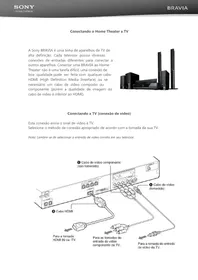
Use the composite video output (yellow RCA) on the back of the receiver to connect to the corresponding video input on your TV. If your TV has only an HDMI port, you will need an RCA-to-HDMI converter.
What surround sound formats are supported?
The system supports Dolby Digital and DTS, which are common on DVDs and Blu-ray discs. It creates a 5.1 channel cinematic soundfield.
How should I clean the system?
Use a soft, dry cloth to gently wipe the front panel and outer surfaces. Do not use alcohol, ammonia, or abrasive cleaners as they may damage the finish.
Why are the surround speakers silent?
Check that the speaker wires are connected to the correct terminals. Press the AUDIO MODE button until the DOLBY PRO LOGIC or DTS mode is selected. Also ensure the source material contains surround sound.
Can I play MP3 files on this system?
Yes, you can play MP3 files recorded on CD-R or CD-RW. Insert the disc and use the on-screen menu to select the file you want.
How do I preset radio stations?
Tune to the desired station using the TUNING buttons, then press and hold the MEMORY button until the preset number flashes. Press the PRESET +/− button to select a number, and press ENTER to store it.
What is the total power output of the system?
The system delivers a total of 700 W RMS power across all channels, providing powerful and dynamic sound for home theater.
Can I wall-mount the surround speakers?
Yes, the surround speakers are equipped with keyhole slots on the back. Use the supplied brackets or screws to mount them securely on the wall.
What should I do if the system does not turn on?
Verify the AC power cord is plugged in securely. Check if the standby indicator lights up when the POWER is pressed. If not, there may be a fuse issue; contact Sony service for assistance.
Is there a headphone output?
Yes, a headphone jack is located on the front panel. When headphones are connected, the sound from the speakers is automatically muted, allowing private listening.
User questions about HT-DDW830 SONY
0 question about this device. Answer the ones you know or ask your own.
Ask a new question about this device
No questions yet. Be the first to ask one.
Download the instructions for your Home Theater System in PDF format for free! Find your manual HT-DDW830 - SONY and take your electronic device back in hand. On this page are published all the documents necessary for the use of your device. HT-DDW830 by SONY.
USER MANUAL HT-DDW830 SONY

Manual assistant
Powered by Anthropic
Waiting for your message
Product information
Brand : SONY
Model : HT-DDW830
Category : Home Theater System