FS25 - Browser SIMRAD - Free user manual and instructions
Find the device manual for free FS25 SIMRAD in PDF.


Pick your language and provide your email: we'll send you a specifically translated version.
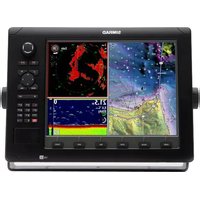
| Product Type | Marine GPS Navigator / Chartplotter |
| Brand | Simrad |
| Model | FS25 |
| Display Size | 7 inches widescreen |
| Display Resolution | 1024 x 600 pixels |
| Dimensions | 230 x 140 x 50 mm (9.1 x 5.5 x 2.0 inches) |
| Weight | 1.2 kg (2.6 lbs) |
| Power Supply | 10 - 32 V DC |
| Mounting Type | Flush mount or adjustable bracket |
| GPS Receiver | High-sensitivity GPS / GLONASS / Galileo |
| Chartplotter | Preloaded C-MAP charts with worldwide coverage |
| Sonar Function | Integrated CHIRP, SideScan, and ForwardScan capable |
| Waterproof Rating | IPX6/IPX7 (waterproof and submersible) |
| Operating Temperature | -15°C to +55°C (5°F to 131°F) |
| Connectivity | NMEA 2000, NMEA 0183, Ethernet, Wi-Fi, Bluetooth |
| Storage | microSD card slot for charts and data |
| Casing | UV-resistant polycarbonate with anti-glare glass |
| Cleaning | Use a soft, damp cloth; avoid chemical cleaners |
| Safety | Properly fuse the power supply; install away from heat sources |
| Spare Parts | Replacement mounts, cables, and bezels available |
| Repairability | Certified service centers provide authorized repairs |
| Warranty | 2-year limited warranty |
Frequently Asked Questions - FS25 SIMRAD
How do I update the charts on my Simrad FS25?
To update charts, download the latest C-MAP software from the official site, copy it to a microSD card, insert it into the device, and follow the on-screen prompts. Ensure the device is powered via a 12V DC supply during the update.
Can I use the FS25 with a NMEA 2000 network?
Yes, the FS25 supports NMEA 2000 connectivity. Use a standard NMEA 2000 cable to link it to your boat's network, allowing sharing of GPS, depth, and speed data with other instruments.
What type of sonar transducer is compatible?
The FS25 is compatible with Simrad's Broadband CHIRP and SideScan transducers. Verify the connector type on your unit before installation.
How do I clean the screen without damaging it?
Use a soft, lint-free cloth slightly dampened with fresh water. Gently wipe the screen in a circular motion. Do not use detergents, alcohol, or abrasive products as they may damage the anti-glare coating.
Is the FS25 waterproof?
The FS25 has an IPX6/IPX7 waterproof rating, meaning it can withstand splashes and even temporary submersion up to 1 meter. However, do not intentionally submerge it and keep the connectors sealed.
What power source do I need?
The device operates on a 10-32 V DC supply. Typically, a 12V marine battery is used. Always install an inline fuse (3A) on the positive wire for protection.
How do I connect my FS25 to a smartphone?
Enable Wi-Fi on the FS25 and use the Simrad App on your smartphone. The app allows remote control, screen mirroring, and data syncing. Pair them via the device's settings menu.
Can I plan routes on my computer and transfer them?
Yes, you can create routes in compatible chart software (e.g., C-MAP) and export them as GPX files. Transfer the files to a microSD card and load them into the FS25 via the File Manager.
What should I do if the device does not turn on?
First, check the power supply and fuses. Ensure the voltage is within range. If still off, perform a soft reset by holding the power button for 10 seconds. If the problem persists, consult a certified Simrad service center.
Does the FS25 come with a warranty?
The FS25 comes with a 2-year limited warranty covering manufacturing defects. Register your product on the Simrad website to activate the warranty. Keep the receipt as proof of purchase.
User questions about FS25 SIMRAD
0 question about this device. Answer the ones you know or ask your own.
Ask a new question about this device
No questions yet. Be the first to ask one.
Download the instructions for your Browser in PDF format for free! Find your manual FS25 - SIMRAD and take your electronic device back in hand. On this page are published all the documents necessary for the use of your device. FS25 by SIMRAD.
USER MANUAL FS25 SIMRAD

Manual assistant
Powered by Anthropic
Waiting for your message
Product information
Brand : SIMRAD
Model : FS25
Category : Browser