PI54 - Browser SIMRAD - Free user manual and instructions
Find the device manual for free PI54 SIMRAD in PDF.


Pick your language and provide your email: we'll send you a specifically translated version.
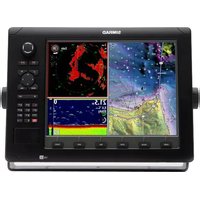
| Product type | Marine multi-function display for trawl monitoring and navigation |
| Brand | Simrad |
| Model | PI54 |
| Display size | 15-inch color TFT LCD |
| Resolution | 1024 x 768 pixels |
| Display brightness | 1200 nits (sunlight readable) |
| Dimensions (W x H x D) | 401 x 330 x 90 mm |
| Weight | 5.6 kg |
| Power supply | 10-36 V DC (auto-sensing) |
| Power consumption | 30 W maximum |
| Waterproof rating | IPX7 front panel, IPX6 rear |
| Main functions | Trawl catch monitoring, depth, spread, temperature, navigation |
| GPS receiver | Integrated 50-channel GPS |
| Chart support | Navionics and C-MAP via SD card slot |
| Sensor compatibility | Simrad PI wireless sensors (catch, depth, spread, height) |
| Connectivity | Ethernet, NMEA 2000, NMEA 0183, USB, RS-232 |
| Operating temperature | -20°C to +60°C |
| Mounting options | Flush mount, bracket, or rail mount |
| Cleaning and maintenance | Wipe with mild soap and water; avoid solvents |
| Safety certifications | CE, FCC, Marine Type Approval |
| Spare parts and repair | Modular components and user-replaceable fuses via certified dealers |
Frequently Asked Questions - PI54 SIMRAD
What is the Simrad PI54 used for?
The Simrad PI54 is a professional marine multi-function display designed for trawl monitoring and navigation. It allows you to track catch quantity, net depth, spread, and temperature in real time.
How do I update the charts on my PI54?
Insert an SD card containing the updated Navionics or C-MAP charts into the SD card slot on the front panel. Go to the chart settings menu and select "Update" to load the new data.
Is the PI54 waterproof?
Yes, the PI54 has an IPX7 rating on the front panel, meaning it can withstand temporary submersion in 1 meter of water for 30 minutes. The rear is rated IPX6 for protection against powerful jets of water.
What power supply is required for the PI54?
The PI54 accepts a 10-36 V DC input with a maximum power consumption of 30 W. It automatically adjusts to the available supply, making it suitable for both 12 V and 24 V systems.
How do I connect wireless sensors to the PI54?
The PI54 receives signals from Simrad PI wireless sensors via its integrated receiver. To connect, activate the sensor and perform a sensor search in the display settings. Once recognized, the sensor appears in the list and can be assigned to a channel.
Can the PI54 display GPS and navigation data?
Absolutely. The PI54 has a built-in 50-channel GPS receiver and supports chart plotting. You can view your vessel's position, speed, and course, as well as overlay sensor data on the chart page.
What maintenance does the PI54 require?
Regular maintenance includes cleaning the screen with a soft cloth and mild soap solution, checking all connections for corrosion, and ensuring the cooling vents are not obstructed. No periodic calibration is needed.
Where can I find spare parts for my PI54?
Spare parts for the PI54, including replacement fuses and mounting brackets, are available from authorized Simrad dealers. The PI54 is modular, so most components can be replaced on site.
How do I set up the PI54 on my vessel's network?
Connect the PI54 to your network via Ethernet or NMEA 2000. In the network settings, enable DHCP or set a static IP address. The PI54 can share data with other Simrad devices, such as autopilots and radar.
What is the warranty period for the PI54?
The Simrad PI54 is backed by a 2-year limited warranty with an optional extension. The warranty covers manufacturer defects and does not cover damage from misuse or improper installation.
User questions about PI54 SIMRAD
0 question about this device. Answer the ones you know or ask your own.
Ask a new question about this device
No questions yet. Be the first to ask one.
Download the instructions for your Browser in PDF format for free! Find your manual PI54 - SIMRAD and take your electronic device back in hand. On this page are published all the documents necessary for the use of your device. PI54 by SIMRAD.
USER MANUAL PI54 SIMRAD

Manual assistant
Powered by Anthropic
Waiting for your message
Product information
Brand : SIMRAD
Model : PI54
Category : Browser