
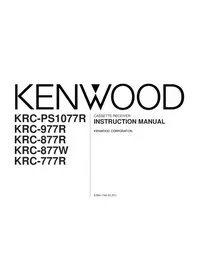
KRC-877W - Car radio KENWOOD - Free user manual and instructions
Find the device manual for free KRC-877W KENWOOD in PDF.


Pick your language and provide your email: we'll send you a specifically translated version.
| Product Type | Car Radio / CD Receiver |
| Brand | Kenwood |
| Model | KRC-877W |
| Product Category | Car Audio |
| Dimensions (W x H x D) | 178 x 50 x 160 mm (standard DIN) |
| Weight | Approximately 1.5 kg |
| Power Supply | 12V DC (negative ground) |
| Maximum Power Output | 50W x 4 |
| RMS Power Output | 22W x 4 |
| Tuner Bands | FM / AM |
| CD Playback | CD, CD-R, CD-RW |
| Audio Features | Preset EQ, bass and treble controls |
| Detachable Faceplate | Yes, for theft prevention |
| RCA Preout | 2-channel (front or rear) |
| Maintenance and Cleaning | Wipe faceplate with a dry soft cloth; clean CD lens with lens cleaner |
| Safety Notes | For 12V negative ground vehicles only; replace fuse with correct rating |
| Spare Parts and Servicing | Contact an authorized Kenwood service center for genuine spare parts |
| Repairability | Replaceable fuse and modular connectors for easy servicing |
Frequently Asked Questions - KRC-877W KENWOOD
How do I reset the Kenwood KRC-877W?
To reset the unit, use a pen tip or a pointed object to press the reset button on the front panel. This will restore the factory settings and clear any saved presets.
How do I set the clock on the KRC-877W?
Press and hold the CLK button until the time display starts blinking, then use the volume knob or the SEEK/TRACK buttons to adjust hours and minutes. Press CLK again to save.
What should I do if there is no sound from the speakers?
First check the volume level, fader, and balance settings. Make sure the unit is not muted. If you still hear nothing, verify the speaker wiring and the power connections.
How do I remove the detachable faceplate?
Press the release button located on the front panel, then pull the faceplate straight off. Keep it in a safe case when not in use to prevent theft.
Can I play CD-RW discs on this unit?
Yes, the KRC-877W supports playback of CD-R and CD-RW discs. However, compatibility may vary depending on the quality of the recording and the disc itself.
How do I tune in radio stations?
Use the SEEK/TRACK buttons to automatically search for the next available station, or press and hold them for manual tuning. Save your favorite stations using the preset buttons.
How do I clean the faceplate and the unit?
Wipe the faceplate with a dry soft cloth. Do not use solvents or abrasive cleaners. For the CD player, use a lens cleaner disc to remove dust from the lens.
What is the RMS power output of the KRC-877W?
The RMS power output is 22W x 4 channels, while the maximum power output is 50W x 4. This provides enough power for most aftermarket speakers.
Does the KRC-877W have built-in Bluetooth or AUX input?
No, this model does not have Bluetooth or a dedicated AUX input. It offers standard tuner and CD playback, plus RCA preouts for connecting external amplifiers.
How do I replace the fuse?
Disconnect the power from the unit, then locate the fuse on the back of the chassis or in the power wire. Remove the old fuse and replace it with a new one of the same rating (typically 10A or 15A).
User questions about KRC-877W KENWOOD
0 question about this device. Answer the ones you know or ask your own.
Ask a new question about this device
No questions yet. Be the first to ask one.
Download the instructions for your Car radio in PDF format for free! Find your manual KRC-877W - KENWOOD and take your electronic device back in hand. On this page are published all the documents necessary for the use of your device. KRC-877W by KENWOOD.
USER MANUAL KRC-877W KENWOOD

Manual assistant
Powered by Anthropic
Waiting for your message
Product information
Brand : KENWOOD
Model : KRC-877W
Category : Car radio