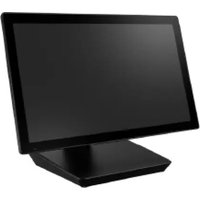
YUNO C - Tablet Advantech - Free user manual and instructions
Find the device manual for free YUNO C Advantech in PDF.


Pick your language and provide your email: we'll send you a specifically translated version.
| Type of Product | Tablet computer |
| Brand | Advantech |
| Model | YUNO C |
| Category | Tablet |
| Display | 10.1-inch TFT LCD with capacitive multi-touch |
| Resolution | 1920 x 1200 pixels (WUXGA) |
| Processor | Intel Celeron N3350 dual-core 1.1 GHz |
| RAM | 4 GB LPDDR4 |
| Storage | 64 GB eMMC |
| Operating System | Windows 10 IoT Enterprise |
| Battery | Removable Li-ion 7.4V, 5000mAh |
| Power Supply | 12V DC adapter, 100-240V input |
| Weight | 1.1 kg (2.43 lbs) |
| Dimensions (W x D x H) | 270 x 190 x 14 mm |
| Connectivity | 802.11ac Wi-Fi, Bluetooth 4.2, optional 4G LTE |
| Ports | 1 x USB 3.0, 1 x USB-C, 1 x HDMI, microSD slot, audio combo |
| Main Functions | Patient data access, medical imaging, bedside monitoring, EMR/EHR documentation |
| Maintenance and Cleaning | Wipe with a soft cloth dampened with medical-grade disinfectant; do not immerse |
| Safety | Certified to IEC 60601-1, FCC, CE, RoHS |
| Spare Parts and Reparability | Replacement batteries, AC adapters, screen protectors, carry handles |
| General Information | Rugged design with IP65 water/dust resistance and 1.2m drop protection |
Frequently Asked Questions - YUNO C Advantech
How do I turn on the Advantech YUNO C tablet?
Press and hold the power button for about 3 seconds until the logo appears on the screen.
How can I connect the tablet to a Wi-Fi network?
Go to Settings > Network & Internet > Wi-Fi, turn it on, and select your network from the list. Enter the password if required.
What is the best way to clean the screen?
Use a soft microfiber cloth slightly dampened with water or a recommended medical-grade disinfectant. Avoid harsh chemicals and do not spray directly on the screen.
Is the battery removable?
Yes, the battery is removable. Follow the instructions in the user manual to safely remove and replace the battery.
Which operating system is preinstalled?
The tablet comes with Windows 10 IoT Enterprise, which supports healthcare applications and peripheral devices.
How do I perform a factory reset?
Go to Settings > Update & Security > Recovery and select Reset this PC. Choose the option to remove everything for a full reset.
Is the tablet waterproof?
The tablet has an IP65 rating, meaning it is protected against low-pressure water jets and dust, but it is not submersible in water.
How do I update drivers for the YUNO C?
You can download the latest drivers from the Advantech support website by entering the model number, or use Windows Update for automatic driver installation.
Can I use this tablet for telemedicine consultations?
Yes, the tablet includes an integrated camera and microphone, and supports video conferencing applications, making it suitable for telemedicine.
What is the warranty period for the YUNO C?
The standard warranty is typically 2 years, but it may vary by region and distributor. Check with your reseller for specific warranty coverage.
User questions about YUNO C Advantech
0 question about this device. Answer the ones you know or ask your own.
Ask a new question about this device
No questions yet. Be the first to ask one.
Download the instructions for your Tablet in PDF format for free! Find your manual YUNO C - Advantech and take your electronic device back in hand. On this page are published all the documents necessary for the use of your device. YUNO C by Advantech.
USER MANUAL YUNO C Advantech

Manual assistant
Powered by Anthropic
Waiting for your message
Product information
Brand : Advantech
Model : YUNO C
Category : Tablet