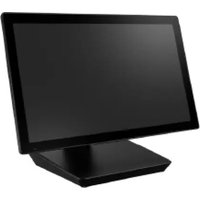
USC-513K - Tablet Advantech - Free user manual and instructions
Find the device manual for free USC-513K Advantech in PDF.


Pick your language and provide your email: we'll send you a specifically translated version.
| Product Type | Industrial Tablet |
| Brand | Advantech |
| Model | USC-513K |
| Display Size | 13.3 inches |
| Display Resolution | 1920 x 1080 pixels (Full HD) |
| Touchscreen | Capacitive multi-touch |
| Processor | Intel Celeron J1900 (quad-core, 2.0 GHz) |
| Memory | 4 GB DDR3L (expandable to 8 GB) |
| Storage | 64 GB M.2 SSD |
| Operating System | Windows 10 IoT Enterprise |
| Connectivity | Wi-Fi 802.11ac, Bluetooth 4.2 |
| Ports | USB 3.0 x2, USB 2.0 x2, HDMI, RJ-45, Audio |
| Power Supply | 12 V DC adapter (100-240 V) |
| Dimensions | 348 x 237 x 42 mm |
| Weight | 2.8 kg |
| Operating Temperature | 0 to 50°C |
| Mounting | VESA 75/100 mm, optional stand |
| Cooling | Fanless design |
| Ingress Protection | Front panel IP65 |
| Warranty | 2 years limited |
Frequently Asked Questions - USC-513K Advantech
How do I clean the touchscreen safely?
Use a dry microfiber cloth or a screen cleaner designed for electronics. Avoid abrasive materials or harsh chemicals. Always power off the device before cleaning and never spray liquid directly on the screen.
What is the mount type for the USC-513K?
The tablet supports VESA 75/100 mm mounting holes, making it easy to attach to a wall arm, kiosk stand, or vehicle dock. An optional desktop stand is also available.
Can I operate the tablet in extreme temperatures?
The USC-513K is designed for industrial environments with an operating range of 0 to 50°C. It is not intended for extreme heat or freezing conditions without proper enclosure.
How do I perform a factory reset?
Go to Settings > Update & Security > Recovery and choose 'Reset this PC'. Make sure to back up your data first. The device will restore to the original Windows 10 IoT state.
Is the tablet fanless?
Yes, the USC-513K features a fanless cooling system, which ensures silent operation and reduces dust intake, making it suitable for clean rooms and medical settings.
What operating systems are supported?
The device ships with Windows 10 IoT Enterprise. Linux distributions are also compatible, but drivers are optimized for Windows.
How can I expand the storage?
The tablet comes with a 64 GB M.2 SSD. You can replace it with a standard M.2 2280 SATA SSD up to 1 TB. An additional microSD card slot is available for extra storage.
Can I use the touchscreen with gloves?
Yes, the capacitive touchscreen supports glove operation when gloves are conductive or when the sensitivity is adjusted to 'High' in the BIOS.
How do I connect to the internet?
The device has built-in Wi-Fi 802.11ac and a Gigabit Ethernet port. Simply connect to a Wi-Fi network via the system tray or plug in an Ethernet cable.
What is the power consumption?
Typical power consumption is around 24W under load. The included 12V/5A adapter provides sufficient headroom for peripherals.
User questions about USC-513K Advantech
0 question about this device. Answer the ones you know or ask your own.
Ask a new question about this device
No questions yet. Be the first to ask one.
Download the instructions for your Tablet in PDF format for free! Find your manual USC-513K - Advantech and take your electronic device back in hand. On this page are published all the documents necessary for the use of your device. USC-513K by Advantech.
USER MANUAL USC-513K Advantech

Manual assistant
Powered by Anthropic
Waiting for your message
Product information
Brand : Advantech
Model : USC-513K
Category : Tablet