AIM-75S - Tablet Advantech - Free user manual and instructions
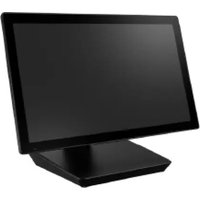
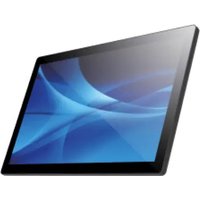
Find the device manual for free AIM-75S Advantech in PDF.


Pick your language and provide your email: we'll send you a specifically translated version.
| Product Type | Tablet |
| Brand | Advantech |
| Model | AIM-75S |
| Display Size | 7 inches TFT LCD |
| Display Resolution | 1280 x 800 pixels |
| Touchscreen | Capacitive multi-touch |
| Processor | Intel Atom x5-Z8350 |
| RAM | 4 GB LPDDR3 |
| Storage | 64 GB eMMC |
| Operating System | Windows 10 IoT Enterprise |
| Battery Capacity | Li-ion 4200 mAh |
| Power Input | DC 12V |
| Dimensions (W x H x D) | 210 x 140 x 22 mm |
| Weight | 0.7 kg |
| Protection Rating | IP65 (dust and water resistant) |
| Connectivity | Wi-Fi 802.11ac, Bluetooth 4.2, USB 2.0, USB 3.0, HDMI, microSD slot |
| Sensors | Ambient light sensor, accelerometer |
| Accessories Included | Power adapter, USB cable, quick start guide |
| Maintenance | Clean with dry cloth; avoid exposure to liquids or extreme temperatures |
| Safety | Use only approved chargers; do not disassemble; keep away from moisture |
| Spare Parts & Repairability | Battery, charger, and screen assembly available through Advantech support |
Frequently Asked Questions - AIM-75S Advantech
How do I turn on the AIM-75S tablet for the first time?
Press and hold the power button located on the top edge for 3-5 seconds until the screen lights up. Follow the on-screen setup instructions.
How do I charge the tablet?
Connect the included DC power adapter to the tablet's charging port. The LED indicator will show red during charging and green when fully charged.
Can I use a different charger?
Only use the provided charger or an Advantech-approved replacement. Using an incompatible charger may damage the device or void the warranty.
How do I increase the storage?
Insert a microSD card (up to 128 GB) into the slot located on the side of the tablet. The device will automatically detect and mount it.
Is the tablet waterproof?
The AIM-75S has an IP65 rating, meaning it is dust-tight and protected against low-pressure water jets. It is not designed for submersion.
How do I clean the tablet screen?
Use a soft, lint-free cloth slightly dampened with water or a screen cleaner. Do not apply liquid directly to the screen and avoid abrasive materials.
Why is the screen not responding?
First, ensure hands are clean and dry. If unresponsive, perform a gentle restart by holding the power button for 10 seconds. If the issue persists, contact Advantech support.
How can I connect to Wi-Fi?
Go to Settings > Network & Internet > Wi-Fi. Enable Wi-Fi, select your network, enter the password, and tap Connect.
What should I do if the battery drains quickly?
Close unused apps, reduce screen brightness, disable Bluetooth when not in use, and check for background processes. If the battery degrades, contact Advantech for a replacement.
Where can I find the user manual?
The user manual is available for download on the official Advantech website or from the product page at notice-facile.com in PDF format.
User questions about AIM-75S Advantech
0 question about this device. Answer the ones you know or ask your own.
Ask a new question about this device
No questions yet. Be the first to ask one.
Download the instructions for your Tablet in PDF format for free! Find your manual AIM-75S - Advantech and take your electronic device back in hand. On this page are published all the documents necessary for the use of your device. AIM-75S by Advantech.
USER MANUAL AIM-75S Advantech


Manual assistant
Powered by Anthropic
Waiting for your message
Product information
Brand : Advantech
Model : AIM-75S
Category : Tablet