
GCST11N1WSS - Microwave GE - Free user manual and instructions
Find the device manual for free GCST11N1WSS GE in PDF.


Pick your language and provide your email: we'll send you a specifically translated version.
| Product Type | Countertop Microwave Oven |
| Brand | GE (General Electric) |
| Model Number | GCST11N1WSS |
| Color/Finish | Stainless Steel |
| Capacity | 1.1 cu. ft. (31 liters) |
| Power Output | 1100 Watts |
| Control Type | Electronic push-button |
| Display | LED digital display |
| Turntable | 12-inch glass turntable, removable |
| Cooking Options | Popcorn, Potato, Beverage, Reheat, Defrost |
| Auto Defrost | Yes, by weight or time |
| Child Lock | Yes, prevents accidental operation |
| Interior Light | Yes, LED interior light |
| Timer Function | Up to 99 minutes 59 seconds |
| Door Release | Push-button release |
| Voltage | 120V AC, 60Hz |
| Dimensions (W x H x D) | Approx. 20.5 x 12.3 x 17.3 inches |
| Weight | Approx. 37 lbs (16.8 kg) |
| Cleaning & Maintenance | Wipe interior and exterior with a soft damp cloth; avoid abrasive cleaners |
| Safety Features | Child lock, automatic shutoff, side ventilation |
| Spare Parts & Repairability | Replacement parts available via GE Appliance Parts; authorized service recommended |
| Installation Requirements | Place on a flat, stable countertop with clearance around vents |
| Warranty | 1-year limited manufacturer warranty |
Frequently Asked Questions - GCST11N1WSS GE
How do I set the clock on the GE GCST11N1WSS?
Press the Clock button. Use the numeric keypad to enter the current time (hours and minutes). Press Clock again to confirm. The clock will display in 12-hour format. Make sure to set the clock before first use.
Can I use metal containers in this microwave?
No. Metal can cause arcing and damage the oven. Use microwave-safe glass, ceramic, or plastic containers. Do not use aluminum foil unless specifically directed by a recipe.
How do I clean the inside of the microwave?
Unplug the oven and wipe the interior with a soft, damp cloth. For tough stains, use a mild solution of water and baking soda. Avoid abrasive pads and harsh cleaners. Remove and wash the turntable in warm soapy water.
What should I do if the turntable is not rotating?
Make sure the turntable is properly seated on the drive hub. Check for debris under the rollers. If the motor is not working, it may need service. The turntable is removable for cleaning; reinstall it correctly.
Is there a child lock function? How to use it?
Yes, the child lock prevents accidental operation. To activate, press and hold the Stop/Clear button for about 3 seconds until you hear a beep. Repeat to deactivate. The display shows a lock icon when enabled.
What are the power levels and how do I adjust them?
The microwave has multiple power levels. Press Power Level repeatedly or enter a number from 1 to 10 (10 is high). Default is high (100%). For example, press Power Level, then press 5 for 50% power. This is useful for defrosting or gentle cooking.
How do I defrost food using this microwave?
Use the Defrost function. Press Defrost by weight or time. For weight defrost, enter the weight of the food; the oven will set the time automatically. Turn food over halfway for even thawing.
Why is the microwave making unusual noise?
Some noise is normal. A low hum is from the magnetron, and clicking is from the turntable motor. If you hear grinding or loud buzzing, check the turntable for obstructions. If noise persists, unplug and contact service.
Can I use this microwave for canning?
No. Microwave ovens are not suitable for canning because they do not maintain a consistent temperature high enough for safe preservation. Follow tested canning recipes using proper equipment.
How do I reset the microwave after a power surge?
Unplug the oven for 1 minute, then plug it back in. Reset the clock and any custom settings. If the display remains blank or buttons don't respond, you may need to check the circuit breaker or contact service.
User questions about GCST11N1WSS GE
0 question about this device. Answer the ones you know or ask your own.
Ask a new question about this device
No questions yet. Be the first to ask one.
Download the instructions for your Microwave in PDF format for free! Find your manual GCST11N1WSS - GE and take your electronic device back in hand. On this page are published all the documents necessary for the use of your device. GCST11N1WSS by GE.
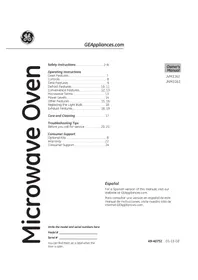
USER MANUAL GCST11N1WSS GE


Manual assistant
Powered by Anthropic
Waiting for your message
Product information
Brand : GE
Model : GCST11N1WSS
Category : Microwave