V-GPSA - Clock Valcom - Free user manual and instructions
Find the device manual for free V-GPSA Valcom in PDF.


Pick your language and provide your email: we'll send you a specifically translated version.
| Product Type | Analog clock |
| Brand | Valcom |
| Model | V-GPSA |
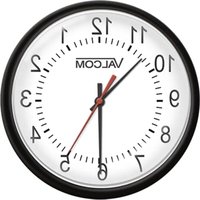
| Display Type | Analog dial with hour and minute hands |
| Dial Diameter | 12 inches (305 mm) |
| Dimensions | 12 x 12 x 2 inches (305 x 305 x 51 mm) |
| Weight | 2.5 lbs (1.1 kg) |
| Power Supply | 24 V AC (adapter not included) |
| Synchronization | GPS-controlled automatic time setting |
| Time Accuracy | +/- 1 second of UTC after synchronization |
| Daylight Saving Time | Automatic adjustment |
| Battery Backup | 1 x CR2032 coin cell (not included) |
| Mounting | Wall mountable with included hardware |
| Box Contents | Clock, GPS antenna, mounting bracket, instruction manual |
| Care and Cleaning | Wipe with a soft, dry cloth; avoid abrasive cleaners |
| Safety | Indoor use only; do not expose to moisture |
| Spare Parts | Replacement GPS antenna and power supply available |
| Warranty | Limited one-year warranty |
Frequently Asked Questions - V-GPSA Valcom
How does the clock synchronize to GPS?
The clock receives signals from GPS satellites through its antenna. Once the signal is acquired, it automatically sets the time to UTC and adjusts for your local time zone.
Why is my clock not receiving a GPS signal?
Ensure the GPS antenna is placed near a window with a clear view of the sky. Obstructions like metal roofs or thick walls can block the signal. Wait up to 15 minutes for initial acquisition.
Does the clock automatically adjust for daylight saving time?
Yes, the clock is programmed to change automatically at the official DST start and end dates when a GPS signal is available.
What type of power supply does the clock use?
The clock requires a 24 V AC power supply. A suitable adapter can be purchased separately from Valcom.
How do I manually set the time if GPS is unavailable?
In the absence of a GPS signal, you can manually set the time by pressing the set button on the rear of the clock and adjusting the hands with the included adjustment key.
How far from a window does the GPS antenna need to be?
Place the antenna within 3 feet (1 meter) of a window. Avoid basements and interior rooms without windows for best reception.
Can the clock be mounted on a wall?
Yes, the clock has a wall-mounting bracket and pre-drilled holes. Use the included screws and anchors for secure installation.
How do I clean and maintain the clock?
Use a soft, dry cloth to gently wipe the clock face and casing. Do not use water, chemical cleaners, or abrasive materials that could damage the finish.
Is the clock battery-operated or wired?
The clock is primarily wired with a 24 V AC connection. It also has a CR2032 battery backup to maintain time during power outages.
What should I do if the clock loses time?
Check the GPS antenna connection and ensure it has a clear view of the sky. Also verify the backup battery is installed and not depleted. If the problem persists, contact Valcom support.
User questions about V-GPSA Valcom
0 question about this device. Answer the ones you know or ask your own.
Ask a new question about this device
No questions yet. Be the first to ask one.
Download the instructions for your Clock in PDF format for free! Find your manual V-GPSA - Valcom and take your electronic device back in hand. On this page are published all the documents necessary for the use of your device. V-GPSA by Valcom.
USER MANUAL V-GPSA Valcom
Manual assistant
Powered by Anthropic
Waiting for your message
Product information
Brand : Valcom
Model : V-GPSA
Category : Clock