V-WMCA - Clock Valcom - Free user manual and instructions
Find the device manual for free V-WMCA Valcom in PDF.


Pick your language and provide your email: we'll send you a specifically translated version.
| Product Type | Clock |
| Brand | Valcom |
| Model | V-WMCA |
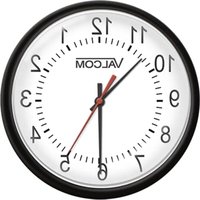
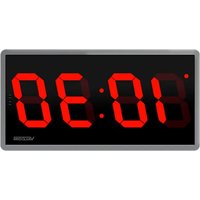
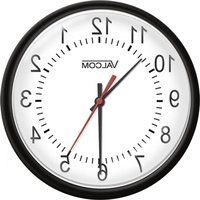
| Display Type | Analog or Digital (depending on variant) |
| Diameter | Approximately 12 inches (30 cm) |
| Weight | Approximately 1.5 lbs (0.7 kg) |
| Power Source | 1 AA battery (not included) or AC adapter (optional) |
| Battery Life | Up to 1 year with standard AA alkaline battery |
| Timekeeping Accuracy | Quartz movement, ±1 minute per year |
| Alarm Function | Yes, with snooze feature |
| Volume Control | Adjustable alarm volume |
| Mounting Type | Wall mountable with included hardware |
| Material | Plastic frame with glass lens |
| Color | Black or white (check product variant) |
| Operating Temperature | 32°F to 104°F (0°C to 40°C) |
| Humidity Range | 10% to 90% non-condensing |
| Maintenance | Wipe with a soft dry cloth; do not use water or cleaners |
| Battery Safety | Remove battery if not used for extended periods; keep away from children |
| Replacement Parts | Battery cover available; contact Valcom support |
| Warranty | 1-year limited warranty |
Frequently Asked Questions - V-WMCA Valcom
How do I set the time on my Valcom V-WMCA clock?
Turn the knob on the back of the clock to set the time. For digital models, press and hold the 'Time' button until the hour flashes, then adjust using the +/- buttons.
What type of battery does the V-WMCA clock use?
The clock uses one AA alkaline battery. Do not use rechargeable batteries as they may have lower voltage.
How do I activate the alarm?
Set the alarm time using the alarm knob or buttons, then slide the alarm switch to 'ON'. The alarm will sound at the set time.
Why is my clock not keeping accurate time?
Check if the battery is fresh and properly inserted. Also ensure the clock is placed away from magnetic fields or extreme temperatures.
Can I mount the clock on the wall?
Yes, the clock has a keyhole slot on the back. Use a screw or nail to hang it securely on the wall.
How do I clean my clock?
Use a soft, dry cloth to gently wipe the frame and lens. Do not use any liquid cleaners or abrasive materials.
What should I do if the alarm is too loud?
Some models have a volume control dial. If not, the volume is fixed. You can place the clock farther away to reduce perceived loudness.
Is there a snooze function?
Yes, press the snooze button (usually the top or side) to silence the alarm for 9 minutes before it repeats.
How long does the battery last?
With normal use, a standard AA alkaline battery lasts approximately one year. Replace when the time display dims or the alarm becomes weak.
Where can I find replacement parts?
Contact Valcom customer support or visit the official website for spare parts like the battery cover or mounting hardware.
User questions about V-WMCA Valcom
0 question about this device. Answer the ones you know or ask your own.
Ask a new question about this device
No questions yet. Be the first to ask one.
Download the instructions for your Clock in PDF format for free! Find your manual V-WMCA - Valcom and take your electronic device back in hand. On this page are published all the documents necessary for the use of your device. V-WMCA by Valcom.
USER MANUAL V-WMCA Valcom
Manual assistant
Powered by Anthropic
Waiting for your message
Product information
Brand : Valcom
Model : V-WMCA
Category : Clock